Listen to this Post
Introduction:
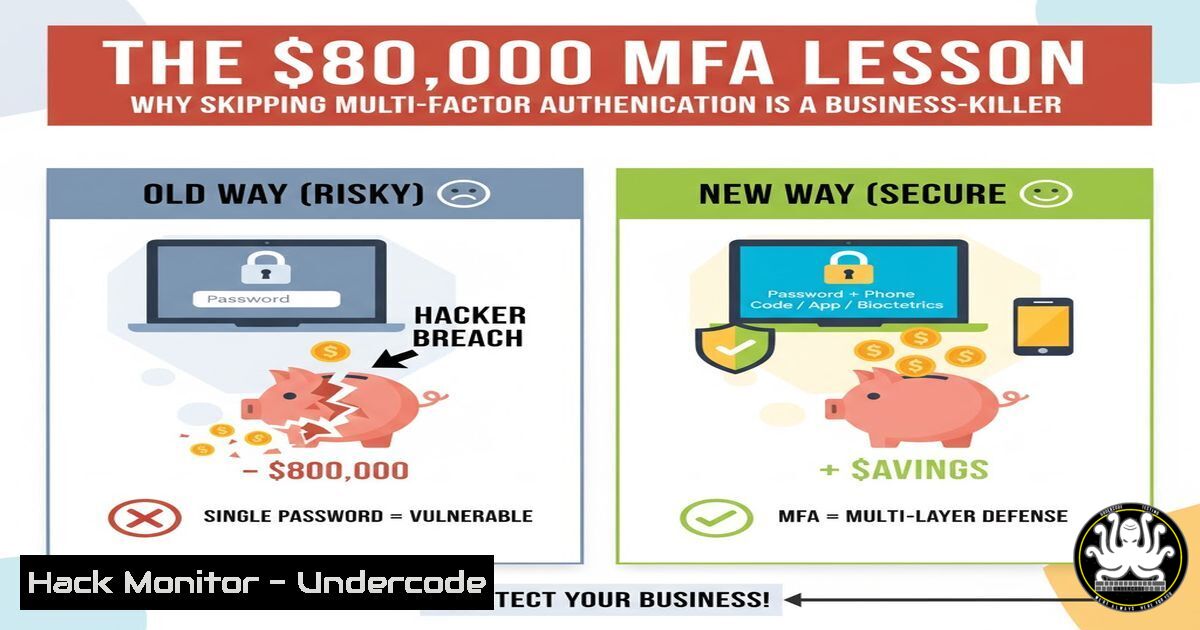
A Dutch IT service provider faced a catastrophic financial loss after a hacker exploited deactivated multi-factor authentication (MFA) on a customer’s Azure account. The subsequent cryptojacking attack spawned 60 virtual machines, accruing over €800,000 in cloud compute costs in a stark reminder that security misconfigurations are not just technical failures but severe business liabilities. This incident underscores the non-negotiable role of MFA in modern cloud infrastructure.
Learning Objectives:
- Understand the critical technical steps to enforce and verify MFA across Azure AD.
- Learn to implement cost governance guards to prevent runaway cloud spending.
- Master foundational commands for detecting cryptomining malware on compromised systems.
You Should Know:
1. Enforcing Azure AD Multi-Factor Authentication
The core of this breach was a disabled MFA policy. Azure AD Conditional Access is the definitive control to prevent such attacks.
 Connect to Azure AD PowerShell Module
Connect-AzureAD

Create a new Conditional Access policy requiring MFA for all users
$conditions = New-Object -TypeName Microsoft.Open.MSGraph.Model.ConditionalAccessConditionSet
$conditions.Applications = New-Object -TypeName Microsoft.Open.MSGraph.Model.ConditionalAccessApplicationCondition
$conditions.Applications.IncludeApplications = "All"
$conditions.Users = New-Object -TypeName Microsoft.Open.MSGraph.Model.ConditionalAccessUserCondition
$conditions.Users.IncludeUsers = "All"

New-AzureADMSConditionalAccessPolicy -DisplayName "ENFORCE MFA FOR ALL USERS" -State "enabled" -Conditions $conditions -GrantControls @{BuiltInControls = "mfa"; Operator = "OR"}
Step-by-step guide:
- Install the `AzureAD` PowerShell module using
Install-Module AzureAD. - Run `Connect-AzureAD` and sign in with a Global Administrator account.
- The script creates a new policy that mandates MFA for every user, on every application. The `-State “enabled”` parameter is crucial; a policy set to ‘disabled’ or ‘report-only’ offers no protection.
- After creation, the policy may take a short time to propagate. Always test MFA from a test user account to confirm it’s working as intended.
2. Setting Azure Spending Limits and Budget Alerts
The €22,000-per-day bill highlights a critical lack of cost controls. Azure Budgets and Action Groups provide a financial circuit breaker.
 Create a Budget Alert via Azure CLI
az consumption budget create --amount 1000 \
--time-grain Monthly \
--start-date 2023-10-01 \
--end-date 2026-10-01 \
--category Cost \
--budget-name "Monthly-Cost-Guardrail" \
--resource-group myResourceGroup \
--notifications '[
{"threshold": 50, "contact_emails": ["[email protected]"], "operator": "GreaterThan"},
{"threshold": 90, "contact_emails": ["[email protected]"], "operator": "GreaterThan"},
{"threshold": 100, "contact_emails": ["[email protected]"], "operator": "GreaterThan"}
]'
Step-by-step guide:
1. Authenticate using `az login`.
- This command creates a monthly budget of $1000 for a specific resource group. Adjust the `–amount` and `–resource-group` scope as needed.
- The `–notifications` array triggers email alerts at 50%, 90%, and 100% of the budget. For critical resources, integrate this with an Action Group to trigger SMS or automated shutdown workflows.
3. Detecting Cryptomining Process Activity on Linux
Cryptojacking scripts consume excessive CPU. Quickly identify rogue processes on a Linux VM.
 Linux command to identify high CPU/Memory processes
ps aux --sort=-%cpu | head -10
ps aux --sort=-%mem | head -10

Check for unknown listening ports and associated processes
sudo netstat -tulpn | grep LISTEN

Scan for common crypto-miner filenames and directories
sudo find / -name "mine" -o -name "monero" -o -name "xmr" -o -name "crypto" 2>/dev/null
Step-by-step guide:
- The `ps aux` command lists all running processes. Sorting by `-%cpu` or `-%mem` shows the most resource-intensive tasks at the top. Investigate any unknown process names.
2. `netstat -tulpn` shows all network ports currently listening for connections and the process ID (PID) that owns them. Look for unexpected open ports. - The `find` command searches the entire filesystem for filenames or directories containing common cryptominer keywords. The `2>/dev/null` suppresses permission-denied errors.
4. Hunting for Malicious PowerShell Scripts on Windows
Attackers often use PowerShell to deploy payloads. Windows Defender and event logs can reveal these activities.
 Check PowerShell execution policy and module log history
Get-ExecutionPolicy -List

Check for suspicious PowerShell scripts in event logs
Get-WinEvent -LogName "Microsoft-Windows-PowerShell/Operational" | Where-Object {$<em>.Id -eq 4104 -or $</em>.Id -eq 4103} | Format-List -Property TimeCreated, Message

Scan for malware using Windows Defender
Start-MpScan -ScanType QuickScan
Step-by-step guide:
1. `Get-ExecutionPolicy -List` shows the script execution permissions for different scopes. A restrictive policy (e.g., RemoteSigned) is a best practice.
2. Event IDs 4103 and 4104 in the PowerShell Operational log record script block text. Search these logs for obfuscated code or commands related to downloading and executing miners.
3. Running a `Start-MpScan` initiates a Windows Defender antivirus scan to detect and quarantine known malware, including common coin miners.
5. Implementing Azure Resource Locks
Prevent accidental or malicious deletion of critical resources, even by users with owner privileges.
 Apply a CanNotDelete lock to a resource group via Azure CLI
az lock create --name ProductionLock --lock-type CanNotDelete --resource-group myProductionResourceGroup
Step-by-step guide:
- This command places a `CanNotDelete` lock on the entire resource group named
myProductionResourceGroup. - With this lock in place, resources can be read and modified, but they cannot be deleted until the lock is removed. This can thwart an attacker’s attempt to cover their tracks by deleting evidence.
- Locks are managed from the “Locks” blade in the Azure portal for the resource group or individual resource.
6. Auditing Azure AD for MFA Registration
Proactively verify that all users have registered for MFA. Compliance is not set-and-forget.
 Use MS Graph PowerShell to check MFA registration status
Connect-MgGraph -Scopes "User.ReadWrite.All","AuditLog.Read.All"

Get-MgUser -All | Where-Object {$<em>.AccountEnabled -eq $true} | ForEach-Object {
$authMethods = Get-MgUserAuthenticationMethod -UserId $</em>.Id
if (-not $authMethods) {
Write-Output "ALERT: $($<em>.DisplayName) ($($</em>.UserPrincipalName)) has no MFA methods registered."
}
}
Step-by-step guide:
- Install the `Microsoft.Graph` PowerShell module. Connect with `Connect-MgGraph` and the required scopes.
- This script fetches all enabled users and checks their registered authentication methods. Users with no methods are flagged in the output.
- This audit should be run regularly to catch any users who have not complied with MFA enrollment policies.
7. Configuring Microsoft Defender for Cloud
Activate advanced threat protection for your Azure VMs to detect cryptojacking and other malicious activity.
 Enable Microsoft Defender for Servers plan via Azure CLI
az security pricing create -n "VirtualMachines" --tier "Standard"
Step-by-step guide:
- This command enables the standard tier of Microsoft Defender for Cloud for all VMs in the subscription.
- Once enabled, Defender for Cloud will continuously assess VMs for security vulnerabilities and, critically, detect threats like unusual process execution and coin miner activity, triggering alerts in real-time.
- Configure the alert settings in the Azure portal to send notifications directly to your security team’s email or SIEM system.
What Undercode Say:
- The absence of MFA is not a minor oversight but a critical business failure that courts will treat as negligence.
- Technical configurations must be paired with financial governance; without spending limits, a technical breach becomes an existential financial threat.
This case sets a powerful legal and operational precedent. The court’s ruling clearly placed liability on the service provider for failing to implement a fundamental security control, effectively shattering the “it was the distributor’s fault” defense. This moves MFA from a security best practice to a demonstrable standard of due care. For businesses, this means that cybersecurity audits must now rigorously verify not just that MFA policies exist, but that they are actively enforced and universally adopted. The financial mechanics of cloud computing mean that a technical intrusion can be rapidly monetized by an attacker at an unimaginable scale, making cost containment controls as vital as intrusion prevention ones.
Prediction:
This legal precedent will catalyze a wave of contract reassessments and insurance policy renewals, with clients and insurers demanding auditable proof of MFA enforcement and financial guardrails. We will see a rise in “security configuration as evidence” tools, and failure to implement these foundational controls will become indefensible in both the court of law and the court of public opinion, leading to increased liability for managed service providers.
🎯Let’s Practice For Free:
IT/Security Reporter URL:
Reported By: Activity 7389710735259406336 – Hackers Feeds
Extra Hub: Undercode MoN
Basic Verification: Pass ✅


