Listen to this Post
Introduction:
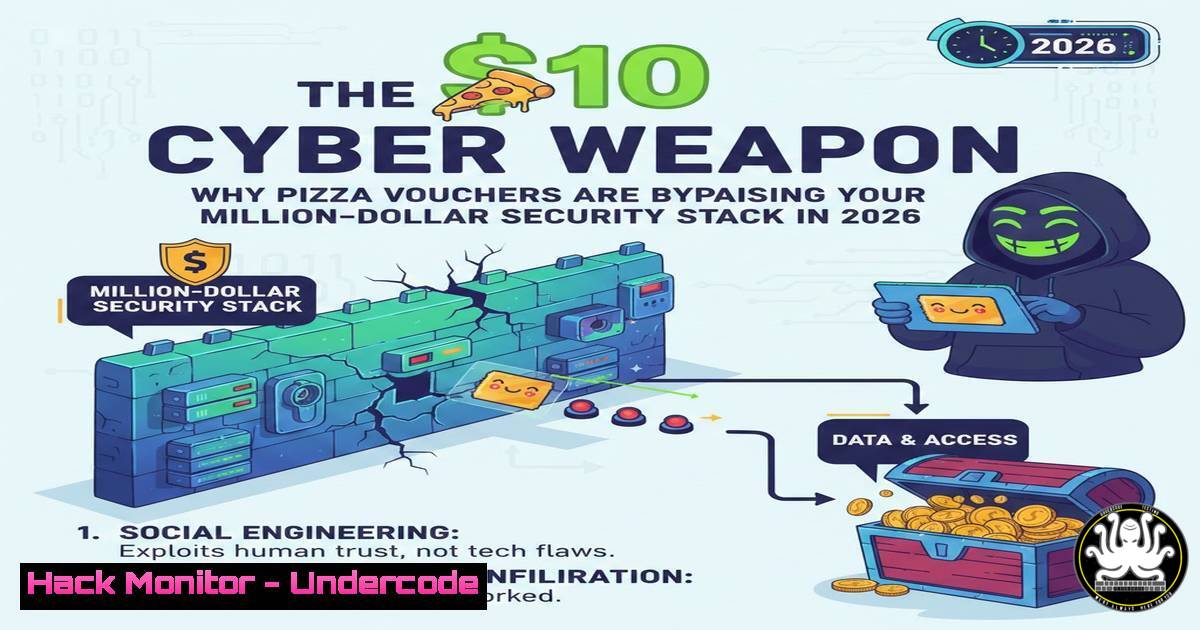
While cybersecurity teams race to deploy AI-driven threat detection and next-generation email gateways, threat actors have optimized for the path of least resistance: human psychology. In 2026, the most effective penetration tool is not a zero-day exploit but a perfectly timed social engineering campaign offering a $10 pizza voucher. This article dissects the anatomy of this low-cost, high-impact attack vector and provides the architectural blueprint required to survive a credential compromise, moving beyond the fallacy of user training and into the realm of Zero Trust resilience.
Learning Objectives:
- Understand the economic drivers behind modern social engineering attacks.
- Identify the architectural failures that allow a single credential to cause a data breach.
- Implement Conditional Access policies to block legacy authentication and spoofed logins.
- Deploy Just-In-Time (JIT) privileged access management to contain lateral movement.
- Configure phishing-resistant authentication (Passkeys/FIDO2) in Microsoft Entra ID.
You Should Know:
1. The Anatomy of the “Lunchtime” Phish
The attack described is a classic spear-phishing campaign optimized for timing and context. The adversary sends an email at 12:30 PM on a rainy Friday, impersonating Human Resources. The subject line leverages a recent sales achievement (“Q1 hitting targets”) to trigger a reward response. The payload is a link to a spoofed Microsoft 365 login page.
What it does: This bypasses standard Secure Email Gateways (SEGs) because there is no malicious payload or link to a known bad domain. The attacker registers a domain that looks legitimate (e.g., microsoft-login-claims[.]com) and hosts a perfect replica of the Microsoft login screen.
How to investigate (Linux/Incident Response):
If you receive a suspicious link and need to analyze the domain without clicking it, use `curl` to inspect headers and see where it redirects, or `whois` to check the domain’s age.
 Check domain registration age (new domains are often malicious)
whois microsoft-login-claims.com | grep -E 'Creation Date|Registry Date'

Check server location and headers without rendering the page
curl -I -L -A "Mozilla/5.0" https://microsoft-login-claims.com

Use dig to verify if the domain resolves to a known malicious IP block
dig microsoft-login-claims.com
2. Why AI Tools Failed: The Signal-to-Noise Problem
AI-driven threat hunting tools failed because the email contained zero indicators of compromise (IoCs). There were no suspicious attachments, no encoded scripts, and no known bad links. The AI model likely flagged it as “low risk” because it mimicked legitimate internal communication patterns. Attackers have learned that training AI on “malicious” content is useless if you simply act like a legitimate user.
Step‑by‑step guide to hardening email authentication:
To prevent spoofed emails claiming to be from HR (your own domain) from reaching the inbox, you must harden your email authentication protocols on your DNS server.
1. SPF (Sender Policy Framework): Define which servers are allowed to send email for your domain.
Example TXT record:
`v=spf1 include:spf.protection.outlook.com ip4:192.0.2.0/24 -all`
(The `-all` at the end means “Fail”—reject emails not coming from these sources.)
2. DKIM (DomainKeys Identified Mail): Sign your emails with a digital signature.
Generate a key pair via your email provider and publish the public key in your DNS.
3. DMARC (Domain-based Message Authentication, Reporting & Conformance): Tell receiving servers what to do if SPF/DKIM fail.
Example TXT record:
`v=DMARC1; p=reject; rua=mailto:[email protected]; pct=100`
(Setting `p=reject` is aggressive but ensures spoofed emails are blocked entirely.)
3. Surviving the Click: Phishing-Resistant MFA
The user handed over credentials to a spoofed page. If they were using standard MFA (like a 6-digit code or an app push notification), the attacker could either capture the code in real-time (adversary-in-the-middle) or simply wait for the user to approve the push notification (MFA fatigue). The solution is phishing-resistant credentials.
What this does: Phishing-resistant MFA ties the authentication to the specific website (origin). If the user is on evil.com, the passkey or FIDO2 security key will refuse to authenticate, even if the password is correct.
How to configure (Windows/Entra ID):
- Navigate to Microsoft Entra Admin Center > Protection > Authentication methods > Policies.
- Enable FIDO2 Security Keys and/or Microsoft Authenticator (Phone Sign-in) .
3. Create a Conditional Access policy:
- Target: All users.
- Conditions: All cloud apps.
- Grant: Require multifactor authentication.
- Session: Sign-in frequency (e.g., 8 hours).
- CRITICAL STEP: Under Grant, select Require authentication strength and choose “Phishing-resistant MFA”.
4. Architectural Resilience: Conditional Access and JIT
As Terry Bohach noted in the comments, the real failure is design. If a salesperson’s credentials grant access to the entire company’s data, the architecture is flawed. We must implement a Zero Trust model where trust is never implicit.
Step‑by‑step guide to blocking lateral movement:
- Block Legacy Authentication: Attackers use legacy protocols (POP3, IMAP, SMTP) because they bypass MFA.
In Entra ID > Conditional Access, create a policy:
– Conditions: Client apps > Exchange ActiveSync clients and Other clients.
– Grant: Block access.
2. Implement Just-In-Time (JIT) Privilege:
- Remove permanent admin rights for all users.
- Use Privileged Identity Management (PIM) in Azure.
- Configure roles (e.g., Global Admin) to require activation with a justification.
- Set activation duration to a minimal timeframe (e.g., 1 hour for emergency, 4 hours for planned tasks).
- Require Azure MFA upon activation.
5. Windows/Linux Hardening Post-Phish
If a user clicks a link and downloads a “voucher PDF” (which is actually malware), you need endpoint protection that doesn’t rely solely on signatures.
Windows (Using PowerShell to check for persistence):
If a user executes a malicious file, it often creates scheduled tasks or registry run keys.
 List all scheduled tasks created in the last 24 hours (likely malicious)
Get-ScheduledTask | Where-Object {$_.Date -gt (Get-Date).AddDays(-1)}

Check common autostart locations in registry
Get-ItemProperty -Path "HKLM:\Software\Microsoft\Windows\CurrentVersion\Run"
Get-ItemProperty -Path "HKCU:\Software\Microsoft\Windows\CurrentVersion\Run"

List active network connections to find C2 callbacks
netstat -ano | findstr ESTABLISHED
Linux (Detection):
If the payload is cross-platform, check for suspicious processes.
 List all processes with their network connections (find unusual outbound traffic)
sudo netstat -tulpn | grep LISTEN

Check for recently modified files in the user's home directory
find /home/ -type f -mmin -60 -ls

View authentication logs for sudo escalation attempts after the phish
sudo tail -f /var/log/auth.log | grep -i "sudo"
6. The ROI of Cyber Crime
Attackers are businessmen. They calculated that the cost of developing a 0-day ($100,000+) versus the cost of a pizza voucher ($10) yields the same access. Therefore, your defense strategy must align with business risk, not just technical vulnerability.
Security Control Mapping:
| Attack Vector | Technical Cost to Attacker | Traditional Defense | Modern Zero Trust Defense |
|---|---|---|---|
| Zero-Day Exploit | Very High ($100k+) | AV / EDR Signatures | Application Allow-listing / Sandboxing |
| Spear Phishing | Low ($50-$500) | User Training | Phishing-Resistant MFA |
| Pizza Voucher | Minimal ($10) | AI Email Filtering | Conditional Access (Location/Device Compliance) |
7. Prediction: The Rise of “Contextual” Phishing
What Undercode Say:
- Key Takeaway 1: Security awareness training is necessary but insufficient; it creates a false sense of security. You must architect systems that assume the user will click the link.
- Key Takeaway 2: The principle of “least privilege” must be automated. If a user’s account is compromised, it should have zero standing privileges, rendering the stolen token useless for lateral movement.
Analysis: The “pizza voucher” attack highlights a fundamental shift in cyber warfare. We are no longer fighting code; we are fighting cognitive biases and business logic. The attacker isn’t trying to break the encryption; they are trying to break the context. They understand that a hungry, busy employee is a willing participant in their own compromise. The only way to counter this is to remove the trust from the user action entirely. If a credential dump is worthless because the network enforces micro-segmentation and requires hardware-trusted attestation for every sensitive action, then the $10 pepperoni exploit becomes obsolete. The future of defense lies in making the stolen credential a useless artifact.
Prediction:
By 2027, “Business Logic Phishing” (BLP) will overtake malware as the primary initial access vector. Security vendors will pivot from “threat detection” to “transaction verification,” focusing on out-of-band verification for high-risk actions. We will see the rise of “AI Phishing Decoys”—honeypot documents and credentials planted specifically to trap attackers who have compromised a user session, triggering an automatic containment response. The arms race will shift from technology to the very fabric of human decision-making within the digital workspace.
▶️ Related Video (78% Match):
🎯Let’s Practice For Free:
IT/Security Reporter URL:
Reported By: James Haynes – Hackers Feeds
Extra Hub: Undercode MoN
Basic Verification: Pass ✅


