Listen to this Post
Introduction:
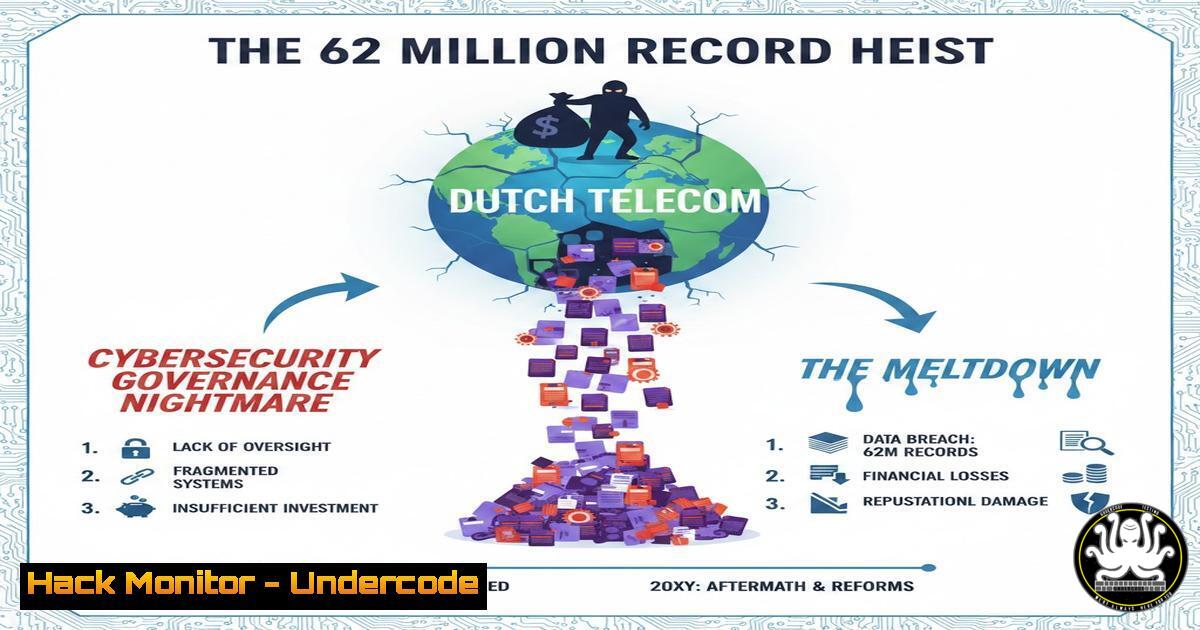
A massive cyber incident targeting a €2.3 billion Dutch telecom provider has resulted in the theft of 6.2 million customer records, exposing sensitive identity data and banking details. While the breach itself is severe, the escalating reputational damage and customer exodus highlight a critical cybersecurity truth: in 2024, perception of control is as vital as technical defense. This article dissects the technical failures implied by the breach, offering a roadmap for security professionals to harden enterprise applications, enforce data governance, and build the auditable evidence required to survive the spotlight when a breach occurs.
Learning Objectives:
- Analyze the technical and governance failures that lead to massive data exfiltration and loss of customer trust.
- Implement continuous control monitoring and logging configurations to detect anomalous data access in critical applications.
- Master the application of least privilege principles and data retention enforcement to limit breach blast radius.
You Should Know:
- Limiting the Blast Radius: Enforcing Data Segmentation and Access Controls
The exposure of 6.2 million records suggests a catastrophic failure in data segmentation. In enterprise environments, particularly those running critical applications like SAP or Oracle, data must be compartmentalized. If an attacker compromises a single set of credentials, they should not have a highway to the entire customer database.
To prevent this, security teams must move beyond static role definitions and implement dynamic access controls.
– Step‑by‑step guide to limiting access in a Linux/Unix environment hosting a database:
– Review Current Privileges: Connect to your database (e.g., PostgreSQL or MySQL) and list users with excessive privileges.
-- For PostgreSQL
SELECT usename, usesuper, usecreatedb FROM pg_user;
-- For MySQL
SELECT user, host, super_priv FROM mysql.user;
– Revoke Unnecessary Privileges: Remove admin-level access from standard application accounts.
-- Example for PostgreSQL
REVOKE ALL PRIVILEGES ON DATABASE customerdb FROM 'web_app_user';
GRANT SELECT, INSERT, UPDATE ON specific_schema.customers TO 'web_app_user';
– Implement Row-Level Security (RLS): In PostgreSQL, enable RLS to ensure a user can only see data relevant to their region or function.
ALTER TABLE customers ENABLE ROW LEVEL SECURITY;
CREATE POLICY user_region_policy ON customers
USING (region = current_setting('app.current_region'));
– Windows Server (File Share/AD): On Windows, use Advanced Security Settings to set “Applies to” conditions on folders containing sensitive extracts, ensuring only specific service accounts can read them.
2. Detecting Data Exfiltration: Monitoring Anomalous Egress
The breach statement asks, “Why could such data leave without triggering visible alarms?” This points to a failure in Data Loss Prevention (DLP) and egress monitoring. Organizations must monitor not just the network perimeter, but the data access patterns inside the application.
- Step‑by‑step guide to setting up data exfiltration detection on Linux using auditd and Zeek:
- Monitor File Access: Configure `auditd` to watch sensitive files or directories (e.g., export folders).
Add a watch on a directory containing customer export files
sudo auditctl -w /srv/exports/customers/ -p wa -k customer_data_export
Make it permanent by adding to /etc/audit/rules.d/audit.rules
echo "-w /srv/exports/customers/ -p wa -k customer_data_export" | sudo tee -a /etc/audit/rules.d/audit.rules
sudo service auditd reload
- Search the Logs: Search for large-scale read events.
sudo ausearch -k customer_data_export --start today | grep "syscall=read"
- Network Traffic Analysis (Zeek): Zeek can log all connections. To spot large data transfers, analyze the `conn.log` for unusually high
resp_bytes.Using zeek-cut to find top talkers by bytes transferred cat conn.log | zeek-cut id.orig_h id.resp_h resp_bytes | sort -k3 -nr | head -20
3. Log Integrity and Incident Reconstruction
When the spotlight hits, you need “Instant incident reconstruction capabilities.” If logs are mutable or stored locally on compromised hosts, attackers will delete them. You must enforce log centralization and immutability.
- Step‑by‑step guide to shipping Windows Event Logs to a remote Linux Syslog server (rsyslog):
- On the Windows Machine (using nxlog): Install nxlog. Edit
C:\Program Files\nxlog\conf\nxlog.conf.<Input in> Module im_msvistalog Query <QueryList><Query Id="0"><Select Path="Security"></Select></Query></QueryList> </Input> <Output out> Module om_udp Host 192.168.1.100 Your Syslog Server IP Port 514 </Output> <Route 1> Path in => out </Route>
- On the Linux Syslog Server (rsyslog): Configure it to accept logs and write them to a dedicated, append-only store.
In /etc/rsyslog.conf, enable UDP receiver
module(load="imudp")
input(type="imudp" port="514")

Create a template to store Windows logs separately
$template RemoteLogs,"/var/log/remote/%HOSTNAME%/%PROGRAMNAME%.log"
. ?RemoteLogs
& stop
- Immutable Storage: Store these logs on a server with `chattr +a` (append-only) attributes set on the log directories to prevent deletion or alteration by an attacker who gains root access.
4. Privileged Access Governance (PAM)
The breach narrative suggests a failure in controlling privileged users. If an admin account is compromised, the blast radius is infinite. Implementing a Privileged Access Management (PAM) solution is non-negotiable.
- Step‑by‑step guide to implementing basic PAM controls with Check-in/Checkout:
- Setup a PAM Server (e.g., Teleport or Boundary): While enterprise tools exist, the concept is to remove standing privileges.
- Configure a Linux Target: Join the server to your PAM cluster.
- Enforce On-Demand Access: Instead of users having direct SSH keys, they request access.
User requests access to the database server via CLI
tsh login --proxy=proxy.example.com
tsh request create --roles=db-admin --reason="Incident troubleshooting"
- Session Recording: Enable recording of all commands. In Teleport, this is automatic. In a DIY setup, use `script` and
log.io. Review these recordings for anomalies.
5. Data Retention Enforcement
The public is asking why data retention timelines were exceeded. Technical controls must enforce policy. Data should not just be “deleted” on a schedule, but cryptographically shredded.
- Step‑by‑step guide to secure data deletion (Linux – Shred):
- Identify Stale Data: Find files older than a retention policy (e.g., 7 years).
find /archived_customer_data -type f -mtime +2555 -exec ls -lh {} \; - Securely Overwrite: Use `shred` to overwrite the file multiple times before deletion.
find /archived_customer_data -type f -mtime +2555 -exec shred -f -z -u {} \; -f: change permissions to allow writing -z: add a final overwrite with zeros to hide shredding -u: truncate and remove file after overwriting - Database Level (MSSQL): For SQL databases, use `DELETE` but ensure you `SHRINK` files afterward or use data masking to render old data unrecoverable without backups.
6. Securing the SAP Layer (The Critical Application)
The original post highlights SAP as a potential breach point. SAP systems are complex and often overlooked by standard network scanners, making them a prime target. If the Dutch telecom used SAP for billing, the 6.2M records likely resided there.
- Step‑by‑step guide to basic SAP Application Hardening:
- Check Default Credentials: Use the SAP STAD transaction or run SQL queries on the underlying database to find users still using default passwords like `PASS` or
1234. - Analyze Authorization Trace (ST01): Turn on authorization tracing (with caution in production) for a short period to see what transactions users are actually executing versus what they can execute.
/nST01
-> Activate Trace for specific user
-> Execute user's daily tasks
-> Deactivate Trace
-> Analyze Trace (SAAB)
- Review Critical Transactions (SM20): Analyze the security audit log for access to sensitive tables (e.g., `USR02` for password hashes, `PA0000` for employee data). Use report `RSUSR008` to list users with critical authorizations like `S_ADMI_FCD` or
SAP_ALL.
What Undecode Say:
- Perception is a Security KPI: Technical controls are useless if stakeholders cannot see them. Continuous monitoring isn’t just for threat hunting; it’s for proving governance to regulators and the public.
- Security Maturity = Business Continuity: The commercial consequences of this breach (customer churn, compensation) will likely outweigh the technical cleanup costs, proving that cybersecurity is a core business driver, not an IT cost center.
- Data Gravity is a Liability: Storing 6.2 million records in an easily accessible format is an invitation for disaster. Organizations must aggressively pursue data minimization and pseudonymization to reduce the value of a breach.
Prediction:
In the wake of this Dutch telecom incident, we will see a surge in regulatory focus on “Data Governance Visibility.” The European Union will likely push for amendments to existing frameworks like NIS2, requiring real-time auditability of access to personal data within critical enterprise resource planning (ERP) systems. This will force CISOs to shift investments from purely preventive controls to detective and “auditable” controls, with AI-driven User and Entity Behavior Analytics (UEBA) becoming a mandatory line item in security budgets to automatically flag the kind of mass data extraction seen in this breach.
▶️ Related Video (80% Match):
🎯Let’s Practice For Free:
IT/Security Reporter URL:
Reported By: Mikevdijk The – Hackers Feeds
Extra Hub: Undercode MoN
Basic Verification: Pass ✅


