Listen to this Post
Introduction:
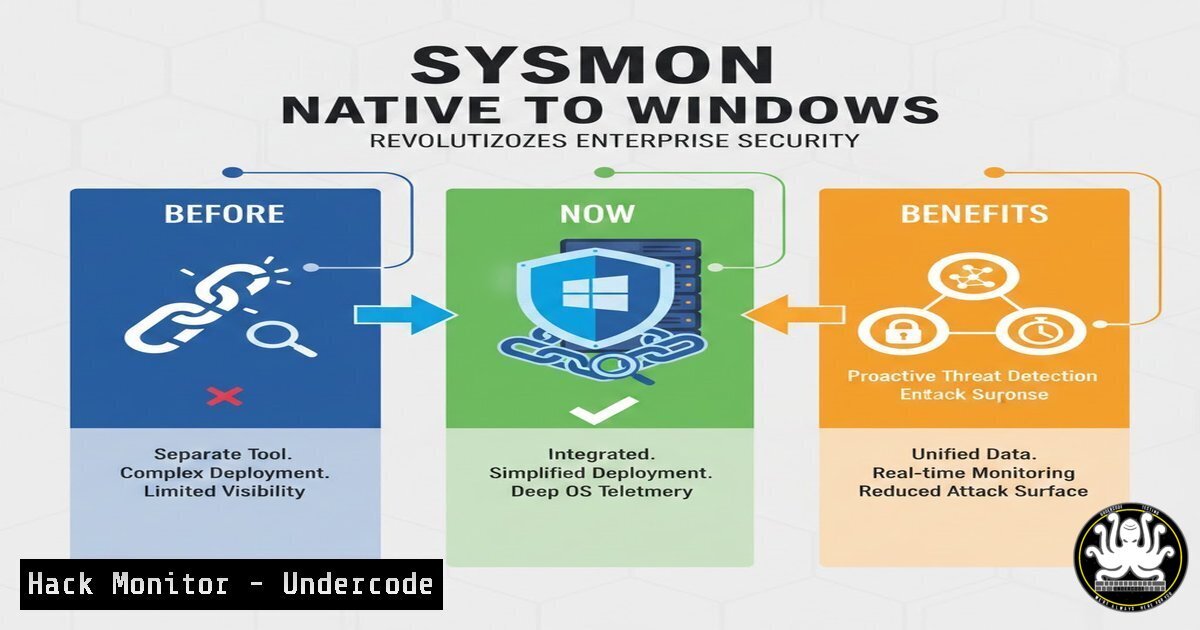
Microsoft is integrating Sysinternals Sysmon directly into Windows, transforming how security teams monitor for sophisticated threats. This native integration eliminates traditional deployment overhead while providing deep system visibility into process manipulation, file tampering, and forensic artifact collection that advanced attackers try to hide.
Learning Objectives:
- Understand how native Sysmon integration eliminates deployment barriers and enhances security monitoring
- Master configuration and filtering techniques to focus on high-value security events
- Implement advanced detection scenarios for process access, file shredding, and memory attacks
You Should Know:
1. Native Integration Benefits and Deployment Simplicity
The integration of Sysmon into Windows means security teams no longer need to manually deploy and update this critical monitoring tool across their environments. This eliminates version drift, reduces maintenance overhead, and ensures consistent security monitoring coverage enterprise-wide.
Step-by-step guide explaining what this does and how to use it:
– Native Sysmon will be available through Windows Update for Windows 11 and Windows Server 2025
– Automatic updates ensure all systems run the latest detection capabilities without manual intervention
– Enterprises can deploy standardized configurations through Group Policy or Intune
– Verification command: `Get-WindowsFeature sysmon` (Windows Server) or checking Event Log for Sysmon operational logs
2. Advanced Configuration and Filtering Capabilities
Sysmon’s power lies in its granular configuration system that allows security teams to filter out noise while capturing critical security events. Proper configuration prevents event log overload while ensuring detection of sophisticated attack techniques.
Step-by-step guide explaining what this does and how to use it:
– Download and customize the official Sysmon configuration template from Microsoft
– Use XML filtering to exclude benign processes: `
– Implement include rules for high-risk activities: `”
– Deploy configuration using: `sysmon.exe -c config.xml` or through Group Policy Preferences
3. Process Access and Tampering Detection
Sophisticated attackers frequently use techniques like process injection and hollowing to hide malicious code. Native Sysmon provides detailed logging of process creation, termination, and access patterns that reveal these behaviors.
Step-by-step guide explaining what this does and how to use it:
– Monitor for suspicious process access: Event ID 10 (ProcessAccess) with `CallTrace` and `GrantedAccess`
– Detect process tampering through Event ID 5 (ProcessTerminated) with integrity level monitoring
– Example detection rule: `
– Correlate with Windows Security Event Log entries for comprehensive attack chain visibility
4. File Shredding and Anti-Forensics Detection
Advanced threat actors often delete or modify files to cover their tracks. Sysmon captures file deletion events and can even preserve copies of files before deletion for forensic analysis.
Step-by-step guide explaining what this does and how to use it:
– Configure file delete monitoring: Event ID 23 (FileDelete) or 26 (FileDeleteDetected)
– Enable file archive functionality to preserve evidence: `ArchiveDirectory=”C:\Sysmon\archive”`
– Monitor for suspicious file patterns: `”
– Combine with file integrity monitoring using Windows native tools: `Get-FileHash -Path C:\windows\system32\.dll`
5. Clipboard and Memory Capture for Threat Hunting
Sophisticated malware often steals sensitive data from clipboard or manipulates memory. Native Sysmon can capture clipboard content and memory regions for advanced threat hunting and incident response.
Step-by-step guide explaining what this does and how to use it:
– Enable clipboard monitoring: Event ID 24 (ClipboardChange) for sensitive data extraction detection
– Configure memory region tracking for suspicious allocations
– Filter to high-risk processes: `”
– Correlate with process memory usage patterns using: `Get-Process | Sort-Object WS -Descending | Select-Object -First 10`
6. Integration with SIEM and Security Analytics
Native Sysmon generates structured events in Windows Event Log that can be forwarded to SIEM systems for correlation and advanced analytics, creating a unified security monitoring framework.
Step-by-step guide explaining what this does and how to use it:
– Configure Windows Event Forwarding for Sysmon events to central SIEM
– Use Windows Event Collector: `wecutil qc /q` then create subscription for Sysmon events
– Parse Sysmon events in Azure Sentinel using KQL queries: `SecurityEvent | where EventID in (1,3,5,10)`
– Build detection rules for attack patterns like lateral movement or credential dumping
7. Performance Optimization and Event Management
Without proper configuration, security monitoring can impact system performance. Native Sysmon includes optimized filtering to maintain system performance while providing comprehensive security visibility.
Step-by-step guide explaining what this does and how to use it:
– Implement exclusion rules for trusted processes and system activities
– Monitor event log size and implement archiving: `wevtutil sl Microsoft-Windows-Sysmon/Operational /ms:104857600`
– Use built-in filtering to reduce noise: `”
– Performance baseline command: `typeperf “\Process(sysmon)\% Processor Time” -sc 10`
What Undercode Say:
- Native integration eliminates deployment friction that previously prevented many organizations from leveraging Sysmon’s advanced capabilities
- Automatic updates ensure continuous protection against evolving threats without manual intervention
- Enterprise-wide consistency in security monitoring becomes achievable through standardized configurations
- The Microsoft support backing provides enterprise confidence for widespread deployment
- This represents a significant shift toward built-in advanced security capabilities in operating systems
- Security teams can now focus on detection engineering rather than tool deployment and maintenance
- The native implementation likely includes performance optimizations not available in the standalone version
- This sets a precedent for other advanced security tools becoming integrated into core platforms
- Organizations should immediately begin planning configuration standardization and staff training
- The reduced overhead makes comprehensive monitoring feasible for organizations of all sizes
Prediction:
The native integration of Sysmon into Windows will fundamentally shift enterprise security monitoring by making advanced threat detection accessible to organizations of all maturity levels. Within two years, we expect to see significant improvements in detection capabilities across the Windows ecosystem, forcing attackers to develop new techniques that avoid the extensive monitoring now available by default. This move will likely spur similar integrations from other platform vendors, raising the baseline security capabilities across the industry and making basic attack techniques increasingly ineffective against properly configured systems.
🎯Let’s Practice For Free:
IT/Security Reporter URL:
Reported By: Markrussinovich Native – Hackers Feeds
Extra Hub: Undercode MoN
Basic Verification: Pass ✅


