
Listen to this Post
Introduction:
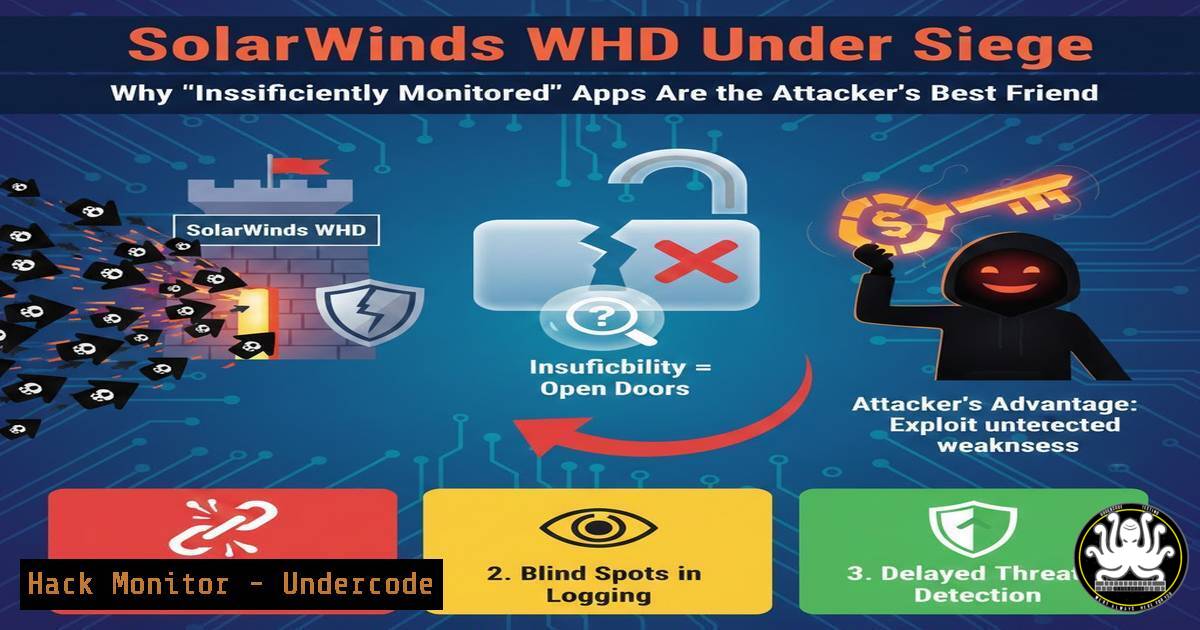
The recent SolarWinds Web Help Desk (WHD) zero-day campaign proved that “insufficiently monitored” applications are not just a compliance gap—they are a direct breach vector. Attackers used a single unpatched WHD instance as a beachhead, then moved laterally via stolen service account credentials and abused legitimate Remote Monitoring and Management (RMM) tools to evade detection. This article dissects the specific monitoring failures Microsoft and Huntress identified, then provides actionable commands, configuration audits, and correlation techniques to detect and block this precise kill chain.
Learning Objectives:
- Identify exposed WHD instances and misconfigured service accounts using open-source and native OS tools.
- Establish behavioral baselines for service accounts and detect anomalous lateral movement.
- Hunt for unauthorized RMM tools and backdoor accounts using both Windows and Linux forensic commands.
- Implement low-cost, high-fidelity correlation rules that mimic AI-driven threat platforms.
- External Attack Surface Discovery: Finding Your Own Shadow IT
The Shadowserver Foundation identified ~170 vulnerable WHD instances openly exposed. Most organizations do not realize their help desk software is internet-facing due to legacy configs or cloud migration drift.
Step‑by‑step guide:
Linux (Reconnaissance & Validation)
 Use curl to check WHD version header (pre-auth)
curl -I https://your-whd-instance.com:8443 | grep "Server|X-Powered-By"
 Expected: "Server: SolarWinds-Web-Help-Desk" + version. Unpatched versions < 12.8.3 are vulnerable.
Windows (Internal Asset Audit)
 Discover listening ports on Windows servers that may be unintentionally public
Get-NetTCPConnection -State Listen | Where-Object {$<em>.LocalPort -eq 8443}
 Cross-reference with firewall rules
Get-NetFirewallRule | Where-Object {$</em>.Direction -eq "Inbound" -and $_.Enabled -eq "True"} | Get-NetFirewallPortFilter
What this does:
It reveals whether WHD is bound to `0.0.0.0` (all interfaces) and if the Windows Firewall is permitting inbound 8443/TCP. If the server is also internet-routable, this is your “Shadowserver” moment.
2. Service Account Anomaly Detection: Beyond Simple Logins
Microsoft noted attackers used WHD service accounts to leap to high-value assets. Standard SIEM rules miss this if they only look for failed logins.
Step‑by‑step guide (Windows Event Log Deep Dive):
Query for Event ID 4624 (Logon) with specific LogonType 3 (Network) and 9 (RunAs) that originate from the WHD server but target domain controllers or SQL servers.
 Search for anomalous network logons from your WHD server to unusual targets
Get-WinEvent -FilterHashtable @{LogName='Security'; ID=4624; StartTime=(Get-Date).AddDays(-7)} |
Where-Object {$<em>.Properties[bash].Value -eq 'WHD_SERVER$' -and $</em>.Properties[bash].Value -notlike 'helpdesk'} |
Select-Object TimeCreated, @{n='SourceIP';e={$<em>.Properties[bash].Value}}, @{n='TargetUser';e={$</em>.Properties[bash].Value}}
Linux (if WHD runs on Linux – rare but possible)
 Check for cron jobs or unauthorized sudo usage by the whd user
sudo grep 'whd' /var/log/auth.log | grep 'COMMAND'
 Audit .ssh/authorized_keys for unexpected entries
cat /opt/solarwinds/whd/.ssh/authorized_keys
Why it matters:
WHD service accounts should never authenticate to domain admins. This command isolates exactly that violation.
3. Credential Hygiene: Rotating the Invisible Keys
Microsoft’s primary mitigation was credential rotation. But which accounts? Attackers often harvest stored credentials from WHD configuration files and the Windows Credential Manager.
Step‑by‑step guide:
Windows – Dump Credential Manager (Authorized Audit Only)
 List stored credentials on the WHD server
cmdkey /list
 If any generic credentials point to domain admin accounts, immediate rotation is required.
WHD Specific – Extract DB Connection Strings
<!-- Check WHD configuration file (usually C:\Program Files\SolarWinds\Web Help Desk\conf\whd.conf) -->
<!-- Look for db.password and ldap.bind.password – if these are in plaintext or reversible encryption, assume compromise -->
Mitigation Command:
Force password reset for all accounts that have ever authenticated to the WHD server in the last 90 days.
 Use AD module to expire passwords in bulk
Search-ADAccount -AccountInactive -TimeSpan 90.00:00:00 -UsersOnly | Set-ADUser -ChangePasswordAtLogon $true
4. RMM Tool Hunting: The Stealth Persistence Mechanism
Huntress reported attackers deployed unauthorized RMM tools (ScreenConnect, LogMeIn, AnyDesk) across the environment—not just on the WHD host. These tools were used to maintain persistence even after WHD was patched.
Step‑by‑step guide (Network-wide Hunt):
Windows – Detect Silent Installs
 Check for RMM software via registry uninstall paths
Get-ChildItem "HKLM:\SOFTWARE\Microsoft\Windows\CurrentVersion\Uninstall" |
Get-ItemProperty | Where-Object {$_.DisplayName -match "ScreenConnect|LogMeIn|AnyDesk|TeamViewer"} |
Select DisplayName, DisplayVersion, InstallDate

Check for RMM services running as SYSTEM
Get-Service | Where-Object {$<em>.DisplayName -match "ScreenConnect|LogMeIn|AnyDesk" -or $</em>.ServiceName -match "ScreenConnect|LogMeIn"}
Linux – Check for Remote Desktop Tools
 Look for VNC, XRDP, or AnyDesk processes
ps aux | grep -E "vnc|xrdp|anydesk"
 Check for open high-range ports commonly used by RMM (e.g., 8041, 4431)
sudo netstat -tulpn | grep -E ":8041|:4431|:5938"
Eradication Command:
 Silent uninstall of ScreenConnect if found
msiexec /x {ScreenConnect_ProductCode} /qn
 Or stop and disable service
Set-Service -Name ScreenConnect -Status Stopped -StartupType Disabled
- AI-Driven Correlation Logic: Building Your Own “Open Threat Management” Filter
Seceon’s platform correlates fragmented signals. You can mimic this with open-source SIEM rules (Sigma) or advanced KQL queries.
Step‑by‑step guide (Sigma Rule Logic for WHD Exploit):
Rule condition:
`(Source Image contains “whd.exe”) AND (Target Image contains “powershell.exe” OR “cmd.exe”) AND (CommandLine contains “Invoke-Expression” OR “-enc”)`
 Example Sigma rule snippet
detection:
selection:
EventID: 4688
ParentImage|endswith: '\whd.exe'
Image|endswith:
- '\powershell.exe'
- '\cmd.exe'
condition: selection
Windows Defender for Endpoint KQL:
DeviceProcessEvents
| where InitiatingProcessFileName == "whd.exe"
| where FileName in~ ("powershell.exe", "cmd.exe")
| where ProcessCommandLine contains "enc" or ProcessCommandLine contains "DownloadString"
| project Timestamp, DeviceName, AccountName, InitiatingProcessFileName, ProcessCommandLine
This correlation catches the exact moment WHD spawns a suspicious child process—the hallmark of Cobalt Strike or similar payloads.
6. Lockdown RMM: Preventing Future Abuse
Attackers abuse RMM because they are trusted, unmonitored, and run with high privileges. Harden RMM platforms as critical infrastructure.
Step‑by‑step guide (SolarWinds RMM Hardening):
- Restrict RMM agents to communicate only with your internal management server via IPsec or private VLANs.
- Enable multi-factor authentication (MFA) for all RMM console access.
- Audit RMM agent deployment logs weekly.
Windows Firewall Rule to Block Unauthorized RMM Egress:
 Block outbound connections to known RMM cloud domains (example)
New-NetFirewallRule -DisplayName "Block Unauthorized RMM" -Direction Outbound -Protocol TCP -RemoteAddress ".screenconnect.com" -Action Block
What Undercode Say:
- Key Takeaway 1: The WHD breach was not a failure of antivirus; it was a failure of context. No single log line screamed “attack”—the story was told in the relationship between an exposed web server, a service account that never travels, and an RMM tool that appeared overnight.
- Key Takeaway 2: You do not need a million-dollar AI platform to catch this. You need to ask the right questions of your existing logs: “Has my help desk software ever spawned PowerShell?” and “Who logged into my domain controller from the ticket system?” The tools and commands above prove that high-fidelity detection is achievable with standard Windows/Linux tooling.
The assumption that “insufficiently monitored” only applies to missing logs is dangerous. It applies to missing imagination—imagining exactly how your legitimate tools can be turned against you. The attackers did not use zero-day exploits in the lateral phase; they used trust. Your monitoring must revoke that trust, byte by byte.
Prediction:
We will see a sharp rise in “RMM-agnostic” attacks. Adversaries will no longer bring their own backdoors; they will weaponize whatever remote control software the victim already owns. Future breaches will pivot from one legitimate admin tool to another, forcing defenders to classify all management software as Tier 0 assets. Expect frameworks like MITRE ATT&CK to expand the “Remote Access Software” category with specific sub-techniques for abuse of ScreenConnect, TeamViewer, and native Windows Remote Management. The SolarWinds WHD case is not an anomaly—it is the new baseline.
▶️ Related Video (82% Match):
🎯Let’s Practice For Free:
IT/Security Reporter URL:
Reported By: Wedwardmohr Aidrivencorrelation – Hackers Feeds
Extra Hub: Undercode MoN
Basic Verification: Pass ✅


