
Listen to this Post
Introduction:
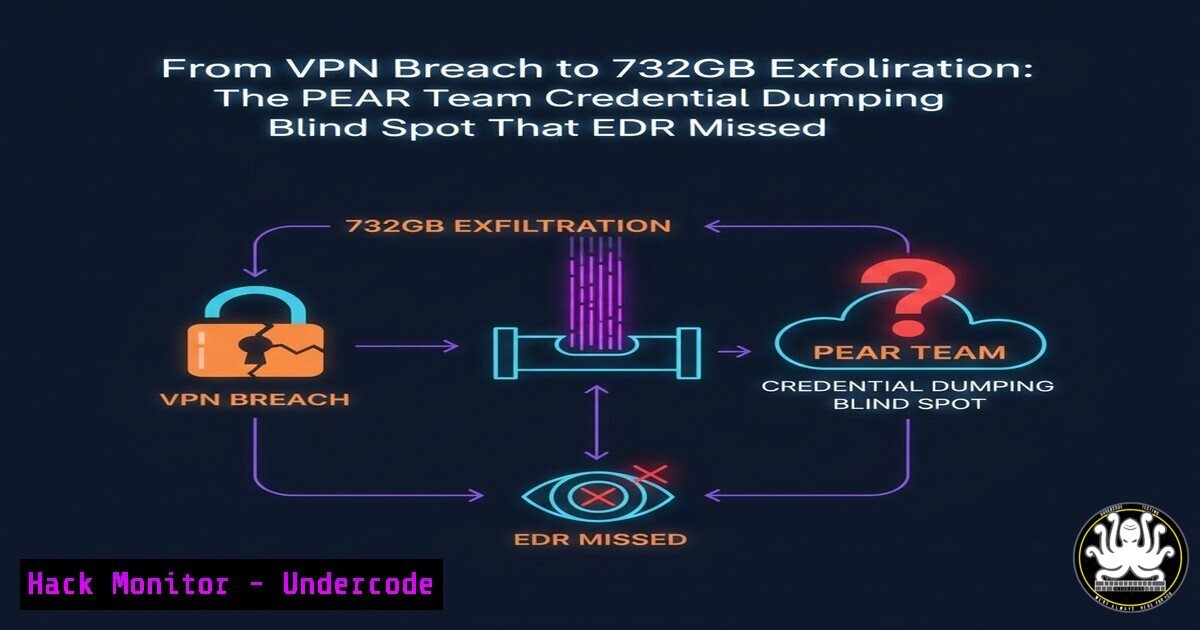
Between March and September 2025, threat actors affiliated with the PEAR Team executed a sustained, low‑and‑slow credential harvesting campaign against an At‑Bay client. Microsoft Defender and SentinelOne successfully blocked individual LSASS dumping attempts, yet each block was logged as a standalone event. No cross‑correlation occurred; no upstream access vector was investigated. The result: attackers refined their tradecraft over six months, eventually stealing 732 GB of data via WinSCP. This article reconstructs the forensic timeline, exposes the gap between “blocked” and “contained,” and provides step‑by‑step commands and configurations to ensure your EDR telemetry connects the dots.
Learning Objectives:
- Identify the forensic artifacts left by iterative credential dumping attempts when traditional EDR alerts are silenced.
- Map the complete attack chain – from initial VPN foothold to bulk exfiltration – using Windows Event Logs and Sysmon.
- Implement automated correlation rules and containment playbooks that trigger on repeat offending source IPs or user accounts.
- Harden LSASS, restrict WinSCP usage, and deploy deceptive detection (honey tokens) to catch post‑exfiltration staging.
You Should Know:
1. Reconstructing the PEAR Team’s Iterative Dumping Timeline
What the post says:
Between March and September 2025, Defender and SentinelOne logged multiple blocked credential dumping attempts from the same compromised host. Each block was isolated; the attacker waited, changed the dumping utility or invocation method, and tried again. By August, they succeeded and exfiltrated ~732 GB.
Step‑by‑step forensic reconstruction:
A. Hunt for “Blocked but Repeated” Events in Windows Event Logs
Use PowerShell to query Event ID 4688 (Process Creation) and correlate with Defender/AV blocks (Event ID 1116/1117).
 Find all cmd.exe or powershell.exe launches that attempted to access LSASS
Get-WinEvent -FilterHashtable @{LogName='Security'; ID=4688} |
Where-Object { $<em>.Message -match "lsass.exe" -or $</em>.Message -match "procdump" -or $_.Message -match "comsvcs.dll" } |
Select-Object TimeCreated, Message
B. Extract Defender’s Blocked Events (Event ID 1121)
Get-WinEvent -FilterHashtable @{LogName='Microsoft-Windows-Windows Defender/Operational'; ID=1121} |
Where-Object { $_.Message -match "lsass" } |
Format-List TimeCreated, Message
C. Identify Lateral Movement Tools
Check 4624 (Logon) events with Logon Type 3 (network) or 9 (new credentials) originating from the same source IP across months.
Get-WinEvent -FilterHashtable @{LogName='Security'; ID=4624} |
Where-Object { $<em>.Properties[bash].Value -eq "10.10.10.5" } |  suspect IP
Select-Object TimeCreated, @{n='TargetUser';e={$</em>.Properties[bash].Value}}
Takeaway: If the same source IP or user account triggers multiple LSASS access blocks over weeks, do not rely on the EDR’s “blocked” status – investigate persistence.
2. Sysmon Configuration to Catch Credential Dumping Variations
PEAR Team modified tools to evade hash‑based signatures. Sysmon process creation and file access logging catches the behaviour.
Install/Update Sysmon with a high‑fidelity config:
<Sysmon schemaversion="4.22">
<EventFiltering>
<!-- Log all process access to LSASS -->
<RuleGroup name="" groupRelation="or">
<ProcessAccess onmatch="include">
<TargetImage condition="contains">lsass.exe</TargetImage>
</ProcessAccess>
</RuleGroup>
<!-- Log creation of suspicious executables -->
<RuleGroup name="" groupRelation="or">
<FileCreateTime onmatch="include">
<TargetFilename condition="end with">.tmp</TargetFilename>
<TargetFilename condition="contains">\Temp\</TargetFilename>
</FileCreateTime>
</RuleGroup>
</EventFiltering>
</Sysmon>
Deploy with:
sysmon64.exe -accepteula -i pear_team_config.xml
Verify events:
Event ID 10 (ProcessAccess) – any process opening a handle to lsass.exe.
Event ID 11 (FileCreate) – dropped DLLs or executables in temp directories.
3. Linux Forensic Artifacts – VPN Appliance Compromise
The initial access was a VPN compromise (mid‑February 2025). On Linux‑based VPN gateways, check:
A. Authentication Logs
sudo grep "Feb 2025" /var/log/auth.log | grep "Accepted"
sudo last -f /var/log/wtmp | grep "Feb 15"  approximate date
B. Persistent SSH Backdoors
sudo grep "PermitRootLogin" /etc/ssh/sshd_config
sudo find /home//.ssh -name authorized_keys -exec cat {} \;
C. Network Connections Established Post‑VPN
sudo ss -tunap | grep ESTAB
sudo ausearch -m SYSCALL -ts 02/15/2025 -k vpn_conn
- Hunting for WinSCP Exfiltration – Beyond Simple File Transfers
The attackers exfiltrated 732 GB using WinSCP. Default EDR rules alert on `winscp.exe` execution, but PEAR Team likely renamed it or used a DLL side‑load.
Look for WinSCP usage via:
A. Prefetch Files
Get-ChildItem C:\Windows\Prefetch.pf |
Where-Object Name -match "WINSCP|EXFIL" |
Select Name, CreationTime, LastAccessTime
B. Registry: Recently Used Executables
Get-ItemProperty "HKCU:\Software\Microsoft\Windows\CurrentVersion\Explorer\RunMRU"
C. Network Connections to Unusual External IPs
Monitor PowerShell connections from non‑browser processes:
Get-NetTCPConnection | Where-Object { $<em>.RemotePort -eq 22 -or $</em>.RemotePort -eq 443 } |
Group-Object RemoteAddress | Sort-Object Count
5. Automated Correlation Rules (Sigma → SIEM)
Write a Sigma rule to alert when a single host triggers >=3 LSASS access blocks within 7 days from the same parent process or user.
title: Repeated LSASS Access Attempts from Same Source
status: experimental
logsource:
product: windows
service: security
detection:
selection:
EventID: 4688
ProcessCommandLine|contains: lsass
timeframe: 7d
condition: selection | count() by ComputerName, User > 3
falsepositives:
- Legitimate admin troubleshooting
level: high
tags:
- attack.credential_access
- attack.t1003.001
Deploy to Splunk, Sentinel, or Elastic to automatically elevate such patterns to incident response.
6. Harden LSASS and Block Dumping Tools Permanently
A. Enable LSASS Protection as PPL (RunAsPPL)
New-ItemProperty -Path "HKLM:\SYSTEM\CurrentControlSet\Control\Lsa" -Name "RunAsPPL" -Value 1 -PropertyType DWORD
 Reboot required
B. Remove Debug Privileges from Non‑Admin Users
secedit /export /cfg C:\secpol.cfg
 Edit secedit: SeDebugPrivilege = S-1-5-32-544 (only Administrators)
secedit /configure /db secedit.sdb /cfg C:\secpol.cfg
C. AppLocker / WDAC Rules to Block Procdump, Mimikatz, Comsvcs
 Block Procdump by hash
Set-AppLockerPolicy -XmlPolicy .\BlockProcdump.xml
Sample XML block:
<FilePublisherRule Id="..." Name="Block procdump" Description="" UserOrGroupSid="S-1-1-0" Action="Deny">
<Conditions>
<FilePublisherCondition PublisherName="Microsoft" ProductName="Windows Sysinternals" BinaryName="procdump"/>
</Conditions>
</FilePublisherRule>
7. Deceptive Detection – Honey Tokens in LSASS
Deploy a decoy LSASS process or honey file that triggers a high‑severity alert upon any access.
Using Sysmon + Custom EID:
Create a fake `lsass2.exe` in System32. Write a custom Sigma rule that alerts on any process opening a handle to it – guaranteed attacker interaction.
Or place a large `.7z` honey file on the desktop named `passwords-backup.7z` and monitor file access (Sysmon EID 11). If accessed outside normal business hours, immediate containment.
What Undercode Say:
- Key Takeaway 1: EDR “blocks” are not containment. If the same source continues to attempt credential dumping over months, your detection logic is failing to correlate temporally and spatially. Every block must be treated as a possible probe, and the upstream foothold must be surgically removed.
-
Key Takeaway 2: Exfiltration tools like WinSCP are often overlooked when renamed or when executed from alternate data streams. Baselines of file transfer activity by user and volume thresholds would have caught 732 GB leaving the network – regardless of tool used.
-
Analysis: The PEAR Team incident demonstrates that threat actors actively learn from defensive responses. They treat “blocked” as a signal to change IOCs, not to abort the mission. Forensic examiners must shift from event‑centric analysis to campaign‑centric timelines. The six‑month dwell time could have been reduced to days if the first credential dump attempt had triggered a deep‑dive into the VPN entry point. Organizations should implement automated re‑authentication and conditional access policies that force re‑verification of the original access vector after any suspicious activity, even if that activity was successfully blocked.
Prediction:
We will see a rise in “block‑aware” adversaries who deliberately trigger EDR alerts to study response times, logging verbosity, and which IOCs are publicly burned. Next‑generation EDR will need to deploy honeytoken LSASS processes and decoy exfiltration endpoints to misdirect attackers into revealing themselves. Furthermore, we predict insurance carriers will mandate forensic investigation of every blocked credential dumping attempt, not just successful breaches, as a prerequisite for cyber insurance renewals – fundamentally changing how DFIR teams scope their engagements.
🎯Let’s Practice For Free:
IT/Security Reporter URL:
Reported By: Yiwei Guo – Hackers Feeds
Extra Hub: Undercode MoN
Basic Verification: Pass ✅


