Listen to this Post
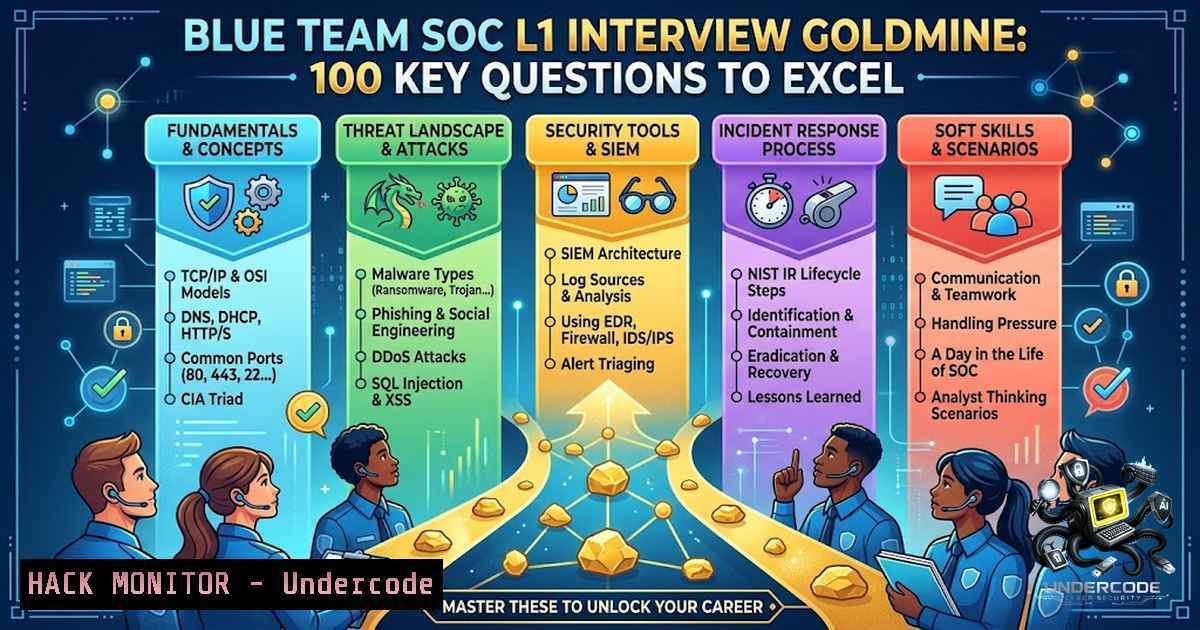
Introduction:
Breaking into a Security Operations Center (SOC) as a Level 1 analyst is one of the most common entry points into cybersecurity, yet it remains one of the most misunderstood. The role demands more than memorizing textbook definitions—it requires the ability to connect security concepts across SIEM platforms, incident response playbooks, network defenses, and threat intelligence frameworks in real-world, high-pressure environments. Mastering these core fundamentals, from log analysis to lateral movement detection, is what separates candidates who get hired from those who get filtered out.
Learning Objectives:
- Master the core technical domains tested in SOC L1 interviews, including SIEM, IDS/IPS, EDR, and threat intelligence.
- Develop practical command-line skills for investigating security incidents on both Linux and Windows systems.
- Understand how to apply the MITRE ATT&CK framework to classify adversary behavior and prioritize response actions.
- Build confidence in articulating incident response procedures, vulnerability management workflows, and zero-trust principles.
- SIEM & Log Analysis: The Analyst’s Primary Lens
A Security Information and Event Management (SIEM) system is the central nervous system of any SOC. It aggregates logs from firewalls, endpoints, servers, and applications, then correlates events to identify potential threats. During an interview, you will almost certainly be asked to describe how you would investigate an alert using a SIEM tool like Splunk, Elastic SIEM, or QRadar.
Step‑by‑step guide to triaging a suspicious login alert:
- Identify the alert source: Note the timestamp, source IP, destination IP, username, and event ID (e.g., Windows Event ID 4625 for failed logons).
- Query the SIEM: Use a search query to pull all logs related to the source IP or username within a 15-minute window before and after the alert.
- Correlate with other data: Check if the source IP appears in threat intelligence feeds. Look for associated events like privilege escalation (Event ID 4672) or service creation (Event ID 7045).
- Verify the user’s baseline: Check if the user typically logs in from that geolocation or at that time of day.
- Escalate or close: If the activity is anomalous and high-risk, escalate to a Tier 2 analyst. If it’s a false positive (e.g., a legitimate VPN connection), document the justification.
Verified Linux commands for log analysis:
– `journalctl -u sshd –since “1 hour ago”` – View SSH authentication logs from the last hour.
– `grep “Failed password” /var/log/auth.log | awk ‘{print $11}’ | sort | uniq -c | sort -1r` – Extract IP addresses with the most failed password attempts to identify brute-force attacks.
– `tail -f /var/log/syslog` – Monitor system logs in real time during an active investigation.
Verified Windows PowerShell commands for log analysis:
– `Get-WinEvent -LogName Security | Where-Object { $_.Id -eq 4625 } | Select-Object TimeCreated, Message` – Retrieve all failed login events from the Security log.
– `Get-WinEvent -FilterHashtable @{LogName=’Security’; ID=4624; StartTime=(Get-Date).AddHours(-24)}` – Filter successful logon events from the last 24 hours.
- Incident Response & Playbooks: From Detection to Recovery
Incident response (IR) is the structured process of handling a security breach. SOC L1 analysts are typically the first responders, responsible for triage, initial containment, and escalation. Playbooks are predefined, step-by-step procedures that ensure consistency and speed during an incident. A common interview question is: “Walk me through how you would respond to a ransomware alert.”
Step‑by‑step guide for a ransomware incident response playbook:
- Detection & Triage: The alert triggers from EDR or a user report. Confirm the alert is not a false positive by checking the file hash against VirusTotal.
- Containment: Immediately isolate the affected endpoint from the network to prevent lateral movement. On Windows, this can be done via the EDR console or using `netsh advfirewall` commands. On Linux, use `iptables` to block outbound traffic from the compromised IP.
- Analysis: Identify the ransomware variant (e.g., via file extensions like
.locked). Determine the entry vector (phishing email, vulnerable service). - Eradication: Remove the malware from the system. If the system is critical, reimage it from a known-good backup.
- Recovery: Restore files from offline backups. Verify that the backups are clean.
- Lessons Learned: Document the incident, update the playbook, and recommend security improvements (e.g., patch the vulnerable service, add email filtering rules).
-
IDS / IPS & Firewalls: Network Defense in Action
Intrusion Detection Systems (IDS) and Intrusion Prevention Systems (IPS) monitor network traffic for malicious activity. An IDS alerts on suspicious traffic, while an IPS actively blocks it. Firewalls enforce access control policies based on IP addresses, ports, and protocols. Understanding how to configure and interpret logs from these tools is essential.
Step‑by‑step guide to configuring Snort IDS on Linux:
- Install Snort: On Ubuntu, run
sudo apt-get install snort. For a source build, download the latest version and compile with DAQ support. - Configure the network variables: Edit
/etc/snort/snort.conf. Set `ipvar HOME_NET` to your internal network range (e.g.,192.168.1.0/24) andipvar EXTERNAL_NET !$HOME_NET. - Enable community rules: Uncomment the line `include $RULE_PATH/community.rules` in the configuration file.
- Test the configuration: Run `snort -T -c /etc/snort/snort.conf` to validate the setup.
- Run Snort in IDS mode: Execute `snort -i eth0 -c /etc/snort/snort.conf -A console` to start monitoring and display alerts in real time.
- Enable IPS mode (inline): Use `snort -Q -i eth0:eth1 -c /etc/snort/snort.conf` to block malicious traffic (requires inline kernel support).
Step‑by‑step guide to configuring Suricata IPS on Ubuntu:
1. Install Suricata: `sudo apt-get install suricata`.
- Configure the interface: Edit
/etc/suricata/suricata.yaml. Set `af-packet` interface to `eth0` and enable `cluster-id` and `cluster-type` for multi-threading. - Enable IPS mode: In the same file, set `inline: auto` and
mode: ips. - Start Suricata:
sudo suricata -c /etc/suricata/suricata.yaml -i eth0.
4. Malware, Ransomware & Phishing: Know Your Adversary
Malware analysis is a core skill for SOC analysts. While you may not reverse-engineer binaries daily, you need to recognize indicators of compromise (IOCs) and understand common malware behaviors like persistence, command-and-control (C2) communication, and data exfiltration.
Step‑by‑step guide to basic malware triage:
- Static analysis: Use the `strings` command on Linux to extract human-readable text from a suspicious binary. Look for URLs, IP addresses, or registry keys.
- Hash verification: Calculate the file’s MD5 or SHA-256 hash using `md5sum` (Linux) or `Get-FileHash` (PowerShell). Check the hash against VirusTotal or AbuseIPDB.
- Dynamic analysis (sandbox): Execute the file in a isolated sandbox environment (e.g., ANY.RUN, Cuckoo) to observe its behavior. Note any files created, processes spawned, or network connections made.
- Process inspection: On a live system, use `ps auxf` (Linux) or Task Manager/Process Explorer (Windows) to look for suspicious processes. Check for processes with misspelled names or running from temporary directories.
- Network connection check: Use `ss -tulnp` (Linux) or `netstat -ano` (Windows) to identify unusual outbound connections.
YARA rule example for detecting ransomware:
rule Ransomware_Generic {
meta:
description = "Detects common ransomware strings"
author = "SOC Analyst"
strings:
$encrypt = "encrypt" ascii
$lock = "lock" ascii
$readme = "readme" ascii
condition:
$encrypt or $lock or $readme
}
To use YARA: `yara -r ransomware.yar /path/to/suspicious/files`.
- IOC, Threat Intelligence & MITRE ATT&CK: Context is King
Indicators of Compromise (IOCs) are artifacts observed on a network or system that indicate a potential intrusion (e.g., IP addresses, domain names, file hashes). Threat intelligence provides context around these IOCs, helping analysts understand the adversary’s tactics, techniques, and procedures (TTPs). The MITRE ATT&CK framework is the industry standard for mapping adversary behavior.
Step‑by‑step guide to using MITRE ATT&CK for an investigation:
- Observe an alert: A SIEM alert shows a process (powershell.exe) making an outbound connection to a suspicious domain.
- Map to ATT&CK: Search the ATT&CK matrix for “PowerShell” or “outbound connection”. You’ll likely find Technique T1059.001 (Command and Scripting Interpreter: PowerShell) and T1071 (Application Layer Protocol).
- Identify the tactic: The tactic is “Command and Control” (TA0011). The adversary is likely using PowerShell to establish C2 communication.
- Determine the next steps: Based on the technique, you know to look for other related techniques like “Persistence” (TA0003) or “Lateral Movement” (TA0008). Check for scheduled tasks (T1053) or registry run keys (T1547).
- Build a threat profile: If the IP address is associated with a known threat group (e.g., APT29), you can search for other IOCs associated with that group.
Python script for IOC extraction (from SOC toolkit):
import re
import hashlib

def extract_iocs(file_path):
with open(file_path, 'r') as f:
content = f.read()
 Extract IP addresses
ip_pattern = r'\b(?:[0-9]{1,3}.){3}[0-9]{1,3}\b'
ips = re.findall(ip_pattern, content)
 Extract domains (simplified)
domain_pattern = r'[a-zA-Z0-9-]+.[a-zA-Z]{2,}'
domains = re.findall(domain_pattern, content)
 Calculate file hash
with open(file_path, 'rb') as f:
file_hash = hashlib.md5(f.read()).hexdigest()
return {'ips': ips, 'domains': domains, 'md5': file_hash}
This script can be extended to query threat intelligence feeds via APIs.
6. Vulnerability Management & Patch Management: Proactive Defense
Vulnerability management is the process of identifying, assessing, and mitigating security weaknesses. Patch management is a key component, involving the application of updates to fix known vulnerabilities. SOC analysts often receive alerts about new CVEs (Common Vulnerabilities and Exposures) and must prioritize remediation based on risk.
Step‑by‑step guide to vulnerability assessment and remediation:
- Scan for vulnerabilities: Use a vulnerability scanner like Nessus or OpenVAS. On Linux, you can use `apt-get update && apt-get upgrade –dry-run` to see pending updates.
- Prioritize findings: Use the CVSS (Common Vulnerability Scoring System) score to prioritize. A CVE with a score of 9.0 or higher (e.g., CVE-2021-44228 – Log4Shell) should be addressed immediately.
- Verify patch availability: Check if a patch is available from the vendor. For Linux, use `apt-cache show
` (Debian/Ubuntu) or `yum info ` (RHEL/CentOS). - Apply the patch: On Linux, run `sudo apt-get install –only-upgrade
` or sudo yum update <package>. On Windows, use Windows Update or `wusa.exe` for standalone patches. - Verify remediation: Rescan the system to confirm the vulnerability is no longer present.
- Document the change: Record the patch applied, the date, and any system impact.
Using PatchAdvisor for CVE remediation:
 Lookup CVE details
patchadvisor lookup CVE-2021-44228
 Apply fix (dry-run)
patchadvisor fix CVE-2021-44228 --dry-run
 Apply fix
patchadvisor fix CVE-2021-44228
This tool provides vendor-confirmed fix commands for multiple Linux distributions and Windows.
- EDR, UEBA & SOAR: The Modern SOC Stack
Endpoint Detection and Response (EDR) provides real-time monitoring and threat detection on endpoints. User and Entity Behavior Analytics (UEBA) uses machine learning to detect anomalous user behavior. Security Orchestration, Automation, and Response (SOAR) platforms automate repetitive tasks, freeing analysts to focus on complex investigations.
Step‑by‑step guide to setting up a basic EDR/SOAR playbook:
- Deploy an EDR agent: Install an EDR agent (e.g., LimaCharlie, CrowdStrike) on a test endpoint.
- Create a detection rule: Configure a rule that triggers when a process creates a suspicious file (e.g., `.exe` in the `Temp` folder) or when a user logs in from an unusual geolocation.
- Build a SOAR playbook: Use a SOAR platform (e.g., TheHive, Cortex) to create a playbook that:
– Receives the EDR alert.
– Queries the SIEM for additional context.
– Enriches the alert with threat intelligence (e.g., VirusTotal API).
– Sends a notification to the SOC team via email or Slack.
– Optionally, executes a containment action (e.g., isolate the endpoint).
4. Test the playbook: Trigger a test alert and verify that all steps execute correctly.
5. Tune the playbook: Adjust thresholds and actions based on test results to minimize false positives.
LimaCharlie EDR configuration example (YAML snippet):
sensor:
key: "your-api-key"
tags: ["production", "windows"]
detection:
- name: "Suspicious PowerShell"
rule: "event_type == 'PROCESS_CREATE' && process_name == 'powershell.exe' && command_line contains '-enc'"
action: "alert"
8. Network Security Fundamentals, Authentication & Zero Trust
Network security encompasses firewalls, VPNs, segmentation, and monitoring. Authentication is the process of verifying a user’s identity, typically through passwords, MFA (Multi-Factor Authentication), or biometrics. The principle of least privilege dictates that users should only have the minimum access necessary to perform their job. Lateral movement is when an attacker moves from one compromised system to another within a network, often using stolen credentials.
Step‑by‑step guide to detecting lateral movement:
- Monitor for unusual logon events: Look for Event ID 4624 (successful logon) with Logon Type 3 (network) or 10 (remote interactive). A high number of such events from a single source to multiple destinations could indicate lateral movement.
- Check for privilege escalation: Look for Event ID 4672 (Special Privileges Assigned) or the use of tools like
PsExec,WMI, orSMBExec. - Analyze network connections: Use `netstat -an` (Windows) or `ss -tulnp` (Linux) to see if a system is making many outbound connections to other internal IPs on ports like 445 (SMB) or 3389 (RDP).
- Correlate with EDR: Check if the EDR has detected the use of `mimikatz` or other credential dumping tools (MITRE Technique T1003).
Linux command to detect SMB connections:
ss -tulnp | grep 445
Windows PowerShell command to list remote logons:
Get-WinEvent -FilterHashtable @{LogName='Security'; ID=4624} | Where-Object { $<em>.Properties[bash].Value -eq 3 } | Select-Object TimeCreated, @{N='SourceIP';E={$</em>.Properties[bash].Value}}
What Undercode Say:
- Fundamentals Trump Tool Proficiency: While knowing specific SIEM or EDR tools is valuable, interviewers consistently prioritize candidates who understand the underlying security concepts—how logs are generated, how attacks unfold, and how to think critically during an investigation.
- The Interview is a Conversation, Not a Quiz: The best candidates don’t just recite answers; they explain their thought process, ask clarifying questions, and demonstrate a genuine curiosity about the threat landscape. Employers are hiring for potential and cultural fit, not just a list of certifications.
- Hands-On Practice is Non-1egotiable: Theory alone won’t prepare you for a SOC role. Setting up a home lab with tools like Snort, Suricata, Elastic SIEM, and LimaCharlie is the most effective way to build practical skills. Working through incident response playbooks and practicing log analysis on real (or simulated) data builds the muscle memory needed to perform under pressure.
- Stay Current, but Grounded: The cybersecurity landscape changes daily, but the core attack vectors—phishing, credential theft, unpatched vulnerabilities—remain consistent. Focus on mastering the fundamentals, and then layer on emerging threats like AI-powered attacks and cloud-specific risks.
Prediction:
- +1 The demand for SOC L1 analysts will continue to grow as organizations of all sizes recognize the need for 24/7 security monitoring. This creates a robust job market for entry-level candidates who invest in building strong foundational skills.
- +1 AI and automation will increasingly handle tier-1 alert triage, shifting the SOC L1 role toward more analytical and investigative tasks. Candidates who demonstrate strong critical thinking and communication skills will be highly valued.
- -1 The barrier to entry may rise as employers expect candidates to have practical experience with SIEM, EDR, and SOAR tools, even for entry-level roles. Candidates without hands-on lab experience will struggle to compete.
- -1 Alert fatigue and burnout remain significant challenges in SOC environments. Organizations that fail to implement effective playbooks, automation, and work-life balance policies will face high turnover rates, impacting overall security posture.
- +1 The integration of threat intelligence frameworks like MITRE ATT&CK into SOC workflows will become standard practice, enabling more proactive and contextual threat hunting. Analysts who master these frameworks will have a distinct advantage.
▶️ Related Video (78% Match):
🎯Let’s Practice For Free:
🎓 Live Courses & Certifications:
Join Undercode Academy for Verified Certifications
🚀 Request a Custom Project:
Secure, high-velocity infrastructure and disruptive technological engineering. Contact our engineering team for high-tier development and proprietary systems:
[email protected]
💎 Smart Architecture | 🛡️ Secure by Design | ⭐ Trusted by Thousands
IT/Security Reporter URL:
Reported By: Yildiz Yasemin – Hackers Feeds
Extra Hub: Undercode MoN
Basic Verification: Pass ✅


