Listen to this Post
Introduction:
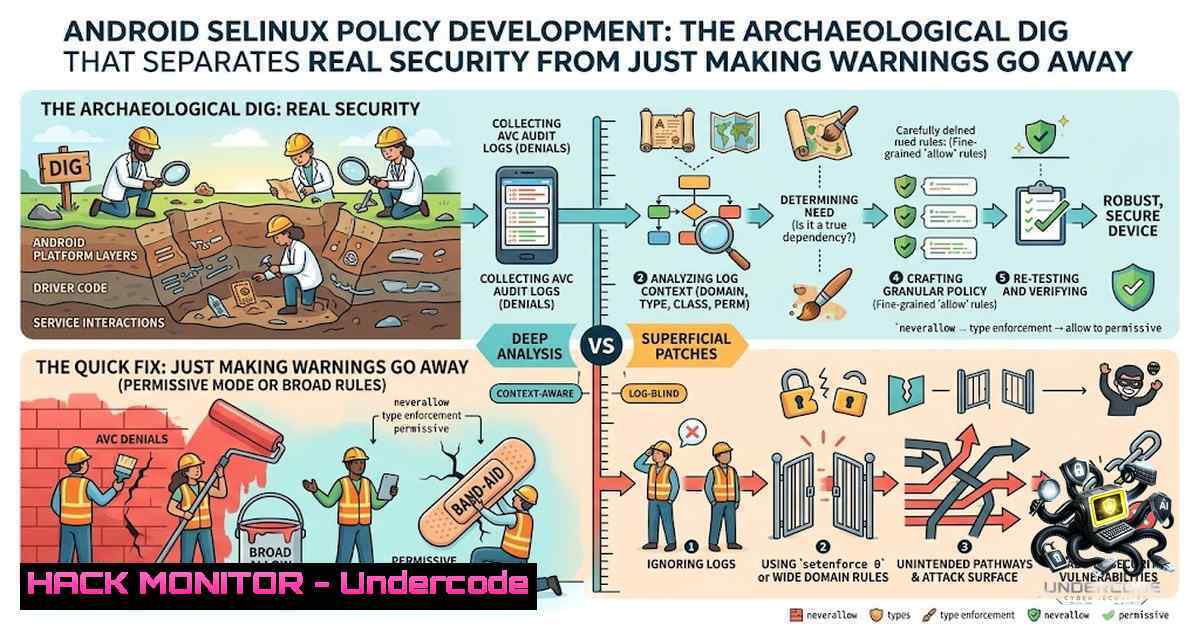
Security-Enhanced Linux (SELinux) on Android isn’t just another permission model—it’s a mandatory access control (MAC) system that traps every process in a labeled cage and audits every interaction against a written policy. Every process runs in a security domain; every file, socket, and Binder service wears a label; and the kernel checks every single interaction against rules that say exactly which domain can do what to which label. What isn’t explicitly allowed is denied—and that’s where the real work begins. The journey from a non-booting device in enforcing mode to a hardened, production-ready SELinux policy isn’t about writing code; it’s about archaeological discovery, uncovering what your processes actually do versus what you thought they did.
Learning Objectives:
- Master the permissive-to-enforcing development workflow for Android SELinux policy
- Use audit2allow to generate and refine .te rules from kernel audit logs
- Label initiators, file systems, properties, and applications with precise security contexts
- Apply macros and neverallow rules to write maintainable, secure policies
- Navigate the Treble-era sepolicy directory structure and partition-specific policies
- Setting Up the Permissive Sandbox: Boot Without the Handcuffs
The first rule of SELinux policy development: never start in enforcing mode. When your device boots in enforcing mode with incomplete policy, denials cascade and mask each other—a directory search denial prevents you from ever seeing the file read denial that would have followed. Permissive mode logs every denial without enforcing it, giving you the complete picture.
To boot your Android device in permissive mode, add the following to your device’s BoardConfig.mk:
platform/device/<vendor>/<target>/BoardConfig.mk
Add this kernel command-line parameter:
androidboot.selinux=permissive
Then rebuild and flash the new boot image:
make clean
make bootimage
fastboot flash boot boot.img
Verify the mode with:
adb shell getenforce
 Output: Permissive
A two-week window in global permissive mode is reasonable for initial development. During this period, exercise every feature of your device—camera, NFC, Bluetooth, Wi-Fi, audio, sensors, and any custom services. The kernel will log every single denial that would have been enforced, building your audit trail for policy generation.
- Reading the Audit Log: The Kernel Tells You Everything
With your device running in permissive mode, every denied action prints an AVC (Access Vector Cache) denial to the kernel log buffer and logcat. Here’s what a typical denial looks like:
avc: denied { write } for comm="[email protected]" name="tp_double_tap" dev="proc" ino=4026533160 scontext=u:r:hal_power_default:s0 tcontext=u:object_r:proc:s0 tclass=file permissive=0
Each denial contains four critical pieces of information:
- scontext (source context): The domain of the process that attempted the action—in this case, `hal_power_default`
– tcontext (target context): The label of the resource being accessed—prochere - tclass (target class): The type of object—
file,dir,socket,binder_service, etc. - permission: The action being denied—
{ write },{ read },{ open },{ set }, etc.
Collect denials systematically. The command to pull all SELinux denials from logcat:
adb logcat -d | grep "avc: denied"
Or from the kernel log:
adb shell dmesg | grep "avc: denied"
- Generating Rules with audit2allow: Let the Machine Do the Heavy Lifting
The `audit2allow` utility reads audit logs and generates SELinux policy rules—specifically `allow` and `dontaudit` statements. On a Linux build host, install it with:
 On Ubuntu/Debian
sudo apt install policycoreutils-python-utils

On RHEL/CentOS/Fedora
sudo yum install policycoreutils-python-utils
For Android development, the tool is available in the AOSP build environment. Feed your collected denials into audit2allow:
adb logcat -d | grep "avc: denied" | audit2allow -p out/target/product/<device>/root/sepolicy
Or save denials to a file and process:
adb logcat -d | grep "avc: denied" > denials.txt
audit2allow -p out/target/product/<device>/root/sepolicy -i denials.txt
The output generates `.te` rules like:
allow hal_power_default proc:file { write };
Critical warning: audit2allow gives you the minimum rule that silences the denial, but “minimum” in this context often means dangerously broad. The generated rule might grant `hal_power_default` write access to all proc files when you only needed write access to a specific one. Tightening rules to the specific type and class is the difference between hardening the system and just making warnings go away.
4. Writing TE Rules: Precision over Permission
SELinux policy files use the `.te` (Type Enforcement) extension. Each domain gets its own file named after its scontext—for example, hal_power_default.te.
The basic `allow` statement blueprint:
allow scontext tcontext:tclass { permission1 permission2 };
A real-world example from a denial:
avc: denied { read write } for pid=4565 comm="init.qcom.post_" name="read_ahead_kb" dev="sysfs" ino=52742 scontext=u:r:qti_init_shell:s0 tcontext=u:object_r:sysfs_dm:s0 tclass=file
The corresponding rule:
allow qti_init_shell sysfs_dm:file { read write };
Using macros: AOSP provides pre-defined macros that group common permission sets. Instead of writing:
allow hal_power_default sysfs:file { read open watch lock };
Use the `r_file_perms` macro:
allow hal_power_default sysfs:file r_file_perms;
For directory and file combinations, use `r_dir_file`:
r_dir_file(ueventd, firmware_file)
Available macros are defined in `global_macros` and `te_macros` within the AOSP `system/sepolicy` repository.
Suppressing denials with dontaudit: Some denials are expected and harmless—they represent actions you intentionally don’t want to allow. Use `dontaudit` to suppress them from logs:
dontaudit thermal-engine sysfs:dir read;
5. Labeling Everything: The Art of Context Assignment
Before you can grant permissions, your initiators and targets need proper labels. Labels live in several dedicated files.
Labeling files and binaries (`file_contexts`):
/(vendor|system/vendor)/bin/hw/android.hardware.nfc@1.2-service.sec u:object_r:hal_nfc_default_exec:s0
Use regex for broad patterns. To examine existing labels on a running system:
ls -alZ /path/to/file
Labeling Android apps (`seapp_contexts`):
user=radio seinfo=platform name=vendor.qti.iwlan domain=qtidataservices_app type=radio_data_file
If the app specifies `android:process=”name”` in its manifest, you can use that name directly.
Labeling filesystems (genfs_contexts)—for file systems that don’t support extended attributes:
genfscon proc /hwmodel u:object_r:proc_fih:s0
Labeling properties (`property_contexts`):
camera.tunning.live u:object_r:camera_prop:s0
6. The Treble-Aware Policy Structure
Since Project Treble, sepolicy has been split across partitions. The directory structure under `device/lineage/sepolicy/common/` typically includes:
- system/: Policies for system-based modules
- vendor/: Policies for vendor-based modules
- public/: Policies accessible to both system and vendor
- private/: Platform-specific policies for system-based modules
- dynamic/: Policies that go to vendor image if building inline, otherwise system image
Place your custom `.te` files in the appropriate directory based on where the component lives. Reference the stock policy from your device’s ROM at `/system/etc/selinux/` or `/vendor/etc/selinux/` for comparison.
7. The Enforcing Transition and neverallow Pitfalls
Once you’ve addressed the majority of denials, switch back to enforcing mode:
 Remove or comment out androidboot.selinux=permissive from BoardConfig.mk
make clean
make bootimage
fastboot flash boot boot.img
Then test aggressively. Domains still generating denials can be temporarily placed in permissive mode individually, but revert to enforcing as soon as possible.
The neverallow trap: Android’s core policy includes `neverallow` rules that cause compilation to fail if violated. For example, granting `{ read write }` on `system_data_file` would allow access to every file on the system—a massive security hole. The solution is always to label files with specific, granular contexts rather than relying on broad types. Legacy devices (pre-msm8996) may use `device/qcom/sepolicy-legacy` which ignores neverallows, but this is a compromise, not a best practice.
Useful Commands Reference:
| Command | Purpose |
|||
| `ls -alZ /path` | View SELinux context of a file |
| `chcon context target` | Change SELinux context manually |
| `restorecon target` | Restore default SELinux context |
| `sepolicy-inject -s domain -t type -c class -p permission` | Inject allow rules into running policy |
| `adb shell getenforce` | Check current enforcement mode |
| `adb shell setenforce 0/1` | Switch permissive/enforcing at runtime |
What Undercode Say:
- Policy development is archaeology, not coding—you’re discovering what your process actually does versus what you thought it did. The policy becomes the written record of that discovery.
-
audit2allow is a starting point, not a finish line—the tool generates rules that silence denials but often with overly broad scope. Tightening rules to specific types and classes transforms a system from merely suppressing warnings to genuinely hardening security.
The discipline of SELinux policy writing forces developers to confront the gap between design assumptions and runtime reality. Every denial reveals a hidden interaction—a file your service touches, a property it sets, a Binder call it makes—that you didn’t account for in your architecture. This isn’t a bug; it’s the system telling you the truth about your code. The most common failure mode isn’t getting policy wrong—it’s getting policy vague, granting blanket permissions that technically work but create attack surfaces you’ll never see until someone exploits them. Android’s CTS has required enforcing SELinux since version 5.0, meaning this isn’t optional—it’s the price of admission for any production device. Master the workflow, embrace the archaeological mindset, and you’ll ship devices that are actually secure, not just compliant.
Prediction:
- +1 The trend toward stricter SELinux enforcement will accelerate as Android continues to tighten its security baseline, making SELinux expertise increasingly valuable for device maintainers and OEMs.
-
+1 Tooling around audit2allow and policy generation will continue to improve, but the fundamental need for human judgment in refining rules will remain—automation can generate, but only engineers can validate.
-
-1 Legacy devices will increasingly struggle with neverallow rules as AOSP policies grow stricter, forcing maintainers to choose between security compliance and hardware compatibility.
-
-1 The complexity of Treble-era policy distribution across partitions will continue to confuse developers, creating a skills gap that slows down custom ROM development and device bring-up.
-
+1 Macros and policy templates will evolve to cover more common use cases, reducing the boilerplate developers need to write while maintaining the precision required for true security.
▶️ Related Video (74% Match):
https://www.youtube.com/watch?v=0uG_RKiDmQY
🎯Let’s Practice For Free:
🎓 Live Courses & Certifications:
Join Undercode Academy for Verified Certifications
🚀 Request a Custom Project:
Secure, high-velocity infrastructure and disruptive technological engineering. Contact our engineering team for high-tier development and proprietary systems:
[email protected]
💎 Smart Architecture | 🛡️ Secure by Design | ⭐ Trusted by Thousands
IT/Security Reporter URL:
Reported By: Pallis Digging – Hackers Feeds
Extra Hub: Undercode MoN
Basic Verification: Pass ✅


