
Listen to this Post
Introduction:
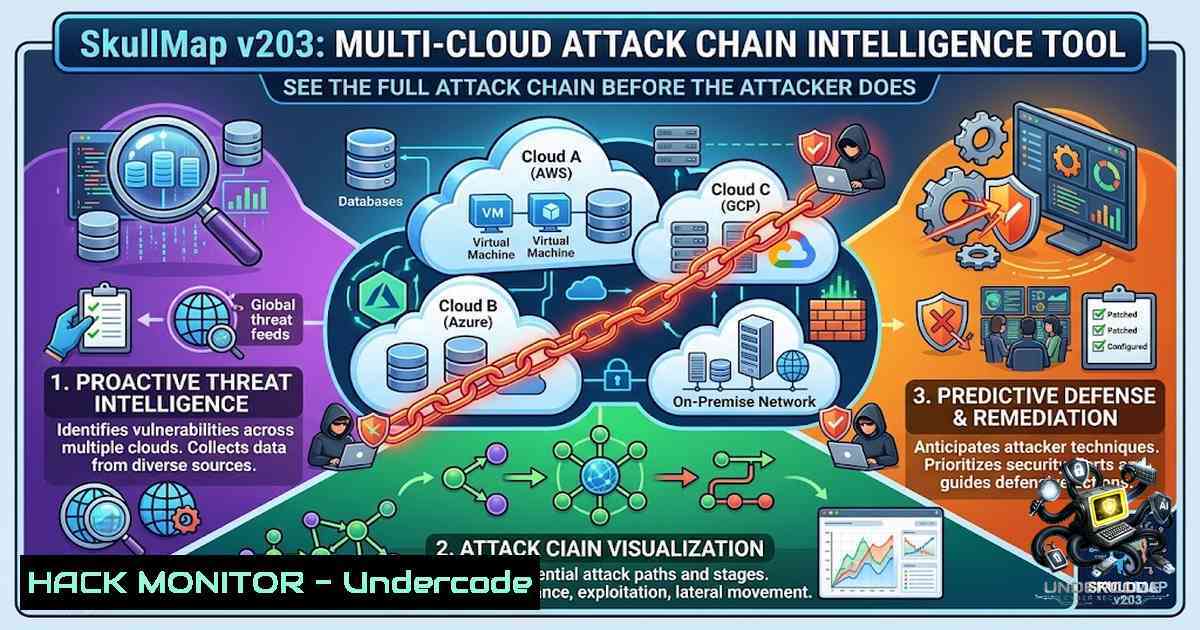
Traditional cloud security scanners excel at identifying isolated misconfigurations—public storage buckets, overly permissive IAM roles, or open security groups. While useful, these point-in-time findings fail to capture the reality of modern cyberattacks: adversaries rarely exploit a single weakness. Instead, they chain together seemingly minor misconfigurations to traverse cloud environments, escalate privileges, and exfiltrate sensitive data. SkullMap addresses this gap by shifting the paradigm from vulnerability discovery to attack chain intelligence. It maps the entire adversarial path across GCP, AWS, Azure, Oracle Cloud, and Kubernetes, using AI to narrate the attacker’s story, quantify financial impact, and simulate breach scenarios—all from a single open-source tool.
Learning Objectives & Secrets:
- Objective 1: Master Attack Chain Discovery Across Multi-Cloud Environments. Learn to map interconnected misconfigurations across GCP, AWS, Azure, Oracle Cloud, and Kubernetes into visual kill chains that reveal the full adversarial path, not just isolated findings.
-
Objective 2 Secret Tip: Leverage AI-Powered Attacker Narratives for Deeper Insight. Use the `–ai` flag to generate human-language attacker stories. Combine `–persona apt` to simulate an Advanced Persistent Threat perspective, revealing how sophisticated adversaries think and operate—a perspective most scanners completely miss.
-
Objective 3 Secret Tip: Quantify Breach Economics and Optimize Fixes. Enable `–economics` to see the financial ROI of each attack chain from the attacker’s viewpoint. Use `–optimize` to identify the single fix that disrupts the maximum number of attack chains, prioritizing remediation efforts for maximum security impact.
You Should Know:
- Installation and Initial Setup: Zero to Scan in Minutes
SkullMap is distributed via PyPI, making installation straightforward. It requires Python 3.8+ and depends on cloud SDKs and the Gemini AI API for its intelligence features.
Step‑by‑step guide:
1. Install via pip:
pip install skullmap
2. Verify Installation:
skullmap --help
This displays all available commands and options.
- Configure Cloud Credentials: SkullMap supports multiple cloud providers. Create a `.env` file in your working directory or set environment variables. For GCP:
GCP_PROJECT_ID=your-project-id
GOOGLE_APPLICATION_CREDENTIALS=path/to/gcp-key.json
For AWS:
AWS_ACCESS_KEY_ID=your-key-id
AWS_SECRET_ACCESS_KEY=your-secret-key
AWS_REGION=us-east-1
For Azure:
AZURE_SUBSCRIPTION_ID=your-subscription-id
AZURE_TENANT_ID=your-tenant-id
AZURE_CLIENT_ID=your-client-id
AZURE_CLIENT_SECRET=your-client-secret
- Configure Gemini AI (Optional but Recommended): For AI narratives, prediction, and chat features, set your Gemini API key:
GEMINI_API_KEY=your-gemini-key
5. Run Your First Scan:
skullmap scan --project my-gcp-project
This performs a comprehensive scan of your GCP project, discovering attack chains, calculating risk scores, and generating a report.
- Unauthenticated Attack Surface Testing: Thinking Like an Attacker
SkullMap’s `auth-test` feature is unique—it tests your cloud environment from an attacker’s perspective without requiring any credentials. This simulates the initial reconnaissance phase of a real-world attack.
Step‑by‑step guide:
1. Test a Single Cloud:
 GCP - checks public buckets, Cloud Functions, Firebase, and metadata servers
skullmap auth-test --project my-gcp-project

AWS - checks public S3 buckets, EC2 metadata, Lambda URLs, and Cognito
skullmap auth-test --region us-east-1

Azure - checks public Blob storage, App Services, and Key Vault
skullmap auth-test --subscription my-azure-subscription-id
2. Sweep All Clouds Simultaneously:
skullmap auth-test --project my-gcp --region us-east-1 \
--subscription my-azure-sub --tenancy my-oracle-tenancy --all-clouds
3. What It Checks:
- Public cloud storage buckets (GCS, S3, Azure Blob, OCI)
- Unauthenticated Cloud Functions / Lambda / Azure Functions
- Firebase Realtime Database open access
- Cloud metadata servers (SSRF risk)
- Exposed service account key files
- Cognito self-registration misconfigurations
- Key Vault / Secrets exposure
- Exposed `.env` or credentials files in public storage
3. Advanced AI-Powered Analysis: From Data to Narrative
SkullMap’s AI capabilities transform raw scan data into actionable intelligence. The `–ai` flag generates a full attacker narrative in plain English, while `–predict` forecasts the attacker’s next moves.
Step‑by‑step guide:
1. Generate an Attacker Narrative:
skullmap scan --project my-gcp-project --ai
This produces a detailed, human-readable story of how an attacker would chain misconfigurations to compromise your environment.
2. Simulate Different Attacker Personas:
 Script Kiddie - basic automated attacks
skullmap scan --project my-gcp-project --ai --persona script_kiddie

APT - sophisticated, stealthy, long-term
skullmap scan --project my-gcp-project --ai --persona apt

Ransomware - immediate, destructive, profit-driven
skullmap scan --project my-gcp-project --ai --persona ransomware
3. Predict Next Attack Steps:
skullmap scan --project my-gcp-project --predict
This uses predictive AI to forecast the attacker’s next moves, enabling proactive defense.
4. Interactive AI Security Chat:
skullmap chat --project my-gcp-project
Engage in a conversational Q&A with an AI security consultant about your scan results and security posture.
4. Live Web Dashboard and Real-Time Monitoring
SkullMap includes a live web dashboard that visualizes scan results in real-time, eliminating the need for separate server setup.
Step‑by‑step guide:
1. Launch the Dashboard:
skullmap dashboard --project my-gcp-project
This opens an HTML dashboard directly in your browser from the `reports/` directory.
2. Enable Live Auto-Refresh:
skullmap dashboard --project my-gcp-project --live --interval 300
The dashboard automatically re-scans every 5 minutes (300 seconds) and updates with fresh findings.
3. Dashboard Metrics:
- Overall risk score
- Count of critical and high-severity findings
- Number of active attack chains
- Full attack chain visualization with paths
- Recent findings table with severity
- Live breach cost estimate
- Zero Trust score (NIST SP 800-207)
5. Attack Chain Simulation and Digital Twin
SkullMap allows you to simulate attacks on a virtual copy of your infrastructure without touching real production systems.
Step‑by‑step guide:
1. Create a Digital Twin:
skullmap scan --project my-gcp-project --twin
This clones your infrastructure configuration and creates a safe simulation environment.
2. Run Red vs Blue Simulation:
skullmap scan --project my-gcp-project --simulate
This launches a live battle simulation, showing exactly where your defenses would fail during an active attack.
3. Combine Twin and Simulation:
skullmap scan --project my-gcp-project --twin --simulate
Test attack paths on the twin, then simulate the defensive response—all without risking production.
6. Bug Bounty Mode and Evidence Generation
For security researchers and bug bounty hunters, SkullMap auto-generates CVSS scores and professional reports in HackerOne/Bugcrowd format.
Step‑by‑step guide:
1. Run Bug Bounty Mode:
skullmap scan --project my-gcp-project --bounty --target "company-1ame" --dna --evidence
This generates CVSS-scored findings with chain DNA fingerprints and court-ready evidence packages.
2. Generate Evidence Reports:
skullmap scan --project my-gcp-project --evidence
Produces HTML, PDF, and JSON reports suitable for audit or legal proceedings.
7. Zero Trust Assessment and Compliance Blast Radius
SkullMap provides a NIST SP 800-207 compliant Zero Trust score and maps compliance blast radius for SOC2, ISO27001, GDPR, and PCI DSS.
Step‑by‑step guide:
1. Run Zero Trust Assessment:
skullmap scan --project my-gcp-project --zero-trust
Evaluates your environment against the six pillars of Zero Trust.
2. Calculate Compliance Blast Radius:
skullmap scan --project my-gcp-project --blast-radius
Shows which compliance frameworks (SOC2, ISO27001, GDPR, PCI DSS) would be impacted by a breach.
What Undercode Say:
- Key Takeaway 1: SkullMap represents a paradigm shift from reactive vulnerability scanning to proactive attack chain intelligence. By connecting isolated misconfigurations into adversarial paths and quantifying them with AI and economics, it provides a level of situational awareness that traditional scanners cannot match. The tool’s 50+ features across five cloud platforms make it a comprehensive solution for cloud security professionals, red teams, and SOC analysts.
-
Key Takeaway 2: The integration of Gemini AI for narrative generation, persona simulation, and predictive analysis transforms raw technical data into strategic intelligence. This is particularly valuable for communicating risk to non-technical stakeholders and for training security teams to think like attackers. The open-source nature and PyPI availability lower the barrier to entry, democratizing advanced cloud security capabilities.
Prediction:
-
+1 SkullMap’s open-source model and multi-cloud coverage will accelerate adoption in the security community, potentially becoming a standard tool for cloud penetration testing and attack simulation, similar to how Metasploit revolutionized vulnerability exploitation.
-
+1 The AI-powered attack narrative and predictive features will drive a new category of “intelligent security tools” that bridge the gap between technical findings and business risk communication, making cloud security more accessible to executive leadership.
-
-1 As with any powerful security tool, SkullMap could be misused by malicious actors for reconnaissance and attack planning. However, its open-source nature also allows defenders to study and anticipate attacker methodologies, creating a net positive for the security ecosystem.
-
+1 The inclusion of Zero Trust scoring (NIST SP 800-207) and compliance blast radius calculations positions SkullMap as a valuable asset for organizations undergoing cloud security maturity assessments and compliance audits, potentially reducing the time and cost of these evaluations.
-
-1 Reliance on the Gemini AI API for advanced features introduces a dependency on external services and potential costs, which may limit adoption in air-gapped or cost-sensitive environments. Future iterations could benefit from support for local LLMs.
▶️ Related Video (74% Match):
https://www.youtube.com/watch?v=aWXlDXIIlXk
🎯Let’s Practice For Free:
🎓 Live Courses & Certifications:
Join Undercode Academy for Verified Certifications
🚀 Request a Custom Project:
Secure, high-velocity infrastructure and disruptive technological engineering. Contact our engineering team for high-tier development and proprietary systems:
[email protected]
💎 Smart Architecture | 🛡️ Secure by Design | ⭐ Trusted by Thousands
IT/Security Reporter URL:
Reported By: https://lnkd.in/p/eBTi4THy – Hackers Feeds
Extra Hub: Undercode MoN
Basic Verification: Pass ✅


