Listen to this Post
Introduction:
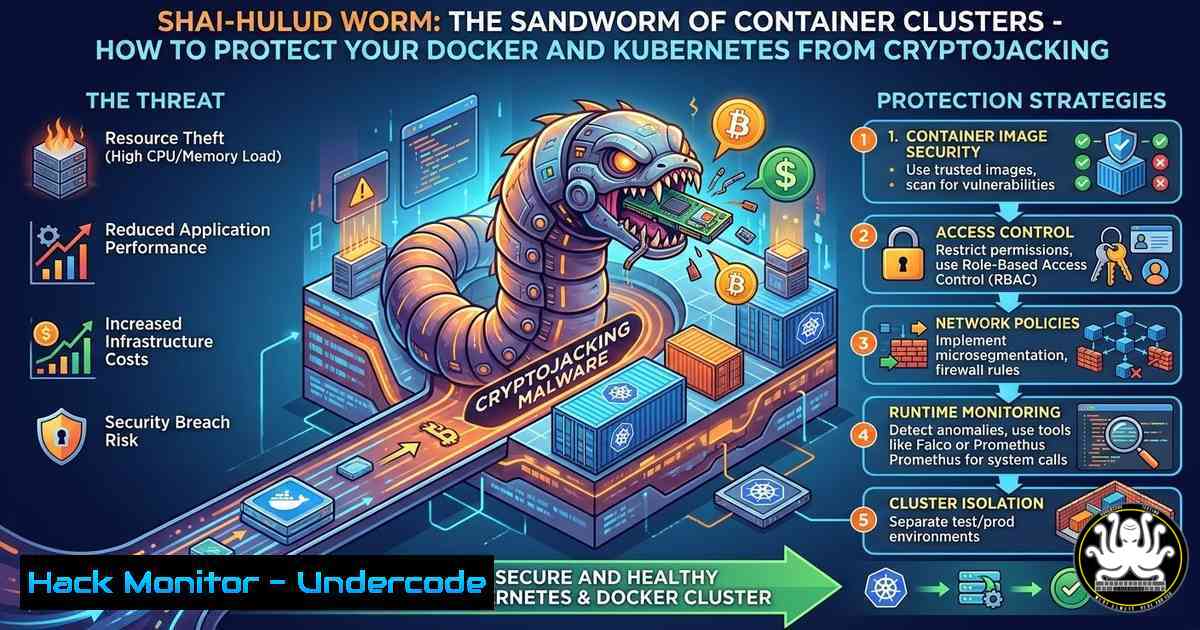
The Shai-Hulud worm, named after the giant sandworms of Frank Herbert’s Dune, has slithered into the container ecosystem, targeting misconfigured Docker and Kubernetes environments to deploy cryptocurrency miners. First detailed in podcast episode 534 of NoLimitSecu (https://nolimitsecu.fr/shai-hulud/), this self‑propagating malware scans for exposed Docker daemon ports (2375/2376) and Kubernetes API servers, then deploys malicious containers that consume CPU resources for cryptomining. As container adoption explodes, understanding and mitigating this threat is critical for any organization running cloud‑native infrastructure.
Learning Objectives:
- Understand how the Shai-Hulud worm propagates across containerized environments.
- Identify common misconfigurations in Docker and Kubernetes that facilitate infection.
- Implement security controls to harden container hosts and clusters.
- Detect and respond to cryptojacking incidents using native tools and commands.
You Should Know:
1. Understanding Shai-Hulud: Propagation and Impact
The worm operates by scanning the internet for Docker daemons bound to 0.0.0.0 on port 2375 (unencrypted) or 2376 (TLS, often misconfigured with weak certificates). Once it finds an open API, it issues commands to pull a malicious image (typically from a public registry) and run a container that launches a cryptocurrency miner, such as XMRig. It also targets Kubernetes clusters with anonymous authentication enabled on the kubelet or API server. The miner consumes significant CPU, leading to performance degradation and increased cloud costs. The NoLimitSecu podcast provides an in‑depth analysis of its behavior and the lessons learned from real‑world incidents.
- Assessing Your Exposure: Scanning for Open Docker Daemons
Before an attacker finds you, you should discover your own exposed services. Use the following steps to audit your environment:
- Nmap scan for Docker ports:
`nmap -p 2375,2376 –script docker-version `
This checks if the Docker API is reachable and retrieves version info, confirming exposure.
- Check for Kubernetes API exposure:
`nmap -p 6443 `
If open, try `kubectl –insecure-skip-tls-verify get nodes` to see if anonymous access is allowed.
- For internal audits, list all listening ports:
`ss -tulpn | grep -E ‘2375|2376|6443’`
If these ports listen on `0.0.0.0` instead of 127.0.0.1, you are at risk.
3. Securing the Docker Daemon
The Docker daemon must never be exposed to the network without strict authentication and encryption. Follow these steps:
- Bind to localhost only:
Edit `/etc/docker/daemon.json`:
{
"hosts": ["unix:///var/run/docker.sock", "tcp://127.0.0.1:2375"]
}
Then restart Docker: `sudo systemctl restart docker`
- Enable TLS if remote access is required:
Generate certificates using `openssl` and configure the daemon with:{ "tlsverify": true, "tlscacert": "/etc/docker/ca.pem", "tlscert": "/etc/docker/server-cert.pem", "tlskey": "/etc/docker/server-key.pem", "hosts": ["tcp://0.0.0.0:2376", "unix:///var/run/docker.sock"] }
Clients must then present valid certificates.
- Firewall rules:
Use `iptables` or `ufw` to block external access:
`sudo ufw deny 2375/tcp`
`sudo ufw allow from 192.168.1.0/24 to any port 2376 proto tcp` (if TLS is used for internal management)
4. Hardening Kubernetes Clusters
Kubernetes misconfigurations are a prime target for Shai‑Hulud. Implement these controls:
- Enable RBAC and disable anonymous access:
Ensure the API server starts with:
`–anonymous-auth=false –authorization-mode=RBAC`
Verify with:
`ps aux | grep kube-apiserver`
- Secure the kubelet:
The kubelet API should require authentication. Edit the kubelet config file (usually/var/lib/kubelet/config.yaml) and set:authentication: anonymous: enabled: false webhook: enabled: true authorization: mode: Webhook
Then restart kubelet: `sudo systemctl restart kubelet`
- Network Policies:
Restrict pod‑to‑pod communication. Apply a default deny policy:
apiVersion: networking.k8s.io/v1
kind: NetworkPolicy
metadata:
name: default-deny
spec:
podSelector: {}
policyTypes:
- Ingress
- Egress
5. Detecting Shai‑Hulud Infections
Early detection minimizes damage. Use these commands to spot anomalies:
- List all running containers:
`docker ps –format “table {{.Names}}\t{{.Image}}” | grep -i -e xmrig -e miner -e unknown`
In Kubernetes: `kubectl get pods –all-namespaces -o wide | grep -i -e xmrig -e miner` - Monitor CPU usage:
`docker stats –no-stream –format “table {{.Name}}\t{{.CPUPerc}}” | awk ‘$2 > 50.0’`
Or for pods: `kubectl top pods –all-namespaces`
- Check for suspicious images:
`docker images –format “table {{.Repository}}\t{{.Tag}}” | grep -v official`
In Kubernetes, describe suspicious pods: `kubectl describe pod` to see image source. -
Runtime security with Falco:
Install Falco to detect anomalous process execution:
`falco –list`
Rules like “Launch Suspicious Network Tool in Container” will trigger on miner downloads.
6. Mitigation and Response
If you find an infection, act swiftly:
- Stop and remove malicious containers:
`docker stop $(docker ps -q –filter “ancestor=“)`
`docker rm $(docker ps -aq –filter “ancestor=“)`
`docker rmi `
- For Kubernetes, delete the offending pods and deployments:
`kubectl delete pod –namespace `
Check for and delete associated deployments, daemonsets, or jobs.
- Patch the vulnerability:
If the entry was an open Docker port, immediately apply firewall rules and daemon configuration as described in Section 3. If it was a Kubernetes API exposure, rotate all service account tokens and review RBAC bindings. -
Post‑incident hardening:
Implement admission controllers like `ImagePolicyWebhook` or `OPA Gatekeeper` to block untrusted images.
Use `kube-bench` to run CIS benchmarks against your cluster:
`kube-bench run –targets master,node`
What Undercode Say:
- Key Takeaway 1: Container security is not optional – misconfigurations like exposed Docker sockets are the digital equivalent of leaving the front door open. Shai‑Hulud thrives on such oversights, reminding us that default settings are rarely secure.
- Key Takeaway 2: Proactive hardening combined with continuous monitoring is the only effective defense. Tools like network policies, admission controllers, and runtime detection (e.g., Falco) can stop cryptojackers before they consume your resources.
- Analysis: The worm’s success underscores a cultural gap between DevOps speed and security rigor. Many teams prioritize agility over security, leaving clusters wide open. The rise of AI‑driven attacks will only accelerate, making automated security posture management (CNAPP) a necessity. Organizations must embed security into CI/CD pipelines, scan images for vulnerabilities, and regularly audit configurations. The Shai‑Hulud episode on NoLimitSecu is a stark reminder that even a simple worm can cause significant damage when infrastructure is neglected.
Prediction:
As containerization and orchestration become ubiquitous, we will witness an evolution of self‑spreading malware. Future variants will leverage AI to intelligently evade detection, dynamically change mining algorithms, and even exploit zero‑day vulnerabilities in container runtimes. Moreover, supply chain attacks will increase, with attackers injecting miners into popular base images. Defenders will need to adopt AI‑based anomaly detection and immutable infrastructure to stay ahead. The sandworm of Dune is fictional, but its digital counterpart is very real – and it’s only getting stronger.
▶️ Related Video (74% Match):
🎯Let’s Practice For Free:
IT/Security Reporter URL:
Reported By: Podcast Cybersaezcuritaez – Hackers Feeds
Extra Hub: Undercode MoN
Basic Verification: Pass ✅


