Listen to this Post
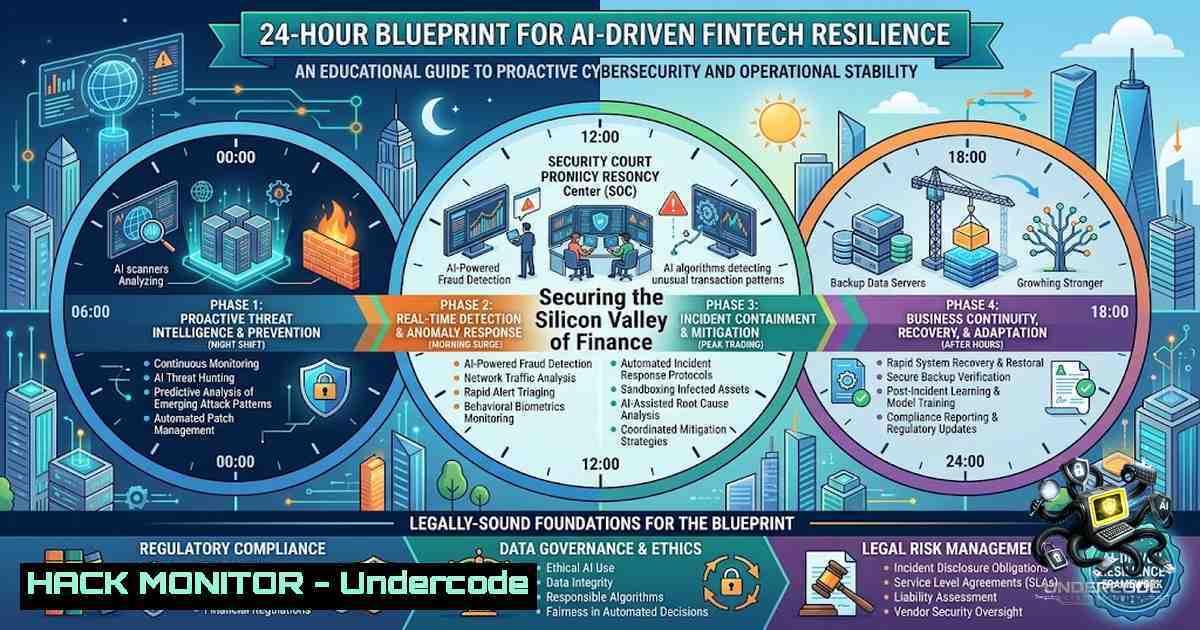
Introduction:
The convergence of algorithmic trading, generative AI, and legacy financial infrastructure has created a perfect storm for both innovation and exploitation. As institutions race to integrate large language models (LLMs) into payment processing, fraud detection, and customer service, the attack surface expands exponentially, demanding a security-first approach to development. The START Hack Tour’s upcoming finance and AI hackathon in St. Gallen provides the ideal crucible for builders to harden these systems against adversarial threats, turning theoretical vulnerabilities into actionable defenses.
Learning Objectives:
- Implement zero-trust authentication pipelines for AI-driven financial applications.
- Develop robust input validation and prompt injection defenses for LLM-based financial advisory tools.
- Deploy real-time monitoring and anomaly detection to identify fraud patterns and system misuse.
- Automate infrastructure security baselines for cloud-hosted fintech prototypes.
- Apply secure coding practices to prevent data leakage and privilege escalation.
You Should Know:
1. Environment Hardening for Rapid Prototyping
In a 24-hour hackathon, speed is critical, but security cannot be an afterthought. Start by securing your development and deployment environments. For Linux-based systems, implement a basic host-based intrusion detection system (HIDS) and enforce strict firewall rules. On Windows, leverage PowerShell to enforce execution policies and enable logging.
Step‑by‑step guide:
- Linux (Ubuntu/Debian): Update the system and install essential security tools.
sudo apt update && sudo apt upgrade -y
sudo apt install ufw fail2ban auditd -y
sudo ufw default deny incoming
sudo ufw default allow outgoing
sudo ufw allow 22/tcp  SSH, change port if possible
sudo ufw enable
sudo systemctl enable fail2ban
Configure Fail2ban to protect against brute-force attacks on SSH and any exposed web interfaces by editing
/etc/fail2ban/jail.local. Restart the service withsudo systemctl restart fail2ban. - Windows (PowerShell as Administrator): Set execution policy to restrict scripts and enable detailed logging.
Set-ExecutionPolicy RemoteSigned -Scope LocalMachine
Set-ItemProperty -Path "HKLM:\SOFTWARE\Microsoft\Windows\CurrentVersion\Policies\System" -1ame "EnableLUA" -Value 1
Auditpol /set /category:"Logon/Logoff" /subcategory:"Logon" /success:enable /failure:enable
Run `Get-WinEvent -LogName Security -MaxEvents 20` to verify logging is active. This provides a baseline to trace malicious access attempts.
2. Securing AI Model Endpoints and API Gateways
The core of a fintech AI hackathon project is often an API serving a model for fraud detection or portfolio optimization. These endpoints are prime targets for adversarial attacks, including prompt injection and model inversion. Implementing a Web Application Firewall (WAF) and robust authentication is non-1egotiable.
Step‑by‑step guide:
- Use API keys with HMAC signatures to authenticate requests, ensuring integrity and non-repudiation. In Python using Flask:
import hmac
import hashlib
from flask import Flask, request, jsonify</li>
</ul>

app = Flask(<strong>name</strong>)
SECRET_KEY = b"your_secure_secret_key_here"

def verify_signature(data, signature):
computed = hmac.new(SECRET_KEY, msg=data.encode('utf-8'), digestmod=hashlib.sha256).hexdigest()
return hmac.compare_digest(computed, signature)

@app.route('/predict', methods=['POST'])
def predict():
data = request.get_json()
signature = request.headers.get('X-Signature')
if not signature or not verify_signature(str(data), signature):
return jsonify({"error": "Unauthorized"}), 401
 Sanitize input to prevent injection
cleaned_input = {k: str(v)[:500] for k, v in data.items()}  Basic length limit
 Model inference logic here...
return jsonify({"prediction": 0.95})
– Deploy an NGINX reverse proxy with rate limiting and a ModSecurity WAF to filter malicious payloads. Install ModSecurity and configure OWASP Core Rule Set (CRS).
sudo apt install libnginx-mod-http-modsecurity
sudo cp /etc/nginx/modsecurity/modsecurity.conf-recommended /etc/nginx/modsecurity/modsecurity.conf
Enable the WAF in your NGINX site configuration:
server {
location /api/ {
modsecurity on;
modsecurity_rules_file /etc/nginx/modsecurity/modsecurity.conf;
proxy_pass http://localhost:5000/;
}
}
3. Cloud Hardening for Scalable Deployments
If you are deploying your hackathon project to AWS, Azure, or GCP, misconfigurations are the leading cause of data breaches. Use infrastructure-as-code and cloud-1ative tools to enforce a secure baseline.
Step‑by‑step guide:
- Azure CLI: For a project using Azure, lock down a storage account to a specific Virtual Network (VNet), preventing public exposure.
az storage account update --1ame mystorageaccount --default-action Deny
az storage account network-rule add --account-1ame mystorageaccount --vnet-1ame myvnet --subnet mysubnet
- AWS CLI: For AWS, implement a restrictive security group and enable VPC Flow Logs for network monitoring.
aws ec2 authorize-security-group-ingress --group-id sg-12345678 --protocol tcp --port 443 --source-group sg-87654321
aws ec2 create-flow-logs --resource-ids vpc-12345678 --resource-type VPC --traffic-type ALL --log-destination-type cloud-watch-logs --log-group-1ame my-flow-logs
- Kubernetes (if containerizing): Use Network Policies to deny all traffic by default and explicitly allow only necessary ingress/egress. Example policy to allow only API traffic:
apiVersion: networking.k8s.io/v1
kind: NetworkPolicy
metadata:
name: default-deny
spec:
podSelector: {}
policyTypes:</li>
<li>Ingress</li>
<li>Egress
ingress:</li>
<li>from:</li>
<li>podSelector:
matchLabels:
role: api-gateway
ports:</li>
<li>protocol: TCP
port: 8080
Apply it with `kubectl apply -f network-policy.yaml`.
4. Real-Time Threat Detection and Logging
Building a logging and monitoring pipeline is crucial for detecting attacks during and after the hackathon. Utilize the ELK Stack (Elasticsearch, Logstash, Kibana) or a SIEM like Wazuh to aggregate and analyze logs.
Step‑by‑step guide:
- Install Wazuh Agent on your Linux VM to monitor file integrity and system calls.
curl -s https://packages.wazuh.com/key/GPG-KEY-WAZUH | sudo apt-key add -
echo "deb https://packages.wazuh.com/4.x/apt/ stable main" | sudo tee /etc/apt/sources.list.d/wazuh.list
sudo apt update && sudo apt install wazuh-agent
sudo systemctl start wazuh-agent
Configure the agent to connect to your Wazuh manager IP by editing
/var/ossec/etc/ossec.conf. Set the manager address and enable active response to block IPs automatically. - Implement custom monitoring for the AI model’s drift and prediction outputs. Use Python to log anomalies in prediction confidence scores, which could indicate adversarial inputs.
import logging
logging.basicConfig(filename='model_monitor.log', level=logging.INFO)
def predict_safe(input_data):
prediction = model.predict(input_data)
if prediction.max() < 0.3:  Low confidence threshold
logging.warning(f"Low confidence score: {prediction.max()} for input: {input_data}")
return prediction
5. Secure Database and Secrets Management
Financial data requires encryption at rest and in transit. Avoid hardcoding credentials. Instead, use environment variables or a secrets manager.
Step‑by‑step guide:
- Linux/Windows: Use the `secrets` module in Python or `dotenv` for local development. For production, integrate with cloud-1ative tools.
import os from dotenv import load_dotenv load_dotenv() DB_PASSWORD = os.getenv('DB_PASSWORD') - Encrypt sensitive database fields using AES-256 before storage. In Python with the `cryptography` library:
from cryptography.fernet import Fernet
key = Fernet.generate_key()
cipher_suite = Fernet(key)
encrypted_text = cipher_suite.encrypt(b"Sensitive customer data")
- PostgreSQL: Enable SSL/TLS connections and enforce it for all users.
ALTER SYSTEM SET ssl = on;
ALTER SYSTEM SET ssl_cert_file = 'server.crt';
ALTER SYSTEM SET ssl_key_file = 'server.key';
SELECT pg_reload_conf();
- Vulnerability Exploitation and Mitigation: OWASP Top 10 for AI
Understand the unique vulnerabilities of AI systems: Prompt Injection, Model Denial of Service, and Training Data Poisoning. Mitigate these by implementing strict input sanitization and output validation.
Step‑by‑step guide:
- Prompt Injection Defense: Create a system prompt that enforces boundaries. Wrap user input in a neutralizer.
def sanitize_prompt(user_input):
Block attempts to override system instructions
forbidden_keywords = ["ignore previous", "system: ", "developer: "]
for kw in forbidden_keywords:
if kw in user_input.lower():
return "Invalid request"
return user_input
- Rate Limiting: Prevent DoS attacks on your LLM endpoint by limiting requests per minute using a token bucket algorithm.
import time
class RateLimiter:
def <strong>init</strong>(self, max_calls, period):
self.max_calls = max_calls
self.period = period
self.calls = []
def allow_request(self):
now = time.time()
self.calls = [call for call in self.calls if call > now - self.period]
if len(self.calls) < self.max_calls:
self.calls.append(now)
return True
return False
7. Finalizing the Deployment Pipeline
Automate security scanning within your CI/CD pipeline using tools like Trivy for container vulnerabilities and Bandit for Python code analysis. This ensures that last-minute code changes do not introduce critical flaws.
Step‑by‑step guide:
- Integrate Trivy with a GitHub Actions workflow.
</li>
<li>name: Run Trivy vulnerability scanner
uses: aquasecurity/trivy-action@master
with:
image-ref: 'your-image:latest'
format: 'table'
exit-code: '1'
ignore-unfixed: true
severity: 'CRITICAL,HIGH'
- Use Bandit for Python security linting.
pip install bandit
bandit -r your_project/ -f json -o bandit_report.json
What Undercode Say:
- Defense in Depth is Non-1egotiable: A single security layer, such as a WAF, is insufficient. Combining network controls, authentication, input validation, and monitoring creates a resilient system, especially under the time pressure of a hackathon.
- Shift-Left Security: Integrating security testing into the CI/CD pipeline from the first commit prevents last-minute disasters. In high-stakes AI hackathons, where the focus is on model accuracy, vulnerabilities in the surrounding infrastructure are often overlooked.
Analysis: The collaboration between START Global and Swiss {ai} Weeks highlights a critical industry reality: the demand for AI in finance is outpacing the development of secure implementation frameworks. This hackathon provides an opportunity to redefine this balance. By embedding security practices into the rapid prototyping process, participants can demonstrate that performance and safety are not mutually exclusive. The challenges posed by financial institutions likely involve data privacy regulations (GDPR, GLBA) and the need for explainable AI, both of which carry significant security implications. Teams that address these aspects will not only win the prize but also produce viable solutions for a market hungry for trusted AI. The 24-hour timeline forces developers to prioritize and automate, making cloud-1ative security tools and pre-configured scripts essential to success.
Prediction:
+1: The combination of real-world financial cases and hands-on security hardening will produce a cohort of developers who are uniquely equipped to build trustworthy AI, accelerating adoption in regulated industries.
-P: If the event focuses solely on algorithmic performance without rigorous security scrutiny, the resulting prototypes may propagate insecure patterns that later become embedded in production systems, increasing systemic risk.
+1: The adoption of AI-specific security measures like prompt injection defenses and adversarial training will become standard benchmarks for financial AI products, shifting the industry from reactive patching to proactive design.▶️ Related Video (82% Match):
🎯Let’s Practice For Free:
🎓 Live Courses & Certifications:
Join Undercode Academy for Verified Certifications
🚀 Request a Custom Project:
Secure, high-velocity infrastructure and disruptive technological engineering. Contact our engineering team for high-tier development and proprietary systems:
[email protected]
💎 Smart Architecture | 🛡️ Secure by Design | ⭐ Trusted by ThousandsIT/Security Reporter URL:
Reported By: Finance Meets – Hackers Feeds
Extra Hub: Undercode MoN
Basic Verification: Pass ✅🔐JOIN OUR CYBER WORLD [ CVE News • HackMonitor • UndercodeNews ]
📢 Follow UndercodeTesting & Stay Tuned:
- Azure CLI: For a project using Azure, lock down a storage account to a specific Virtual Network (VNet), preventing public exposure.


