Listen to this Post
Introduction:
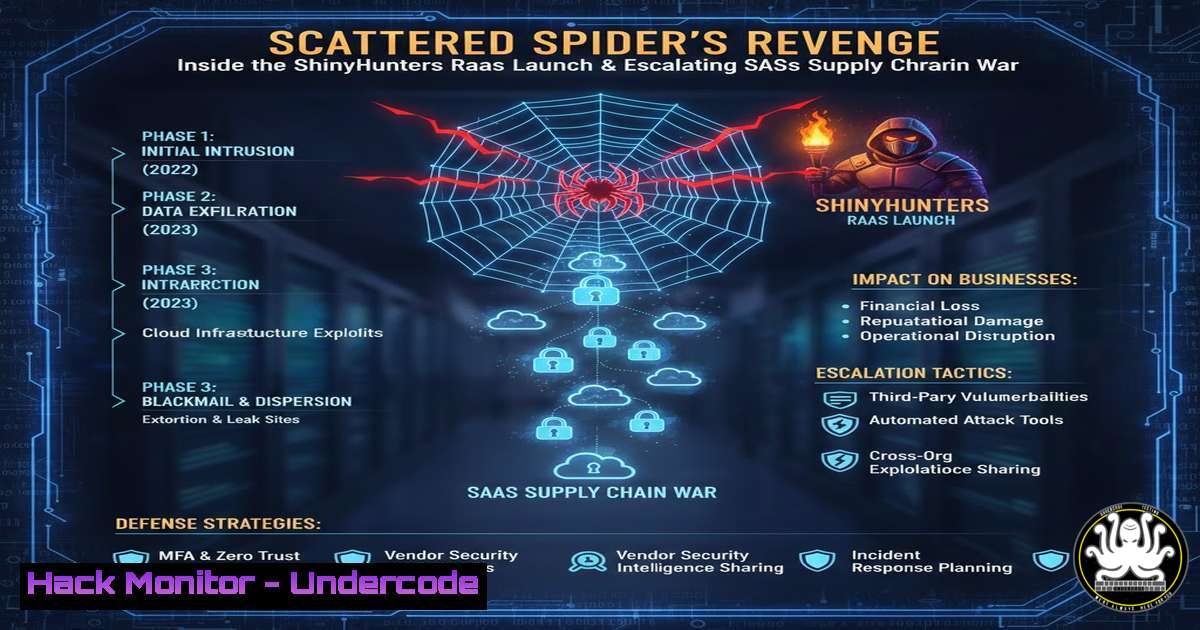
The cybercrime collective known as Scattered Spider, or ShinyHunters (SLH-SLSH), has dramatically re-emerged, escalating its aggressive campaign against enterprise security and SaaS ecosystems. Leveraging a new Telegram channel for psychological warfare and boasting of access to major corporations, the group is teasing a forthcoming Ransomware-as-a-Service (RaaS) launch scheduled for 24th November. This activity underscores a critical shift towards weaponizing SaaS integrations, identity attacks, and support-workflow vulnerabilities, making them a persistent and adaptive threat.
Learning Objectives:
- Understand the Tactics, Techniques, and Procedures (TTPs) of Scattered Spider, including their use of Telegram for disinformation and psychological operations.
- Learn to identify and mitigate SaaS supply chain attack vectors, particularly those involving Salesforce integrations and third-party application compromises.
- Implement defensive measures against identity-based attacks and secure support-ticket systems to prevent social engineering and unauthorized access.
You Should Know:
- The Anatomy of a SaaS Supply Chain Compromise
The recent Gainsight-linked breach impacting Salesforce ecosystems demonstrates how threat groups exploit trusted third-party integrations. Attackers compromise a lesser-secured third-party app with elevated permissions in a platform like Salesforce, then use that access to move laterally into target environments.
Step-by-step guide explaining what this does and how to use it:
Step 1: Identify Over-Privileged Integrations. Audit your SaaS environment, especially Salesforce, for connected applications. Use the following Salesforce SOQL query to list all connected applications and their permissions:
`SELECT Id, Name, OptionsAllowAdminApprovedAppsOnly FROM Network;`
Ensure `OptionsAllowAdminApprovedAppsOnly` is set to `true` to restrict connections to admin-approved apps only.
Step 2: Implement Least Privilege. Review and minimize OAuth scopes and API permissions for every connected app. Do not grant “Full Access” or “Modify All Data” unless absolutely necessary.
Step 3: Monitor for Anomalous API Activity. Use your SIEM to track Salesforce API logs. Look for spikes in data volume, access from unfamiliar IPs, or usage of rare API methods. A Splunk query might look like:
`index=salesforce_logs ApiType= | stats count by ApiType, user_id | where count < 5`
Step 4: Enforce Multi-Factor Authentication (MFA). MFA is non-negotiable for all users, especially administrators, to prevent credential-based attacks from leading to full compromise.
2. Countering Identity-Focused Attacks & Social Engineering
Scattered Spider is known for sophisticated social engineering attacks targeting IT help desks and support personnel to reset credentials and bypass MFA. This is a form of identity threat that exploits human processes.
Step-by-step guide explaining what this does and how to use it:
Step 1: Harden Help Desk Procedures. Mandate that support staff use a verified callback process. When a password reset is requested, the agent must call the employee back on a known number from the corporate directory, not the number provided by the caller.
Step 2: Implement Phishing-Resistant MFA. Move beyond SMS and voice-based MFA, which are vulnerable to SIM-swapping. Enforce the use of FIDO2/WebAuthn security keys or certificate-based authentication, which cannot be phished.
Step 3: Deploy Identity Threat Detection and Response (ITDR). Use tools like Microsoft Entra ID Protection or CrowdStrike Identity Protection to detect impossible travel, token theft, and anomalous registration of new MFA devices. Configure alerts for any MFA method changes or high-risk sign-ins.
3. Securing Telemetry and EDR Evasion Techniques
Advanced actors often attempt to disable or obstruct security tools. Defenders must protect their telemetry pipelines and look for signs of evasion.
Step-by-step guide explaining what this does and how to use it:
Step 1: Protect EDR Processes and Services. On Windows endpoints, use a tool like Sysinternals’ `PsExec` with elevated privileges to query the status of critical security services. To check if the CrowdStrike service is running, use:
`sc query csagent`
If it’s stopped unexpectedly, this is a major red flag. Configure Group Policy Objects (GPOs) to prevent tampering with these services.
Step 2: Monitor for LOLBINs and Script Abuse. Attackers use Living-Off-the-Land Binaries (LOLBINs) like `msbuild.exe` or `regsvr32.exe` to bypass application allow-listing. Use a command-line auditing policy to log process creation events (Windows Event Code 4688) and alert on the execution of these binaries in suspicious contexts.
Step 3: Harden Linux Endpoints. On Linux servers, particularly those hosting SaaS components, prevent unauthorized kernel module loading, a common persistence technique. Add the following line to /etc/sysctl.conf:
`kernel.modules_disabled = 1`
Then run sysctl -p. Also, use `auditd` rules to monitor for successful privilege escalations:
`-a always,exit -F arch=b64 -S execve -C uid!=euid -F euid=0 -k privilege_escalation`
4. Proactive Threat Hunting in Command-and-Control (C2) Infrastructure
Groups like Scattered Spider rely on C2 infrastructure. Proactive hunting can identify beaconing and C2 communication before a full breach occurs.
Step-by-step guide explaining what this does and how to use it:
Step 1: Analyze Network Traffic for Beaconing. Use Zeek (formerly Bro) logs in a security data lake to find periodic, outbound connections. A scheduled query can identify hosts with consistent, timed communications to external IPs, a signature of C2 beaconing.
Step 2: Leverage Threat Intelligence Feeds. Integrate IoC feeds from providers like Recorded Future or AlienVault OTX into your firewall or SIEM. Automatically block traffic to known malicious IPs and domains associated with ShinyHunters and related threat actors.
Step 3: Decrypt and Inspect HTTPS Traffic. While privacy-sensitive, inspecting HTTPS traffic at your network perimeter is critical for identifying C2 traffic hidden in encrypted channels. This requires deploying your organization’s CA certificate to all trusted endpoints.
5. Preparing for the Impending Ransomware-as-a-Service (RaaS) Launch
The announced RaaS platform signifies a shift towards a broader criminal franchise model, which could lead to more widespread and less sophisticated attacks using their tools.
Step-by-step guide explaining what this does and how to use it:
Step 1: Strengthen Endpoint and Backup Defenses. Ensure your EDR is configured with ransomware-specific prevention policies enabled, such as blocking untrusted binaries from encrypting files. Follow the 3-2-1 backup rule: three copies of data, on two different media, with one copy offline and immutable. Test restores regularly.
Step 2: Segment Critical Networks. Use network segmentation to isolate critical assets, such as backup servers and domain controllers, from general user networks. This prevents lateral movement and limits the blast radius of a ransomware detonation. Implement strict firewall rules that only allow necessary traffic between segments.
Step 3: Conduct Tabletop Exercises. Run simulated ransomware attack scenarios with your incident response team. Practice disconnecting infected systems, failing over to clean backups, and executing your communication plan. This ensures a swift and coordinated response when a real attack occurs.
What Undercode Say:
- The Human Element is the New Battlefield. Scattered Spider’s success is not solely due to technical brilliance but their masterful exploitation of human psychology and organizational processes. Defenses must evolve to include rigorous, verified support workflows and continuous security awareness training that goes beyond basic phishing.
- SaaS Security is a Shared, but Unequal, Responsibility. While cloud providers like Salesforce secure their infrastructure, customers are responsible for configuring their tenants securely. The default settings are often not secure enough, and the proliferation of third-party integrations creates a massive, often unmanaged, attack surface that groups like Scattered Spider are eager to exploit.
The group’s re-emergence and bold new strategy signal a maturation of their operations. By blending classic cybercriminal motives (ransomware) with APT-like persistence and psychological manipulation, they represent a hybrid threat. Their move to a RaaS model is a force multiplier, potentially unleashing their sophisticated TTPs onto a wider array of less-skilled attackers. This will likely lead to an increase in attacks against mid-market companies that may not have the mature defenses of large enterprises. The timeline of their activities—from supply chain attacks to taunting security vendors and now a RaaS launch—shows a deliberate, escalatory pattern designed to maximize fear, uncertainty, and doubt (FUD) within the security community.
Prediction:
The launch of Scattered Spider’s RaaS platform on 24th November will fragment their unique TTPs into the broader cybercriminal ecosystem, leading to a surge in complex, multi-faceted attacks against a wider range of targets throughout 2024. We predict a rise in “blended attacks” that combine their signature SaaS supply chain compromises and sophisticated social engineering with the destructive payloads of ransomware, forcing organizations to defend across every vector simultaneously. This will push the cybersecurity industry toward more integrated platforms that unify ITDR, SaaS Security Posture Management (SSPM), and traditional endpoint security into a single, coherent defense system.
🎯Let’s Practice For Free:
IT/Security Reporter URL:
Reported By: Saimanasav Shinyhunters – Hackers Feeds
Extra Hub: Undercode MoN
Basic Verification: Pass ✅


