
Listen to this Post
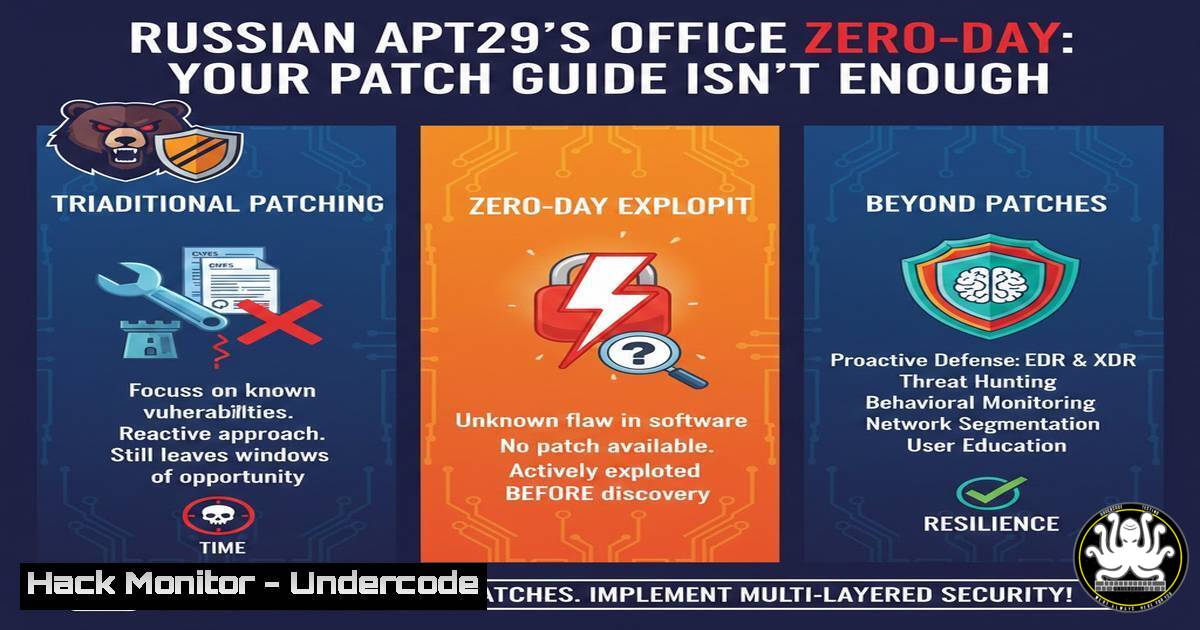
Introduction:
Russian state-sponsored hackers, tracked as APT29 (Cozy Bear), are actively exploiting a critical Microsoft Office vulnerability, CVE-2026-21509, through sophisticated phishing campaigns. This flaw allows malicious documents to execute code and deploy backdoors silently, targeting government, defense, and think-tank entities across the US, Europe, and NATO. While an out-of-band patch was released on January 26, 2026, the window of exploitation before widespread patching creates significant risk for organizations worldwide.
Learning Objectives:
- Identify the phishing and technical indicators of an APT29 campaign exploiting CVE-2026-21509.
- Execute immediate patch deployment and system hardening for both Microsoft Office on Windows and related productivity suites on Linux.
- Configure advanced security tools (EDR, Email Security, ASR) to detect, block, and forensically analyze exploitation attempts.
You Should Know:
- Decoding the Phishing Lure and Initial Attack Vector
The attack chain begins with a highly targeted phishing email containing a malicious Office attachment (e.g., .docx, .xlsx). The subject and body typically impersonate legitimate correspondence, using urgent language regarding meetings, invoices, or security alerts to pressure the target into enabling macros or clicking “Enable Content.”
Step‑by‑step guide for analysis:
- Email Header Inspection (Proofpoint/Manual): Use your email security gateway or manual header analysis to check the
Return-Path,Received-SPF, and `DKIM` fields. Look for subtle domain spoofing (e.g., `micr0soft.com` instead ofmicrosoft.com). - Attachment Sandboxing: Before opening, submit the suspicious file to a sandbox like Hybrid Analysis or Any.Run. The report will show network calls to known APT29 infrastructure and attempts to download a second-stage payload.
- Static File Analysis: On a secured analysis machine, use command-line tools to examine the document without executing it.
Linux (with `olevba` from oletools): `olevba –decode suspicious_doc.docx` extracts and displays any embedded VBA macros, often obfuscated.
Windows (PowerShell): Use `Get-Content -Path .\suspicious_doc.docx -Encoding Byte -TotalCount 1024 | Format-Hex` to inspect the file header for anomalies.
2. Emergency Patching and Version Validation
Microsoft’s patch (KB5013456) modifies how Office handles embedded objects. Applying it is the primary mitigation. You must verify installation across all assets.
Step‑by‑step guide for deployment:
- Deploy via Management Suite: Push the update immediately using Microsoft Endpoint Configuration Manager (SCCM), Intune, or WSUS.
2. Manual Validation & Patching:
Windows (Command Prompt or PowerShell):
 List installed Office updates
wmic qfe list | findstr "5013456"
 Or via PowerShell
Get-HotFix | Where-Object {$_.HotFixID -eq "KB5013456"}
If missing, download and install the standalone package from the Microsoft Update Catalog.
Linux (For MS Office alternatives): While not directly vulnerable, ensure all software is updated to mitigate cross-platform phishing threats: `sudo apt update && sudo apt upgrade libreoffice` (Debian/Ubuntu) or `sudo dnf update libreoffice` (RHEL/Fedora).
3. Hardening Endpoints with EDR and Exploit Protection
Endpoint Detection and Response (EDR) tools like Microsoft Defender for Endpoint (MDE) and CrowdStrike Falcon are critical for catching post-exploitation activity when patching is delayed.
Step‑by‑step guide for configuration:
- Enable Critical Attack Surface Reduction (ASR) Rules in MDE: In the Microsoft Defender Security Center, enable these ASR rules in Block mode:
“Block all Office applications from creating child processes” (most effective against this exploit).
“Block Office applications from injecting code into other processes.”
“Block executable content from email client and webmail.” - Validate CrowdStrike Prevention Policies: Ensure your Falcon policy blocks malicious processes with high-prevention settings. Create a custom Indicator of Attack (IOA) to alert on `winword.exe` or `excel.exe` spawning `cmd.exe` or
powershell.exe. - Verify Protections: Simulate the threat using a safe testing tool to confirm EDR alerting.
4. Conducting Email Forensic Analysis with Proofpoint
If a suspected email is reported, forensic analysis can map the campaign’s scope and identify other targets.
Step‑by‑step guide for forensics:
- Locate the Full Email Headers: In Proofpoint, search for the message by sender address or subject.
- Analyze Delivery Logs: Extract the `X-Proofpoint-Message-ID` and query the Threat Insight Dashboard. Check for associated “clicks” on malicious links by other users.
- Extract and Block IOCs: From the forensic report, extract the sender IP, attachment hash (SHA256), and any URL paths. Immediately block these Indicators of Compromise (IOCs) at your email gateway, firewall, and EDR.
Add hash to Windows Defender block list (PowerShell): `Add-MpPreference -AttackSurfaceReductionRules_Ids-AttackSurfaceReductionRules_Actions Block`
5. Implementing Application Control and Code Signing Policies
For high-security environments, restrict Office macros to only those signed by trusted certificates, effectively nullifying this attack vector.
Step‑by‑step guide for implementation:
- Configure Group Policy (Windows): Navigate to
Computer Configuration > Administrative Templates > Microsoft Office 2016/2019/2021 > Security Settings. - Set Macro Policy: Enable the policy “VBA Macro Notification Settings” and set it to “Disable all except digitally signed macros.”
- Deploy Trusted Publishers List: Use Group Policy to distribute a list of allowed code-signing certificates from your internal IT and trusted partners.
- Linux Alternative (AppArmor/SELinux): For Linux mail servers or workstations, harden the environment:
Example AppArmor rule for LibreOffice to restrict execution
sudo aa-genprof libreoffice
Then modify the generated profile to deny execution from user's ~/Downloads directory.
6. Proactive Hunting for Compromise Using EDR Queries
Assume breach and proactively hunt for IOCs related to CVE-2026-21509 in your environment.
Step‑by‑step guide for threat hunting:
- Query MDE Advanced Hunting: Run a KQL query to find Office processes spawning unusual children.
DeviceProcessEvents | where InitiatingProcessFileName in~ ("winword.exe", "excel.exe", "powerpnt.exe") | where FileName in~ ("cmd.exe", "powershell.exe", "wscript.exe", "rundll32.exe") | where Timestamp > ago(7d) | project Timestamp, DeviceName, InitiatingProcessFileName, FileName, FolderPath, ProcessCommandLine - Hunt in CrowdStrike: Use Falcon Query Language (FQL) to search for similar process creation events from Office binaries.
-
Building a Layered Defense: Cloud and API Security
Modern phishing campaigns often exfiltrate data to cloud storage. Secure cloud APIs and audit sharing permissions.
Step‑by‑step guide for cloud hardening:
- Review OAuth Applications: In Microsoft Entra ID (Azure AD), audit and remove any unfamiliar or overly permissive OAuth applications granted “read mail” or “send mail” permissions.
- Enable Mailbox Auditing: Ensure full mailbox auditing is turned on for high-value targets to log email forwarding rules (
Set-Mailbox -Identity <user> -AuditEnabled $true). - Restrict Outbound Traffic: Configure your network or host-based firewall to block unauthorized outbound SMB, RPC, and HTTPS connections to unknown external IPs, which can hinder payload download and data exfiltration.
What Undercode Say:
- Patching is Non-Negotiable, But Not a Silver Bullet. While applying the MS Office patch (KB5013456) is the definitive fix, the days-to-weeks lag in enterprise-wide deployment creates a critical gap. This gap must be filled by aggressive ASR rules, macro restrictions, and vigilant EDR monitoring.
- The Human Firewall is Your First and Last Line of Defense. APT29’s success hinges on one user clicking “Enable Content.” Continuous, engaging phishing simulation training that focuses on identifying urgency, sender mismatch, and unexpected attachments is as vital as any technical control.
The APT29 campaign exploiting CVE-2026-21509 is a classic example of a “n-day” attack—exploiting a known flaw in the window between patch release and full organizational adoption. Its technical sophistication is moderate, but its operational success is high due to precise targeting and effective social engineering. The attack underscores that vulnerability management is not just an IT task but a time-sensitive race against advanced persistent threats. Relying solely on patch deployment schedules is inadequate; a concurrent strategy of hardening (ASR, application control), monitoring (EDR hunting), and user awareness is essential to shrink the adversary’s window of opportunity.
Prediction:
This attack signals a future where APT groups will increasingly weaponize patches themselves. By reverse-engineering security updates released by vendors like Microsoft, hackers can rapidly develop exploits for vulnerabilities that are known but not yet widely patched. This will compress the “n-day” attack window further, turning patch Tuesday into a global trigger for offensive campaigns. Consequently, defensive strategies will have to evolve from scheduled patch cycles to real-time, automated patch prioritization and deployment, deeply integrated with proactive threat hunting for emerging exploit patterns. The role of EDR and XDR platforms will expand from detection to predictive defense, using AI to model likely exploitation paths based on newly published vulnerabilities.
▶️ Related Video (90% Match):
🎯Let’s Practice For Free:
IT/Security Reporter URL:
Reported By: Jackie U – Hackers Feeds
Extra Hub: Undercode MoN
Basic Verification: Pass ✅


