Listen to this Post
Introduction:
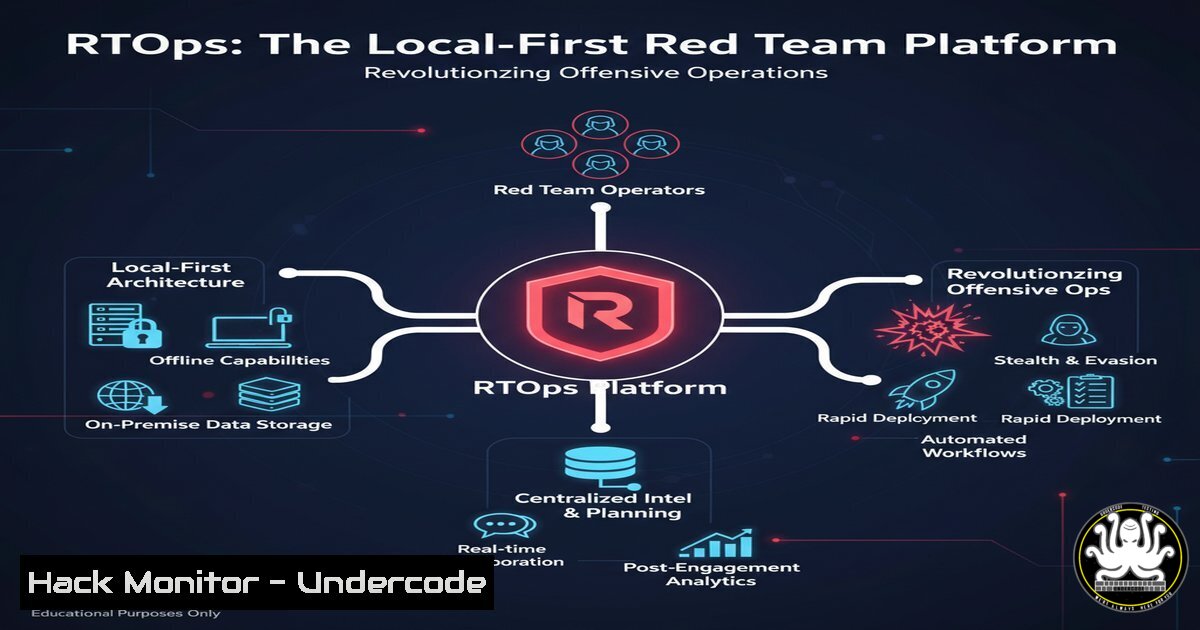
The complexity of modern Red Team operations demands robust management platforms to coordinate emulation plans, track findings, and generate comprehensive reports. RTOps emerges as a powerful, self-contained solution that runs entirely offline, ensuring operational security and data integrity for sensitive engagements. This platform integrates critical frameworks like MITRE ATT&CK, providing a centralized hub for planning, execution, and post-operation analysis.
Learning Objectives:
- Understand the core architecture and offline capabilities of the RTOps platform.
- Learn how to import and utilize MITRE ATT&CK data for operation planning and reporting.
- Master the process of generating detailed PDF reports and managing stakeholder assignments.
You Should Know:
1. Local-First Architecture & SQLite Data Management
RTOps leverages a local SQLite database, ensuring all operational data remains on your machine. This is critical for OpSec during sensitive red team engagements where cloud-based tools could be compromised or leave traces.
 Inspecting the local RTOps database structure (example)
sqlite3 ~/.rtops/operations.db .schema

Creating a backup of the operational database
sqlite3 ~/.rtops/operations.db ".backup '/secure/backup/rtops_backup_$(date +%Y%m%d).db'"

Querying for specific exercise data
sqlite3 ~/.rtops/operations.db "SELECT  FROM exercises WHERE status='active';"
The platform uses SQLite for all data persistence, meaning everything from emulation plans to findings is stored in a single file. You can interact with this database directly using SQLite command-line tools for advanced querying or backup purposes, though the RTOps interface provides complete functionality for most users.
2. MITRE ATT&CK Integration and STIX Layer Import
RTOps automatically enriches your operations with MITRE ATT&CK context, allowing you to import STIX/Navigator layers and map techniques to your emulation activities.
 Example curl command to download MITRE ATT&CK STIX data (Enterprise Layer)
curl -H "Accept: application/json" -H "Content-Type: application/json" -X GET "https://cti-taxii.mitre.org/taxii/2.1/collection/95ecc380-afe9-11e4-9b6c-751b66dd541e/objects/" -o mitre_enterprise_attack.json

Converting Navigator layer to RTOps compatible format (example)
python3 -c "
import json
with open('navigator_layer.json') as f:
layer = json.load(f)
 Transform techniques to RTOps format
techniques = [{'technique_id': t['techniqueID'], 'tactic': t['tactic']} for t in layer['techniques']]
with open('rtops_import.json', 'w') as out:
json.dump(techniques, out)
"
This integration allows you to maintain ATT&CK awareness throughout your operation lifecycle. You can import existing Navigator layers to quickly bootstrap your emulation plans or export your operations to share with other ATT&CK-compatible tools.
3. Kill Chain Builder and Tactic Mapping
The built-in kill chain builder enables visual construction of attack flows aligned with MITRE tactics, providing structured planning for complex operations.
 Example pseudo-code for kill chain generation
kill_chain = {
"reconnaissance": ["WHOIS harvesting", "DNS enumeration"],
"weaponization": ["Custom payload generation", "Document exploit"],
"delivery": ["Spearphishing email", "Web redirect"],
"exploitation": ["Application vulnerability", "Memory corruption"],
"installation": ["Persistence mechanism", "Backdoor installation"],
"command_control": ["Domain generation algorithm", "Encrypted channel"],
"actions_on_objectives": ["Data exfiltration", "Lateral movement"]
}

Exporting to MITRE ATT&CK mapping
for phase, techniques in kill_chain.items():
for technique in techniques:
map_to_mitre(technique, phase)
The kill chain builder helps visualize the entire attack flow and ensures all techniques are properly mapped to MITRE tactics. This structured approach prevents gaps in emulation planning and ensures comprehensive coverage of the attack lifecycle.
4. Indicator of Compromise (IoC) Management and Enrichment
RTOps includes dedicated IoC tracking with automatic enrichment capabilities, helping you maintain context about artifacts discovered during operations.
 Example IoC validation and enrichment script
!/bin/bash
 Validate IP addresses
ip="$1"
if [[ $ip =~ ^[0-9]+.[0-9]+.[0-9]+.[0-9]+$ ]]; then
echo "Valid IP: $ip"
 Perform WHOIS lookup
whois $ip | grep -i "country|netname|descr"
 Check threat intelligence sources (example)
curl -s "https://otx.alienvault.com/api/v1/indicators/IPv4/$ip/general" | jq '.pulse_info.count'
else
echo "Invalid IP format"
fi

Hash validation
hash="$2"
if [[ ${hash} -eq 32 ]]; then
echo "MD5 hash detected: $hash"
elif [[ ${hash} -eq 40 ]]; then
echo "SHA1 hash detected: $hash"
elif [[ ${hash} -eq 64 ]]; then
echo "SHA256 hash detected: $hash"
fi
Proper IoC management is essential for both offensive and defensive purposes. During red team operations, tracking IoCs helps ensure your artifacts aren’t prematurely detected, while post-operation they provide valuable intelligence for blue teams.
5. Stakeholder Management and Assignment Tracking
The platform maintains detailed stakeholder records with assignment duties, ensuring clear responsibility distribution throughout exercises.
-- Example SQL queries for stakeholder management
-- Creating stakeholders table structure
CREATE TABLE stakeholders (
id INTEGER PRIMARY KEY,
exercise_id INTEGER,
name TEXT NOT NULL,
role TEXT,
email TEXT,
assignments TEXT,
FOREIGN KEY (exercise_id) REFERENCES exercises (id)
);

-- Querying assignments for specific exercise
SELECT s.name, s.role, s.assignments
FROM stakeholders s
JOIN exercises e ON s.exercise_id = e.id
WHERE e.name = 'Q4-2023-External-Penetration-Test';

-- Updating stakeholder duties
UPDATE stakeholders
SET assignments = 'Oversight of credential access techniques, Approval of lateral movement activities'
WHERE name = 'John Doe' AND exercise_id = 102;
Stakeholder management ensures all participants understand their roles and responsibilities. This is particularly important for large-scale exercises involving multiple team members with different specialties and approval authorities.
6. PDF Report Generation and Custom Templating
RTOps generates polished PDF reports with customized templates that can be tailored to different audiences, from technical operators to executive leadership.
 Example report generation pseudo-code
from reportlab.lib.pagesizes import letter
from reportlab.pdfgen import canvas

def generate_pdf_report(exercise_data, output_file):
c = canvas.Canvas(output_file, pagesize=letter)
width, height = letter

c.setFont("Helvetica-Bold", 16)
c.drawString(100, height - 100, f"Red Team Exercise Report: {exercise_data['name']}")

Executive summary
c.setFont("Helvetica", 12)
c.drawString(100, height - 150, "Executive Summary:")
c.setFont("Helvetica", 10)
summary_lines = exercise_data['summary'].split('\n')
y_position = height - 170
for line in summary_lines:
c.drawString(100, y_position, line)
y_position -= 15

MITRE ATT&CK heatmap section
c.showPage()
 Continue with techniques, findings, etc.

c.save()
The reporting module transforms raw operational data into professional deliverables suitable for different stakeholders. Automated report generation saves countless hours of manual compilation and ensures consistency across exercises.
7. Exercise Timeline Reconstruction and Audit Logging
Maintain complete audit trails of all operations with detailed timestamping and activity logging for after-action reviews and compliance requirements.
 Example audit log analysis commands
 View recent exercise activities
sqlite3 ~/.rtops/operations.db "SELECT timestamp, user, action FROM audit_log WHERE exercise_id=105 ORDER BY timestamp DESC LIMIT 20;"

Export complete audit trail for specific exercise
sqlite3 -header -csv ~/.rtops/operations.db "SELECT  FROM audit_log WHERE exercise_id=105" > exercise_105_audit_trail.csv

Monitor for significant events (e.g., report generation, data export)
sqlite3 ~/.rtops/operations.db "SELECT timestamp, user, action FROM audit_log WHERE action LIKE '%export%' OR action LIKE '%report%';"
Comprehensive audit logging provides accountability and enables reconstruction of the exercise timeline for after-action reviews. This is essential for understanding decision points during operations and for compliance with engagement rules.
What Undercode Say:
- Local-first design represents a paradigm shift in red team tooling, prioritizing operational security over cloud convenience
- MITRE ATT&CK integration at the core enables methodology-driven testing rather than ad-hoc techniques
- The single-file architecture dramatically reduces deployment complexity while maintaining enterprise-level capabilities
The emergence of RTOps signals a maturation in red team operational management, addressing critical gaps in current tooling. By combining offline functionality with comprehensive ATT&CK integration, the platform enables more structured, repeatable, and measurable red team exercises. The local-first approach is particularly significant given increasing concerns about data exfiltration and exposure in cloud-based management platforms. This development will likely push other security tool vendors to offer similar offline capabilities while maintaining enterprise-level functionality.
Prediction:
RTOps will catalyze a broader movement toward offline-first security tools, particularly in offensive security domains where operational secrecy is paramount. Within two years, we anticipate most red team management platforms will adopt similar architectures, with enhanced interoperability between tools through standardized export formats. The platform’s success will also drive greater adoption of structured red teaming methodologies aligned with MITRE ATT&CK, raising the maturity level of offensive security programs across industries. As AI-assisted attack planning emerges, platforms like RTOps will serve as the foundational layer for integrating machine learning capabilities while maintaining human oversight and control.
🎯Let’s Practice For Free:
IT/Security Reporter URL:
Reported By: https://lnkd.in/p/dKikurij – Hackers Feeds
Extra Hub: Undercode MoN
Basic Verification: Pass ✅


