Listen to this Post
Introduction:
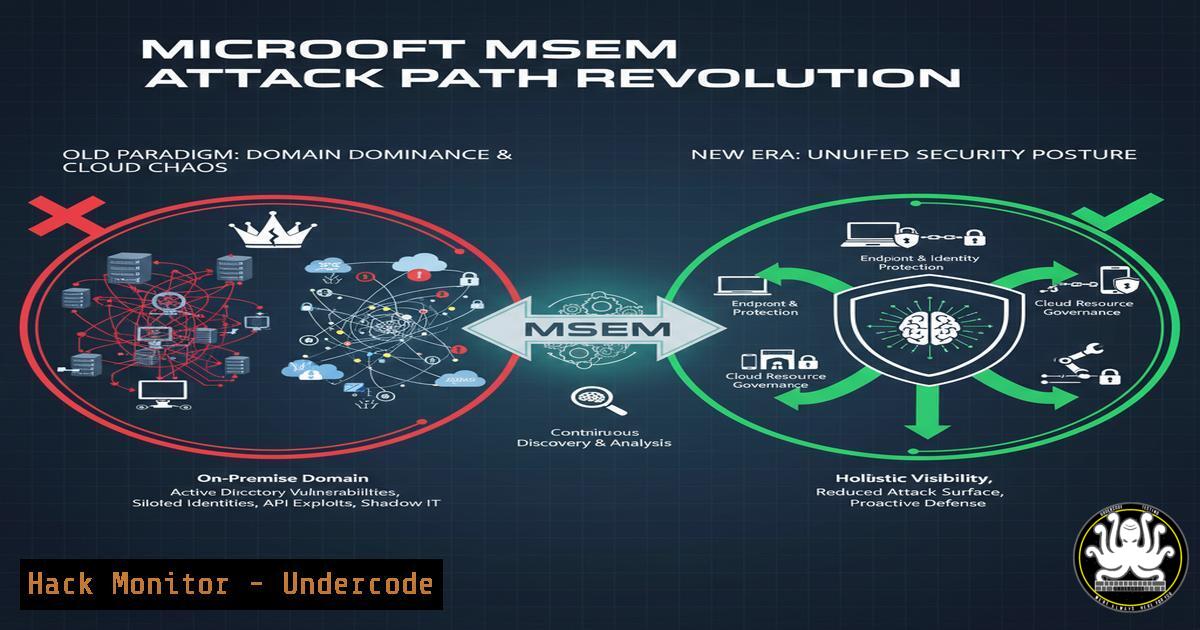
Microsoft has fundamentally altered the attack path calculation logic within Microsoft Defender for Endpoint (MSEM), shifting the paradigm for on-premises and cloud security. This strategic update automatically terminates on-premises attack paths upon reaching Domain Dominance and prioritizes only high-risk, internet-exposed paths in the cloud, forcing defenders to focus on the most critical threats.
Learning Objectives:
- Understand the operational impact of MSEM’s new attack path termination logic for Domain Controllers and privileged groups.
- Learn to identify and harden high-risk, internet-connected assets within cloud environments using advanced tools.
- Implement proactive defense strategies and auditing commands to validate your security posture against these new calculations.
You Should Know:
- Auditing Active Directory for Paths to Domain Dominance
The core of the on-premises change is recognizing paths that lead to Domain Admins (DA) or Enterprise Admins (EA). Use PowerShell to quickly audit for dangerous relationships.PowerShell: Discover users with delegated control over critical AD groups Get-ADGroupMember "Domain Admins" | Get-ADObject -Properties Members | Select-Object Name, Members Audit for Kerberoastable accounts that are in privileged groups Get-ADUser -Filter {ServicePrincipalName -ne "$null"} -Properties ServicePrincipalName, MemberOf | Where-Object {($<em>.MemberOf -match "Domain Admins") -or ($</em>.MemberOf -match "Enterprise Admins")} | Select-Object Name, ServicePrincipalNameStep-by-step guide: These commands query Active Directory to identify direct members of the ultra-privileged ‘Domain Admins’ group and then check for any service accounts (often targeted via Kerberoasting attacks) that are members of these groups. Running this audit helps you identify accounts that, if compromised, would immediately trigger MSEM’s “end game” condition, allowing you to prioritize their security.
2. Enumerating Dangerous ACLs with BloodHound
Manually auditing ACLs is complex. BloodHound automates this by revealing paths to domain dominance.
 Linux: Run BloodHound ingestor on a domain-joined Linux host or attacker machine
bloodhound-python -d yourdomain.com -u 'ReadOnlyUser' -p 'Password123' -ns 10.10.10.10 -c All
Step-by-step guide: After installing the bloodhound-python ingestor, execute this command. It will authenticate to the domain controller (10.10.10.10) using the supplied credentials and collect all data needed for BloodHound. Import the resulting JSON files into the BloodHound GUI to visually map all attack paths, focusing on those ending at the “DOMAIN ADMINS”@DOMAIN.LOCAL” group.
3. Hardening Internet-Exposed Azure VMs
MSEM now highlights internet-connected cloud resources. Use Azure CLI to find and secure exposed VMs.
 Azure CLI: List all VMs with a public IP address
az vm list --query "[].{Name:name, PublicIP:publicIps, ResourceGroup:resourceGroup}" -o table

For a specific VM, remove its public IP association to a NIC
az network nic ip-config update --name ipconfig1 --nic-name myVMNic --resource-group myResourceGroup --remove publicIpAddress
Step-by-step guide: The first command lists all VMs in your subscription that have a public IP, instantly identifying high-risk assets. The second command demonstrates how to dissociate a public IP from a network interface card (NIC), effectively moving the VM to a private-only network and drastically reducing its attack surface, which aligns with MSEM’s new prioritization model.
4. Assessing AWS S3 Bucket Exposure
Cloud attack paths often stem from misconfigured storage. Audit S3 buckets for public access.
 AWS CLI: List all S3 buckets and their public access block configuration
aws s3api list-buckets --query "Buckets[].Name"
aws s3api get-public-access-block --bucket YOUR_BUCKET_NAME
Step-by-step guide: The initial command retrieves all bucket names. For each bucket, run the second command to check its public access settings. A returned configuration showing `IgnorePublicAcls=false` or `BlockPublicPolicy=false` indicates the bucket could be made public, representing a critical finding that MSEM would likely flag as an exploitable cloud attack path.
5. Implementing Just-In-Time (JIT) VM Access
Reduce the attack surface of Azure VMs by enabling JIT access, which aligns with proactive prevention.
 Azure CLI: Enable JIT access policy on a VM
az security jit-policy create --name "myJITPolicy" --resource-group "myResourceGroup" --vm-name "myVM" --ports "22" --max-request-access-duration "PT3H" --start-time "2023-09-22T09:30:00.000Z" --output "table"
Step-by-step guide: This command configures a JIT policy for a VM, opening port 22 (SSH) for a maximum of 3 hours only when an approved request is made. This ensures management ports are not perpetually open to the internet, directly mitigating the type of persistent cloud attack paths MSEM now emphasizes.
- Querying MSEM for High-Risk Attack Paths via Advanced Hunting
Leverage KQL to proactively find assets that would be highlighted by the new engine.// KQL for Advanced Hunting: Find devices with exposed services DeviceNetworkEvents | where ActionType == "ListeningConnectionCreated" | where RemoteIPType == "Public" | where RemotePort in (22, 3389, 5985, 5986) // SSH, RDP, WinRM | summarize by DeviceName, LocalIP, LocalPort, RemoteIP, RemotePort
Step-by-step guide: Run this query in the Microsoft 365 Defender portal’s Advanced Hunting section. It identifies devices that have created listening connections on common management ports and have a public IP. These devices are prime candidates for being sources of high-risk, internet-connected attack paths in MSEM.
-
Enforcing Multi-Factor Authentication (MFA) on Azure AD Accounts
Compromised cloud identities are a primary attack vector. Ensure MFA is enforced.Azure AD PowerShell: Report on users without MFA enabled Get-MgUser -All | Where-Object { $_.StrongAuthenticationMethods -eq $null } | Select-Object UserPrincipalName, DisplayName Enable MFA for a user (requires Azure AD Premium P1/P2) Set-MgUser -UserId "[email protected]" -StrongAuthenticationRequirements @(New-Object Microsoft.Open.MSGraph.Model.StrongAuthenticationRequirement -Property @{"State"="Enabled"})Step-by-step guide: The first command uses the Microsoft Graph PowerShell module to find all users who have no strong authentication methods registered, indicating they are not enrolled in MFA. The second command enables MFA for a specific user. Securing identities is a foundational step in breaking cloud-based attack paths before they can escalate.
What Undercode Say:
- Prioritization is Paramount: The update is not a silver bullet; it is a sophisticated filter. It forces a “crown jewels” defense strategy, compelling organizations to focus their limited resources on protecting the assets that truly matter—domain integrity and exposed cloud assets.
- The Proactive Defense Mandate: Microsoft is signaling a move beyond detection and response towards true prevention. By automatically de-prioritizing low-impact paths, they are guiding defenders to harden configurations and identities before an attack culminates, embodying a “assume breach, but prevent impact” mentality.
This evolution in MSEM represents a significant maturation in EDR and XDR capabilities. It moves the needle from simply providing overwhelming data to delivering actionable, risk-based intelligence. For security teams, this means less alert fatigue and a clearer roadmap for mitigation. However, it also creates a dependency on the accuracy of Microsoft’s graph algorithms. Organizations must continue to practice defense-in-depth and not blindly trust the automated prioritization, using the provided commands to independently verify their posture.
Prediction:
This recalibration of attack path analytics will become an industry standard, pushing other major EDR/XDR vendors to develop similar intelligent filtering mechanisms. Within two years, we predict the market will bifurcate between vendors offering simple vulnerability scoring and those providing context-aware, path-aware risk prioritization. This will fundamentally change security assessments and cyber insurance underwriting, shifting the focus from the number of vulnerabilities to the actual exploitability and business impact of attack paths, forcing a more nuanced and realistic understanding of organizational risk.
🎯Let’s Practice For Free:
IT/Security Reporter URL:
Reported By: https://lnkd.in/p/d37tsb7V – Hackers Feeds
Extra Hub: Undercode MoN
Basic Verification: Pass ✅


