Listen to this Post
Introduction:
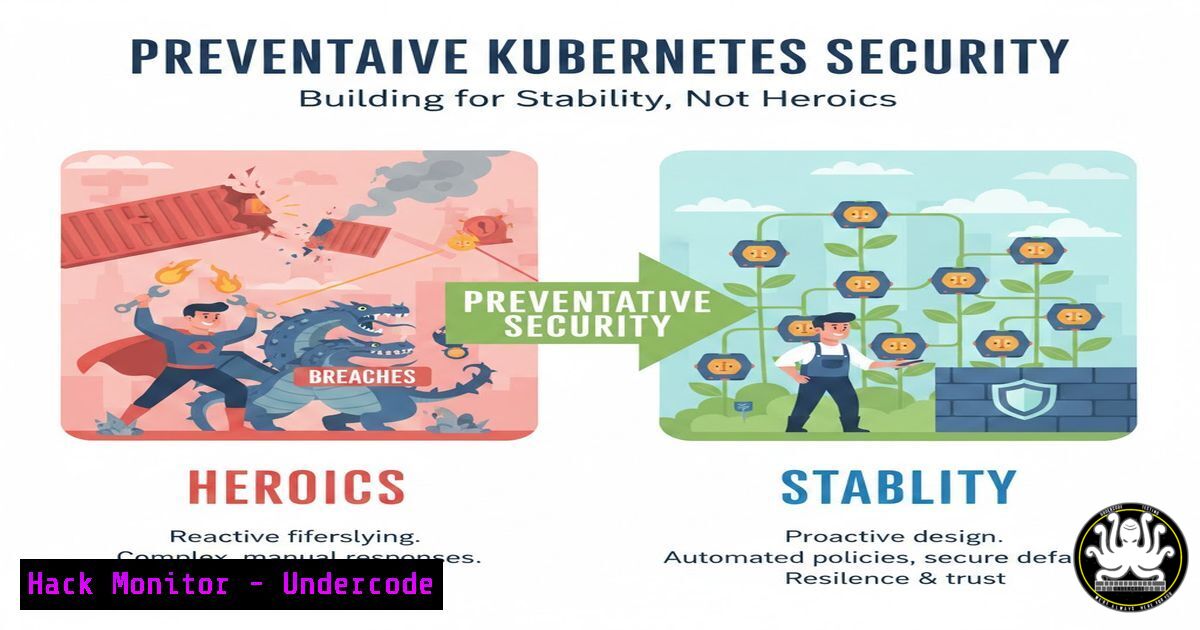
In the relentless glare of production environments, Kubernetes failures are seldom sudden catastrophes. They are the cumulative result of prolonged exposure to complexity and manual risk, much like skin damage from repeated sun exposure. This article moves beyond reactive firefighting to advocate for a foundational, preventative security and operations model that eliminates risk at its source, ensuring platform stability through deliberate design and automation.
Learning Objectives:
- Understand the core principles of preventative security and platform engineering for Kubernetes.
- Learn to implement critical guardrails that reduce human error and attack surface.
- Automate key operational security practices to enforce consistency and compliance.
You Should Know:
- The Principle of Least Privilege: Reducing the Attack Surface
A sprawling, overly permissive Kubernetes RBAC configuration is a primary source of “cumulative exposure.” The goal is to enforce the principle of least privilege (PoLP) systematically, not as an afterthought. This involves defining clear roles, binding them to specific service accounts or users, and applying them at the namespace scope wherever possible.
Step‑by‑step guide:
- Audit Existing Permissions: Start by discovering what permissions exist.
Using kubectl to check a subject's effective permissions
kubectl auth can-i --list --as=system:serviceaccount:default:my-app-sa
-
Create a Namespaced Role: Define a precise role with only the necessary verbs on specific resources.
role-secure-pod-reader.yaml
apiVersion: rbac.authorization.k8s.io/v1
kind: Role
metadata:
namespace: app-production
name: pod-log-reader
rules:</p></li>
</ol>

<p>- apiGroups: [""]
resources: ["pods", "pods/log"]
verbs: ["get", "list"]
- Bind the Role to a Specific Service Account: Avoid binding to broad groups.
rolebinding.yaml
apiVersion: rbac.authorization.k8s.io/v1
kind: RoleBinding
metadata:
name: read-logs
namespace: app-production
subjects:</li>
</ol>

- kind: ServiceAccount
name: my-monitoring-sa
namespace: app-production
roleRef:
kind: Role
name: pod-log-reader
apiGroup: rbac.authorization.k8s.io
Apply with `kubectl apply -f role-secure-pod-reader.yaml -f rolebinding.yaml`.
- Infrastructure as Code (IaC) with Policy Enforcement: Eliminating Configuration Drift
Manual `kubectl` edits and “quick fixes” directly against the cluster are a direct path to inconsistency and vulnerability. All cluster state must be defined, version-controlled, and applied through automated pipelines. Use tools like GitOps (Flux, ArgoCD) to ensure the declared state in Git is the enforced state in the cluster. Integrate policy engines like OPA/Gatekeeper or Kyverno to reject non-compliant manifests before they ever run.
Step‑by‑step guide:
- Define a Kyverno ClusterPolicy: This policy blocks deployments that run as root.
disallow-root-container.yaml
apiVersion: kyverno.io/v1
kind: ClusterPolicy
metadata:
name: disallow-root-user
spec:
validationFailureAction: Enforce
background: false
rules:</li>
</ol>

- name: validate-run-as-non-root
match:
resources:
kinds:
- Pod
validate:
message: "Running as root is not allowed. Set `securityContext.runAsNonRoot` to true."
pattern:
spec:
securityContext:
runAsNonRoot: true
containers:
- =(securityContext):
=(runAsNonRoot): true
Apply with `kubectl apply -f disallow-root-container.yaml`.
- Integrate into a CI/CD Pipeline: Your pipeline should include a policy check step.
Example CI step using kyverno CLI
kyverno apply ./policies/ --resource ./manifests/deployment.yaml
If the deployment violates the policy, the command fails, preventing the merge or deployment.
3. Secure Workload Identity and Secrets Management
Hard-coded secrets in manifests or environment variables are a critical vulnerability. Kubernetes provides native mechanisms like Secrets and integration with cloud IAM (e.g., IRSA on AWS, Workload Identity on GCP) to manage credentials securely without exposing them in your application code or configurations.
Step‑by‑step guide for GCP Workload Identity:
- Create a GCP IAM Service Account (SA) and grant it the necessary permissions (e.g.,
roles/storage.objectViewer). - Create a Kubernetes Service Account in your cluster.
kubectl create serviceaccount my-app-ksa --namespace default
3. Bind them with an IAM Policy Binding:
gcloud iam service-accounts add-iam-policy-binding \
--role roles/iam.workloadIdentityUser \
--member "serviceAccount:MY_PROJECT.svc.id.goog[default/my-app-ksa]" \
my-app-gsa@MY_PROJECT.iam.gserviceaccount.com
4. Annotate the Kubernetes Service Account:
kubectl annotate serviceaccount my-app-ksa \
--namespace default \
iam.gke.io/gcp-service-account=my-app-gsa@MY_PROJECT.iam.gserviceaccount.com
5. Your Pods can now reference `my-app-ksa` and automatically inherit the GCP SA’s permissions without static keys.
4. Proactive Network Policy: The Zero-Trust Firewall
A default-open network policy is another form of “repeated exposure.” Implementing Kubernetes Network Policies enforces micro-segmentation, ensuring pods can only communicate with explicitly allowed counterparts, drastically limiting the blast radius of a compromise.
Step‑by‑step guide:
- Default-Deny All Ingress Traffic: Start by isolating a namespace.
default-deny-ingress.yaml
apiVersion: networking.k8s.io/v1
kind: NetworkPolicy
metadata:
name: default-deny-ingress
namespace: critical-app
spec:
podSelector: {}
policyTypes:</li>
</ol>

- Ingress
2. Allow Ingress from Specific Frontend Pods: Create a policy that allows only necessary traffic.
 allow-frontend-to-backend.yaml
apiVersion: networking.k8s.io/v1
kind: NetworkPolicy
metadata:
name: allow-frontend-to-backend
namespace: critical-app
spec:
podSelector:
matchLabels:
app: backend-api
policyTypes:
- Ingress
ingress:
- from:
- podSelector:
matchLabels:
app: frontend
ports:
- protocol: TCP
port: 443
5. Automated Vulnerability Scanning and Compliance as Code
Waiting for a vulnerability to appear in a runtime alert is “sunscreen after the burn.” Integrate static vulnerability scanning of container images (e.g., Trivy, Grype) and configuration auditing (e.g., Kubesec, Checkov) directly into your CI/CD pipeline. Break the build on critical findings.
Step‑by‑step guide in a GitLab CI pipeline:
 .gitlab-ci.yml snippet
stages:
- security-scan

trivy-scan:
stage: security-scan
image: aquasec/trivy:latest
script:
- trivy image --exit-code 1 --severity CRITICAL,HIGH my-registry/my-app:$CI_COMMIT_SHA
- trivy config --exit-code 1 --severity CRITICAL,HIGH ./k8s/
This pipeline stage will fail if a CRITICAL or HIGH CVE is found in the image or the Kubernetes manifests, preventing a vulnerable deployment.
What Undercode Say:
- Shift Left is a Mindset, Not a Tool: True preventative security is a design philosophy that must be baked into the platform’s architecture and team processes from the start. It requires upfront investment in abstraction, automation, and policy.
- Guardrails Enable Velocity: Contrary to the belief that security slows things down, well-designed, automated guardrails actually increase developer velocity and confidence. Teams can deploy frequently without fear of catastrophic failure, knowing the system prevents common errors and contains failures.
Prediction:
The future of enterprise Kubernetes management lies in the proliferation of Internal Developer Platforms (IDPs) built on this exact preventative philosophy. Platforms like Portainer will evolve beyond “control planes” into intelligent, policy-driven systems that abstract complexity entirely. They will use AI not just for anomaly detection, but for predictive policy generation—automatically suggesting and enforcing guardrails based on observed workload behavior and threat intelligence. The “cloud-native elite” advantage will dissipate as these intuitive, preventative platforms become the standard, making secure, stable Kubernetes operations accessible to all enterprises, fundamentally shifting the industry from reactive hero culture to engineered resilience.
▶️ Related Video (92% Match):
🎯Let’s Practice For Free:
IT/Security Reporter URL:
Reported By: Ncresswell The – Hackers Feeds
Extra Hub: Undercode MoN
Basic Verification: Pass ✅🔐JOIN OUR CYBER WORLD [ CVE News • HackMonitor • UndercodeNews ]
📢 Follow UndercodeTesting & Stay Tuned:
- Integrate into a CI/CD Pipeline: Your pipeline should include a policy check step.
- Bind the Role to a Specific Service Account: Avoid binding to broad groups.


