
Listen to this Post
Introduction
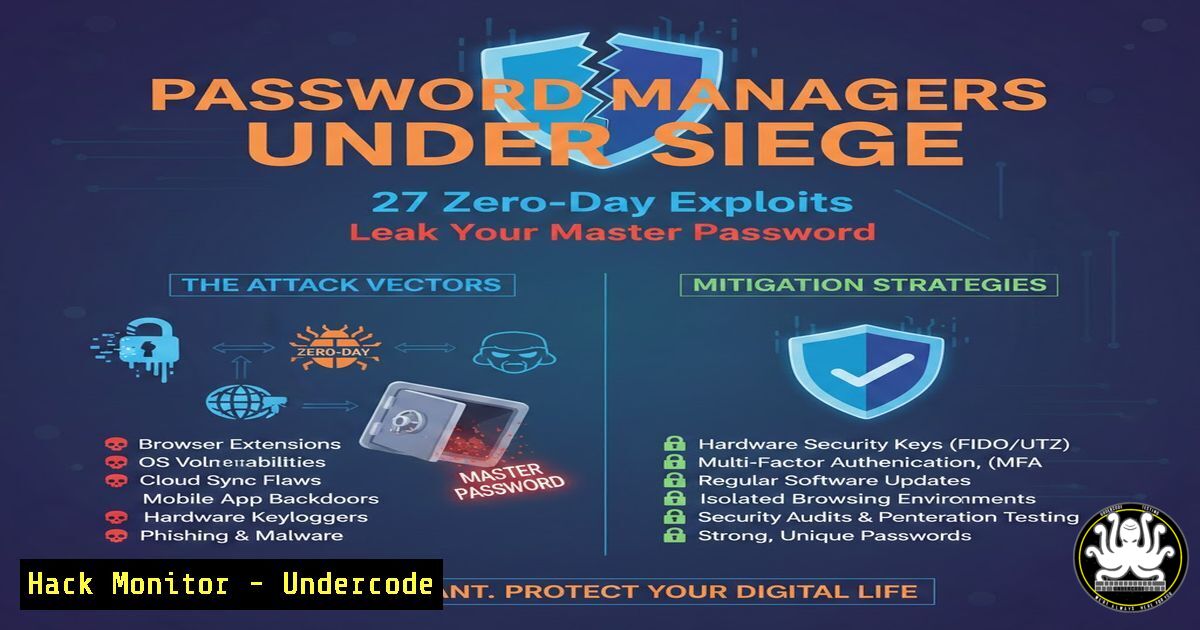
Password managers have become the cornerstone of modern digital hygiene, yet recent research presented at a major security conference reveals a shocking truth: even these trusted vaults are not impregnable. Researchers demonstrated 27 distinct attack vectors against popular password managers, showing that a compromised sync server can silently modify or exfiltrer user credentials. This article dissects the technical flaws, provides hands‑on verification steps, and offers concrete mitigation strategies for both individuals and enterprises.
Learning Objectives
- Understand the architecture of cloud‑based password managers and their attack surface
- Analyze real‑world vulnerabilities affecting encryption, sync protocols, and key derivation
- Apply command‑line tools to test local vault integrity and network traffic
- Implement self‑hosted alternatives and enterprise‑grade monitoring
You Should Know
- Anatomy of a Password Manager: Where Your Secrets Live
Most password managers store an encrypted vault locally and synchronise it with a cloud server. The local database is typically found in well‑known directories:
– Linux (Bitwarden): `~/.config/Bitwarden/` or `~/.local/share/bitwarden/`
– Windows (1Password): `%APPDATA%\1Password\`
– macOS (KeePassXC): `~/Library/Application Support/KeePassXC/`
To inspect the local vault structure (without breaking encryption), use standard file system commands:
 Linux example – list files and check permissions
ls -la ~/.config/Bitwarden/
stat ~/.config/Bitwarden/data.json
On Windows PowerShell:
Get-ChildItem -Path $env:APPDATA\1Password -Recurse | Select FullName
These locations contain the encrypted payload. Understanding where they reside helps you monitor unauthorised access or unexpected file modifications.
2. Vulnerability: Server‑Side Encryption Bypass
Researchers found that several managers use deterministic encryption or fail to authenticate ciphertexts, allowing a compromised sync server to tamper with encrypted blobs. Attackers could replace a legitimate entry with a malicious one that, when decrypted locally, executes harmful code or steals credentials.
Step‑by‑step simulation (educational only):
- Export your vault (if supported) to a JSON file.
- Use OpenSSL to encrypt a test string with AES‑256‑CBC:
echo "secret" | openssl enc -aes-256-cbc -pbkdf2 -out secret.enc -pass pass:test
- Simulate tampering by flipping a byte in the encrypted file:
Create a corrupted copy
cp secret.enc tampered.enc
printf '\x00' | dd of=tampered.enc bs=1 seek=10 conv=notrunc
4. Attempt decryption:
openssl enc -aes-256-cbc -d -pbkdf2 -in tampered.enc -pass pass:test
You’ll see garbled output or an error – but if authentication is missing, the decryption proceeds, potentially leading to data corruption or exploitation.
Proper vaults use authenticated encryption (e.g., AES‑GCM). To verify your manager, check its documentation or run a packet capture during sync (see section 4).
3. Weak Key Derivation Functions (KDF)
Many password managers rely on PBKDF2 to derive the encryption key from your master password. If the iteration count is too low, an attacker who steals the hashed master password can brute‑force it offline.
Testing KDF strength with hashcat:
First, extract the hash format from your manager (e.g., Bitwarden uses PBKDF2‑HMAC‑SHA256 with the salt and iterations stored in the vault). For demonstration, we use a sample PBKDF2 hash:
 Create a hash file in hashcat format (example for Bitwarden)
echo "10000$salt$hash" > hash.txt
Run a dictionary attack:
hashcat -m 10900 -a 0 hash.txt rockyou.txt
If the iterations are low (e.g., < 100 000), the attack finishes quickly. Modern best practice is ≥ 600 000 iterations for PBKDF2, or moving to Argon2id.
How to check your manager’s settings:
- Bitwarden: Look in `data.json` for
"kdfIterations". - 1Password: Uses a secret key + master password; the KDF is proprietary but considered strong.
- KeePass: Allows custom KDF selection (AES‑KDF, Argon2).
4. Sync Protocol Flaws and Man‑in‑the‑Middle
The sync channel is a prime target. If TLS is misconfigured or the app ignores certificate validation, an attacker on the same network can intercept and modify sync traffic.
Capturing sync traffic with tcpdump/Wireshark:
- On Linux, capture all traffic to your password manager’s sync server:
sudo tcpdump -i wlan0 -w sync.pcap host bitwarden.com
- Open the capture in Wireshark and filter by `tls.handshake.type == 1` to see Client Hellos.
- Look for certificate issues: expired, self‑signed, or mismatched Common Name.
- To test MITM resilience, set up a rogue AP with a tool like `bettercap` and attempt to downgrade the connection:
sudo bettercap -eval "set arp.spoof.targets 192.168.1.100; arp.spoof on; net.sniff on"
If the password manager still syncs without warning, it’s vulnerable.
5. Mitigation: Self‑Host Your Password Manager
One sure way to eliminate server‑side risks is to host your own sync server. Bitwarden offers an official self‑hosted version.
Deploy Bitwarden with Docker:
 Pull the image and create a volume for persistent data
docker pull vaultwarden/server:latest
docker run -d --name vaultwarden -v /vw-data/:/data/ -p 80:80 vaultwarden/server:latest
Access the web UI at `http://your-server-ip` and configure HTTPS with a reverse proxy (e.g., Nginx + Let’s Encrypt).
For Windows, use Docker Desktop with the same commands.
Verify encryption locally:
 Inspect the SQLite database inside the container
docker exec -it vaultwarden sqlite3 /data/db.sqlite3 "SELECT  FROM auth_requests;"
Self‑hosting gives you full control over encryption keys and server logs.
6. Enterprise Defenses: Monitoring and Auditing
Organisations should monitor access to password manager servers and look for anomalies.
Splunk query for failed login attempts (example):
index=proxy sourcetype=access_combined uri="/identity/accounts/prelogin"
| stats count by clientip, user_agent
| where count > 10
Set up alerts for multiple failures from a single IP.
Additionally, enforce hardware two‑factor authentication (e.g., YubiKey) for all administrator accounts.
7. Future‑Proofing: Passwordless and Hardware Tokens
The ultimate mitigation is to reduce reliance on passwords altogether. FIDO2/WebAuthn allows authentication with biometrics or security keys.
Test WebAuthn support on your domain:
 Use curl to check if the server advertises WebAuthn
curl -s https://your-webauthn-enabled-site.com | grep -i webauthn
For a more thorough test, use the `webauthn4j` CLI or browser developer tools to inspect the credential creation flow.
Adopt passwordless where possible; password managers will then only need to store legacy credentials.
What Undercode Say
- Assume the cloud is hostile: Even if your password manager is reputable, the sync server could be compromised. Treat encrypted data as if it can be tampered with.
- Defence in depth wins: Combine strong, unique master passwords with hardware 2FA, self‑hosting, and regular vault exports to an offline medium.
- The 27 attacks underscore a systemic issue: many password managers prioritise convenience over cryptographic integrity. Users must verify security claims and demand transparency.
In the coming months, we predict a surge in self‑hosted deployments and a shift toward hardware‑backed passwordless authentication. Regulatory bodies may also step in, mandating minimum KDF iterations and authenticated encryption for any product handling user credentials.
Prediction
By 2027, password managers will either adopt zero‑knowledge architectures with client‑side only encryption or face obsolescence as WebAuthn and passkeys become ubiquitous. Enterprises will phase out traditional password vaults in favour of hardware security keys and biometrics, drastically reducing the attack surface exposed by sync servers.
🎯Let’s Practice For Free:
IT/Security Reporter URL:
Reported By: Mrdigitalexhaust Httpslnkdingrcat3nj – Hackers Feeds
Extra Hub: Undercode MoN
Basic Verification: Pass ✅


