
Listen to this Post
Introduction:
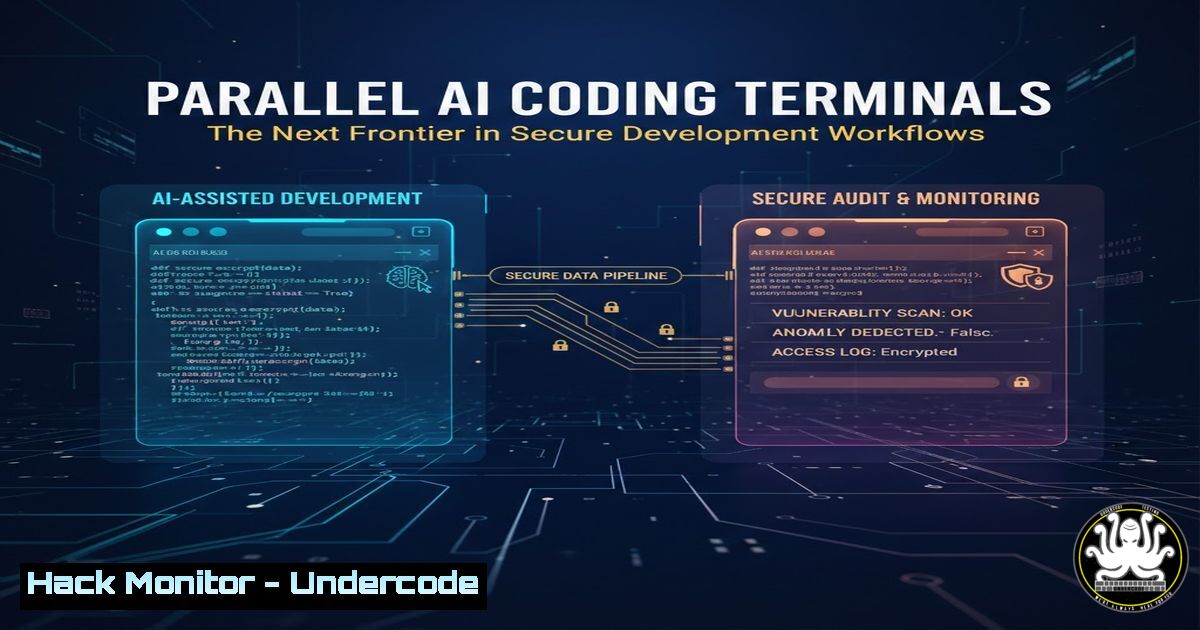
The rise of AI-powered coding assistants like Anthropic’s Claude Code is revolutionizing software development, but it also introduces new operational complexities and potential security blind spots. Managing multiple concurrent AI coding sessions manually can lead to disorganized workspaces, overlooked errors, and insecure code proliferation. This article explores a dedicated terminal solution designed to orchestrate parallel Claude Code instances, analyzing its utility through the lens of secure, efficient, and auditable development practices.
Learning Objectives:
- Understand how to deploy and secure a parallel AI coding terminal environment.
- Automate Git worktree management to prevent code contamination and maintain project integrity.
- Implement monitoring and alerting to catch AI-generated code anomalies or security issues in real-time.
You Should Know:
1. Deployment and Initial Hardening
Step‑by‑step guide explaining what this does and how to use it.
The tool, hosted on GitHub (https://lnkd.in/gaQ9TbG5), centralizes control over multiple AI coding sessions. The first step is securing the deployment to prevent it from becoming an attack vector.
- Clone and Audit: Begin by cloning the repository and examining its dependencies for known vulnerabilities.
git clone <repository-url> claude-parallel-terminal
cd claude-parallel-terminal
Use a static analysis tool like `bandit` for Python or `gosec` for Go-based tools
bandit -r . --severity-level high
- Isolated Environment: Run the tool within a virtual environment or container to limit system access. Using a Python virtual environment is a minimum:
python3 -m venv venv
source venv/bin/activate
pip install -r requirements.txt  Scrutinize this file first
- Secure Configuration: Review any configuration files for hard-coded secrets or excessive permissions. The tool’s automatic Git worktree management requires careful handling of SSH keys or Git credentials. Use a credential helper with limited scope.
2. Mastering Git Worktree Automation for Secure Isolation
Step‑by‑step guide explaining what this does and how to use it.
A core feature is automatic Git worktree management. This creates separate, linked working directories from a single Git repository, essential for isolating concurrent AI experiments without corrupting the main codebase.
- Understanding the Flow: The tool likely creates a new worktree for each Claude Code session. This prevents file-locking conflicts and allows you to test different AI-generated features or fixes in parallel.
- Manual Verification: Understand the Git commands being automated. You can manually create a worktree to see the process:
From your main project repository
git worktree add ../feature-ai-experiment-1 main
cd ../feature-ai-experiment-1
This directory is now a safe sandbox for an AI session
- Security Check: Ensure the tool cleans up worktrees properly after sessions end. Lingering, unmerged worktrees can contain vulnerable or outdated code. Regularly audit worktrees:
git worktree list
git worktree prune  Removes stale worktree metadata (use with caution)
3. Implementing Effective Alerting for Security and Quality
Step‑by‑step guide explaining what this does and how to use it.
The “pings when your attention is needed” feature is critical. This should be configured to alert on security-relevant events, not just completion status.
- Define Alert Triggers: Configure the tool or supplement it with scripts to monitor for:
AI code suggesting the use of known vulnerable functions (e.g., `strcpy` in C, `eval()` in Python).
Sessions generating unexpected network or file system calls.
Large volumes of code being produced rapidly, which may indicate unvetted copy-pasting. - Integrate with Linters/SAST: Pipe the AI-generated code through security linters before it’s even saved. Use a hook or script:
Example concept: a script that checks Python AI output
claude-code --generate "code to parse JSON" | python -m py_compile -  Check syntax
claude-code --generate "code to parse JSON" | bandit -ll  Check security
- Actionable Notifications: Ensure pings are integrated into your workflow (system notifications, Slack/Discord webhooks for teams) with clear context about which session and what issue triggered the alert.
4. Integrating with CI/CD for Pre-Validation
Step‑by‑step guide explaining what this does and how to use it.
To prevent flawed AI code from entering your pipeline, treat each session’s output as a potential pull request.
- Automated Branch and Test: Configure the tool to push each worktree’s changes to a unique, ephemeral branch.
- Trigger Scans: Use the CI/CD pipeline (e.g., GitHub Actions, GitLab CI) to run security and quality tests automatically on that branch.
Example GitHub Actions snippet concept</li>
</ol>

- name: SAST Scan
run: |
semgrep --config=p/security-audit .
npm audit --production  if applicable
3. Gatekeeper Feedback: Have the CI results fed back into the terminal alerting system. A “ping” could now mean “AI-generated code in Session 3 failed OWASP dependency checks.”
5. Hardening the AI Coding Session Itself
Step‑by‑step guide explaining what this does and how to use it.
The terminal manages the session, but you must also secure the interaction with the AI model.- Input Sanitization: Be cautious about pasting sensitive code, configuration, or data (PII, keys) into the AI session. Assume it may be used for model training. Implement a local pre-processor to redact secrets.
Simple example using `sed` before sending a code snippet to Claude
sed 's/API_KEY="[^"]"/API_KEY="REDACTED"/g' myfile.py | claude-code --query "explain this"
- Output Sandboxing: Consider running the actual AI code execution (if it’s executing code locally) in a disposable container or sandbox (e.g.,
firejail,docker run --rm) to prevent system modification.docker run --rm -v $(pwd)/ai_output:/app -w /app python:alpine python ai_generated_script.py
What Undercode Say:
- Key Takeaway 1: This tool represents the necessary infrastructure layer for the responsible and scalable use of AI coders. It moves beyond novelty into operational discipline, enforcing isolation and observability by design.
- Key Takeaway 2: The integration points for security (alerting, CI, sandboxing) are more important than the core parallelization feature. The true value is creating a controlled, auditable pipeline for AI-generated code, mitigating the “shadow coding” risk where AI is used without oversight.
The tool addresses a critical gap in the modern developer’s toolkit. However, its security posture is only as strong as the user’s configuration. The default setup likely prioritizes functionality over security. The onus is on the security-conscious developer to harden the environment, treat AI output as untrusted third-party code, and weave in validation at every step. This approach transforms a productivity booster into a resilient engineering practice.
Prediction:
Tools like this will evolve into standard “AI DevOps” (AIOps for development) platforms within 2-3 years. They will feature built-in, mandatory security policy engines, automatic secret detection, and direct integration with software composition analysis (SCA) and SAST tools. As AI coding becomes ubiquitous, the focus will shift from “what can it generate?” to “how can we safely and continuously integrate its output?” This will spawn a new subcategory of DevSecOps tools dedicated to governing, testing, and securing the AI-assisted software development lifecycle, making secure-by-default AI coding workflows the industry standard.
▶️ Related Video (86% Match):
🎯Let’s Practice For Free:
IT/Security Reporter URL:
Reported By: Philip Zhan – Hackers Feeds
Extra Hub: Undercode MoN
Basic Verification: Pass ✅🔐JOIN OUR CYBER WORLD [ CVE News • HackMonitor • UndercodeNews ]
📢 Follow UndercodeTesting & Stay Tuned:
- Input Sanitization: Be cautious about pasting sensitive code, configuration, or data (PII, keys) into the AI session. Assume it may be used for model training. Implement a local pre-processor to redact secrets.


