
Listen to this Post
Introduction:
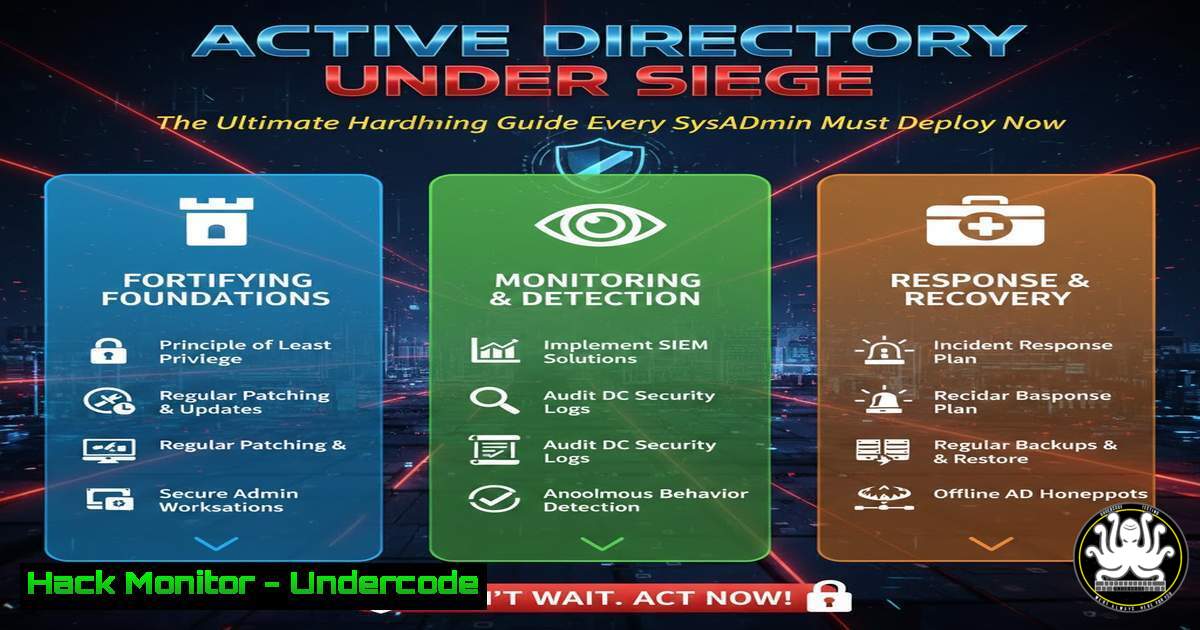
Active Directory (AD) remains the crown jewel of corporate networks, a centralized authority managing users, computers, and permissions. Its critical role makes it a prime target for attackers, turning AD security from an IT task into a business survival imperative. This guide delves beyond basic concepts, translating attack methodologies into actionable hardening steps you can implement immediately.
Learning Objectives:
- Understand the mechanics of prevalent on-premises Active Directory attacks, including NTLM relay, Kerberoasting, and GPO abuse.
- Learn to deploy detection strategies using native Windows tools and PowerShell to identify compromise attempts.
- Implement concrete hardening measures to protect domain controllers, secure authentication protocols, and tighten group policy.
You Should Know:
- The Perils of Unconstrained Delegation and NTLM Relay
Extended version: A core weakness stems from legacy authentication protocols and excessive service permissions. Unconstrained delegation allows a compromised service to impersonate any user to any service, while NTLM relay attacks can intercept and reuse authentication hashes to move laterally across the network.
Step‑by‑step guide explaining what this does and how to use it.
Detection (Windows): Use PowerShell to find accounts with unconstrained delegation.
Get-ADComputer -Filter {TrustedForDelegation -eq $true} -Properties trustedfordelegation,serviceprincipalname,lastlogondate
Get-ADUser -Filter {TrustedForDelegation -eq $true} -Properties trustedfordelegation,serviceprincipalname,lastlogondate
Mitigation:
- Phase out Unconstrained Delegation: Where possible, shift to Constrained Delegation or, ideally, Resource-Based Constrained Delegation which offers more granular control.
- Attack NTLM Relay: Enable SMB Signing on all devices. This ensures packet integrity and prevents relay attacks. Set `RequireSecuritySignature` to `1` in Group Policy (
Computer Configuration\Policies\Windows Settings\Security Settings\Local Policies\Security Options). - Disable NTLM: Where Kerberos is fully supported, disable NTLM via Group Policy (
Network security: Restrict NTLMpolicies). Monitor events in `Event Viewer (Applications and Services Logs\Microsoft\Windows\NTLM)` for compatibility issues.
2. Kerberoasting: Cracking Service Account Passwords
Extended version: Any domain user can request encrypted Ticket-Granting-Service (TGS) tickets for service accounts. These tickets are encrypted with the service account’s password hash. Weak passwords make these hashes crackable offline, granting attackers service account privileges.
Step‑by‑step guide explaining what this does and how to use it.
Simulation (Linux – Attacker Box): Use `impacket` to request a ticket for a target SPN.
python3 /usr/share/doc/python3-impacket/examples/GetUserSPNs.py DOMAIN/USER:Password -dc-ip <DC_IP> -request
This outputs a crackable hash. Use `hashcat` with mode `13100` to attempt cracking.
Hardening:
- Implement Strong, Long Passwords (>25 characters) for all service accounts, making hash cracking computationally infeasible. Use Group Managed Service Accounts (gMSAs) where possible, as they have automatically managed, complex passwords.
- Enable AES Encryption for Kerberos. AES tickets are harder to crack than RC4. Set the `Supported encryption types` attribute on accounts to prefer AES 256/128.
- Audit & Reduce SPNs: Regularly review service accounts and their SPNs using
Get-ADUser -Filter {ServicePrincipalName -like ""} -Properties ServicePrincipalName. Remove unnecessary SPNs.
3. Hardening Domain Controller Attack Surface
Extended version: The Domain Controller (DC) holds the NTDS.dit database (all password hashes). Direct compromise is catastrophic. Hardening requires minimizing network exposure, applying strict access controls, and enabling detailed auditing.
Step‑by‑step guide explaining what this does and how to use it.
Command & Configuration:
- Disable Unnecessary Services: On DCs, disable services like Print Spooler if not needed to prevent exploits (e.g.,
CVE-2021-34527). Use PowerShell:Stop-Service -Name Spooler -Force; Set-Service -Name Spooler -StartupType Disabled. - Configure LDAP Signing & Channel Binding: To prevent LDAP poisoning and relay. Set `Domain controller: LDAP server signing requirements` to
Require signing. Also enable `Domain controller: LDAP server channel binding token requirements` toAlways. - Deploy LAPS (Local Administrator Password Solution): This manages unique, random passwords for local administrator accounts on each domain-joined machine, preventing lateral movement with a single hash. Install and configure LAPS via Microsoft’s solution.
-
Securing Group Policy: Your Blueprint, Not the Attacker’s
Extended version: Group Policy Objects (GPOs) define security settings across the network. If an attacker can modify a linked GPO, they can push malware, create backdoor accounts, or disable security settings for thousands of computers.
Step‑by‑step guide explaining what this does and how to use it.
Hardening Steps:
- Principle of Least Privilege: Limit who can edit GPOs. Use the Delegation tab in the Group Policy Management Console (GPMC) to restrict permissions. Only Domain Admins and a dedicated, secured “GPO Editors” group should have modify rights.
- Enable SYSVOL ACL Hardening: Prevent authenticated users from reading sensitive data (like cached credentials) in SYSVOL scripts. Apply KB2962486 to prevent storing passwords in GPOs and audit existing policies.
- Regular GPO Audit: Use tools like `Get-GPOReport` in PowerShell or third-party solutions to baseline and monitor GPOs for unauthorized changes. Implement alerts for modifications.
5. Implementing PowerShell Constrained Language Mode & Logging
Extended version: Attackers love PowerShell for post-exploitation. Constrained Language Mode restricts access to sensitive .NET classes and COM objects, while deep logging captures malicious activity.
Step‑by‑step guide explaining what this does and how to use it.
Configuration:
- Enable Module, Script Block, and Transcription Logging: Configure via Group Policy (
Administrative Templates\Windows Components\Windows PowerShell). Logs are sent to Event IDs 4103/4104 in Windows Event Logs. - Deploy Constrained Language Mode via AppLocker: Create AppLocker rules to allow only signed scripts or specific paths. PowerShell automatically switches to Constrained Language Mode when AppLocker is in Enforcement mode. Test with
$ExecutionContext.SessionState.LanguageMode. - Deploy Just Enough Administration (JEA): Create JEA endpoints using `New-PSSessionConfigurationFile` and
Register-PSSessionConfiguration. This allows non-admins to run specific, elevated commands without granting full administrator rights.
What Undercode Say:
- Assume Breach, Harden Proactively: The mindset must shift from pure prevention to assuming initial compromise and limiting lateral movement and privilege escalation. Hardening is about raising the cost of an attack to untenable levels.
- Layer Defenses, Don’t Rely on Silver Bullets: No single setting secures AD. Effective defense is a stack: strong credential policies (NTLM disable, Kerberos hardening), reduced attack surface (DC hardening, GPO protection), and enhanced detection (PowerShell logging, delegation monitoring).
Prediction:
The future of AD security lies in intelligent, automated correlation. As hybrid cloud (Azure AD/Entra ID) becomes standard, attack vectors will evolve to target synchronization flaws and hybrid trust relationships. AI-driven security tools will become essential to baseline normal AD behavior—like typical Kerberos ticket requests, GPO modification times, and PowerShell usage—and flag anomalies in real-time. Furthermore, the principles of Zero Trust will be deeply integrated, moving beyond the network perimeter to enforce continuous validation for every access request to domain resources, regardless of origin. The hardening steps of today form the essential foundation for this adaptive, intelligence-driven security model of tomorrow.
▶️ Related Video (82% Match):
🎯Let’s Practice For Free:
IT/Security Reporter URL:
Reported By: Tobias Arevalo – Hackers Feeds
Extra Hub: Undercode MoN
Basic Verification: Pass ✅


