Listen to this Post
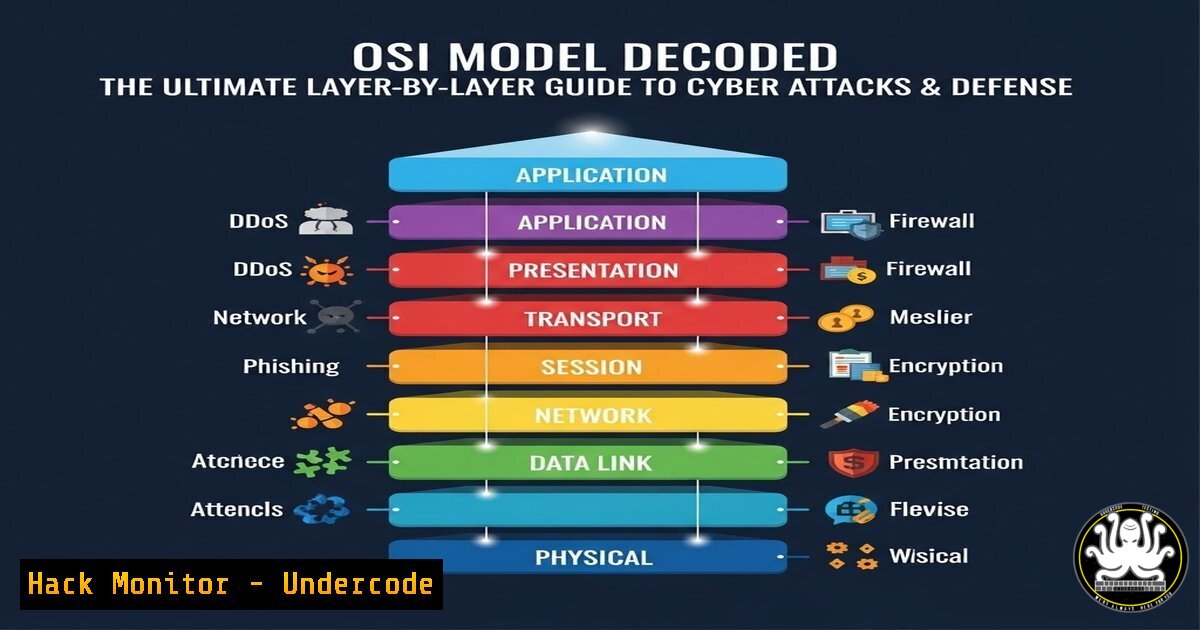
Introduction:
The Open Systems Interconnection (OSI) model is the fundamental blueprint for network communication, but its true power for cybersecurity professionals lies in mapping threats to its seven distinct layers. By understanding which attacks target which layer, defenders can implement precise detection mechanisms and effective countermeasures, transforming abstract network theory into a practical security framework.
Learning Objectives:
- Map common cyber attacks to their corresponding OSI model layer.
- Execute basic command-line demonstrations of attacks at key layers.
- Implement foundational security controls and mitigations for each layer.
You Should Know:
- Layer 1 & 2: Securing the Physical and Data Link Foundation
While often overlooked, the bottom layers form the physical attack surface. Layer 1 (Physical) involves direct hardware access, while Layer 2 (Data Link), governing MAC addresses and switches, is ripe for local network exploitation via ARP poisoning.
Step‑by‑step guide explaining what this does and how to use it.
Attack Simulation (ARP Spoofing): This attack redirects traffic in a LAN by poisoning the ARP cache of a target machine, making it send packets to the attacker’s machine instead of the legitimate gateway.
Linux (using `arpspoof` from the `dsniff` package):
 Enable IP forwarding to allow traffic to flow through your machine
echo 1 > /proc/sys/net/ipv4/ip_forward
 Launch ARP spoof against target (192.168.1.100) pretending to be the gateway (192.168.1.1)
arpspoof -i eth0 -t 192.168.1.100 192.168.1.1
Mitigation:
- Enable DHCP Snooping & Dynamic ARP Inspection (DAI) on network switches to reject invalid ARP packets.
- Use static ARP entries for critical servers (though not scalable).
- Implement network segmentation (VLANs) to limit Layer 2 broadcast domains.
-
Layer 3: Network Layer – IP Spoofing and Route Hijacking
The Network Layer handles routing via IP addresses. Attacks here, like IP Spoofing, involve forging packet source addresses to bypass IP-based authentication or launch reflected DDoS attacks.
Step‑by‑step guide explaining what this does and how to use it.
Attack Simulation (Simple IP Spoofing with hping3): This command crafts a SYN packet with a forged source IP.
 Send a SYN packet to target port 80, spoofing the source IP as 10.0.0.99
hping3 -S -p 80 -a 10.0.0.99 <TARGET_IP>
Mitigation:
- Ingress/Egress Filtering (BCP38): Configure edge routers to block outgoing packets with source IPs not belonging to your network, and block incoming packets claiming to be from your internal network.
- Use IPsec to authenticate and encrypt Layer 3 traffic.
-
Layer 4: Transport Layer – The Battlefield of Denial-of-Service
This layer manages end-to-end communication via TCP/UDP. SYN Floods exploit the TCP handshake, consuming server resources.
Step‑by‑step guide explaining what this does and how to use it.
Attack Simulation (SYN Flood):
 Use hping3 for a SYN flood attack (for educational purposes on your lab ONLY)
hping3 -S --flood -p 80 <TARGET_IP>
Mitigation:
- Configure SYN Cookies: On Linux, enable SYN Cookies as a kernel parameter to handle SYN floods without allocating state.
sysctl -w net.ipv4.tcp_syncookies=1
- Use upstream DDoS protection services and network firewalls to rate-limit SYN packets.
-
Layer 5 & 6: Session and Presentation – Hijacking and Stripping
Layer 5 (Session) manages dialogues; attacks like Session Fixation force a user to use a known session ID. Layer 6 (Presentation) handles encryption; SSL Stripping downgrades HTTPS to HTTP.
Step‑by‑step guide explaining what this does and how to use it.
SSL Stripping Demo (using `ettercap`):
1. Start `ettercap` in graphical mode (`ettercap -G`).
2. Perform ARP poisoning (as in Step 1).
- Activate the `sslstrip` plugin from the `Manage Plugins` menu. It will transparently hijack HTTP traffic and strip SSL/TLS from HTTPs requests where possible.
Mitigation:
- Use HTTP Strict Transport Security (HSTS): This web security policy forces the browser to interact only via HTTPS.
- For sessions, ensure your web application generates a new, secure session ID after user login (invalidating any fixed ID).
-
Layer 7: Application Layer – The Human-Facing Attack Surface
The top layer, encompassing HTTP, SMTP, and APIs, is where attackers directly target software logic and user input. Cross-Site Scripting (XSS) is a prime example.
Step‑by‑step guide explaining what this does and how to use it.
Basic Reflected XSS Payload: This is not a tool command, but a payload to test input fields.
<script>alert('XSS')</script>
Mitigation:
- Output Encoding & Input Validation: Treat all user input as untrusted. Encode data based on its output context (HTML, JavaScript, CSS).
- Implement a Content Security Policy (CSP) header to restrict the sources from which scripts can be loaded, effectively neutralizing many XSS attacks.
Example CSP Header:
Content-Security-Policy: default-src 'self'
What Undercode Say:
- Defense in Depth is Non-Negotiable: The OSI model visually justifies a layered security strategy. A firewall (Layers 3-4) won’t stop an XSS attack (Layer 7), and input validation won’t prevent ARP spoofing. Controls must exist at every level.
- The Blueprint for Threat Modeling: Every cyber attack manifests within this model. Using it as a framework during system design and incident analysis ensures no attack vector is overlooked, leading to more robust architectures and faster, more accurate incident response.
Prediction:
As networks evolve with IoT (heavy on Layer 2) and quantum computing (threatening Layer 6 encryption), the OSI model will remain critical for conceptualizing next-generation threats. The convergence of IT and OT (Operational Technology) will push security concerns down to the Physical and Data Link layers for critical infrastructure. Furthermore, the integration of AI in security (AI-driven Layer 7 WAFs, automated Layer 3 DDoS mitigation) will not make the model obsolete but will instead lead to AI/ML tools that are specifically trained to understand and defend attacks within this layered context, making foundational OSI knowledge more valuable than ever for security professionals.
▶️ Related Video (84% Match):
🎯Let’s Practice For Free:
IT/Security Reporter URL:
Reported By: Bhargav Krishna – Hackers Feeds
Extra Hub: Undercode MoN
Basic Verification: Pass ✅


