
Listen to this Post
Introduction:
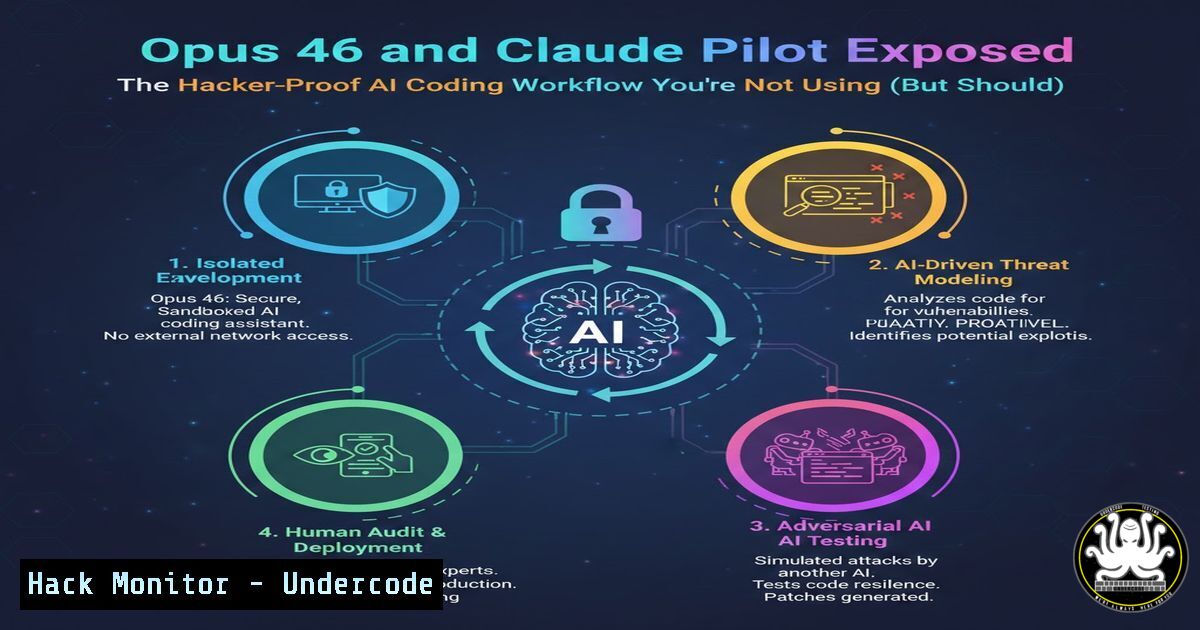
As AI coding assistants like Anthropic’s Opus 4.6 revolutionize development, they introduce critical gaps in security, consistency, and enforcement that can lead to vulnerable code in production. Claude Pilot emerges as a structured overlay, enforcing secure coding standards, test-driven development (TDD), and automated quality gates, transforming AI from a casual tool into a cybersecurity-aware engineering partner. This article delves into how to harness these tools to build resilient, auditable, and secure software pipelines.
Learning Objectives:
- Understand how Claude Pilot mitigates AI-induced security risks in code generation.
- Implement and configure Claude Pilot’s rules system for enforcing organizational security policies.
- Integrate Claude Pilot into DevSecOps workflows with automated testing and quality hooks.
You Should Know:
- Setting Up Claude Pilot for Secure Development Environments
Claude Pilot bridges the gap between AI-generated code and production-ready, secure software by enforcing rules and validations. Setting it up correctly is foundational to leveraging its security features.
Step‑by‑step guide:
- Step 1: Clone the Repository and Review Security Configurations
Access the Claude Pilot GitHub repository to examine its security posture and setup scripts. Use the following commands in your terminal:Linux/macOS git clone https://github.com/maxritter/claude-pilot.git cd claude-pilot grep -r "SECRET|KEY|TOKEN" ./ Audit for hardcoded secrets in configuration files
On Windows (PowerShell):
git clone https://github.com/maxritter/claude-pilot.git
cd claude-pilot
Select-String -Path .\ -Pattern "SECRET|KEY|TOKEN"  Perform initial security scan
– Step 2: Install Dependencies in an Isolated Environment
To prevent dependency conflicts and ensure integrity, use virtual environments. For Python-based projects:
python -m venv venv
source venv/bin/activate  On Windows: venv\Scripts\activate
pip install -r requirements.txt --trusted-host pypi.org --trusted-host files.pythonhosted.org
– Step 3: Configure Environment Variables for API Security
Set your Anthropic Claude API key securely, never hardcoding it. Use environment variables:
 Linux/macOS
export CLAUDE_API_KEY="your_api_key_here"
 Windows
set CLAUDE_API_KEY=your_api_key_here
Then, initialize Claude Pilot with a security-focused rule set:
claude-pilot init --rule-file .claude/rules/security_rules.yaml
- Configuring the Rules System to Enforce Security and Coding Standards
The rules system automates compliance with security policies, such as preventing hardcoded secrets, enforcing input validation, and mandating encryption standards. Without this, AI models like Opus 4.6 might generate code that violates organizational protocols.
Step‑by‑step guide:
- Step 1: Define Security Rules in a YAML Configuration File
Create a `security_rules.yaml` file in your project’s `.claude/rules/` directory. Example content:rules:</li> <li>name: "no_hardcoded_secrets" pattern: "(password|api_key|token)\s=\s['\"][^'\"]+['\"]" severity: "high" message: "Hardcoded secrets detected. Use environment variables or secret managers."</li> <li>name: "sql_injection_prevention" pattern: "execute(.+.)" severity: "medium" message: "Potential SQL injection risk. Use parameterized queries."
- Step 2: Sync Rules Across Private Git Repos for Team-Wide Enforcement
Use Git hooks to ensure rules are applied consistently. Install a pre-commit hook:cp .claude/rules/security_rules.yaml .git/hooks/pre-commit chmod +x .git/hooks/pre-commit Make it executable
This hook will scan code changes before commits, blocking violations.
- Step 3: Integrate with CI/CD for Automated Security Scanning
Add a step in your GitHub Actions workflow (.github/workflows/security.yml):jobs: security-scan: runs-on: ubuntu-latest steps:</li> <li>uses: actions/checkout@v4</li> <li>name: Run Claude Pilot Rules Engine run: | claude-pilot validate --rules .claude/rules/security_rules.yaml
3. Enforcing Test-Driven Development (TDD) to Mitigate Vulnerabilities
TDD ensures that security tests are written before code, reducing the risk of deploying exploitable features. Claude Pilot mandates failing tests first, aligning with secure development lifecycles.
Step‑by‑step guide:
- Step 1: Initialize a TDD Session with Security Test Cases
Start Claude Pilot in TDD mode, specifying a test file for a new authentication module:claude-pilot start --tdd --test-file tests/test_auth.py --feature "Add JWT token validation"
The tool will prompt you to write a failing test for edge cases like token tampering or expired tokens.
- Step 2: Generate Code with AI, Constrained by Tests
Claude Pilot uses Opus 4.6 to write code that passes the tests. Monitor output for security logic:Example test in test_auth.py def test_token_expiry_validation(): expired_token = generate_token(expired=True) assert validate_jwt(expired_token) == False, "Expired token must be rejected"
- Step 3: Verify and Audit the AI-Generated Code
After code generation, run tests and manual reviews:
pytest tests/test_auth.py -v
bandit -r .  Security linter for Python
- Implementing Quality Hooks for Automated Security Linting and Analysis
Quality hooks automatically run formatting, linting, and static analysis on every file change, catching vulnerabilities early. Claude Pilot supports hooks for Python, TypeScript, Go, and custom tools.
Step‑by‑step guide:
- Step 1: Configure Pre-Save Hooks for Static Analysis
Edit Claude Pilot’s configuration file (.claude/config.json) to integrate security linters:{ "quality_hooks": { "pre_save": [ "bandit -f json -o bandit_report.json", "gosec ./... For Go projects", "npm run lint:security For TypeScript/Node.js" ] } } - Step 2: Trigger Hooks on File Changes During AI Sessions
When Claude Pilot modifies a file, it runs these hooks. If issues are found, it halts and prompts fixes. For instance, if Bandit detects a security issue:[bash] Running bandit scan... [bash] Issue: Use of insecure MD5 hash detected. Severity: HIGH
- Step 3: Extend Hooks for Custom Security Tools
Add a shell script hook for proprietary scanners:
 create hook script
echo "!/bin/bash
./custom_scanner --input $1" > .claude/hooks/custom_scan.sh
chmod +x .claude/hooks/custom_scan.sh
Then, reference it in the config:
"pre_save": ["./.claude/hooks/custom_scan.sh"]
5. Leveraging Persistent Memory for Continuous Security Context
Persistent memory allows Claude Pilot to retain security decisions and vulnerability contexts across sessions, ensuring that fixes are consistent and historical issues are remembered.
Step‑by‑step guide:
- Step 1: Enable Memory in Project Settings
Activate memory storage for security audits:
claude-pilot config set memory.enabled true
claude-pilot config set memory.path .claude/memory/security_logs.db
– Step 2: Review Memory Logs for Security Anomalies
Access memory to track past vulnerabilities and AI-generated patches:
sqlite3 .claude/memory/security_logs.db "SELECT FROM issues WHERE severity='high';"
– Step 3: Use Memory to Inform Future AI Sessions
When starting a new session, load prior security context:
claude-pilot start --memory-load --context "Previous SQL injection fix in user_controller.py"
This reduces the chance of reintroducing patched flaws.
- Scaling with Multi-Session Parallel Support for Team Security Reviews
Multi-session parallel support lets teams run isolated Claude Pilot instances for different security tasks, such as penetration testing and code hardening, without context collision.
Step‑by‑step guide:
- Step 1: Launch Parallel Sessions for Concurrent Security Workflows
In separate terminals, run sessions for distinct security modules:Terminal 1: Focus on authentication security claude-pilot start --session auth_sec --rules security_rules.yaml Terminal 2: Focus on data encryption claude-pilot start --session crypto_sec --rules encryption_rules.yaml
- Step 2: Isolate Contexts to Prevent Cross-Contamination
Each session uses its own context store, specified in config:{ "session": { "auth_sec": {"context_dir": ".claude/contexts/auth"}, "crypto_sec": {"context_dir": ".claude/contexts/crypto"} } } - Step 3: Aggregate Findings for Comprehensive Audits
After sessions, merge security reports:
claude-pilot report --sessions auth_sec crypto_sec --output security_audit.md
- Integrating Claude Pilot into CI/CD Pipelines for DevSecOps Automation
For enterprise security, embed Claude Pilot into CI/CD to automate code reviews, vulnerability scanning, and compliance checks, making AI a part of the DevSecOps chain.
Step‑by‑step guide:
- Step 1: Build a Docker Image with Claude Pilot and Security Tools
Create a Dockerfile for consistent environments:
FROM python:3.11-slim
RUN pip install claude-pilot bandit gosec
COPY .claude/rules /rules
CMD ["claude-pilot", "ci-scan", "--rules", "/rules/security_rules.yaml"]
Build and push to a container registry:
docker build -t claude-pilot-sec .
docker tag claude-pilot-sec your-registry/claude-pilot-sec:latest
docker push your-registry/claude-pilot-sec:latest
– Step 2: Deploy as a CI Job in Jenkins or GitLab
In Jenkins, add a pipeline stage:
stage('AI Security Scan') {
agent { docker 'your-registry/claude-pilot-sec:latest' }
steps {
sh 'claude-pilot ci-scan --rules .claude/rules/security_rules.yaml'
}
}
– Step 3: Fail Builds on Security Violations
Configure Claude Pilot to exit with code 1 on rule breaches, ensuring broken builds for critical issues:
claude-pilot ci-scan --strict --rules security_rules.yaml
What Undercode Say:
- Key Takeaway 1: Claude Pilot transforms AI coding from a productivity tool into a security enforcement layer, mandating TDD, rules, and quality hooks that prevent common vulnerabilities like hardcoded secrets and injection flaws. This reduces reliance on post-hoc security audits.
- Key Takeaway 2: By integrating persistent memory and parallel sessions, Claude Pilot enables scalable, context-aware security workflows, allowing teams to maintain consistent policies across distributed AI-assisted development without losing historical vulnerability data.
Analysis: The evolution from raw AI models like Opus 4.6 to structured tools like Claude Pilot reflects a broader shift in IT: as AI permeates development, the lack of governance leads to security debt. Claude Pilot’s emphasis on automation and enforcement addresses this by embedding security into the AI’s workflow, not just its output. However, its effectiveness depends on proper configuration—misconfigured rules could give false security confidence. Organizations must treat its setup as part of their cybersecurity policy, regularly updating rules to match emerging threats. Ultimately, this tool bridges the gap between rapid AI innovation and enterprise-grade security, making it a critical addition to modern DevSecOps stacks.
Prediction:
Within two years, AI coding assistants will become mandatory in software development, but without tools like Claude Pilot, they will introduce widespread, AI-generated vulnerabilities, leading to a surge in supply-chain attacks and data breaches. As a response, regulatory frameworks will emerge, mandating AI code validation and enforcement mechanisms. Claude Pilot’s approach will inspire integrated, security-first AI development platforms, reducing vulnerability rates by up to 40% in adopters and setting new standards for secure AI-assisted engineering. Cybersecurity training courses will increasingly focus on configuring and auditing such tools, making them a core skill for developers and security professionals alike.
▶️ Related Video (76% Match):
🎯Let’s Practice For Free:
IT/Security Reporter URL:
Reported By: Rittermax Claudecode – Hackers Feeds
Extra Hub: Undercode MoN
Basic Verification: Pass ✅


