Listen to this Post
Introduction:
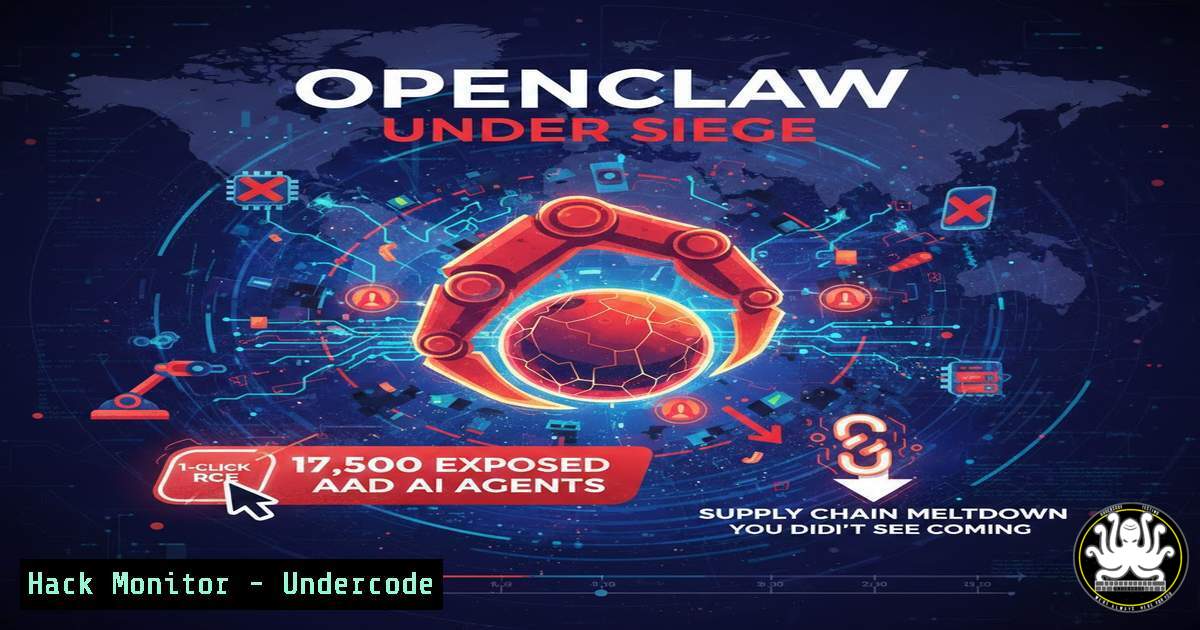
The promise of autonomous AI agents that execute shell commands, manage files, and control your digital life has collided head‑on with reality. OpenClaw (formerly Moltbot/Clawdbot) has exploded in popularity, but its “click‑next‑finish” default settings, combined with a lack of mandatory human oversight, have created a perfect storm. Tens of thousands of instances are now publicly exposed; a single malicious website can trigger unauthenticated remote code execution (CVE‑2026‑25253); and the official ClawHub marketplace has been weaponized with over 300 malicious “skills” deploying keyloggers and Atomic macOS Stealer (AMOS). This article dissects the attack surface and provides verified, step‑by‑step commands to harden your agent before it becomes a backdoor.
Learning Objectives:
- Objective 1: Identify and remediate the critical 1‑click RCE (CVE‑2026‑25253) and common OpenClaw misconfigurations using Linux/Windows commands.
- Objective 2: Implement a zero‑trust network architecture (Tailscale + loopback binding) to render agents invisible to Shodan and mass‑scanners.
- Objective 3: Vet and sandbox third‑party ClawHub skills; detect supply‑chain threats using community threat‑intel tools.
You Should Know:
1. Patch Verification & Emergency Response for CVE‑2026‑25253
The vulnerability (CVSS 8.8) allows any webpage visited by the victim to extract the gateway authentication token and execute arbitrary code on the host . The flaw stems from the Control UI trusting unverified `gatewayUrl` query parameters and establishing WebSocket connections without origin checks. Even instances bound to loopback are vulnerable because the browser initiates the outbound connection .
Step‑by‑step guide:
- Linux/macOS (Verify version & patch immediately):
Check installed OpenClaw version
openclaw --version
If < 2026.1.29, update immediately
cd ~/GIT/openclaw && git pull && pnpm install && pnpm build
pnpm openclaw gateway restart
- Windows (PowerShell – verify & patch):
Check version
openclaw --version
Update (assuming Git installed)
cd C:\openclaw
git pull
pnpm install
pnpm build
pnpm openclaw gateway restart
- Post‑patch credential rotation:
Rotate all stored tokens (API keys, gateway auth)
openclaw config rotate-credentials --all
- Mitigation if patching is delayed:
Isolate the host immediately and disable the gateway:
sudo ufw deny 18789/tcp  Linux
 Windows Firewall
New-NetFirewallRule -DisplayName "Block OpenClaw" -Direction Inbound -LocalPort 18789 -Protocol TCP -Action Block
2. Network Hardening: Zero Public Ports with Tailscale
Hunt.io identified over 17,500 publicly exposed OpenClaw gateways, with 98.6% hosted on cloud infrastructure. Default port 18789 is heavily scanned, but many admins also expose ports 80/443 via reverse proxies, believing they are “hidden” . The only effective defense is to bind the gateway exclusively to loopback and route remote access through a zero‑trust VPN (Tailscale) .
Step‑by‑step guide (Linux VPS / Ubuntu 24.04):
 1. Bind OpenClaw to localhost only
nano ~/.openclaw/openclaw.json
Modify the gateway block:
"gateway": {
"port": 44893,  Change from default 18789
"bind": "loopback",  CRITICAL: blocks external connections
"auth": { "mode": "token" }
}
 2. Install Tailscale and lock down firewall
curl -fsSL https://tailscale.com/install.sh | sh
sudo tailscale up --ssh  Enables Tailscale SSH, kill public SSH
sudo ufw default deny incoming
sudo ufw allow in on tailscale0
sudo ufw allow in from 100.64.0.0/10
sudo ufw enable
sudo systemctl disable --now ssh  Disable public SSH
Access from your local machine:
tailscale ssh admin@<VPS_TAILSCALE_IP>
ssh -L 44893:localhost:44893 admin@<VPS_TAILSCALE_IP>
Now browse to `http://localhost:44893`. The VPS has zero open ports on the public internet .
3. Supply‑Chain Defense: Vetting Malicious ClawHub Skills
Koi Security discovered 341 malicious skills on ClawHub, part of the “ClawHavoc” campaign. Attackers posed as cryptocurrency wallets, YouTube summarizers, and finance tools. The malicious routines were hidden in “prerequisites” – password‑protected ZIPs (Windows) or base64‑encoded scripts (macOS) that installed AMOS, keyloggers, and reverse shells .
Step‑by‑step guide to audit and block:
- Deploy Clawdex (community vetting tool):
Install the threat-intel skill
openclaw skill install clawdex --source community
Scan all currently installed skills
openclaw clawdex scan --all
Scan a specific skill before installation
openclaw clawdex inspect <skill_name>
- Manual forensic analysis of a skill (Linux/macOS):
Skills are stored in ~/.openclaw/skills/
cd ~/.openclaw/skills/suspicious-skill
Grep for dangerous imports or base64 blobs
grep -rE "(os.system|subprocess.call|exec(|base64.b64decode|password)" .
Check for hidden network calls
grep -r "fetch|axios.post|http://" .
- Windows (PowerShell) skill audit:
Select-String -Path "C:\Users\.openclaw\skills\" -Pattern "(Invoke-Expression|Base64String|Start-Process)" -Recurse
- Prevention: Set environment variable to block skill auto‑execution:
export OPENCLAW_SKILL_AUTO_APPROVE=false
4. Threat Hunting: Fingerprinting Exposed Instances (Red/Blue)
If you are a defender scanning your own perimeter, or a researcher, the following Hunt.io SQL queries identify vulnerable OpenClaw instances via HTML titles and HTTP header hashes .
Step‑by‑step detection queries:
-- 1. HTML Regex (finds all forks)
SELECT ip, port, hostname, html.head.title
FROM httpv2
WHERE html.head.title RLIKE '(?i)(clawdbot|moltbot|openclaw).control'

-- 2. Header hash matching (Murmur3)
SELECT ip, port
FROM httpv2
WHERE response_headers_hash_normalized IN ('-123456789', '987654321')
AND port IN (18789,80,443,44893)
– Linux local log auditing:
 Check gateway logs for unauthorized token use
journalctl -u openclaw-gateway | grep "token" | grep -v "127.0.0.1"
– Windows Event Logs:
Get-WinEvent -LogName "OpenClaw/Gateway" | Where-Object { $<em>.Message -like "token" -and $</em>.Message -notlike "localhost" }
5. Memory Poisoning & Agent-to-Agent Attack Mitigation
OpenClaw’s persistent memory allows it to remember user preferences across sessions. Researchers demonstrated that an agent on the “Moltbook” social network could be poisoned by another malicious agent, leaking data invisible to traditional firewalls . Attackers use indirect prompt injection – a malicious email or chat message that the agent processes, rewriting its memory with attacker-controlled instructions.
Step‑by‑step memory isolation:
- Disable agent-to-agent communication (if not required):
openclaw config set agent.community.moltbook.enabled false
- Periodic memory audit and sanitization:
Export memory to JSON for inspection
openclaw memory export --file memory_dump.json
Grep for suspicious injected phrases
grep -E "(ignore previous|now act as|system prompt|sudo)" memory_dump.json
Wipe memory and restart
openclaw memory wipe --confirm
openclaw gateway restart
- Runtime monitoring: Use `sysdig` or `Process Monitor` to watch for unexpected child processes spawned by the agent.
6. Cloud Infrastructure Hardening (DigitalOcean, Alibaba, Tencent)
Hunt.io’s data shows 35.2% of exposed instances run on DigitalOcean, 26.4% on Alibaba Cloud . These are often deployed with default security groups allowing 0.0.0.0/0.
Step‑by‑step cloud remediation:
- DigitalOcean (using doctl):
Remove public inbound rules; allow only your Tailscale IP
doctl compute firewall add-rules <fw-id> --inbound-rules protocol:tcp,ports:18789,address:100.64.0.0/10
doctl compute firewall remove-rules <fw-id> --inbound-rules protocol:tcp,ports:18789,address:0.0.0.0/0
- Alibaba Cloud (CLI):
aliyun ecs revoke-security-group-ingress --region us-east-1 --security-group-id sg-xxx --ip-protocol tcp --port-range 18789/18789 --source-cidr-ip 0.0.0.0/0
aliyun ecs authorize-security-group-ingress --region us-east-1 --security-group-id sg-xxx --ip-protocol tcp --port-range 18789/18789 --source-cidr-ip 100.64.0.0/10
- Always enable VPC flow logs and monitor for unexpected egress.
7. SSH Command Injection – Specific Fix
A separate high-risk flaw allowed command injection via the SSH tunnel tool. The agent failed to sanitize hostnames beginning with `-` (dash). An attacker could supply `-oProxyCommand=malicious` as the target .
Verification & patch:
- Update to v2026.1.29 which sanitizes SSH arguments .
- Workaround: Restrict the `ssh-tunnel` skill:
openclaw config set tools.exec.safeBins '["/usr/bin/ssh"]' --strict-args
- Audit existing SSH tunnel configurations:
openclaw config get | grep sshTarget
Manually verify no entry starts with '-'
What Undercode Say:
Key Takeaway 1: The “cool factor” of autonomous AI has led to a complete abandonment of basic security hygiene. OpenClaw’s design – persistent memory, broad permissions, and lack of mandatory human-in-the-loop – does not create new categories of risk, but it dramatically amplifies the inherent risks of agentic AI . Organizations that rushed to deploy “vibe‑coded” agents are now facing ransomware‑ready backdoors. The lesson is that autonomy without authentication is simply an open door.
Key Takeaway 2: This is not just a patching problem; it is a supply chain and architecture crisis. The discovery of 341 malicious skills demonstrates that the open‑source AI marketplace is now a primary vector for infostealers. Enterprises must treat every third‑party “skill” with the same suspicion as an untrusted `.exe` file. Furthermore, the fact that 98% of exposed instances run on cloud hosting indicates that cloud security groups and CSPM tools are failing to catch these misconfigurations. A zero‑trust network architecture (e.g., Tailscale) is no longer optional – it is the only way to make an AI agent remotely manageable without making it remotely exploitable.
Analysis: OpenClaw’s trajectory mirrors the early days of Kubernetes: explosive adoption followed by a “rug‑pull” of security incidents. The difference is the speed. Attackers are now weaponizing AI supply chains within weeks of a tool’s rise. Defenders must shift left – not just in code, but in infrastructure. Continuous monitoring for exposed gateways, mandatory loopback binding, and a strict “deny all” network posture are immediate table stakes. The industry also desperately needs a signing and verification framework for agent skills. Until then, the default answer to any third‑party skill should be “no.”
Prediction:
Over the next six months, we will see the first major AI‑agent worm – a self‑propagating malware that uses the ClawHub marketplace and agent‑to‑agent communication channels (Moltbook) to spread without human interaction. This will force regulatory bodies (e.g., the EU AI Act) to classify high‑autonomy local agents as “high‑risk AI systems,” mandating sandboxing and mandatory human oversight. Cloud providers will begin actively scanning for exposed OpenClaw gateways and automatically quarantining them. The era of the “wild west” autonomous agent is ending, replaced by a hardened, zero‑trust paradigm where the agent is treated as an untrusted remote worker rather than a trusted system service.
▶️ Related Video (72% Match):
🎯Let’s Practice For Free:
IT/Security Reporter URL:
Reported By: Ksubbiah Cybersecurity – Hackers Feeds
Extra Hub: Undercode MoN
Basic Verification: Pass ✅


