Listen to this Post
Introduction:
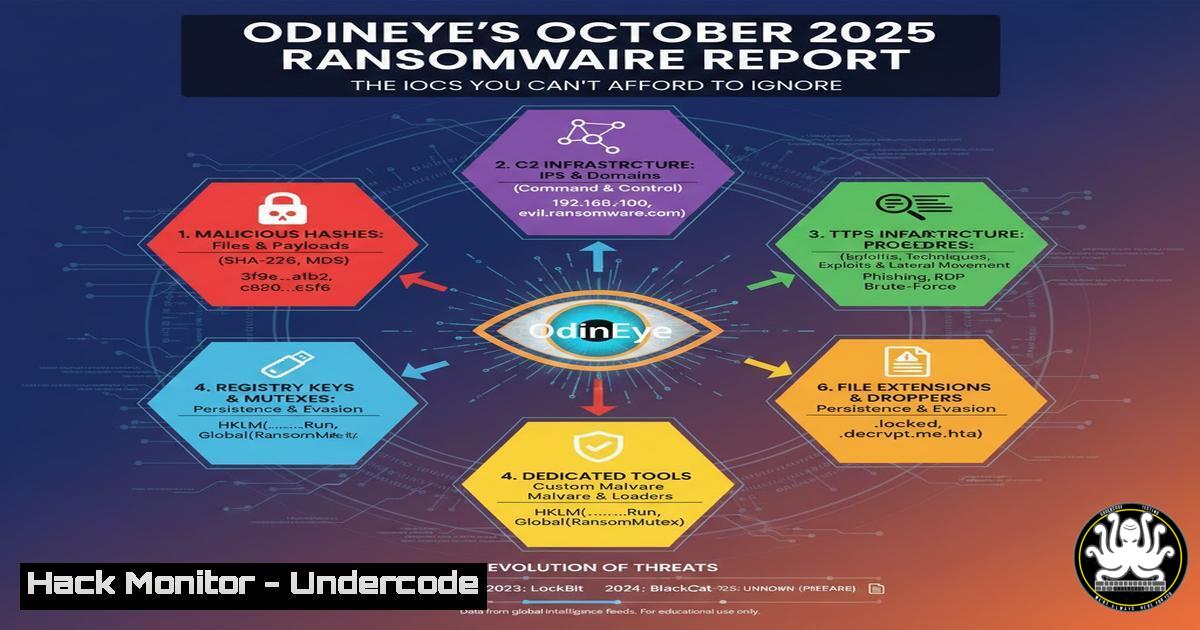
The cybersecurity landscape is perpetually evolving, with ransomware groups constantly refining their tactics, techniques, and procedures (TTPs). A new, comprehensive threat report from the Turkish CTI firm OdinEye provides a deep dive into the Q3 2025 ransomware ecosystem, offering invaluable intelligence for defenders. This 58-page document breaks down attacks by sector and threat actor, but its most actionable component is the extensive list of Indicators of Compromise (IOCs) that can be used to proactively hunt for threats within your network.
Learning Objectives:
- Understand how to operationalize the IOCs (IPs, Domains, Hashes) from threat reports into active defense.
- Learn immediate hardening steps for common initial access vectors like RDP and email security.
- Develop a methodology for proactive threat hunting using tools like YARA and PowerShell.
You Should Know:
- Parsing and Integrating IOCs into Your Security Stack
Threat intelligence is only as good as its implementation. The OdinEye report likely contains hundreds of IOCs, including malicious IP addresses, domain names, and file hashes. Manually reviewing these is impractical; automation is key. The first step is to parse these IOCs from the PDF and convert them into a format your security tools can ingest, such as a CSV or a STIX/TAXII feed.
Step‑by‑step guide explaining what this does and how to use it.
Step 1: Extract the IOCs. Use a tool like `pdfgrep` on Linux or a Python script with the `PyPDF2` library to pull text from the report. Look for patterns like IP addresses, domains, and MD5/SHA256 hashes.
Linux Command: `pdfgrep -o ‘[0-9]{1,3}\.[0-9]{1,3}\.[0-9]{1,3}\.[0-9]{1,3}’ OdinEye_Report.pdf > extracted_ips.txt`
Step 2: Normalize and Deduplicate. Use command-line tools to clean the data.
Linux Commands:
sort extracted_ips.txt | uniq > unique_ips.txt
 Similarly for hashes and domains
Step 3: Integrate into Security Tools.
Firewalls (e.g., pfSense, iptables): Script the addition of these IPs to a block list.
Example iptables script snippet:
for ip in $(cat unique_ips.txt); do
iptables -A INPUT -s $ip -j DROP
done
SIEM (e.g., Splunk, Elastic SIEM): Import the list and create correlation searches to alert on any network connection or file execution matching the IOCs.
EDR (Endpoint Detection and Response): Most EDR platforms allow you to create custom IOC lists for blocking and detection.
2. Hardening Remote Desktop Protocol (RDP)
RDP remains a top initial access vector for ransomware actors, as detailed in reports like OdinEye’s. Attackers use brute-force attacks and exploit vulnerabilities in RDP services to gain a foothold. Simply changing the default port is not enough; a defense-in-depth approach is required.
Step‑by‑step guide explaining what this does and how to use it.
Step 1: Enforce Network Level Authentication (NLA). NLA requires authentication before a session is established, mitigating some brute-force and denial-of-service attacks.
Windows Command (via Group Policy or Local Security Policy): Navigate to Computer Configuration -> Administrative Templates -> Windows Components -> Remote Desktop Services -> Remote Desktop Session Host -> Security. Enable “Require user authentication for remote connections by using Network Level Authentication.”
Step 2: Implement an Account Lockout Policy. This prevents automated brute-force tools from running indefinitely.
Windows Command (via `secpol.msc` or GPO): Set `Account lockout threshold` to a low number (e.g., 5 invalid attempts) and a reasonable `Account lockout duration` (e.g., 15 minutes).
Step 3: Restrict RDP Access via Firewall. Do not expose RDP directly to the internet. Instead, place it behind a VPN. If you must have it accessible, restrict the source IPs that can connect to the RDP port (TCP 3389).
Windows Firewall Command (via PowerShell):
New-NetFirewallRule -DisplayName "Allow RDP from Trusted IP" -Direction Inbound -Protocol TCP -LocalPort 3389 -RemoteAddress 192.168.1.100 -Action Allow
3. Leveraging YARA for Proactive Ransomware Hunting
IOCs like file hashes are useful, but they can be easily changed by attackers. A more robust approach is to use YARA, a tool for identifying and classifying malware based on patterns and rules. You can create or download YARA rules designed to detect ransomware families mentioned in the OdinEye report.
Step‑by‑step guide explaining what this does and how to use it.
Step 1: Install YARA.
Linux (Ubuntu): `sudo apt-get install yara`
Windows: Download the compiled executable from the official GitHub repository.
Step 2: Acquire or Write YARA Rules. Sources like GitHub and the OSINT community often share rules for known ransomware. A simple rule to detect common ransomware note filenames might look like:
rule Ransomware_Readme_Files {
strings:
$a = "READ_ME.txt" nocase
$b = "HELP_DECRYPT.txt" nocase
$c = "RECOVERY_KEY.txt" nocase

condition:
any of them
}
Save this as `ransomware_indices.yar`.
Step 3: Scan Your Systems. Run YARA recursively against directories to hunt for matches.
Linux Command: `yara -r ransomware_indices.yar /home/ /opt/`
Windows Command: `yara64.exe -r C:\Users\ ransomware_indices.yar`
Any hits should be investigated immediately as potential infection indicators.
- Enhancing Email Security with DMARC, DKIM, and SPF
Phishing emails are a primary delivery mechanism for ransomware payloads. The OdinEye report will almost certainly highlight this trend. Proper configuration of email authentication protocols (DMARC, DKIM, SPF) is a critical first line of defense to prevent email spoofing and malicious impersonation.
Step‑by‑step guide explaining what this does and how to use it.
Step 1: Configure SPF (Sender Policy Framework). SPF allows you to specify which mail servers are permitted to send email on behalf of your domain.
DNS TXT Record: `”v=spf1 ip4:192.0.2.0/24 include:spf.protection.outlook.com -all”`
`-all` denotes a hard fail, meaning servers not listed should be rejected.
Step 2: Configure DKIM (DomainKeys Identified Mail). DKIM adds a digital signature to your emails, allowing the receiving server to verify the email was sent by your domain and wasn’t tampered with. This is typically configured within your mail server software (e.g., Exchange Online, Postfix) which will provide you with a public key to add to your DNS.
DNS TXT Record: `”v=DKIM1; k=rsa; p=MIGfMA0GCSqGSIb3DQEBAQUAA4GNADCBiQKBgQC…”`
Step 3: Enforce DMARC (Domain-based Message Authentication, Reporting & Conformance). DMARC uses SPF and DKIM to determine the authenticity of an email and tells the receiving server what to do if authentication fails.
DNS TXT Record for _dmarc.yourdomain.com: `”v=DMARC1; p=reject; rua=mailto:[email protected]; ruf=mailto:[email protected]; pct=100″`
`p=reject` instructs receivers to reject emails that fail DMARC checks.
5. Implementing PowerShell Logging and Constrained Language Mode
Ransomware actors heavily abuse PowerShell for post-exploitation activities, including reconnaissance, lateral movement, and payload execution. Enabling deep logging and restricting PowerShell capabilities can severely hinder their efforts.
Step‑by‑step guide explaining what this does and how to use it.
Step 1: Enable Module, Script Block, and Transcription Logging. This captures the full details of PowerShell commands being run.
Via Group Policy: Navigate to Computer Configuration -> Administrative Templates -> Windows Components -> Windows PowerShell.
Enable “Turn on Module Logging” and select all modules.
Enable “Turn on PowerShell Script Block Logging.”
Enable “Turn on PowerShell Transcription” (set an output directory like C:\PS_Logs).
Step 2: Enable and Configure Constrained Language Mode. This mode restricts PowerShell to a safe subset of its capabilities, preventing many offensive scripts from running.
This can be enforced via Windows Defender Application Control (WDAC) policies. A simple starting point is to create a code integrity policy that allows only Microsoft-signed scripts and blocks all others, forcing Constrained Language Mode for unauthorized code.
Step 3: Monitor the Logs. Forward these PowerShell logs to your SIEM. Create alerts for known malicious command-line arguments or script blocks that match TTPs from the OdinEye report.
What Undercode Say:
- Actionable Intelligence is the Only Intelligence That Matters. A 58-page report is useless if its contents remain on a shelf. The immediate extraction and automation of IOCs are the most critical steps a security team can take.
- Defense is a Layered Architecture. No single control, whether it’s blocking an IP or enabling DMARC, is sufficient. The combination of network controls, endpoint security, application hardening, and proactive hunting creates a resilient defensive posture that can adapt to the TTPs outlined in modern threat reports.
The OdinEye report serves as a stark reminder that the ransomware threat is not abstract; it is a targeted, well-resourced, and persistent business. The value of such reports from smaller CTI shops lies in their niche focus and potentially fresh data. By systematically converting the report’s findings into technical controls—from firewall rules to YARA scans—organizations shift from a reactive to a proactive security stance. The technical steps outlined above provide a concrete roadmap for operationalizing this specific piece of threat intelligence, turning information into action and significantly raising the cost for adversaries attempting an intrusion.
Prediction:
The Q3 2025 trends highlighted by OdinEye point towards an accelerated “as-a-service” model for ransomware, where initial access brokers (IABs) and payload developers operate as distinct, specialized entities. This commoditization will lower the barrier to entry for less-skilled attackers, leading to a higher volume of attacks against small and medium-sized businesses. Furthermore, we predict a continued shift towards “double extortion” and even “triple extortion” tactics, where actors not only encrypt data but also exfiltrate it, threatening to release it publicly or launch DDoS attacks if payment is not made. The integration of AI by threat actors to craft more convincing phishing lures and to automate vulnerability discovery will be the next major evolutionary leap, forcing defenders to similarly adopt AI-powered defensive tools to keep pace.
🎯Let’s Practice For Free:
IT/Security Reporter URL:
Reported By: Mthomasson Odineye – Hackers Feeds
Extra Hub: Undercode MoN
Basic Verification: Pass ✅


