
Listen to this Post
Introduction:
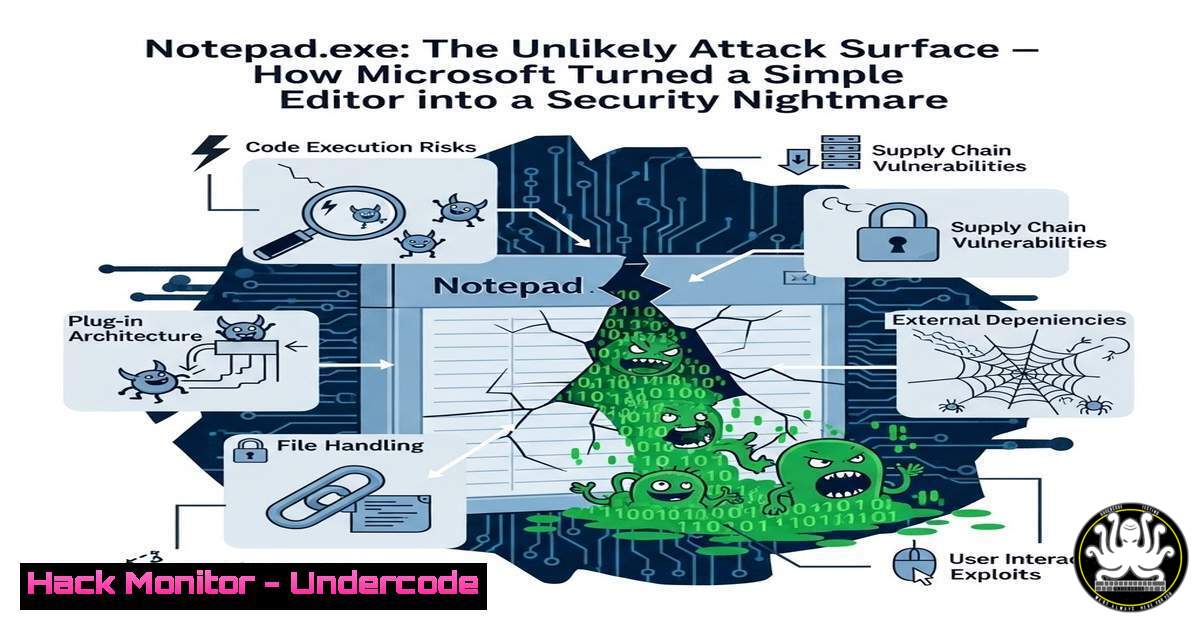
Once revered as the epitome of lightweight utility, Windows Notepad has quietly evolved into a network-connected, AI-integrated application that demands Microsoft account subscriptions. This feature creep has unwittingly expanded the attack surface of a tool trusted for offline simplicity, introducing exploitable vectors ranging from unauthorized data exfiltration to cloud API abuse. Understanding how to audit, harden, and—if necessary—remediate this bloat is now essential for security practitioners defending modern Windows endpoints.
Learning Objectives:
- Analyze Notepad.exe’s modern network behaviour using built-in Windows tools and third‑party packet analyzers.
- Identify and simulate exploitation techniques that leverage Notepad’s AI and subscription features.
- Implement enterprise‑grade mitigations through firewall policies, AppLocker, and registry hardening.
You Should Know
- Anatomy of the Bloat: How Notepad.exe Became a Network-Aware Application
Modern Notepad is no longer a simpleEDIT‑style clone; it embeds components that reach out to Microsoft services for grammar checking, text predictions, and license validation. To see this in action, use Process Monitor (ProcMon) and Wireshark side by side.
Step‑by‑step guide – Auditing Notepad’s network behaviour:
- Download ProcMon from Microsoft Sysinternals and run it as Administrator.
2. Set a filter: `Process Name` is `notepad.exe`.
- Launch Notepad and type any sentence containing a grammatical error.
- Observe `TCP Send` and `TCP Receive` operations in ProcMon.
- Simultaneously, in Wireshark, apply a display filter: `ip.addr == 13.107.246.0/24` (common Microsoft IP ranges) and
tls.handshake.type == 1. - Note the outbound TLS handshakes to `.events.data.microsoft.com` and
api.bing.com.
What this reveals: Every AI‑assisted edit sends telemetry and context to Microsoft servers—data that, if intercepted or manipulated, could lead to information disclosure or supply‑chain style watering‑hole attacks.
2. Exploiting the Overprivileged Editor: A Proof‑of‑Concept
An attacker with the ability to write files to a victim’s system can craft a seemingly benign `.txt` file that triggers Notepad’s network stack without any user interaction beyond opening the file.
Step‑by‑step guide – Simulating malicious text file behaviour:
1. Create a file named `payload.txt`.
- Insert a long string containing common phrases like “I am very happy today” – this triggers the sentiment‑analysis AI.
- Host the file on a SMB share or deliver via phishing.
- When the target opens the file, Notepad will immediately attempt to contact Microsoft’s AI endpoints.
- Use a tool like Responder on the attacker machine to capture NTLM hashes if the share forces authentication—or simply log the DNS queries.
Linux alternative (for cross‑environment testing):
sudo tcpdump -i eth0 host notepad-analytics.microsoft.com -w notepad_traffic.pcap
While Notepad is Windows‑specific, this command helps blue teams monitor for similar behaviour in WSL or emulated environments.
- Locking Down Notepad: Windows Firewall and AppLocker Hardening
Preventing Notepad from communicating externally is the most immediate mitigation. Two layers should be applied: network egress filtering and execution control.
Windows Firewall outbound rule (PowerShell):
New-NetFirewallRule -DisplayName "Block Notepad Outbound" -Direction Outbound -Program "%ProgramFiles%\WindowsApps\Microsoft.WindowsNotepad_" -Action Block
Note: Notepad may reside under WindowsApps for store versions; adjust the path if using classic Notepad (C:\Windows\System32\notepad.exe).
AppLocker rule (via Group Policy or local secpol.msc):
- Create an AppLocker executable rule that denies `%SYSTEM32%\notepad.exe` for all users except administrators who truly need it.
- For environments where Notepad is still required offline, deploy a custom portable editor (e.g., Notepad++ ) and blacklist the stock Notepad.
4. AI Integration Risks: The Unseen API Calls
Notepad’s “intelligent” features communicate with Azure Cognitive Services and Bing APIs. These RESTful calls often include snippets of the text being edited, potentially exposing sensitive data to third‑party logging.
Step‑by‑step guide – Monitoring API calls with Fiddler:
1. Configure Fiddler Classic to decrypt HTTPS traffic.
- Launch Notepad and enable “Grammar tools” from the menu.
- Write a sentence containing Personally Identifiable Information (e.g., “My passport number is 123456”).
- Inspect Fiddler’s Web Sessions pane for POST requests to `https://api.bing.com/…/spellcheck`.
- Examine the raw JSON payload—note that entire sentences are transmitted verbatim.
API security implication: If an attacker performs a machine‑in‑the‑middle attack on a compromised network (e.g., using BetterCAP), they could harvest these plaintext API calls, bypassing traditional DLP.
5. Cloud Subscription Leaks: Extracting Credentials from Memory
Users who have linked their Microsoft account to access Notepad’s “premium” AI features may inadvertently leave authentication tokens in memory.
Step‑by‑step guide – Dumping Notepad’s memory for tokens (Windows):
1. Open Notepad and sign in when prompted.
- Use Process Hacker or WinDbg to attach to the running
notepad.exe. - Dump the process memory:
procdump -ma notepad.exe notepad.dmp.
4. Analyse the dump with strings:
strings notepad.dmp | findstr /i "access_token eyJ"
5. JWT tokens (starting with eyJ) often appear in the dump and can be replayed if not properly scoped.
Mitigation: Enforce Windows Defender Application Guard for Office and Notepad, isolating the process from credential managers.
6. Cross‑Platform Parallels: When Simplicity Gets Complicated
Linux users are not immune. GNOME’s gedit with enabled plugins can load external spell‑check dictionaries and even send telemetry via libsocialweb. Even nano can be compiled with `libcurl` support for “collaborative editing.”
Auditing gedit on Ubuntu:
 List enabled plugins
gsettings get org.gnome.gedit.plugins active-plugins
 Disable problematic plugins
gsettings set org.gnome.gedit.plugins active-plugins "['spellcheck', 'filebrowser']"
 Monitor network calls
sudo strace -e network gedit ~/test.txt 2>&1 | grep connect
Takeaway: Any application—no matter how humble—can become a threat when maintainers add “smart” features without a security‑by‑design review.
7. Mitigation Strategies: Group Policy and Registry Tweaks
For enterprise administrators, the fastest way to revert Notepad to its offline state is through registry policies that disable the AI and connectivity subsystems.
Registry modifications (deploy via Group Policy Preferences):
[HKEY_CURRENT_USER\Software\Microsoft\Notepad]
"EnableAITools"=dword:00000000
"EnableNetworkAccess"=dword:00000000
"DisableGrammarCheck"=dword:00000001

[HKEY_LOCAL_MACHINE\SOFTWARE\Policies\Microsoft\Windows\Notepad]
"AllowCloudFeatures"=dword:00000000
These keys are not all documented; testing on a non‑production machine is mandatory. After applying, restart Notepad—the “Grammarly‑like” suggestions and login prompts should vanish.
What Undercode Say
Key Takeaway 1:
Feature bloat is a security liability. Microsoft’s transformation of Notepad from a trusted, isolated utility into a connected application demonstrates how even “safe” executables can become stealthy exfiltration channels. Security teams must treat all software—including legacy system tools—as potentially hostile.
Key Takeaway 2:
Visibility is the first casualty of modernization. Without proper network monitoring (e.g., Windows Firewall logging, TLS inspection), organizations remain blind to Notepad’s daily chatter with Microsoft’s telemetry endpoints. This blind spot can be leveraged by attackers to bypass traditional DLP controls.
Analysis:
The Notepad case is emblematic of a larger industry trend: vendors are retrofitting cloud and AI capabilities into decades‑old local applications to justify subscription models. While convenient, this practice violates the principle of least functionality. Defenders must shift left—auditing every “minor” update as they would a major deployment. The solution is not to abandon Notepad, but to containerise it, restrict its network permissions, and, where possible, replace it with audited open‑source alternatives that remain offline by design. This incident should also prompt a re‑evaluation of how Windows “features” are installed by default—many users never consented to a network‑enabled text editor.
Prediction
Within the next 12–18 months, we will likely see the first documented supply‑chain attack leveraging Notepad’s AI features. Attackers will poison public code repositories with `.txt` files designed to trigger specific Microsoft AI endpoints, thereby fingerprinting victims or delivering payloads via corrupted AI model updates. Additionally, regulatory bodies (e.g., EU) may investigate Microsoft’s telemetry collection from basic system apps under GDPR 5(1)(c)—data minimisation. Enterprises will increasingly adopt application allow‑listing as a direct response to this erosion of trust in built‑in Windows utilities.
▶️ Related Video (74% Match):
🎯Let’s Practice For Free:
IT/Security Reporter URL:
Reported By: Parthmp Notepadexe – Hackers Feeds
Extra Hub: Undercode MoN
Basic Verification: Pass ✅


