Listen to this Post
Introduction:
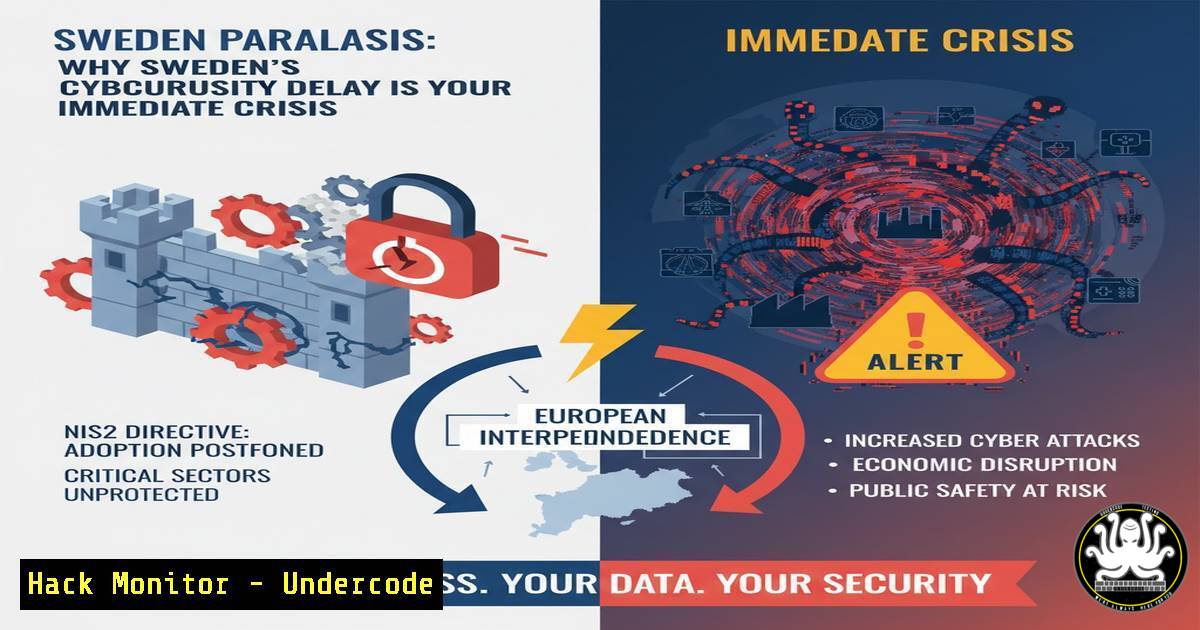
The recent Cybersäkerhetskonferensen 2025 revealed a stark reality: Sweden’s implementation of the critical NIS2 directive is critically behind schedule. This regulatory paralysis, combined with a fundamental gap in applying cybersecurity best practices, creates a vulnerable environment where attackers operate with increasing speed and sophistication. The urgent call from Ukrainian experts to “think resilience instead of just security” underscores the existential threat facing unprepared organizations.
Learning Objectives:
- Understand the practical, immediate security controls that mitigate risk in the absence of formal regulation.
- Master key commands for hardening systems, detecting threats, and enforcing access controls.
- Develop a mindset of proactive resilience by addressing the “low-hanging fruit” that attackers exploit daily.
You Should Know:
1. Enforcing Multi-Factor Authentication (MFA) Everywhere
Verified Command: Azure AD / Microsoft Entra ID (PowerShell)
 Get all users without MFA registered
Get-MgUser -All | Where-Object {$_.StrongAuthenticationMethods -eq $null} | Select-Object DisplayName, UserPrincipalName

Enable security defaults which enforces MFA for all users (Cloud-based)
Get-MgPolicyIdentitySecurityDefaultEnforcementPolicy -Property "IsEnabled" | Update-MgPolicyIdentitySecurityDefaultEnforcementPolicy -IsEnabled $true
Step-by-step guide:
This PowerShell script (using the Microsoft Graph PowerShell module) first identifies all users who have not registered any MFA methods, highlighting your weakest links. The second command enables ‘Security Defaults,’ a Microsoft policy that mandates MFA for all users, protecting against credential-based attacks. To use it, connect to your tenant with Connect-MgGraph -Scopes "Policy.ReadWrite.IdentitySecurityDefaultsEnforcement", then run the queries.
2. Patching Faster: Automating Vulnerability Management
Verified Command: Linux (Ubuntu/Debian)
 Check for available security updates only
sudo apt list --upgradable | grep -i security

Perform an unattended upgrade for security packages only
sudo unattended-upgrade --dry-run

Schedule automatic security updates (cron job)
echo '0 2    /usr/bin/unattended-upgrade -v' | sudo tee -a /etc/cron.d/auto-security-updates
Step-by-step guide:
The first command lists only upgradable packages related to security, allowing for targeted patching. The `unattended-upgrade` tool is the workhorse for automating this process; always use `–dry-run` first to preview changes. Finally, adding a cron job ensures this process runs daily at 2 AM, drastically reducing the Time-to-Exploit (TTE) window for known vulnerabilities.
3. Removing Unused Accounts and Stale Admin Rights
Verified Command: Windows (Command Line)
 Query for inactive users (e.g., last logon > 90 days)
net user | findstr /C:"User name" > users.txt
for /f "tokens=1" %i in (users.txt) do dsquery user -name %i | dsget user -dn | dsquery  -attr lastlogon -filter "(objectcategory=user)"

Check local administrators
net localgroup administrators

Remove a user from the local administrators group
net localgroup administrators "DOMAIN\username" /delete
Step-by-step guide:
Lateral movement often relies on stale, over-privileged accounts. This series of commands helps you audit your environment. Start by generating a list of all users and then querying their last logon timestamp to identify inactive accounts. The `net localgroup administrators` command reveals who has elevated rights, a key target for attackers. Use the delete command judiciously to enforce the principle of least privilege.
- Training Users to Spot Phishing with Technical Controls
Verified Command: Email Security (DMARC Record Check)
 Check a domain's DMARC policy to see if it protects against spoofing
dig +short TXT "_dmarc.example.com"

Example output for a rejecting policy:
"v=DMARC1; p=reject; rua=mailto:[email protected]"
Step-by-step guide:
DMARC is a critical email authentication protocol that prevents domain spoofing, a common phishing technique. Using the `dig` command, you can query a domain’s DMARC record. A strong policy will include `p=reject` or p=quarantine. Implementing this for your own domain and understanding it for others is a foundational step in reducing the effectiveness of phishing campaigns.
5. Hiding OT/ICS Critical Control Systems
Verified Command: Network Segmentation (Firewall Rule – iptables)
 Drop all incoming traffic to a critical OT network segment on port 102 (S7 Comm)
sudo iptables -A INPUT -p tcp --dport 102 -s ! 10.0.1.0/24 -j DROP -m comment --comment "Isolate S7 Network"

Block ICMP (ping) requests to make systems less discoverable
sudo iptables -A INPUT -p icmp --icmp-type echo-request -j DROP

List all current iptables rules to verify
sudo iptables -L -v -n
Step-by-step guide:
Operational Technology (OT) systems are often “invisible” on corporate networks, making them easy targets. These `iptables` commands build a basic defensive wall. The first rule only allows S7 communications (used by Siemens PLCs) from a specific, trusted management network (10.0.1.0/24), blocking all other external access. The second rule makes the system less discoverable by network scanners. Always list your rules to verify their configuration.
6. Proactive Threat Hunting with Network Monitoring
Verified Command: Packet Capture & Analysis (tcpdump)
 Capture traffic on port 445 (SMB) to look for lateral movement attempts
sudo tcpdump -i eth0 -w smb_traffic.pcap port 445

Analyze the capture for specific SMB commands (e.g., admin share access)
tshark -r smb_traffic.pcap -Y "smb2.cmd == 3 || smb2.cmd == 5" -T fields -e ip.src -e ip.dst
Step-by-step guide:
Assuming an attacker is already inside, you need to find them. `tcpdump` is a powerful tool for capturing raw network traffic. Here, we capture all SMB traffic, which is commonly used for lateral movement. The follow-up command uses `tshark` (from Wireshark) to filter the capture file for specific SMB commands related to file and directory access, helping you identify potentially malicious internal connections.
7. Implementing Application Allow-Listing
Verified Command: Windows (AppLocker PowerShell)
 Get the current AppLocker policy
Get-AppLockerPolicy -Effective | Test-AppLockerPolicy -UserName "DOMAIN\User" -Path "C:\temp\malware.exe"

Create a default deny-all rule for scripts
New-AppLockerPolicy -RuleType Script -User Everyone -Action Deny -Xml | Set-AppLockerPolicy -Merge
Step-by-step guide:
Application allow-listing is a powerful mitigation against unauthorized software, including malware. The first command tests whether a specific file path would be allowed under the current policy for a given user, which is crucial for testing and troubleshooting. The second command creates a new policy that, by default, denies all scripts for everyone. This forces you to then create explicit “allow” rules for approved business applications, creating a default-deny posture.
What Undercode Say:
- Regulatory Lag Creates a False Sense of Security. The delay in NIS2 is not a reprieve; it’s a danger. It allows organizations to defer critical investments in security fundamentals, making them soft targets in a landscape where attackers are not waiting for legislation.
- The Mindset Gap is the Real Vulnerability. The most significant takeaway is the cultural difference highlighted by the Ukrainian delegation. Viewing cybersecurity as a mere “cost” or “inconvenience” is a strategic failure. It must be reframed as a non-negotiable component of operational integrity and survival.
The analysis from the conference points to a systemic failure to operationalize known best practices. The focus on “picking low-hanging fruit” isn’t about simplicity; it’s about addressing the attack vectors that are most frequently and successfully exploited. The technical commands and controls outlined here are not futuristic ideals—they are immediate, actionable steps that can be implemented today to build the resilience that regulations like NIS2 will eventually mandate. Waiting for the law to force your hand is a gamble with existential stakes.
Prediction:
The continued delay in enforcing NIS2, combined with the rapidly shrinking Time-to-Exploit (TTE) for new vulnerabilities, will lead to a significant, high-impact cyber incident affecting Swedish critical infrastructure or a major corporation within the next 12-18 months. This event will not be due to a novel, sophisticated “zero-day” attack, but rather the exploitation of unpatched systems, weak authentication, and poor internal network segmentation—the very “low-hanging fruit” highlighted at the conference. This incident will serve as the brutal catalyst that finally forces the rapid and potentially chaotic implementation of the cybersecurity law, but at a much higher cost than if proactive measures were taken today.
🎯Let’s Practice For Free:
IT/Security Reporter URL:
Reported By: Tvasen This – Hackers Feeds
Extra Hub: Undercode MoN
Basic Verification: Pass ✅


