
Listen to this Post
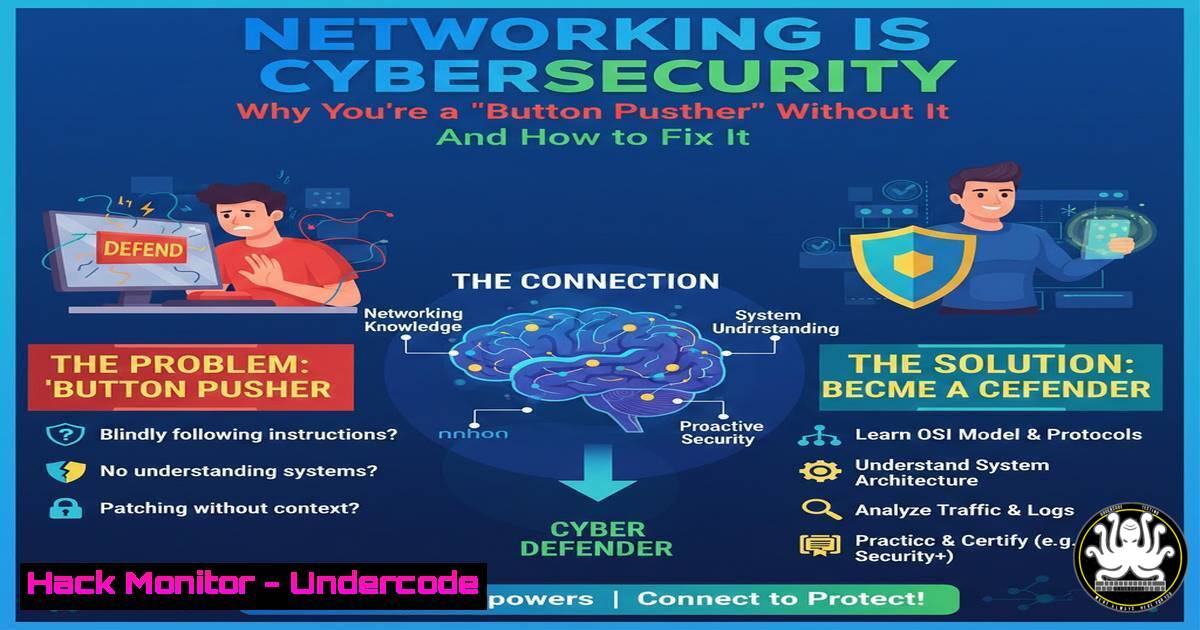
Introduction:
In cybersecurity, every alert, investigation, and attack fundamentally traverses the network. Without a deep understanding of networking protocols, architecture, and traffic analysis, security professionals operate tools blindly, interpreting symptoms without diagnosing the root cause. This article deconstructs the non-negotiable networking pillars that transform a tool operator into a competent SOC analyst, threat hunter, or incident responder.
Learning Objectives:
- Decode how core networking models and protocols (TCP/IP, DNS, HTTP/S) form the backbone of every cyber attack and defense.
- Apply practical packet analysis and command-line techniques to investigate common security events.
- Architect defensive visibility by understanding critical network infrastructure like firewalls, NAT, and routing.
You Should Know:
- The OSI & TCP/IP Models: Your Investigation Map
Every security event can be mapped to a network layer, telling you where to look and what to look for. Blindly querying a SIEM without this map is inefficient guesswork.
Step‑by‑step guide:
- Identify the Alert Type: A phishing email (Layer 7 – SMTP/HTTP). An intrusion detection alert for “ARP spoofing” (Layer 2 – Data Link). A “port scan” alert (Layer 4 – Transport).
- Correlate Tools to Layers: Your EDR may show a process (Layers 5-7), but the network connection (Layer 3-4) reveals the remote IP. A firewall log (Layers 3-4) shows blocked attempts, but a web application firewall (WAF) log (Layer 7) shows the malicious HTTP payload.
3. Linux/Windows Commands for Layer Discovery:
Layer 3 (Network): Use `ping` (ICMP) to check host reachability. Use `traceroute` (Linux) / `tracert` (Windows) to map the route.
Layer 4 (Transport): Use `netstat -antp` (Linux) or `Get-NetTCPConnection` (Windows PowerShell) to see active TCP/UDP connections and owning processes.
Layer 7 (Application): Use `curl -v
` to inspect detailed HTTP headers and TLS handshake (Application Layer).

<h2 style="color: yellow;">2. TCP vs. UDP: Understanding Attack Behavior</h2>

The protocol dictates the attack method. TCP's stateful, connection-oriented nature is abused for stealthy scanning and session hijacking. UDP's stateless, fast nature is exploited for amplification and flooding attacks.

<h2 style="color: yellow;">Step‑by‑step guide:</h2>

<ol>
<li>Analyze a TCP-Based Attack (e.g., SYN Flood): In Wireshark, filter with <code>tcp.flags.syn==1 and tcp.flags.ack==0</code>. You'll see a high volume of SYN packets from one source to a single port without the completing ACK, indicating a DoS attempt.</li>
<li>Analyze a UDP-Based Attack (e.g., DNS Amplification): Filter with <code>dns</code>. Look for large DNS response packets (e.g., TXT records) from open resolvers to a victim IP, where the source port is 53 but the source IP is spoofed.</li>
</ol>

<h2 style="color: yellow;">3. Command-Line Detection:</h2>

On a Linux server, use `ss -tun4 state syn-recv` to see half-open TCP connections (potential SYN flood).
 Use `netstat -n -p udp | findstr /C:"53"` on Windows to monitor unexpected DNS traffic.

<h2 style="color: yellow;">3. DNS: The Most Abused Protocol</h2>

From phishing to command-and-control (C2), malware lives and breathes DNS. Understanding its mechanics is key to threat hunting.

<h2 style="color: yellow;">Step‑by‑step guide:</h2>

<ol>
<li>Spot C2 DNS Tunneling: Look for DNS queries with abnormally long subdomains (e.g., <code>zvx8s9dk3j.data.attacker.com</code>), high query frequency to newly registered domains, or requests for TXT/AAAA records where A records are typical.</li>
<li>Investigate Phishing Domains: Use `nslookup` or `dig` to examine domain records.
[bash]
dig A phishing-domain.com
dig MX phishing-domain.com  Often used for phishing email infrastructure
whois phishing-domain.com  Check recent creation date.
4. Packet Analysis: The Ultimate Truth
Packets don’t lie. Mastering packet analysis with tools like Wireshark or `tcpdump` moves you from inference to fact.
Step‑by‑step guide:
- Capture Suspicious Traffic: On a Linux system, use `tcpdump -i eth0 -w investigation.pcap` to capture raw packets to a file.
- Analyze a TCP Handshake: Open the PCAP in Wireshark. Filter for a specific stream (
tcp.stream eq <number>). A legitimate handshake is SYN > SYN-ACK > ACK. Missing ACKs or resets indicate scanning or failed connections. - Extract a Malicious Payload: Follow an HTTP stream (Right-click > Follow > HTTP Stream) to see the raw HTTP request/response, revealing exploit code or exfiltrated data.
-
NAT, Routing & Firewalls: Mapping “Who Talked to Whom”
Security is about trajectory. Understanding how NAT and routing alter packet headers is critical for tracing an attack back to its true source or forward to its internal destination.
Step‑by‑step guide:
- Decipher NAT in Logs: A firewall log entry showing an internal IP `192.168.1.100` accessing the internet as `203.0.113.5` is Source NAT. Your investigation must start from the internal IP.
- Understand East-West vs. North-South: North-South traffic (in/out of your network) is guarded by perimeter firewalls. East-West traffic (between internal servers) is where lateral movement occurs and requires internal segmentation firewalls and host-based logging.
-
Craft a Diagnostic Firewall Rule: To log specific lateral movement attempts (e.g., SMB), create a temporary logging rule on an internal firewall or via Windows Firewall with Advanced Security to record connections on port 445 between internal subnets.
-
IP Addressing & Subnetting: The SOC Analyst’s Daily Grammar
Misreading an IP address can send an investigation spiraling in the wrong direction. Knowing that `10.0.2.15` is a private RFC1918 address, while `8.8.8.8` is a public Google DNS server, provides immediate context.
Step‑by‑step guide:
- Triage an Alert: An alert shows communication to
172.16.254.1. Immediately recognize this as a private IP (range172.16.0.0/12). Is the source host also internal? If yes, this is east-west traffic. If the source is external, this is a major red flag (possible NAT bypass). -
Use `ipconfig` / `ifconfig` &
route: On an endpoint, determine its own network context.Windows ipconfig /all route print Linux ip addr show ip route show
- Calculate Subnets: To understand if two IPs are on the same network segment, you must know the subnet mask. Hosts on the same subnet can communicate directly (Layer 2); others require a router (Layer 3).
What Undercode Say:
- Key Takeaway 1: Networking proficiency is the primary differentiator between a tactical tool operator and a strategic security analyst. Tools output data; networking knowledge provides the context to interpret it into intelligence.
- Key Takeaway 2: Depth in specific, high-abuse protocols like DNS and HTTP provides disproportionately high investigative returns compared to a superficial grasp of dozens of security tools.
The post’s “hard truth” is validated daily in security operations centers. Analysts who can fluidly move from a SIEM alert to a packet capture, correctly interpret NAT in a firewall log, and spot anomalous DNS behavior are the ones who consistently close complex investigations. This foundational knowledge remains constant even as tool interfaces and vendor platforms change.
Prediction:
As cloud adoption and encrypted traffic (TLS 1.3) become ubiquitous, the network layer will become both more critical and more challenging to observe. Security analysis will increasingly rely on a hybrid model: combining rich endpoint telemetry (EDR/XDR) with strategic network metadata (IPs, protocols, ports, DNS, JA3/S hashes) and selective, decrypted packet capture. Professionals who have built a solid networking base will be uniquely positioned to design and operate this next-generation visibility stack, while those reliant solely on GUI-based tools will find their ability to investigate meaningfully eroded. The demand for packet-level forensic skills will surge in response to sophisticated, evasive attacks that only manifest in subtle network anomalies.
▶️ Related Video (78% Match):
🎯Let’s Practice For Free:
IT/Security Reporter URL:
Reported By: Shaikhazaruddin Cybersecurity – Hackers Feeds
Extra Hub: Undercode MoN
Basic Verification: Pass ✅


