Listen to this Post
Introduction:
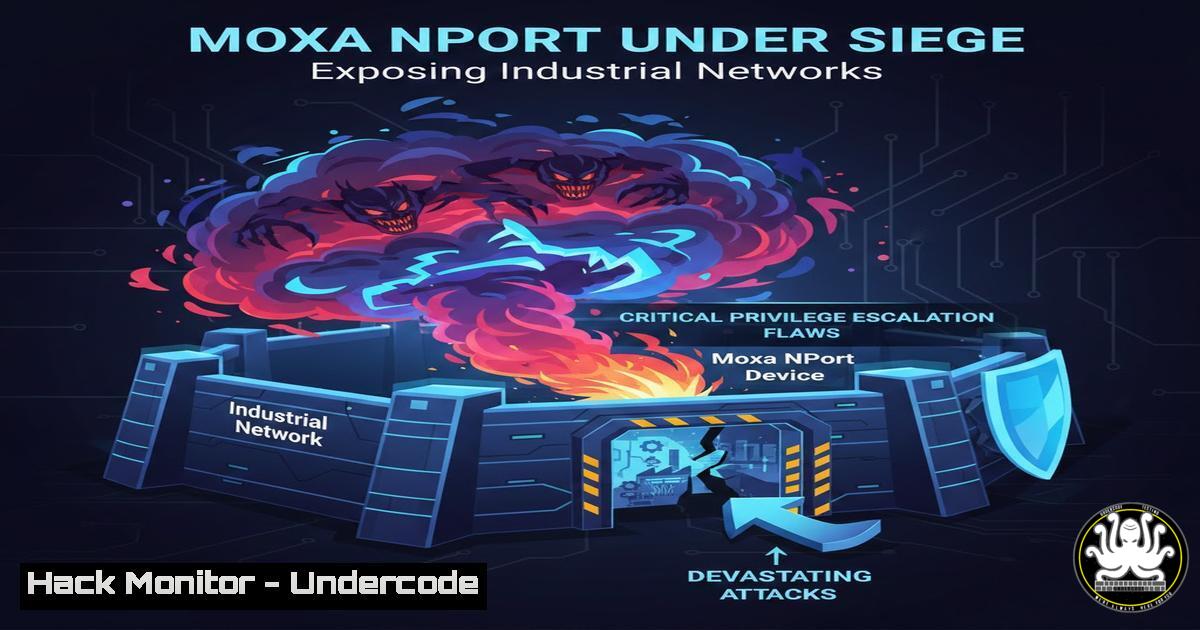
Multiple critical vulnerabilities have been discovered in Moxa NPort device servers, gateways crucial for connecting industrial equipment to networks. These flaws, including privilege escalation and remote denial-of-service, provide attackers with a direct path to compromise Operational Technology (OT) environments, risking data integrity, confidentiality, and system availability.
Learning Objectives:
- Understand the specific risks posed by the privilege escalation and remote code execution vulnerabilities in Moxa NPort 5000 and 6100 series.
- Learn practical steps to identify affected systems, apply mitigation patches, and implement network hardening measures.
- Gain insights into securing industrial control system (ICS) and OT network perimeters against similar embedded device threats.
You Should Know:
1. The Attack Surface: Understanding the Affected Systems
The vulnerabilities strike at the heart of industrial networking. The affected devices are:
NPort 5000 Series: All versions, but only if physical access protection is lacking. This critical detail highlights that an on-site attacker can exploit these flaws.
NPort 6100 Series: Firmware versions earlier than v1.1.0.
Step‑by‑step guide to inventory and identify vulnerable devices:
Step 1: Network Discovery. Use a network scanner to find all Moxa devices on your OT and IT networks. On a Linux administrative station, a targeted Nmap scan can help:
sudo nmap -p 23,80,161,4800 -O 192.168.1.0/24 | grep -B5 -A5 "Moxa"
This command scans common industrial device ports (Telnet, HTTP, SNMP, Moxa’s Realport) on the `192.168.1.0/24` subnet and filters for Moxa banners.
Step 2: Firmware Verification. Log into the web interface of each identified NPort device (typically via HTTP). Navigate to the “System” or “About” page to check the exact model and firmware version. Cross-reference this list with the affected models and versions listed above.
Step 3: Physical Audit. For NPort 5000 series devices, document their physical location and assess if they are housed in locked cabinets or controlled areas to evaluate the “lack of physical access protection” risk factor.
- Exploiting the Flaws: How Attackers Gain a Foothold
While full technical details are often withheld, the described risks—privilege escalation, remote DoS, and data compromise—typically stem from flaws in web management interfaces, serial protocol handling, or underlying OS services. An attacker, especially with physical access to a 5000 series unit, could:
Intercept or manipulate data flowing through the serial-to-network gateway.
Crash the device, causing a denial-of-service to connected machinery.
Upload malicious firmware or execute code to move laterally into the broader OT network.
Step‑by‑step guide for security testing (Authorized Environments Only):
Step 1: Service Enumeration. Probe the device to identify all running services and their versions.
nmap -sV -sC -p- <TARGET_IP>
Step 2: Credential Testing. If a Telnet or HTTP admin interface is exposed, test for default or weak credentials. Never use default passwords in production.
Step 3: Traffic Analysis. Use a tool like Wireshark to monitor traffic to and from the NPort, looking for unencrypted data transmission of serial data, which is common in these protocols.
3. Primary Mitigation: The Critical Firmware Update
Moxa has released firmware updates to address these vulnerabilities. Applying them is the most effective control.
Step‑by‑step guide for applying firmware updates:
Step 1: Download the Correct Firmware. Visit the official Moxa support website. Navigate to the page for your specific NPort model (e.g., NPort 5100A, NPort 6150) and download the latest firmware file. Ensure it is version v1.1.0 or later for the 6100 series.
Step 2: Backup Configuration. Before updating, log into the device’s web interface and navigate to “Maintenance” -> “Configuration” -> “Backup.” Save the current configuration file to your local machine.
Step 3: Perform the Update. In the web interface, go to “Maintenance” -> “Firmware Upgrade.” Upload the downloaded `.bin` or `.img` file and start the upgrade process. The device will reboot. Do not power it off during this process.
Step 4: Restore and Verify. After the reboot, log back in, restore your configuration backup, and verify in the “About” section that the new firmware version is active and all settings are correct.
4. Network Hardening: Isolating and Protecting NPort Devices
Firmware alone is not enough. Defense-in-depth is required for critical infrastructure assets.
Step‑by‑step guide for network segmentation:
Step 1: Implement VLAN Segmentation. Place all NPort devices and their connected controllers (PLCs, RTUs) on a dedicated OT VLAN. Use a firewall (like pfSense or an industrial next-gen firewall) to control traffic between this OT VLAN and the corporate IT network.
Step 2: Configure Strict Firewall Rules. On the firewall governing access to the OT VLAN, implement whitelist rules. For example, only allow specific engineering workstations (by IP) to access the NPort web interface (TCP/80,443) and block all other internal and external access. Block all unnecessary ports like Telnet (TCP/23) if not used.
Step 3: Disable Unnecessary Services. Within each NPort’s web interface, disable any network services that are not required for operation (e.g., HTTP if using HTTPS, SNMP if not monitored).
5. Compensating Controls: When Immediate Patching Isn’t Possible
For systems in a critical production loop that cannot be taken offline immediately, implement temporary compensating controls.
Step‑by‑step guide for implementing compensating controls:
Step 1: Enforce Physical Security. This is mandatory for the NPort 5000 series. Ensure every device is in a locked cabinet or controlled room with access logging. This directly mitigates the noted physical access requirement for exploitation.
Step 2: Implement Access Control Lists (ACLs). If your network switches support it, configure ACLs to restrict management access to the NPorts’ IP addresses only from a designated jump host or management subnet.
 Example on a Cisco-style switch (conceptual)
access-list 101 permit tcp host 10.0.10.5 host 192.168.10.100 eq 80
access-list 101 deny tcp any host 192.168.10.100 eq 80
access-list 101 permit ip any any
interface GigabitEthernet1/0/1
ip access-group 101 in
Step 3: Increase Monitoring and Logging. Configure a syslog server (e.g., Graylog, Splunk) and redirect all logs from the NPort devices to it. Set up alerts for any authentication attempts, configuration changes, or device reboots.
What Undercode Say:
- OT Infrastructure is a Lucrative and Vulnerable Target. This Moxa disclosure is not an isolated incident but part of a relentless trend targeting the soft underbelly of industrial operations. Attackers are shifting focus from pure IT to OT because a successful breach can cause physical disruption and high-value extortion.
- The Physical-Digital Link is Critical. The explicit note that the NPort 5000 series flaw requires “lack of physical access protection” is a stark reminder. In OT security, physical security is not a separate domain; it is the first and most crucial layer of cyber defense. A locked door is a powerful firewall.
Analysis:
The Moxa NPort vulnerabilities expose a fundamental tension in industrial environments: the need for remote connectivity and data collection versus the imperative to protect legacy, fragile control systems. These devices often have long lifecycles (10-20 years) and are embedded deep within operational processes, making patching cycles slow and risky. The presence of privilege escalation and remote DoS flaws suggests underlying code quality issues common in embedded systems, where security has historically been an afterthought. This incident should force asset owners to re-evaluate not just single devices, but the architecture of their entire OT network, moving aggressively from flat, trusted networks to segmented, monitored, and zero-trust-inspired designs. The cost of proactive segmentation and hardening is invariably lower than the cost of responding to a compromise that halts production.
Prediction:
In the next 12-24 months, we will see a significant rise in automated botnets and ransomware payloads specifically designed to scan for and exploit vulnerabilities in embedded OT devices like protocol gateways, serial servers, and old PLCs. The success of attacks on MSP tools and network edge devices will be replicated against the industrial edge. This will lead to more “bricking” attacks (using DoS flaws to permanently disable devices) as a form of sabotage or to increase extortion pressure. Consequently, insurance providers will dramatically tighten requirements for OT security, mandating comprehensive asset inventories, network segmentation proofs, and verified patch management programs for industrial firmware as a precondition for coverage.
▶️ Related Video (80% Match):
🎯Let’s Practice For Free:
IT/Security Reporter URL:
Reported By: Africacybermag %C3%A9l%C3%A9vation – Hackers Feeds
Extra Hub: Undercode MoN
Basic Verification: Pass ✅


