Listen to this Post
Introduction:
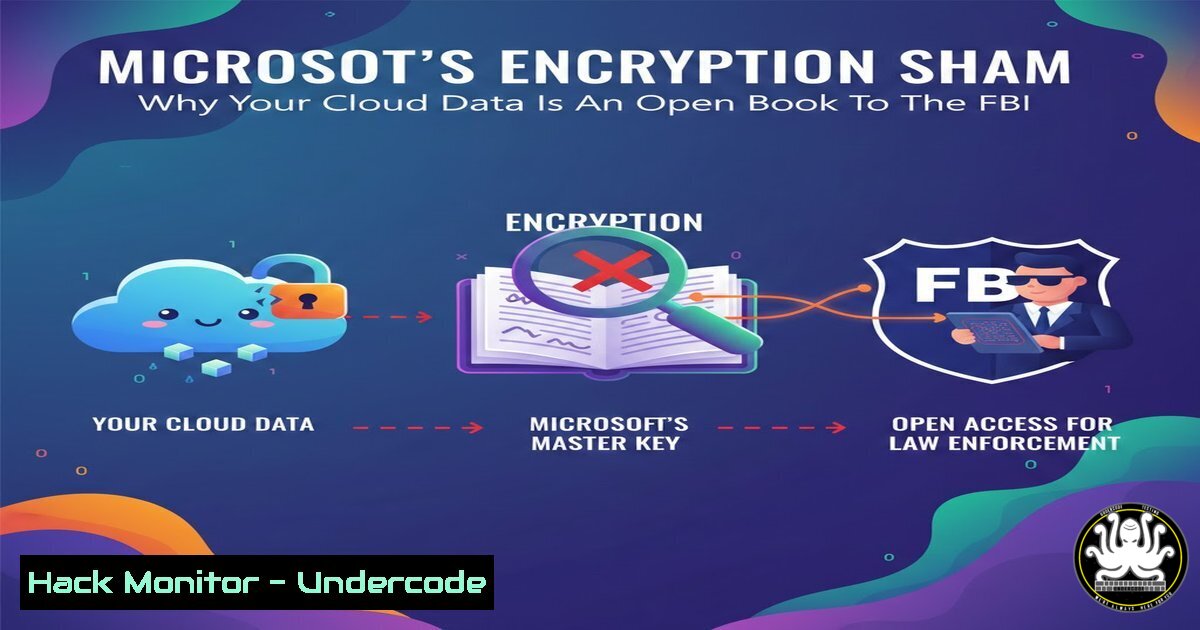
The recent revelation that Microsoft has been quietly providing encryption keys to the FBI underscores a fundamental flaw in the public cloud model: encryption is not a silver bullet if you do not exclusively control the keys. This practice, rooted in the conflict between data privacy and law enforcement, highlights that “encrypted” data in transit or at rest is meaningless if the service provider retains the ability to decrypt it. This article dissects the technical realities of cloud encryption, demonstrating how provider-held keys render privacy moot and what you can do to truly secure your data.
Learning Objectives:
- Understand the architectural distinction between “encryption at rest” and end-to-end encryption, and why provider-held keys create a single point of failure.
- Analyze the legal and technical mechanisms (like warrants) that compel cloud providers to hand over decryption keys or plaintext data.
- Implement practical, open-source tools and configurations to ensure that encryption keys remain exclusively within your organization’s control.
You Should Know:
- The Technical Breakdown: How Microsoft Handed Over the Keys
When law enforcement serves a warrant to a cloud provider like Microsoft, they aren’t just asking for a hard drive. They are demanding data in a readable format. Since Microsoft 365 and Azure use “Customer Key” and “Service Encryption,” Microsoft technically holds the root keys or has the ability to access the key storage infrastructure. This is often facilitated by the Key Vault service, which, while secure against external hackers, is still accessible to privileged administrators under legal compulsion.
Step‑by‑step guide to understanding the data flow and seizure:
– Step 1: The Warrant. The FBI serves a warrant under the Electronic Communications Privacy Act (ECPA) or similar legislation.
– Step 2: The Compliance Team. Microsoft’s legal team reviews the warrant. If valid, they authorize the engineering team to retrieve the data.
– Step 3: Key Retrieval. The data is encrypted. To access it, Microsoft uses its privileged access to the Key Vault or Hardware Security Modules (HSMs) to decrypt the data.
– Step 4: The Handover. The plaintext data is extracted and handed over to the authorities.
2. Simulating the “Key Handover” Risk with OpenSSL
To understand the gravity, imagine a cloud storage server where you store an encrypted file, but the server also holds the key. If someone seizes the server, they have both the lock and the key. This demonstrates the flaw in “transparent” encryption.
Step‑by‑step guide to simulating this vulnerability on Linux:
- Step 1: Create a sensitive file.
`echo “This is the CEO’s secret merger plan.” > secret_plan.txt`
– Step 2: Simulate the Cloud Provider’s Key Generation.
`openssl rand -base64 128 > cloud_provider_key.key`
- Step 3: Encrypt the file using the provider’s key (simulating a cloud backup).
`openssl enc -aes-256-cbc -salt -in secret_plan.txt -out secret_plan.enc -pass file:./cloud_provider_key.key`
– Step 4: The “Warrant” Scenario. The provider has the key, so they can decrypt it at any time.
`openssl enc -d -aes-256-cbc -in secret_plan.enc -out recovered_plan.txt -pass file:./cloud_provider_key.key`
– Analysis: The provider never needed your permission at the time of decryption because they held the key. This is the model used by most public clouds.
- How to Truly Own Your Keys: Client-Side Encryption with age
The solution is “client-side encryption,” where data is encrypted on your device before it ever hits the cloud. The tool `age` is a modern, simple file encryption tool.
Step‑by‑step guide to implementing true end-to-end encryption on Linux:
– Step 1: Install age.
`sudo apt install age` (on Debian/Ubuntu)
- Step 2: Generate your private key (NEVER upload this to the cloud).
`age-keygen -o key.txt`
- Step 3: Extract the public key.
`cat key.txt | grep -o “age1.” > public_key.txt`
- Step 4: Encrypt your file locally.
`age -r age1ql3z7h… -o quarterly_report.age quarterly_report.pdf` (use your actual public key) - Step 5: Upload the `.age` file to the cloud (Microsoft, Google, AWS).
- Result: Even if Microsoft receives a warrant, they only have the encrypted `.age` file. Without your private key (key.txt), the data remains gibberish.
- Windows Environment: Using BitLocker and Encrypting File System (EFS) Correctly
On Windows, many users assume that if they save a file to OneDrive, and BitLocker is on, they are safe. However, if the device is online and the user is logged in, the OS holds the keys in memory, making them available to the cloud sync client.
Step‑by‑step guide to securing data before cloud upload on Windows:
– Step 1: Create a VeraCrypt Container. Install VeraCrypt.
– Step 2: Create a Volume. Create a standard VeraCrypt volume on your local hard drive (e.g., C:\SecureVault.hc). Set a strong password.
– Step 3: Mount the Volume. Mount it to a drive letter (e.g., Z:). Work on sensitive files here.
– Step 4: Dismount. When done, dismount the volume. The data is now an encrypted blob.
– Step 5: Upload the Blob. Upload `C:\SecureVault.hc` to OneDrive or SharePoint. The cloud provider sees only the encrypted container, not the files inside.
- API Security: The Risk of Key Exposure in Microsoft Graph
The article’s sentiment (“connected = hacked”) applies heavily to API keys. Microsoft Graph API keys are often stored in app configurations or source code, granting access to vast amounts of organizational data. If the FBI compels Microsoft, they can potentially access data via these APIs, but more dangerously, if a developer accidentally exposes a token, attackers have the same access.
Step‑by‑step guide to auditing API key exposure:
- Step 1: Check for hardcoded secrets in code (Linux/Windows).
Use `grep` or `findstr` to scan for common patterns.
Linux: `grep -r “client_secret” /path/to/project`
Windows: `findstr /s /i “client_secret” C:\Projects\`
- Step 2: Rotate Compromised Keys.
In Azure Active Directory > App Registrations, immediately rotate any exposed client secrets. - Step 3: Use Managed Identities. Instead of storing keys, use Azure Managed Identities, which eliminate the need for developers to handle credentials, thus removing the key from the provider’s “handover” list entirely.
- Cloud Hardening: Implementing a “Bring Your Own Key” (BYOK) Strategy
For enterprises that must use cloud services like Azure or AWS, BYOK allows you to generate keys in your own on-premises HSM and transfer them to the cloud’s HSM. While this is better than default encryption, it is not a panacea. The key is stored in the cloud HSM, and a legal order could compel you or the cloud provider to use it.
Step‑by‑step guide to conceptualizing BYOK (Azure):
- Step 1: Generate Key On-Prem. Generate a key using a certified on-premises HSM.
- Step 2: Wrap the Key. Use the Azure Key Vault BYOK toolset to wrap your key in a “key exchange key” (KEK) provided by Microsoft.
- Step 3: Transfer. Securely transfer the wrapped key to Azure Key Vault.
- Step 4: Usage. Azure uses your key to wrap its own data encryption keys. However, Microsoft still has access to the encrypted data and the encrypted version of your key.
- Critical Note: While this protects against a hacker stealing the key from the cloud, it does not protect against a legal demand for decryption, as the means to decrypt (your key, stored in Azure) is still within the provider’s reach.
What Undercode Say:
- Key Takeaway 1: The distinction between “encrypted” and “end-to-end encrypted” is not just semantics; it is the difference between privacy and surveillance. If a cloud provider holds the keys, your data is essentially in plaintext from a legal standpoint.
- Key Takeaway 2: The only way to guarantee that your data remains inaccessible to both hackers and government warrants is to implement client-side encryption before data ingress, using open-source, audited tools like `age` or VeraCrypt, and ensuring the keys never leave your hardware.
The core of the issue is a trust model that has been broken by design. Public cloud providers are not privacy vaults; they are convenience platforms. The recent revelation about Microsoft and the FBI is not a bug or a scandal—it is a feature of the architecture. By assuming that encryption on the wire and at rest is sufficient, organizations expose themselves to massive compliance and privacy risks. The only path forward for true data sovereignty is to treat the cloud as untrusted storage, not a trusted compute environment.
▶️ Related Video (80% Match):
🎯Let’s Practice For Free:
IT/Security Reporter URL:
Reported By: Alexandre Blanc – Hackers Feeds
Extra Hub: Undercode MoN
Basic Verification: Pass ✅


