
Listen to this Post
Introduction:
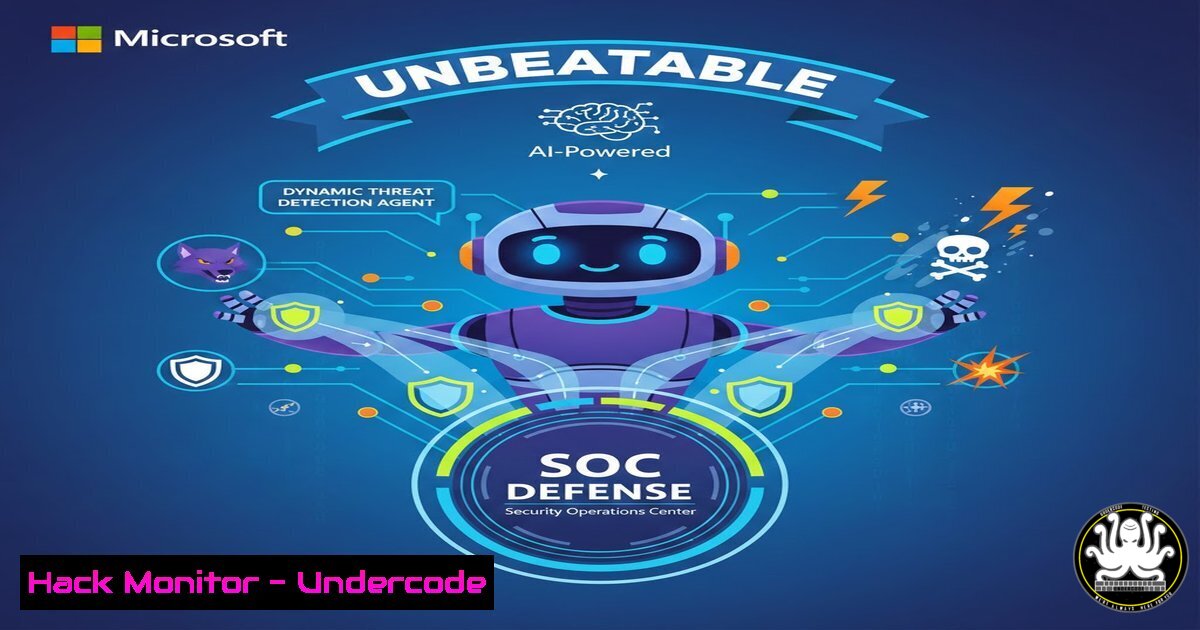
The cybersecurity landscape is evolving with AI-driven threats, necessitating adaptive defense mechanisms. Microsoft’s Security Copilot Dynamic Threat Detection Agent, an always-on backend service in Defender XDR, leverages generative AI and hyperscale threat intelligence to uncover hidden threats across Defender and Sentinel environments, reducing false negatives and SOC noise. This agent represents a paradigm shift in proactive threat detection by continuously analyzing telemetry and integrating seamlessly into existing workflows.
Learning Objectives:
- Understand the architecture and key features of the Dynamic Threat Detection Agent, including its GenAI-driven detection and integration with Microsoft’s security ecosystem.
- Learn how to enable, configure, and manage the agent for optimal performance in Defender XDR and Sentinel, using practical commands and configurations.
- Explore best practices for leveraging the agent’s UEBA risk scoring and threat intelligence to enhance SOC efficiency and response capabilities.
You Should Know:
1. Core Architecture and Generative AI Integration
The Dynamic Threat Detection Agent operates as a cloud-based backend service within Microsoft Defender XDR, using adaptive AI to analyze telemetry from Defender endpoints, Sentinel logs, and third-party sources. It employs GenAI models to identify patterns missed by traditional rules, fusing Threat Intelligence Tracking via Adaptive Networks (TITAN) for ML-driven intelligence and UEBA for entity risk scoring. This architecture ensures zero-touch deployment with customer control over alerts and billing.
Step‑by‑step guide explaining what this does and how to use it:
– Step 1: Access the Microsoft Defender portal (https://security.microsoft.com) with an E5 license or trial eligibility. Navigate to “Settings” > “Endpoints” to verify Defender XDR is active.
– Step 2: Enable the agent by going to “Settings” > “Advanced features” and toggle “Dynamic Threat Detection Agent” to “On.” During public preview, it’s enabled by default for eligible customers.
– Step 3: Use PowerShell to check agent status: Run `Get-MpComputerStatus` on Windows to ensure Defender is running, or for cloud integration, use `Connect-AzAccount` and `Get-AzSecurityAgent` (hypothetical cmdlet; refer to Microsoft Learn docs for actual commands).
– Step 4: Review the Microsoft Learn documentation (https://learn.microsoft.com/en-us/defender-xdr/dynamic-threat-detection-agent) for architectural details and API references.
- Enabling and Configuring the Agent in Defender XDR
This agent automatically integrates into XDR workflows, but configuration optimizes its impact. It reduces noise by correlating alerts and providing risk context, requiring minimal manual tuning.
Step‑by‑step guide explaining what this does and how to use it:
– Step 1: In the Defender portal, navigate to “Incidents & alerts” and filter by “Source: Dynamic Threat Detection Agent” to view generated alerts.
– Step 2: Configure alert thresholds by accessing “Settings” > “Alert suppression” and set rules based on entity risk scores. For example, create a suppression rule for low-risk IPs using KQL in Sentinel: SecurityAlert | where RiskScore < 30.
– Step 3: Use PowerShell to manage agent settings: `Set-MpPreference -ThreatDetectionAgentEnabled $true` enables the agent on endpoints, though most configurations are cloud-based.
– Step 4: Monitor consumption reporting via “Reports” > “Security Copilot usage” to track agent activity and costs, especially after billing begins in July.
3. Integrating with Microsoft Sentinel for Enhanced Visibility
The agent deepens Sentinel integration by correlating native and third-party telemetry, surfacing missed behaviors. This involves connecting Sentinel workspaces to Defender XDR and using KQL queries for threat hunting.
Step‑by‑step guide explaining what this does and how to use it:
– Step 1: In Azure Portal (https://portal.azure.com), open your Sentinel workspace and ensure the “Microsoft Defender XDR” connector is enabled under “Data connectors.”
– Step 2: Create a custom analytics rule in Sentinel to process agent alerts: Use KQL like `SecurityAlert | where ProviderName contains “Dynamic Threat Detection Agent” | extend EntityRisk = parse_json(Entities).RiskScore` to analyze risk signals.
– Step 3: Automate responses by creating a Sentinel playbook: In Logic Apps, design a workflow that triggers on agent alerts and sends details to SOC teams via Teams or email.
– Step 4: Run threat hunting queries leveraging agent data: For example, `DeviceProcessEvents | where ThreatDetectionAgentFlag == true` to identify processes flagged by the agent’s AI.
- Leveraging Adaptive AI and UEBA for Proactive Threat Hunting
The agent’s AI continuously scores accounts, devices, and IPs using UEBA risk signals and TITAN intelligence. This enables proactive hunting for anomalies, such as lateral movement or credential theft.
Step‑by‑step guide explaining what this does and how to use it:
– Step 1: In Defender XDR, go to “Advanced hunting” and use the `AlertInfo` table to query agent-driven detections: AlertInfo | where ServiceSource == "Dynamic Threat Detection Agent" | summarize Count by AlertTitle.
– Step 2: Export UEBA risk scores via the Microsoft Graph Security API: Use `GET https://graph.microsoft.com/v1.0/security/alerts?$filter=vendorInformation/provider eq ‘Microsoft Defender’` to retrieve alerts with risk context.
– Step 3: On Linux systems monitored by Defender for Endpoints, use terminal commands to check agent-related logs: `sudo cat /var/log/microsoft/mdatp/logs/common.log | grep “threat_detection_agent”` (adjust based on actual log paths).
– Step 4: Configure custom UEBA rules in Sentinel’s “Entity behavior analytics” to complement agent scoring, focusing on user anomalies like impossible travel.
5. Managing Alerts and Reducing SOC Noise
The agent minimizes false positives by providing clear risk context and next steps. SOC teams can prioritize alerts based on integrated scores and automate triage.
Step‑by‑step guide explaining what this does and how to use it:
– Step 1: Set up alert rules in Defender XDR to filter low-confidence alerts: Navigate to “Settings” > “Alert preferences” and create a rule to mute alerts with risk scores below 50.
– Step 2: Use PowerShell to export alerts for analysis: `Get-MpThreatDetectionAgentAlert -All | Export-Csv -Path C:\alerts.csv` (hypothetical cmdlet; refer to Microsoft docs).
– Step 3: In Sentinel, build a dashboard visualizing agent alerts: Use Azure Workbooks to plot metrics like “Alerts by risk score” and “Top entities flagged.”
– Step 4: Implement automation via Azure Functions: Write a Python script that processes agent alerts through the Graph API and updates IT tickets, reducing manual effort.
6. Hardening Cloud Configurations and API Security
As the agent relies on cloud APIs, securing access is critical. This involves hardening Azure AD roles, enabling conditional access, and monitoring API calls.
Step‑by‑step guide explaining what this does and how to use it:
– Step 1: In Azure AD, assign minimal permissions for Security Copilot: Use the “Security Reader” role for analysts and “Security Administrator” for agent management.
– Step 2: Enable conditional access policies for Defender portal access: Require MFA and compliant devices from the Azure AD portal.
– Step 3: Audit API calls using Azure Monitor: Query `AzureActivity | where OperationNameValue contains “SecurityCopilot”` to track agent-related operations.
– Step 4: On Windows servers, configure DSC or Group Policy to enforce Defender settings: Use `Set-MpPreference -CloudBlockLevel High` to enhance cloud-delivered protection.
- Best Practices for SOC Workflows and Incident Response
Integrating the agent into SOC workflows improves response times. This includes creating runbooks, training analysts on AI insights, and regularly reviewing agent performance.
Step‑by‑step guide explaining what this does and how to use it:
– Step 1: Develop a runbook for agent alerts: Document steps to investigate UEBA risk scores, such as verifying user activity via `DeviceLogonEvents` in advanced hunting.
– Step 2: Schedule monthly reviews of agent findings: Use Power BI to analyze trends from Defender reports and adjust thresholds accordingly.
– Step 3: Train SOC teams on KQL for agent data: Provide tutorials on queries like `IdentityLogonEvents | join kind=inner (SecurityAlert) on AccountName` to correlate logons with alerts.
– Step 4: Test incident response with simulated attacks: Use Microsoft’s Attack Simulation Training in Defender XDR to validate agent detections and refine workflows.
What Undercode Say:
- Key Takeaway 1: The Dynamic Threat Detection Agent shifts SOCs from reactive to proactive defense by using GenAI to uncover hidden threats, significantly reducing blind spots and false negatives. Its integration with Microsoft’s ecosystem allows for seamless scalability, but success depends on proper configuration and analyst training.
- Key Takeaway 2: While the agent offers zero-touch deployment, organizations must actively manage its consumption and alerts to avoid cost overruns and alert fatigue. Leveraging its UEBA and threat intelligence capabilities requires a deep understanding of KQL and cloud security principles.
Analysis: The agent represents a major advancement in AI-driven security, but it’s not a silver bullet. Its effectiveness hinges on the quality of telemetry from Defender and Sentinel, and customers should complement it with regular vulnerability assessments and pentesting. The hyperscale TI component enhances detection of emerging threats, yet SOCs must stay vigilant against AI-powered attacks that might evade even adaptive models. Overall, this agent democratizes advanced threat hunting for E5 customers, but smaller firms may find costs prohibitive.
Prediction:
In the next 2–3 years, AI-driven agents like this will become standard in XDR platforms, leading to fully autonomous SOCs that predict and neutralize threats in real-time. However, this will also spur adversarial AI, where attackers use similar technology to craft evasive malware. Microsoft’s ecosystem integration may set a precedent for cross-platform AI security collaborations, but privacy concerns and regulatory scrutiny around AI decision-making will drive demand for explainable AI and customer-controlled models.
▶️ Related Video (82% Match):
🎯Let’s Practice For Free:
IT/Security Reporter URL:
Reported By: Antonioformato Defender – Hackers Feeds
Extra Hub: Undercode MoN
Basic Verification: Pass ✅


