Listen to this Post
Introduction:
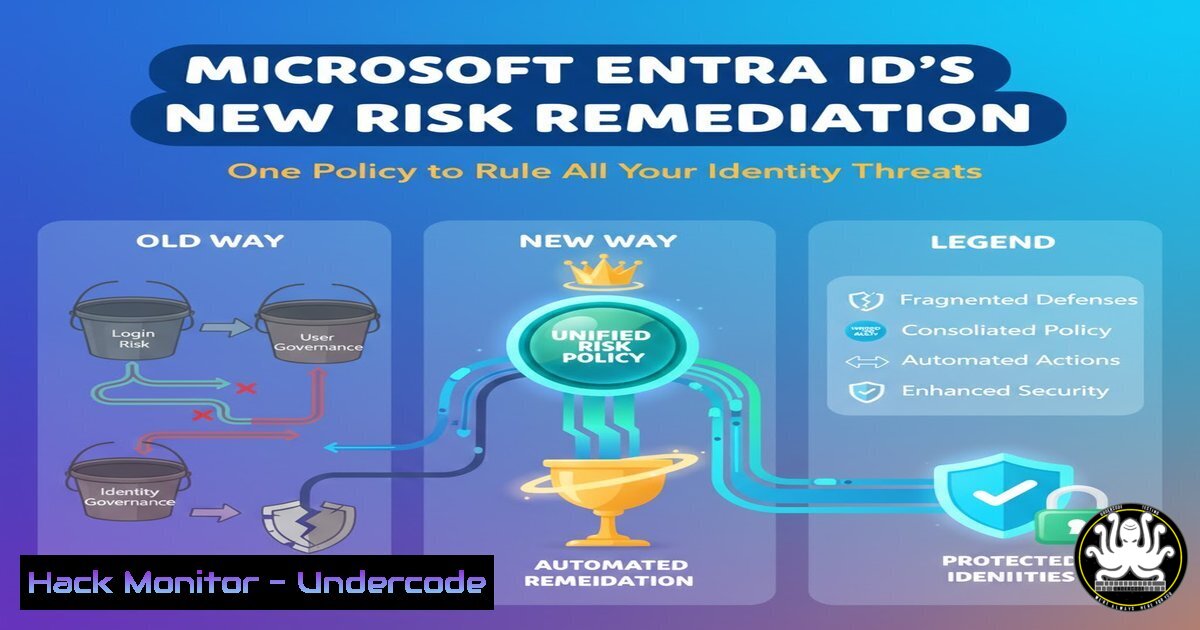
Microsoft has unveiled a groundbreaking risk remediation solution within Entra ID Conditional Access, marking a pivotal shift in identity security management. This long-awaited feature provides centralized control over both password and passwordless authentication risks, enabling organizations to automate threat response across their entire identity landscape. As cyberattacks increasingly target identity systems, this capability represents a critical evolution in enterprise security posture.
Learning Objectives:
- Understand the architecture and implementation of Microsoft’s new unified risk remediation policy
- Configure conditional access policies to automatically respond to high-risk user sign-ins
- Integrate password and passwordless authentication protection under a single security framework
You Should Know:
1. The Evolution of Entra ID Risk Remediation
Microsoft’s new solution consolidates what was previously fragmented risk management across multiple authentication methods. Traditional conditional access policies required separate configurations for different credential types, creating security gaps and management overhead. The unified approach now enables security teams to define risk responses that apply regardless of whether users employ passwords, Windows Hello for Business, FIDO2 security keys, or certificate-based authentication.
The policy framework operates through Microsoft’s continuous risk assessment engine, which analyzes billions of signals daily across login patterns, device compliance, network locations, and behavioral anomalies. When the system detects suspicious activity meeting your defined risk thresholds, it automatically triggers the configured remediation actions without manual intervention.
2. Implementation Prerequisites and Licensing Requirements
Before deploying the unified risk remediation policy, organizations must ensure proper licensing and configuration baseline. Microsoft Entra ID P2 licenses are mandatory for all protected users, providing access to Identity Protection features. Additionally, administrators need the Identity Protection Administrator or Security Administrator roles to configure policies.
Implementation Checklist:
- Verify Entra ID P2 licensing assignment
- Enable Identity Protection in the Entra admin center
- Configure named locations for trusted network boundaries
- Establish device compliance policies through Intune
- Review existing conditional access policies for potential conflicts
Use PowerShell to audit license assignment:
Connect-MgGraph -Scopes "User.Read.All","Organization.Read.All"
Get-MgUser -Filter "assignedLicenses/any(s:s/skuId eq {P2_SKU_ID})" -Select DisplayName,UserPrincipalName,AssignedLicenses
3. Configuring the Unified Risk Remediation Policy
Navigate to Entra ID > Security > Identity Protection > Protection policies > Unified risk remediation policy. The configuration follows a three-tier approach: risk conditions, remediation actions, and target user scope.
Step-by-Step Configuration:
1. Access the unified risk remediation policy blade
- Define risk levels: low, medium, high, or any combination
- Select remediation actions: require MFA, require password change, block access
4. Specify user and group assignments (include/exclude)
5. Enable policy in report-only mode initially
6. Monitor effectiveness through risk detection logs
7. Transition to enforced mode after validation
For high-security environments, implement this baseline:
{
"riskLevels": ["high", "medium"],
"remediationActions": {
"high": "block",
"medium": "requirePasswordChange"
},
"targetUsers": "All",
"excludedUsers": ["BreakGlassAccount1", "BreakGlassAccount2"]
}
4. Integrating Password and Passwordless Protection
The policy’s true power emerges in its ability to handle diverse authentication methods consistently. For password-based users, remediation might involve mandatory password resets or multi-factor authentication challenges. For passwordless users, the system can enforce re-authentication through their existing method or fallback to secondary verification.
Passwordless Integration Commands:
For organizations using FIDO2 security keys, ensure proper registration and fallback options:
 Check FIDO2 registration status
Get-MgUserAuthenticationFido2Method -UserId {user_id}

Configure authentication method policies
Update-MgPolicyAuthenticationMethodsPolicy -RegistrationEnforcement @{
RegistrationEnforcement = @{
AuthenticationMethodsRegistrationCampaign = @{
ExcludeTargets = @()
IncludeTargets = @(
@{
Id = "all_users"
TargetType = "group"
TargetedAuthenticationMethod = "microsoftAuthenticator"
}
)
}
}
}
5. Real-Time Monitoring and Incident Response
Deploying the policy requires continuous monitoring through Entra ID logs and Azure Monitor. Security teams should establish alert rules for policy triggers and maintain incident response playbooks specific to risk remediation events.
KQL Query for Risk Detection Monitoring:
SigninLogs
| where RiskDetail != "none"
| project TimeGenerated, UserDisplayName, RiskDetail, RiskLevelAggregated, RiskLevelDuringSignIn, RiskState
| join (IdentityLogonEvents | where ActionType has "RiskDetection") on $left.UserDisplayName == $right.UserDisplayName
| summarize RiskEvents = count() by UserDisplayName, RiskLevelAggregated, bin(TimeGenerated, 1h)
| order by TimeGenerated desc
6. Advanced Scenario: Zero-Trust Conditional Access Rules
Complement the unified risk policy with zero-trust principles through additional conditional access rules. Implement device compliance requirements, location-based restrictions, and application sensitivity tiers to create defense-in-depth.
Windows PowerShell Device Compliance Check:
 Verify device compliance through Graph API
Connect-MgGraph -Scopes "DeviceManagementManagedDevices.ReadWrite.All", "Directory.Read.All"
Get-MgDeviceManagementManagedDevice -Filter "OperatingSystem eq 'Windows'" -All | Where-Object {$_.ComplianceState -eq "NonCompliant"} | Select-Object DeviceName, UserPrincipalName, ComplianceState
7. Troubleshooting and Policy Optimization
Common implementation challenges include policy conflicts, licensing gaps, and unexpected user impact. Establish a testing methodology using report-only mode and pilot groups before organization-wide deployment.
Diagnostic Commands:
 Check conditional access policy effectiveness
Get-MgIdentityConditionalAccessPolicy -Property "DisplayName,State,Conditions" | Format-List

Audit risk detection events
Get-MgRiskDetection -Filter "riskEventType eq 'unfamiliarFeatures'" -Top 10 | Select-Object Id, UserDisplayName, RiskDetail, DetectedDateTime
What Undercode Say:
- This unified approach significantly reduces identity attack surface by eliminating coverage gaps between authentication methods
- Organizations can now implement consistent security postures across hybrid workforce environments
- The automation of risk response closes critical time windows that attackers previously exploited
The consolidation of risk remediation represents Microsoft’s strategic move toward intelligent identity security automation. By unifying policy management, they’ve addressed a fundamental fragmentation problem in enterprise security. The capability to handle both password and passwordless authentication under the same risk assessment framework demonstrates maturity in Microsoft’s identity protection ecosystem. However, organizations must carefully plan their rollout strategy to avoid disrupting legitimate user access while maintaining security coverage. The policy’s effectiveness ultimately depends on proper risk threshold calibration and comprehensive monitoring to balance security with usability.
Prediction:
Within two years, this unified risk remediation approach will become the industry standard for cloud identity protection, forcing competitors to develop similar consolidated security frameworks. As passwordless adoption accelerates, the policy’s ability to seamlessly protect multiple authentication methods will prove increasingly valuable. We anticipate Microsoft will enhance this capability with AI-driven risk scoring that incorporates behavioral biometrics and contextual threat intelligence, further reducing false positives while improving threat detection accuracy. The convergence of identity risk management into single-policy frameworks marks the beginning of autonomous identity security systems that require minimal human intervention.
🎯Let’s Practice For Free:
IT/Security Reporter URL:
Reported By: Derkvanderwoude Microsoft – Hackers Feeds
Extra Hub: Undercode MoN
Basic Verification: Pass ✅


