Listen to this Post
Introduction:
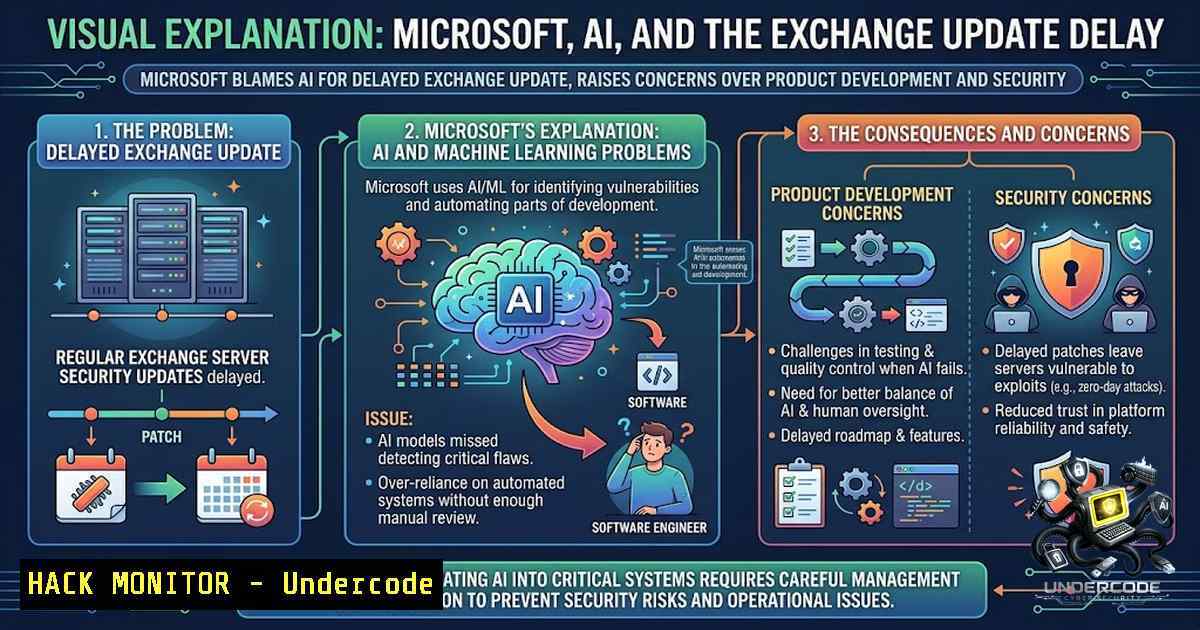
Microsoft has officially attributed the delayed release of Exchange Server Subscription Edition Cumulative Update 1 (CU1) to an unexpected surge in AI-generated bug reports, exposing a critical bottleneck in modern product development. The company’s Exchange team has been overwhelmed by a growing backlog of machine-made vulnerability findings, each requiring manual validation, reproduction, and regression testing before any release can proceed. This incident underscores a systemic challenge facing the cybersecurity industry: AI-powered bug-finding tools are generating vulnerability intelligence at a scale that human teams cannot process, creating a new class of operational risk that organizations must urgently address.
Learning Objectives:
- Understand the operational impact of AI-powered bug-finding tools on enterprise software release cycles and security patch management.
- Learn how to validate, triage, and remediate AI-discovered vulnerabilities using practical command-line and PowerShell techniques.
- Implement hardening measures to protect Exchange Server environments while awaiting delayed cumulative updates.
You Should Know:
- The AI Bug-Finding Bottleneck: Why More Detection Means Slower Patching
Microsoft’s admission that AI bug-finders contributed to the Exchange CU1 delay reflects a broader industry paradox: increased vulnerability detection does not automatically translate to faster remediation. The Exchange team has been actively using AI tools—including Microsoft’s proprietary MDASH (Multi-Model Agentic System) with over 100 specialized agents—to identify potential security issues across its products. Each AI-generated finding must undergo a rigorous pipeline: validation to confirm the vulnerability is real, reproduction to understand the exploit path, fix development, and comprehensive regression testing to ensure the patch does not introduce new issues.
The challenge is compounded by the sheer volume of reports. Industry evaluations show that pure-LLM bug hunters consistently produce false positive rates between 60 and 95 percent, depending on the target language and bug class. This means the Exchange team is sifting through an “ocean of noise generated by poorly piloted agents,” as one security researcher described it. Microsoft’s experience serves as a cautionary tale: AI is a force multiplier for discovery but remains weak at impact assessment, validation, and determining actual exploitability.
For security teams managing Exchange environments, this means relying solely on vendor patches is no longer sufficient. Administrators must adopt proactive measures to harden their servers against known and emerging threats.
2. Validating AI-Discovered Vulnerabilities: A Practical Approach
When AI tools flag potential vulnerabilities, security teams need a systematic method to validate findings before escalating them. The following PowerShell commands, executed in an elevated Exchange Management Shell (EMS), can help verify system integrity and identify misconfigurations that AI tools might have detected:
Check Execution Policy (STIG Compliance):
Get-ExecutionPolicy
 Expected output: RemoteSigned
 If not, set it:
Set-ExecutionPolicy RemoteSigned
This ensures that only signed scripts can run, reducing the risk of untrusted code execution.
Review Remote Domain Auto-Forward Settings:
Get-RemoteDomain | Select Name, DomainName, Identity, AutoForwardEnabled
 If AutoForwardEnabled is not False, disable it:
Set-RemoteDomain -Identity <'IdentityName'> -AutoForwardEnabled $false
This prevents automatic email forwarding, a common vector for data exfiltration.
Check and Apply Exchange On-Premises Mitigation Tool (EOMT):
 Download and run the latest EOMT
.\EOMT.ps1 -Mode Scan
 To apply mitigation:
.\EOMT.ps1 -Mode Mitigate
EOMT is Microsoft’s emergency response tool for actively exploited vulnerabilities, including CVE-2026-42897, a zero-day OWA spoofing flaw that was being exploited in the wild as of May 2026.
3. Hardening Exchange Server While Awaiting CU1
With CU1 delayed to the second half of 2026 and CU2 pushed to early 2027, organizations must implement interim hardening measures. The following steps are recommended by CISA, NSA, and industry best practices:
Enable Extended Protection for Authentication:
Extended Protection defends against NTLM relay and man-in-the-middle authentication attacks. To enable it via EMS:
Set-OutlookAnywhere -Identity "Server\Rpc (Default Web Site)" -ExtendedProtectionTokenChecking Allow
Set-OutlookAnywhere -Identity "Server\Rpc (Default Web Site)" -ExtendedProtectionTokenChecking Require
Note: Test in a non-production environment first, as this change may impact legacy clients.
Disable SMBv1 (if still enabled):
Set-SmbServerConfiguration -EnableSMB1Protocol $false -Force
SMBv1 is a legacy protocol with known vulnerabilities and should be disabled on all Exchange servers.
Configure TLS Settings:
Ensure TLS 1.2 or higher is enforced. Exchange Server SE RTM already includes TLS 1.3 support, but legacy configurations may still permit weaker protocols. Use the following to disable TLS 1.0 and 1.1:
New-Item 'HKLM:\SYSTEM\CurrentControlSet\Control\SecurityProviders\SCHANNEL\Protocols\TLS 1.0\Server' -Force
Set-ItemProperty 'HKLM:\SYSTEM\CurrentControlSet\Control\SecurityProviders\SCHANNEL\Protocols\TLS 1.0\Server' -1ame 'Enabled' -Value 0 -Type DWord
 Repeat for TLS 1.1
- Managing the AI Bug Report Backlog: Triage Strategies
Organizations using AI-powered security tools internally must develop robust triage processes to avoid the same bottleneck Microsoft faces. Key strategies include:
Prioritize by Exploitability: Not all AI-discovered vulnerabilities are equally dangerous. Use CVSS scores and exploit availability (e.g., CISA’s KEV catalog) to prioritize remediation. CVE-2026-42897, for example, was added to the KEV catalog with a mandate for federal agencies to mitigate by May 29, 2026.
Automate Regression Testing: Implement CI/CD pipelines that automatically run regression tests on patches before deployment. This reduces the manual burden on security teams.
Leverage the Exchange Health Checker:
Microsoft provides an Exchange Health Checker script that evaluates server configuration against best practices. Run it regularly:
.\ExchangeHealthChecker.ps1 -BuildHtmlReport
Review the HTML report for recommendations on pagefile size, NIC power saving, power plan, TCP KeepAlive, and other performance and security settings.
5. Responding to Actively Exploited Vulnerabilities
While waiting for CU1, administrators must stay vigilant against known exploits. The following vulnerabilities were reported in 2026 and require immediate attention:
- CVE-2026-42897: Remote Code Execution / OWA Spoofing vulnerability actively exploited. Mitigation: Apply the June 2026 Security Update or run EOMT.
- CVE-2026-62910: Resource Injection vulnerability.
- CVE-2026-62915: Missing Authorization vulnerability.
- CVE-2026-62913: Heap-based buffer overflow.
To check if your server is vulnerable to these CVEs, use the following PowerShell to query installed updates:
Get-HotFix | Where-Object {$<em>.HotFixID -like "KB5094139" -or $</em>.HotFixID -like "KB5094140"}
KB5094139 and KB5094140 are the June 2026 Security Updates for Exchange Server SE and Exchange Server 2019 CU15, respectively. If these are not installed, apply them immediately.
6. Cloud and Hybrid Considerations
For organizations running Exchange in hybrid or cloud environments, the AI bottleneck also affects Microsoft’s cloud services. Microsoft has expanded its use of AI-powered scanning across the Windows codebase, and the resulting security updates are being released at an accelerated pace—Exchange received security updates in May, June, July, and August 2026, with Microsoft expecting this faster cadence to continue.
In hybrid deployments, ensure that:
- The Azure AD Connect Health agent is updated to the latest version.
- Exchange Emergency Mitigation (EEM) service is enabled.
- Feature Flighting services are operational to receive emergency mitigations.
What Undercode Say:
- Key Takeaway 1: AI-powered bug-finding is a double-edged sword. While it dramatically increases vulnerability discovery, it also creates a validation bottleneck that can delay critical security updates. Organizations must invest in triage automation and skilled personnel to separate genuine threats from false positives.
-
Key Takeaway 2: The Exchange CU1 delay is not a failure of AI but a failure of process adaptation. Microsoft’s experience highlights the need for security teams to redesign workflows around AI-generated intelligence, incorporating automated validation, prioritization, and regression testing to keep pace with machine-speed discovery.
Analysis:
The industry is witnessing a fundamental shift in how vulnerabilities are discovered and managed. AI tools like MDASH are finding bugs that human teams never would have uncovered—MDASH recently identified 16 Windows vulnerabilities and achieved a 96% reproduction rate for flaws in clfs.sys and 100% for tcpip.sys. However, the same tools are flooding development pipelines with low-quality reports. One study found that pure-LLM bug hunters produce false positive rates between 60% and 95%. This creates a paradox: more detection leads to slower patching, increasing the window of exposure for critical systems. The solution lies not in abandoning AI but in building AI-1ative security operations that can triage, validate, and remediate at machine speed. Companies that fail to adapt will find themselves drowning in vulnerability reports while their systems remain exposed.
Prediction:
- +1 AI-powered bug-finding will become a standard component of enterprise DevSecOps by 2027, with automated triage and validation pipelines emerging as the next frontier in security automation.
- -1 Organizations that do not invest in AI-1ative security workflows will experience extended patch delays similar to Microsoft’s, increasing their exposure to zero-day exploits.
- +1 The Exchange CU1 delay will accelerate the development of AI agents capable of not just finding but also validating and patching vulnerabilities autonomously, reducing the human bottleneck.
- -1 The surge in AI-generated bug reports will overwhelm smaller security teams, widening the security gap between large enterprises and SMBs.
- +1 Microsoft’s experience will drive industry-wide standards for AI vulnerability reporting, including mandatory confidence scores and exploitability assessments, improving the signal-to-1oise ratio.
▶️ Related Video (80% Match):
🎯Let’s Practice For Free:
🎓 Live Courses & Certifications:
Join Undercode Academy for Verified Certifications
🚀 Request a Custom Project:
Secure, high-velocity infrastructure and disruptive technological engineering. Contact our engineering team for high-tier development and proprietary systems:
[email protected]
💎 Smart Architecture | 🛡️ Secure by Design | ⭐ Trusted by Thousands
IT/Security Reporter URL:
Reported By: https://lnkd.in/p/eNyEq-vj – Hackers Feeds
Extra Hub: Undercode MoN
Basic Verification: Pass ✅


