Listen to this Post
Introduction:
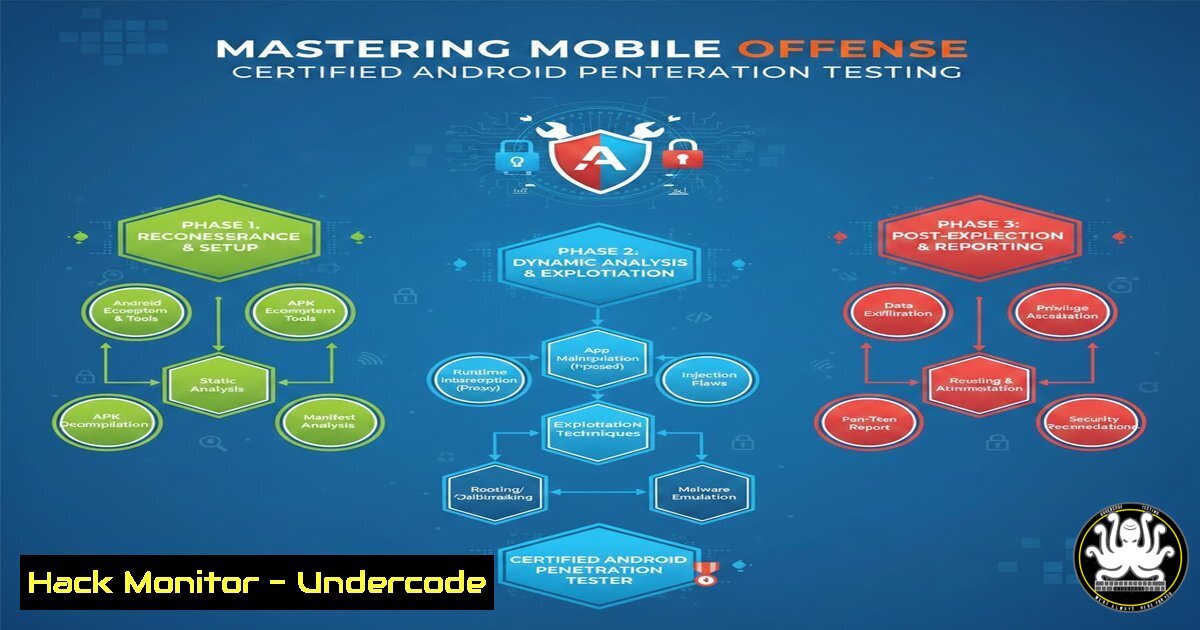
As mobile applications become the primary interface for sensitive data, the Android ecosystem has emerged as a critical battleground in cybersecurity. Moving beyond theoretical knowledge, modern penetration testers must navigate the complexities of reverse engineering, dynamic instrumentation, and client-side exploitation. The new Certified Mobile Android Penetration Tester Junior certification validates this hands-on expertise, focusing on real-world vulnerabilities ranging from insecure WebViews to cryptographic failures and anti-tampering bypasses. This article provides a technical roadmap for mastering these essential skills, mirroring the practical depth required to secure the modern mobile attack surface.
Learning Objectives:
- Master static and dynamic analysis techniques for APK decompilation and manipulation.
- Identify and exploit critical Android components, including Intents, Content Providers, and Deep Links.
- Bypass modern application defenses such as root detection, Frida anti-tampering, and certificate pinning.
- Analyze and extract sensitive information from local storage, logs, and network traffic.
You Should Know:
1. Reconnaissance and Static Analysis of Android Applications
The first step in any mobile assessment is understanding the application’s architecture and attack surface. Static analysis involves inspecting the application package without executing it. This is where we dissect the APK to understand its permissions, components, and hardcoded secrets.
Step‑by‑step guide:
- Decompile the APK: Use `apktool` to decode resources and rebuild the application structure. For Java source code analysis, use `jdax` or
jadx-gui.Decompile with apktool apktool d target_application.apk -o decompiled_app/ View Java source code with jadx jadx-gui target_application.apk
- Analyze the Manifest: Navigate to the decompiled folder and inspect
AndroidManifest.xml. Check for exported activities, content providers, and backup flags.Check if the application allows backup (security risk) grep android:allowBackup decompiled_app/AndroidManifest.xml Look for debuggable flag grep android:debuggable decompiled_app/AndroidManifest.xml
- Extract Hardcoded Secrets: Use `grep` to search for API keys, tokens, or passwords within the decompiled source.
grep -r -i --include=".java" "api_key" decompiled_app/sources/
grep -r -i --include=".xml" "password" decompiled_app/res/values/
2. Exploiting Android Components: Intents and Deep Links
Android components communicate via Intents. If an activity is exported, it can be invoked by malicious applications installed on the same device. Deep Links (URLs that open directly into the app) are a common vector for this type of attack.
Step‑by‑step guide:
- Identify Vulnerable Components: From the manifest, find exported activities.
Extract exported activities
cat decompiled_app/AndroidManifest.xml | grep -A 5 "activity" | grep -B 1 "exported=\"true\""
- Craft a Malicious Intent (ADB): Use the Android Debug Bridge (ADB) to invoke the activity from a terminal, simulating a cross-app attack.
Syntax: adb shell am start -n [bash]/[bash]
adb shell am start -n com.vulnerable.app/.activities.WebViewActivity
- Exploit Deep Links: If an activity handles a deep link (e.g.,
myapp://product/view), attempt to inject JavaScript or path traversal.Attempt to open a deep link with a malicious payload via ADB adb shell am start -a android.intent.action.VIEW -d "myapp://product/view?id=<script>alert('XSS')</script>"
3. Insecure Data Storage and Log Leakage
Developers often inadvertently store sensitive data in world-readable locations or leak information through system logs. A penetration tester must verify that no Personally Identifiable Information (PII) or credentials are exposed.
Step‑by‑step guide:
- Inspect Logcat: Run the application and monitor the system logs for any information leakage.
Clear the log first, then run the app and capture logs
adb logcat -c
adb logcat > captured_logs.txt
Search for sensitive patterns
cat captured_logs.txt | grep -i "password|token|credit"
- Extract Application Data: If `android:allowBackup` is set to `true` in the manifest, an attacker can back up the app’s data.
Backup the app data (requires no root if backup is enabled)
adb backup -f app_backup.ab com.vulnerable.app
Convert the backup to a tar file for inspection (using Android backup extractor tool)
dd if=app_backup.ab bs=24 skip=1 | openssl zlib -d > app_backup.tar
tar -xvf app_backup.tar
- Check SharedPreferences and Databases: Navigate to the app’s private directory (requires a rooted device or emulator) to inspect databases and XML files.
On a rooted device/emulator
adb shell
su
cd /data/data/com.vulnerable.app/shared_prefs/
cat .xml
cd /data/data/com.vulnerable.app/databases/
sqlite3 database.db .dump
4. Network Analysis and Bypassing Certificate Pinning
Modern apps use HTTPS, but many implement SSL verification poorly or use certificate pinning to prevent interception. To test for man-in-the-middle (MITM) vulnerabilities, we must bypass these protections.
Step‑by‑step guide:
- Set up a Proxy: Configure the Android device to route traffic through a proxy (e.g., Burp Suite) on your attacking machine.
- Install a CA Certificate: Install Burp’s CA certificate on the Android device to intercept HTTPS traffic (Android 7+ requires user certificates to be moved to the system store, which necessitates root).
- Bypass Pinning with Objection (Frida-based): Use the `objection` tool to runtime patch the certificate pinning logic.
Inject into the running application and bypass pinning
objection --gadget com.vulnerable.app explore
Inside the objection console
android sslpinning disable
- Intercept Traffic: With pinning disabled, monitor the traffic in Burp Suite. Look for sensitive data transmitted in GET/POST requests, or vulnerable parameters for injection (SQLi, Command Injection reflected in API calls).
5. Dynamic Instrumentation and Anti-Tampering Bypass
Security-conscious apps implement root detection, Frida detection, or emulator detection to prevent analysis. A skilled tester must be able to disable these defenses dynamically.
Step‑by‑step guide:
- Identify Defenses: Run the app on a rooted device. If it closes immediately or shows an alert, root detection is active.
- Bypass Root Detection with Frida: Use a universal root bypass script.
Start frida server on the Android device
On the host machine, run a script to hook root checking methods
frida -U -f com.vulnerable.app -l frida_root_bypass.js --no-pause
(Common hooks include hooking `java.io.File.exists()` for su binary checks or `System.getProperty` for test-keys)
- Bypass Frida Detection: Some apps scan for the Frida server port (27042). Use Frida in “Gateway” mode or recompile Frida-server with a different name. Alternatively, use a script to hook the `strstr` function used to detect “frida” in maps.
// Example snippet to hide Frida traces (conceptual)
var strstr = Module.findExportByName("libc.so", "strstr");
Interceptor.attach(strstr, {
onEnter: function(args) {
var haystack = Memory.readCString(args[bash]);
var needle = Memory.readCString(args[bash]);
if (needle.indexOf("frida") >= 0 || haystack.indexOf("frida") >= 0) {
this.fridaDetected = true;
}
},
onLeave: function(retval) {
if (this.fridaDetected) {
retval.replace(ptr(0)); // Return NULL to bypass detection
}
}
});
6. Exploiting Insecure WebViews and JavaScript Interfaces
WebViews are used to display web content inside an app. If JavaScript is enabled and a WebView exposes a Java object via addJavascriptInterface, it creates a massive attack vector for Remote Code Execution (RCE) via Cross-Site Scripting (XSS).
Step‑by‑step guide:
- Identify WebView Usage: Search the decompiled source for WebView implementations.
grep -r "WebView" decompiled_app/sources/
grep -r "addJavascriptInterface" decompiled_app/sources/
- Check JavaScript Status: Look for `webView.getSettings().setJavaScriptEnabled(true);` in the code.
- Exploit via XSS: If you find an XSS vulnerability (e.g., in a Deep Link parameter loaded into the WebView), use it to call the exposed Java object.
// If the app has something like: webView.addJavascriptInterface(new DeviceInfo(), "device");
// An XSS payload can be:</li>
</ol>

<script>
device.getSensitiveData();
// Or if the class has a method to execute commands:
device.executeCommand("id");
</script>
What Undercode Say:
- Practical Offense is the Best Defense: The certification’s focus on hands-on exploitation of Android components proves that theoretical knowledge of vulnerabilities is insufficient. True security lies in understanding the practical steps an attacker takes to chain these flaws—from static analysis with `jadx` to dynamic bypasses with Frida.
- The Shift to Client-Side Hardening: As server-side APIs become more secure, attackers are moving to the client. Bypassing anti-tampering (root/Frida detection) is now a standard skill, not an advanced one. The techniques outlined above demonstrate that modern mobile penetration testers must be part reverse engineer and part developer to effectively evaluate the security posture of Android applications.
Prediction:
The demand for specialized mobile security professionals will skyrocket as financial services, healthcare, and IoT apps handle increasingly sensitive data on the go. We predict a market shift where companies will no longer just hire “pentesters” but specifically “Mobile Red Teamers” who specialize in platform-specific bypasses. This will drive the evolution of defensive mechanisms, leading to an arms race between obfuscation techniques on the developer side and instrumentation frameworks on the attacker side, with AI-assisted reverse engineering tools becoming the next frontier in this domain.
▶️ Related Video (86% Match):
🎯Let’s Practice For Free:
IT/Security Reporter URL:
Reported By: New Exam – Hackers Feeds
Extra Hub: Undercode MoN
Basic Verification: Pass ✅🔐JOIN OUR CYBER WORLD [ CVE News • HackMonitor • UndercodeNews ]
📢 Follow UndercodeTesting & Stay Tuned:


