Listen to this Post
Introduction:
For a Security Operations Center (SOC) analyst, the Linux command line is not just a tool; it is the front line of defense. Understanding the intricate relationship between users, groups, and file permissions is fundamental to identifying misconfigurations, preventing privilege escalation, and securing sensitive logs. This article breaks down these core concepts into actionable steps, transforming theoretical knowledge into practical security skills essential for threat hunting and system hardening.
Learning Objectives:
- Understand the representation and significance of Linux file permissions (rwx) for security auditing.
- Master the use of `chmod` and `chown` to remediate insecure file configurations.
- Utilize user and group enumeration commands (
whoami,id,groups) for identity and access management. - Apply these concepts to protect critical system files and logs from unauthorized access.
You Should Know:
- Decoding Permissions with
ls -l: The Security Blueprint
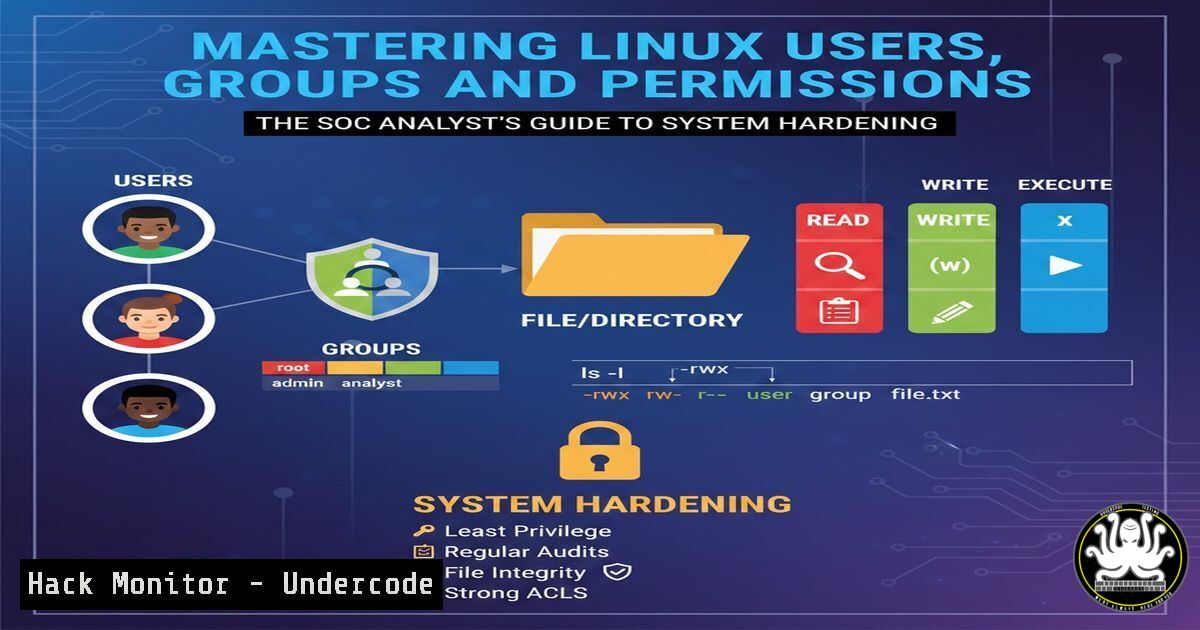
Every file and directory in Linux acts as a secure vault, and the `ls -l` command provides the combination. Before you can protect a system, you must first understand how to read its current security posture. Running `ls -l` in any directory reveals a 10-character string (e.g.,-rw-r--r--) that tells the entire story of who can do what.
The first character indicates the file type ( `-` for regular file, `d` for directory). The next nine characters are split into three triplets: Owner (user), Group, and Others (world) . Each triplet represents Read (r) , Write (w) , and Execute (x) permissions.
- Security Context: For a SOC analyst, this is how you verify that sensitive files like `/etc/shadow` (password hashes) are not readable by “others.” If you see `-rw-rw-rw-` on a system log, it means any user on the system can modify it, potentially covering an attacker’s tracks.
- Changing Permission Bits with
chmod: Enforcing the Principle of Least Privilege
The `chmod` (change mode) command is your primary tool for enforcing security policies. If an audit reveals that a critical script or log file has overly permissive access, `chmod` is used to lock it down.
Permissions can be set using two modes:
- Symbolic Mode: Using letters (u, g, o) and operators (+, -, =). For example, to remove execute permission for the group and others on a script, you would use:
chmod go-x myscript.sh. - Absolute (Numeric) Mode: Using octal numbers (0-7). This is often faster for hardening. The values are: Read (4), Write (2), Execute (1). You sum these for the Owner, Group, and Others.
- Command for standard security: `chmod 750 sensitive_file`
– 7 (Owner): 4+2+1 (Read, Write, Execute) - 5 (Group): 4+0+1 (Read, Execute)
- 0 (Others): 0+0+0 (No permissions)
- Command to make a private script executable only by you: `chmod 700 private_script.sh`
- Mastering Ownership with
chown: Eliminating Orphaned and Malicious Files
Permissions are useless if the ownership is incorrect. A file owned by a compromised or deprecated user account presents a significant security gap. The `chown` (change owner) command is used to reassign files and directories to the correct users and groups.
- Changing the user owner: `sudo chown newowner filename`
– Changing both user and group simultaneously: `sudo chown newowner:newgroup filename`
– Recursive change for directories (use with extreme caution): `sudo chown -R user:group /path/to/directory`In a security context, if a web server compromise leads to a webshell being uploaded, the file will likely be owned by the `www-data` user. Using `chown` to move it to a quarantine location owned by `root` can help isolate the threat.
- Auditing Your Identity: The
whoami,id, and `groups` Commands
Knowing who you are on a system is the first rule of navigation and forensics. These commands are essential for verifying your privileges and understanding the potential impact of your actions.
whoami: A quick check to confirm your current user context, especially after using `su` (switch user) orsudo.id: This provides a comprehensive breakdown, including your User ID (UID), primary Group ID (GID), and all secondary groups you are a part of.- Security Application: If a user complains of being unable to run a command, `id` can instantly reveal whether they belong to the required group (e.g.,
docker,sudo). groups: A simpler way to list just your group memberships. This is critical for auditing; a SOC analyst should regularly check that users are not members of privileged groups they no longer require for their role.
5. Practical Security Hardening: Applying the Knowledge
Let’s apply these commands to a real-world SOC scenario: protecting the authentication logs.
- Check Current Permissions: Navigate to `/var/log` and run `ls -l auth.log` (or `secure` on RHEL-based systems). If the output shows permissions like
-rw-rw-r--, it means the group (often `adm` or a specific user) has write access. - Harden the Log File: If non-root users should not modify logs, restrict group write access:
sudo chmod 640 auth.log. This gives the owner (root) read/write, the group read, and others no access. - Verify Critical File Ownership: Ensure system binaries are owned by root. A world-writable binary in `/usr/bin` is a disaster waiting to happen. Use `ls -l /usr/bin/` to spot any anomalies where the owner is a non-standard user. If found, correct it:
sudo chown root:root /usr/bin/suspicious_binary. -
Beyond the Basics: The Sticky Bit and SUID
Advanced permissions add layers of security. The Sticky Bit (represented by a `t` at the end of the permissions, e.g., `/tmp` directory) prevents users from deleting files they do not own, even if they have write access to the directory. The SUID bit (an `s` in the owner’s execute position) allows a file to be executed with the privileges of the file owner (usually root), which is a common vector for privilege escalation attacks (e.g., the infamousGTFOBins). A SOC analyst must be able to spot these: `find / -perm -4000 2>/dev/null` lists all SUID binaries, a crucial step in threat hunting.
What Undercode Say:
- Key Takeaway 1: Linux permissions are the immutable laws of the operating system. Mastering
ls -l,chmod, and `chown` is non-negotiable for any security professional, as it directly translates to the ability to harden systems and contain breaches. - Key Takeaway 2: User and group auditing is a continuous process. Commands like `id` and `groups` are not just for beginners; they are the vital signs of a system’s access control health, helping to quickly identify configuration drift or malicious account creation.
Understanding these fundamentals provides the foundation for everything from container security (Docker namespaces) to cloud hardening (IAM roles). A misconfiguration at the file level is often the root cause of a massive data breach. By internalizing these commands and their security implications, you move from simply using Linux to actively defending it.
Prediction:
As infrastructure continues to shift toward ephemeral containers and immutable cloud instances, the principles of user and group management will evolve but not disappear. We will see a rise in policy-as-code tools that automate `chmod` and chown-like controls at scale (e.g., using OPA or Sentinel). However, the foundational need for analysts to manually inspect and understand these permissions during incident response will remain critical, as automated tools often fail in the chaotic and novel environments of a live breach. The ability to manually navigate a Linux filesystem and correct permissions will remain a defining skill of a senior analyst.
▶️ Related Video (82% Match):
🎯Let’s Practice For Free:
IT/Security Reporter URL:
Reported By: Adelokiki Oluwasegun – Hackers Feeds
Extra Hub: Undercode MoN
Basic Verification: Pass ✅


