Listen to this Post
Introduction
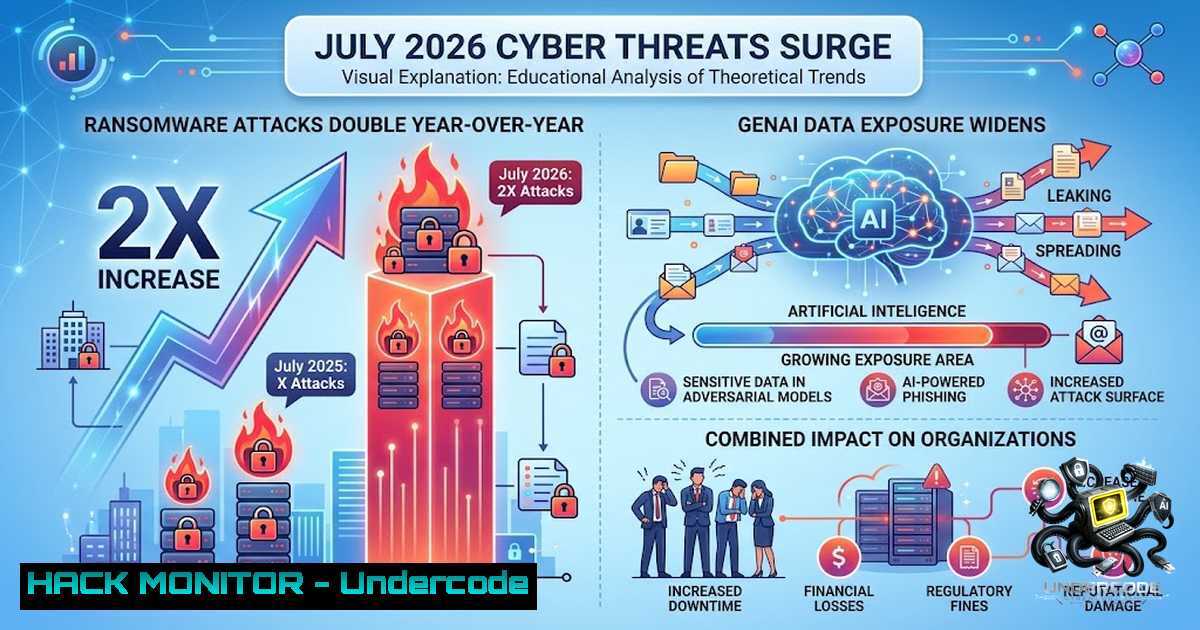
Global cyberattacks reached unprecedented levels in July 2026, with organizations worldwide facing an average of 2,336 weekly attacks—a 16% increase year-over-year and a 3% rise from June. Ransomware activity surged dramatically to 964 reported victims, marking an 87% year-over-year increase and a 49% jump from the previous month. The ransomware landscape was dominated by the threat groups The Gentlemen and Qilin, which together accounted for 33% of all attacks. Concurrently, the rapid enterprise adoption of generative AI tools has created a new attack surface: one in every 36 prompts submitted from corporate networks now carries a high risk of exposing sensitive personal, financial, or HR data. This convergence of escalating ransomware threats and GenAI-driven data exposure represents a critical inflection point where organizational defenses are struggling to keep pace.
Learning Objectives
- Understand the current ransomware threat landscape, including the most active threat groups and their attack vectors
- Identify GenAI-related data exposure risks and implement technical controls to mitigate leakage
- Deploy practical defensive measures across Linux and Windows environments to prevent, detect, and respond to ransomware incidents
- Configure network segmentation, backup strategies, and endpoint protection to contain and recover from attacks
You Should Know
- Ransomware Landscape: The Gentlemen, Qilin, and Attack Vectors
The ransomware ecosystem in July 2026 was characterized by intense competition among threat groups. The Gentlemen claimed 135 attacks during the month, while Qilin followed closely with 125. These groups have refined their tactics, increasingly targeting internet-facing VPN and firewall appliances from vendors including Palo Alto Networks, Fortinet, Check Point, and Citrix as initial entry points. Education, government, and hospitality sectors were disproportionately affected, with education remaining the most targeted vertical.
Technical Insight: Attackers are exploiting unpatched VPN vulnerabilities and weak multi-factor authentication (MFA) configurations. The shift toward appliance-based initial access represents a strategic evolution—ransomware affiliates now compromise perimeter devices to establish persistent footholds before deploying encryption payloads.
Step-by-Step: Hardening Perimeter Devices
- Audit all internet-facing appliances – Inventory every VPN gateway, firewall, and remote access device. Document firmware versions and patch levels.
-
Apply critical patches immediately – Prioritize CVSS 9.0+ vulnerabilities affecting VPN and firewall products. Establish a 48-hour patch window for internet-facing appliances.
-
Enforce MFA universally – Require hardware-backed MFA (FIDO2/WebAuthn) for all administrative and user VPN access. Disable legacy authentication protocols.
-
Implement network segmentation – Isolate VPN termination points from internal networks using VLANs and firewall rules. Restrict lateral movement with Zero Trust Network Access (ZTNA) principles.
-
Deploy continuous monitoring – Configure logging for all VPN authentication attempts and administrative actions. Forward logs to a SIEM for real-time alerting.
2. Ransomware Prevention: Immutable Backups and File Integrity
The most effective defense against ransomware is maintaining immutable, offline backups. In July 2026, organizations without robust backup strategies faced extended downtime and higher ransom payments.
Linux Commands for Immutable Backups:
 Create a dedicated backup user with no interactive shell
sudo useradd -r -s /usr/sbin/nologin backup_user

Set immutable flag on backup directories (prevents modification even by root)
sudo chattr +i /backup/critical_data/

Encrypt backup archives before transmission
tar -czf - /critical_data | openssl enc -aes-256-cbc -out /backup/backup_$(date +%Y%m%d).tar.gz.enc -k strong_password

Verify backup integrity
openssl enc -d -aes-256-cbc -in /backup/backup_$(date +%Y%m%d).tar.gz.enc -out /tmp/verify.tar.gz -k strong_password && echo "Integrity verified"
Windows PowerShell Commands for Backup Hardening:
 Enable Volume Shadow Copy for system restore points
vssadmin resize shadowstorage /for=C: /on=C: /maxsize=20GB

Create a scheduled task for daily encrypted backups
$Action = New-ScheduledTaskAction -Execute "wbadmin" -Argument "start backup -backupTarget:\backup-server\share -include:C: -allCritical -quiet"
$Trigger = New-ScheduledTaskTrigger -Daily -At 2am
Register-ScheduledTask -TaskName "DailyEncryptedBackup" -Action $Action -Trigger $Trigger -User "SYSTEM" -RunLevel Highest

Verify backup status
wbadmin get versions
Step-by-Step: Implementing Immutable Backup Strategy
- Adopt the 3-2-1-1-0 rule – Maintain three copies of data on two different media, with one copy offsite, one immutable, and zero errors verified through regular testing.
-
Configure immutable storage – On Linux, use `chattr +i` on backup directories; on Windows, leverage Azure Blob Storage immutable policies or AWS S3 Object Lock.
-
Automate backup verification – Schedule weekly restoration tests in an isolated environment to validate recoverability.
-
Implement air-gapped backups – Maintain offline backups that are physically disconnected from the network after each backup cycle.
3. GenAI Data Exposure: Detection and Prevention
The proliferation of workplace AI chatbots has created a critical data leakage vector. Analysis shows that regulated data accounts for 59% of all GenAI-related policy violations, with intellectual property at 20%, source code at 11%, and passwords/API keys at 9%. ChatGPT alone accounts for 71.2% of data exposures among enterprise GenAI tools.
High-risk prompt patterns to monitor:
- Prompts containing PII (names, email addresses, phone numbers, government IDs)
- Prompts with financial data (account numbers, transaction details, salary information)
- Prompts containing proprietary source code or internal documentation
- Prompts with credentials, API keys, or authentication tokens
Step-by-Step: Implementing GenAI Data Loss Prevention
- Deploy a GenAI DLP proxy – Solutions like Context-Aware DLP Proxy (CADLP) achieve 97.3% leakage prevention rates with only 4.1% false positives. Position the proxy between users and public LLM services to inspect outbound prompts.
-
Create contextual policies – Allow general queries while restricting submission of data classified above a certain sensitivity level. Implement warning mechanisms for specific data types with employee education context.
-
Configure system-level instructions – For Copilot and similar tools, create `.github/copilot-instructions.md` or `claude.md` files that explicitly instruct the AI to ignore sensitive files.
-
Implement RBAC for LLM interactions – Restrict access to GenAI tools based on role and data classification level.
-
Enable comprehensive logging – Log all prompt submissions, including metadata (user, timestamp, tool used, data classification). Establish automated alerting for high-risk patterns.
4. Endpoint Detection and Response (EDR/XDR) Configuration
Effective ransomware defense requires continuous endpoint monitoring and automated response capabilities.
Linux EDR Hardening Commands:
 Install and configure Auditd for file integrity monitoring
sudo apt-get install auditd audispd-plugins
sudo auditctl -w /etc/ -p wa -k etc_changes
sudo auditctl -w /bin/ -p wa -k bin_changes
sudo auditctl -w /usr/local/bin/ -p wa -k usr_local_bin_changes

Monitor for suspicious process execution patterns
sudo auditctl -a always,exit -F arch=b64 -S execve -k process_execution

Review audit logs for anomalies
sudo ausearch -k process_execution --format raw | grep -E "(encrypt|ransom|crypto|lock)"

Deploy AIDE for baseline integrity checking
sudo aideinit
sudo aide.wrapper --check
Windows EDR Configuration Commands:
 Enable Windows Defender Application Control (WDAC)
Set-ExecutionPolicy -ExecutionPolicy RemoteSigned -Scope LocalMachine
$Policy = New-CIPolicy -Level Publisher -FilePath C:\Windows\CIPolicies\DefaultPolicy.xml
ConvertFrom-CIPolicy -XmlFilePath C:\Windows\CIPolicies\DefaultPolicy.xml -BinaryFilePath C:\Windows\CIPolicies\DefaultPolicy.bin

Enable PowerShell script logging
Set-ItemProperty -Path "HKLM:\SOFTWARE\Policies\Microsoft\Windows\PowerShell\ScriptBlockLogging" -1ame "EnableScriptBlockLogging" -Value 1

Configure Windows Defender real-time protection
Set-MpPreference -DisableRealtimeMonitoring $false
Set-MpPreference -SubmitSamplesConsent 2
Set-MpPreference -DisableBehaviorMonitoring $false
Step-by-Step: EDR/XDR Deployment
- Deploy a modern EDR/XDR solution – Ensure coverage across all endpoints, including servers, workstations, and mobile devices.
-
Enable behavioral monitoring – Configure detection rules for ransomware-like behavior: mass file encryption, unusual file extension changes, and rapid file modifications.
-
Implement automated response actions – Configure containment policies to isolate affected endpoints automatically upon detection of ransomware indicators.
-
Regularly update threat intelligence feeds – Integrate IOCs (indicators of compromise) from threat intelligence sources to enable proactive blocking.
5. Network Segmentation and Lateral Movement Prevention
Ransomware groups increasingly rely on lateral movement to maximize impact. Proper network segmentation is critical to containing breaches.
Linux Firewall Configuration (iptables/nftables):
 Block all inbound traffic except essential services
sudo iptables -P INPUT DROP
sudo iptables -P FORWARD DROP
sudo iptables -A INPUT -i lo -j ACCEPT
sudo iptables -A INPUT -m state --state ESTABLISHED,RELATED -j ACCEPT
sudo iptables -A INPUT -p tcp --dport 22 -j ACCEPT  SSH
sudo iptables -A INPUT -p tcp --dport 443 -j ACCEPT  HTTPS

Log and drop suspicious traffic
sudo iptables -A INPUT -m state --state INVALID -j LOG --log-prefix "INVALID_PKT: "
sudo iptables -A INPUT -m state --state INVALID -j DROP

Rate limit SSH connections to prevent brute force
sudo iptables -A INPUT -p tcp --dport 22 -m connlimit --connlimit-above 4 --connlimit-mask 32 -j REJECT
Windows Firewall Configuration:
 Enable Windows Firewall for all profiles
Set-1etFirewallProfile -Profile Domain,Public,Private -Enabled True

Block SMBv1 (commonly exploited by ransomware)
Disable-WindowsOptionalFeature -Online -FeatureName SMB1Protocol

Restrict RDP access to specific IP ranges
New-1etFirewallRule -DisplayName "Restrict RDP" -Direction Inbound -Protocol TCP -LocalPort 3389 -Action Allow -RemoteAddress 192.168.1.0/24

Enable firewall logging
Set-1etFirewallProfile -Profile Domain -LogFileName "C:\Windows\System32\LogFiles\Firewall\pfirewall.log" -LogAllowed True -LogBlocked True
Step-by-Step: Network Segmentation Implementation
- Map your network architecture – Identify all network segments, critical assets, and data flows.
-
Implement Zero Trust segmentation – Adopt micro-segmentation using software-defined networking (SDN) or next-generation firewalls. Restrict communications to only explicitly permitted flows.
-
Isolate critical infrastructure – Place domain controllers, backup servers, and sensitive databases in separate security zones with strict access controls.
-
Implement network-based detection – Deploy network intrusion detection systems (NIDS) to monitor for suspicious traffic patterns indicative of ransomware activity.
6. Incident Response: Containment and Recovery
Despite best efforts, breaches occur. A well-rehearsed incident response plan minimizes damage.
Containment Commands:
 Linux: Isolate compromised host by disabling network interfaces
sudo ifconfig eth0 down
 Or using ip command
sudo ip link set eth0 down

Linux: Kill suspicious processes
sudo pkill -f ransomware_process_name
sudo kill -9 $(ps aux | grep -i encrypt | awk '{print $2}')

Windows: Disable network adapter
netsh interface set interface "Ethernet" disable

Windows: Kill malicious processes
taskkill /IM ransom.exe /F
Get-Process | Where-Object {$_.ProcessName -match "ransom|encrypt|crypto"} | Stop-Process -Force

Windows: Block suspicious outbound connections
New-1etFirewallRule -DisplayName "BlockRansomwareC2" -Direction Outbound -Action Block -RemoteAddress 192.168.1.100  Replace with actual C2 IP
Step-by-Step: Incident Response
- Activate the incident response team – Follow your organization’s IR plan. Notify key stakeholders and legal counsel.
-
Isolate affected systems – Disconnect infected hosts from the network immediately to prevent lateral movement.
-
Preserve evidence – Capture memory dumps, network logs, and forensic images before remediation.
-
Restore from immutable backups – Rebuild affected systems from known-good backups. Verify integrity before reconnecting to production networks.
-
Conduct post-incident review – Analyze the root cause, update defenses, and refine the IR plan.
What Undercode Say
-
Ransomware is accelerating faster than defenses can adapt – The 87% year-over-year surge in ransomware victims demonstrates that traditional perimeter-based security is insufficient. Organizations must shift to Zero Trust architectures with continuous verification.
-
GenAI is the new data exfiltration channel – With 1 in every 36 corporate prompts exposing sensitive data, GenAI tools have become an unintentional insider threat vector. DLP solutions must evolve to inspect AI interactions in real time.
-
The threat groups are professionalizing – The Gentlemen and Qilin are not isolated actors; they operate as sophisticated cybercrime enterprises with structured affiliate programs. Defending against them requires threat intelligence sharing and coordinated industry response.
-
Education and healthcare remain critically vulnerable – These sectors face resource constraints that limit security investments, making them attractive targets. Public-private partnerships and sector-specific guidance are urgently needed.
-
Immutable backups are non-1egotiable – Organizations without immutable, offline backups effectively have no recovery path. The 3-2-1-1-0 backup strategy must become a compliance requirement, not a recommendation.
-
AI data exposure is now a board-level risk – The shift from adversarial AI concerns (29%) to GenAI data leak concerns (34%) represents a fundamental risk perception change. CISOs must elevate this issue to executive leadership.
-
Attack surface expansion is outpacing security budgets – The convergence of remote work, cloud migration, and AI adoption has dramatically expanded the attack surface. Security teams need increased resources and automation to keep pace.
-
Proactive threat hunting is essential – Waiting for alerts is no longer sufficient. Organizations must proactively hunt for indicators of compromise across their environments.
-
Regulatory scrutiny will intensify – As GenAI data breaches increase, regulators will likely mandate specific controls for AI tool usage. Organizations should prepare for compliance requirements now.
-
The window for proactive defense is closing – Attackers are innovating faster than defenders. The time to implement comprehensive defenses—including EDR, network segmentation, immutable backups, and GenAI DLP—is now.
Prediction
-
+1 Ransomware attacks will continue to rise through Q3 and Q4 2026 as threat groups expand their affiliate networks and refine their techniques. Organizations that invest in Zero Trust architectures and immutable backups will demonstrate resilience, while those that delay will face escalating ransom demands and operational disruption.
-
-1 The GenAI data exposure crisis will worsen as enterprise adoption accelerates. Without widespread deployment of AI DLP solutions, sensitive data leaks will become a primary vector for corporate espionage and regulatory fines, potentially triggering a wave of class-action lawsuits against organizations that fail to protect employee and customer data.
-
+1 Increased awareness of ransomware and GenAI risks will drive significant investment in cybersecurity, creating opportunities for innovation in AI security, automated response, and threat intelligence sharing. This will accelerate the development of next-generation defensive technologies.
-
-1 The most vulnerable sectors—education, healthcare, and hospitality—will continue to face disproportionate impacts due to resource constraints. This will exacerbate existing inequalities in cybersecurity preparedness and may lead to critical service disruptions affecting millions of people.
▶️ Related Video (76% Match):
https://www.youtube.com/watch?v=-xEVFTN1BSY
🎯Let’s Practice For Free:
🎓 Live Courses & Certifications:
Join Undercode Academy for Verified Certifications
🚀 Request a Custom Project:
Secure, high-velocity infrastructure and disruptive technological engineering. Contact our engineering team for high-tier development and proprietary systems:
[email protected]
💎 Smart Architecture | 🛡️ Secure by Design | ⭐ Trusted by Thousands
IT/Security Reporter URL:
Reported By: https://lnkd.in/p/e5vpd56N – Hackers Feeds
Extra Hub: Undercode MoN
Basic Verification: Pass ✅


