Listen to this Post
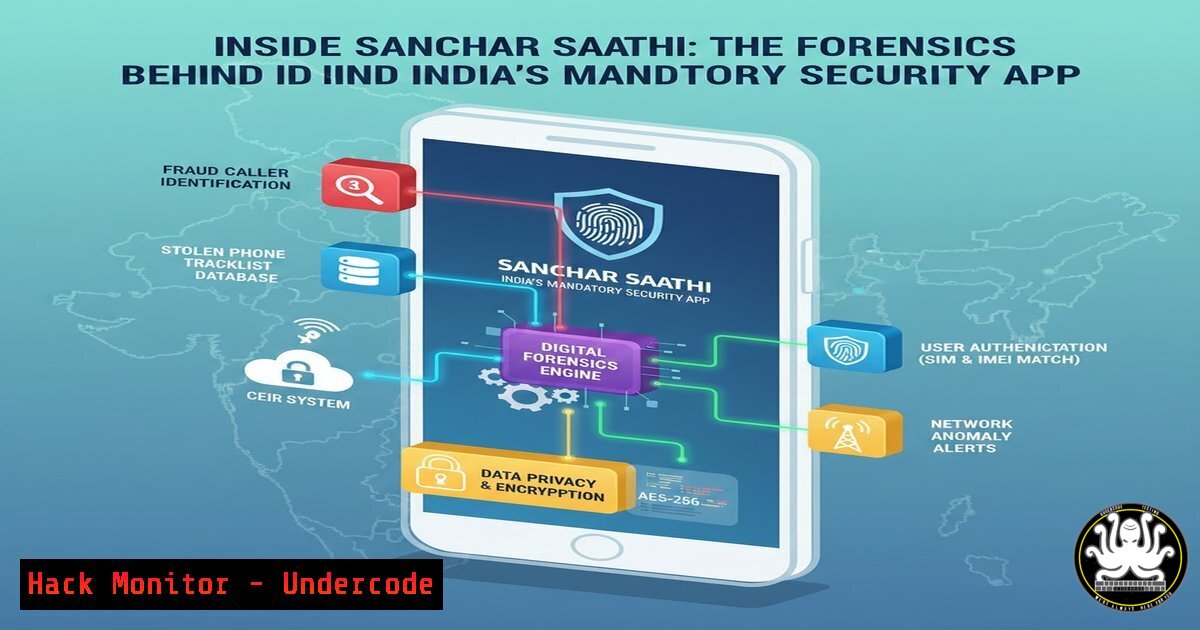
Introduction:
A recent government mandate requiring the pre-installation of the Sanchar Saathi app on every new phone in India has ignited a major privacy debate. A detailed forensic analysis and reverse engineering of the app by security researcher Aseem Shrey reveals a complex picture: while the app implements several modern privacy safeguards, its architecture enables continuous background surveillance, raising significant questions about state-level data collection.
Learning Objectives:
- Understand the technical methodologies for reverse engineering and analyzing a pre-installed Android application.
- Identify the specific types of user data the Sanchar Saathi app is designed to collect and transmit.
- Evaluate the privacy trade-offs between stated security goals and implemented surveillance capabilities.
You Should Know:
- Building a Forensics Lab for Android App Analysis
Before dissecting any application, especially one with system-level access, you need a controlled, isolated environment. This prevents contamination of your primary device and allows for deep inspection without restrictions. The ideal setup involves a rooted Android Virtual Device (AVD) emulator, which provides full system control, snapshot capabilities for easy rollback, and seamless integration with dynamic analysis tools.
Step‑by‑step guide explaining what this does and how to use it. - Set Up a Rooted Emulator: Using Android Studio’s AVD Manager, create a new virtual device. For analyzing Sanchar Saathi, which targets Android 9 (API 28) and above, select a system image of Android 10 (API 29). This version is crucial as it marks the privacy inflection point where direct IMEI access became restricted.
- Launch with Root Access: Start the emulator from the command line with the `-writable-system` flag to enable root privileges:
emulator -avd Pixel_API_29 -writable-system. - Install the Target App: Install the Sanchar Saathi APK onto the emulator via ADB:
adb install path/to/sanchar-saathi.apk. - Extract the APK for Static Analysis: Once installed, locate and pull the application package files from the device.
Find the app's package name
adb shell pm list packages | grep sanchar
Locate its APK path
adb shell pm path com.dot.app.sancharsaathi
Pull all APK files to your computer
adb pull /data/app/~~[bash]/base.apk ./
2. Decoding the App’s Permissions and Persistent Operations
The Android Manifest file is the blueprint of an app’s capabilities. For Sanchar Saathi, it requests 15 dangerous permissions, including `READ_CALL_LOG` and RECEIVE_BOOT_COMPLETED. More critically, the code analysis reveals the use of `WAKE_LOCK` and a `WorkManager` service configured to run every 15 minutes. This combination ensures the app remains active, survives device reboots, and periodically syncs data in the background.
Step‑by‑step guide explaining what this does and how to use it.
1. Decompile the APK: Use `apktool` to break down the application into its constituent parts, including the manifest and Smali code (Android’s assembly language): apktool d base.apk -o decompiled/.
2. Analyze the Manifest: Inspect the `decompiled/AndroidManifest.xml` file. Look for critical permissions and declared services or receivers, particularly those with android:permission="android.permission.RECEIVE_BOOT_COMPLETED".
3. Locate Background Worker Code: Search the decompiled Smali code for the `WorkManager` initialization. In Sanchar Saathi, this was found in MyApp.smali, where a periodic worker (NetworkWorker) is scheduled with a 15-minute interval.
4. Understand the Impact: This configuration means the app has a persistent background heartbeat. You cannot verify this through a simple setting; it requires code-level analysis as described.
- Analyzing Data Collection: Call Logs and SIM Tracking
The forensic investigation zeroed in on what specific data is harvested. The app’s stated purpose is combating phone theft and fraud via IMEI tracking. However, the code shows it collects the SIM card’s unique ICCID, enabling tracking across devices. For call logs, the analysis of the obfuscated class `Q3/b.smali` found logic that filters and collects only incoming, missed, and rejected calls—explicitly excluding records of outgoing calls.
Step‑by‑step guide explaining what this does and how to use it. - Search for Data Handling Code: In the decompiled `smali/` directory, search for strings related to telephony managers and content providers. Look for `android/telephony/TelephonyManager` and
android/provider/CallLog$Calls. - Decode the Call Filtering Logic: In the relevant Smali file, you will find conditional checks comparing a retrieved call type integer against Android’s system constants (
TYPE_OUTGOING = 2). The code will show a branch that skips processing or adding calls of type 2 to its collected dataset. - Identify SIM Data Access: Search for method calls like `getSimSerialNumber()` or `getSubscriberId()` (for IMSI) within the telephony manager usage. The ICCID is often accessed via
getSimSerialNumber(). - Cross-Reference with Stated Purpose: This technical finding creates a discrepancy. Collecting ICCID and selective call logs extends beyond simple IMEI-based anti-theft measures and into behavioral pattern collection.
4. The Privacy-Preserving Twist: Device Fingerprinting Without IMEI
On modern Android (10+), apps cannot easily access the IMEI. The reverse engineering uncovered that Sanchar Saathi uses an alternative, more privacy-conscious method for device identification. Instead of the IMEI, it leverages Google’s Widevine DRM framework (android.media.MediaDrm) to generate a unique, device-resettable ID.
Step‑by‑step guide explaining what this does and how to use it.
1. Locate the Identification Method: Search Smali files for the class Landroid/media/MediaDrm;. In Sanchar Saathi, this was in the `getUniqueDeviceId()` method within SathiMainActivity.smali.
2. Decode the DRM UUID: The method initializes a `MediaDrm` object with a specific UUID: edef8ba9-79d6-4ace-a3c8-27dcd51d21ed. This is the standard UUID for Google’s Widevine DRM system.
3. Understand the Technical Implication: The app calls MediaDrm.getPropertyByteArray("deviceUniqueId"). This generates a unique ID that is tied to the device’s hardware security module but is separate from the IMEI. This is a technically sound implementation that respects modern Android privacy sandboxing.
4. Note the Caveat: The app’s `minSdkVersion` is 28 (Android 9). On devices running this older OS, the app retains the `READ_PHONE_STATE` permission, which historically could grant IMEI access, creating a potential privacy loophole on older hardware.
5. Security Posture: Encryption and Network Hardening
The analysis revealed strong security measures protecting the data on the device. The app uses SQLCipher (an AES-256 encrypted SQLite database) for local storage. Furthermore, it implements a strict Network Security Configuration that enforces HTTPS-only communication and even employs certificate pinning, which successfully blocked interception attempts by standard tools like Burp Suite.
Step‑by‑step guide explaining what this does and how to use it.
1. Verify Local Encryption: The presence of the `net/sqlcipher/` directory within the decompiled code is a clear indicator of database encryption. You can also search for imports of net.sqlcipher.database.SQLiteDatabase.
2. Inspect Network Security Config: Check decompiled/res/xml/network_security_config.xml. This file defines the app’s TLS and certificate policies. Look for tags like `
3. Test Network Interception (Expected to Fail): Configure your emulator’s Wi-Fi to use a proxy like Burp Suite. Attempt to route the app’s traffic through it. Due to the pinning, the app will refuse to connect, demonstrating its robust transport-layer security.
4. Assess the Dichotomy: This creates a security-privacy paradox. While the data is well-protected in transit and local storage from third-party attackers, it is securely packaged and transmitted to the government’s servers at a 15-minute interval.
6. The Critical Unknowns: Server-Side and Update Risks
The technical analysis has clear limits. It can only scrutinize the client-side app. The forensic report explicitly states it could not verify what happens to data on government servers, the exact endpoints data is sent to (hidden in compiled Flutter code), or the data retention policies. The greatest theoretical risk, highlighted by external experts, is the “root-in-OS” privilege of a pre-installed app. A future Over-The-Air (OTA) update could silently expand its capabilities.
Step‑by‑step guide explaining what this does and how to use it.
1. Acknowledge the Blind Spot: Static and dynamic analysis of the APK cannot determine server-side logic, data linkage, or retention periods. These are policy questions beyond technical forensics.
2. Monitor for Updates: Regularly re-download and analyze new versions of the app. Compare hashes of the APK and monitor the changelog for new permissions or altered code in sensitive areas.
3. Analyze Update Mechanisms: Investigate if the app has its own silent update channel outside the Google Play Store, which would be a significant red flag. Check for services or receivers that download and install packages.
4. Practice Defense-in-Depth: Since the app’s future behavior cannot be guaranteed, mitigation relies on broader device security: using a firewall to block the app’s network access, employing a privacy-focused custom ROM, or using a secondary device for sensitive communications.
What Undercode Say:
- The Architecture Enables Silent Expansion: The most significant finding is not what the app does today, but what it could do tomorrow. Its position as a pre-installed app with a persistent background process and update capability creates a ready-made infrastructure for potential mission creep into broader surveillance.
- A Masterclass in Mixed Signals: The app is a technical contradiction. It employs advanced privacy-preserving techniques (Widevine ID, encrypted DB) alongside aggressive data collection (ICCID, continuous sync) and hardening against external inspection (certificate pinning). This reflects a development team skilled in modern Android security, tasked with building a potent data collection tool.
Prediction:
The Sanchar Saathi case will become a global blueprint for state-level digital surveillance deployed under the guise of security. Technically, it will spur an arms race between forensic researchers and obfuscation techniques within government-mandated apps. Legally and socially, it will force a long-overdue public debate on defining clear, legally binding limits for data collection by state-owned applications, potentially leading to new regulatory frameworks for “trusted pre-installed software.” The precedent it sets may be replicated by other governments, making advanced mobile forensics a critical skill for civil society watchdogs worldwide.
▶️ Related Video (88% Match):
🎯Let’s Practice For Free:
IT/Security Reporter URL:
Reported By: Aseemshrey Does – Hackers Feeds
Extra Hub: Undercode MoN
Basic Verification: Pass ✅


