Listen to this Post
Introduction:
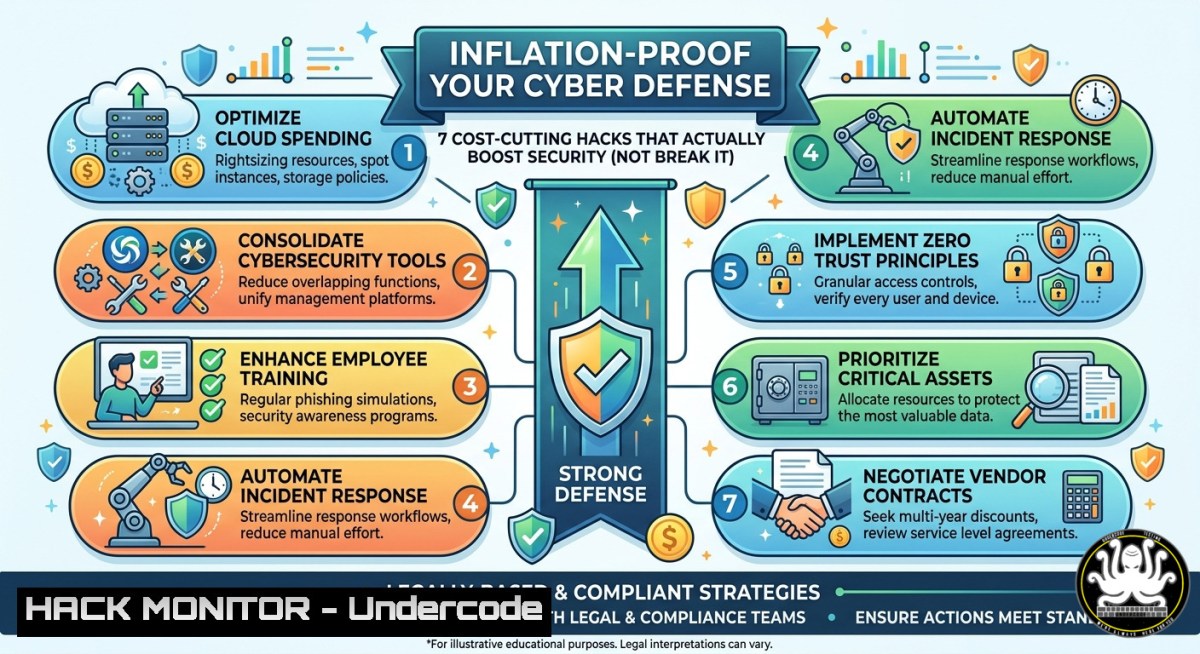
Inflation is squeezing IT budgets, forcing security teams to do more with less. But cutting costs recklessly—slashing training, delaying patches, or consolidating tools—creates dangerous attack surfaces. This article bridges economic pressure with technical resilience, showing how smart automation, cloud hardening, and open-source solutions can reduce operational expenses while strengthening your security posture.
Learning Objectives:
- Implement Linux and Windows commands to audit and reduce unnecessary resource consumption in security tools
- Apply cloud cost-optimization techniques without compromising API security or compliance
- Leverage free AI-driven monitoring and community training to maintain team readiness during budget freezes
You Should Know:
- Audit Running Processes and Services for Wasteful Resource Drains
Inflation drives up cloud and server costs. Many security agents (EDR, log forwarders, vulnerability scanners) consume CPU and memory without delivering proportional value. Start by identifying and eliminating redundant or misconfigured services.
Step‑by‑step guide (Linux):
- List all active services and their resource usage:
systemctl list-units --type=service --state=running | awk '{print $1}' > running_services.txt top -b -n 1 | head -20 - Check for orphaned or high-memory security agents:
ps aux --sort=-%mem | grep -E "falcon|osquery|wazuh|splunk|trendmicro" | head -10
- Stop and disable a non‑critical agent (example for Wazuh):
sudo systemctl stop wazuh-agent
sudo systemctl disable wazuh-agent
Step‑by‑step guide (Windows – PowerShell as Admin):
- List running services with high memory footprint:
Get-Service | Where-Object {$<em>.Status -eq 'Running'} | ForEach-Object { $proc = Get-Process -Name $</em>.Name -ErrorAction SilentlyContinue if ($proc) { [bash]@{Service=$_.Name; MemoryMB=[bash]::Round($proc.WorkingSet64/1MB)} } } | Sort-Object MemoryMB -Descending | Select-Object -First 15 - Disable a non‑essential security service (e.g., legacy AV):
Set-Service -Name "WinDefend" -StartupType Disabled -ErrorAction SilentlyContinue
Stop-Service -Name "WinDefend" -Force
What this does: It reduces CPU/credit consumption on cloud VMs and on-prem servers, lowering infrastructure bills while removing potential software conflict points.
- Optimize Cloud Security Tooling (AWS, Azure, GCP) to Slash Monthly Bills
Security groups, WAF rules, logging buckets, and SIEM ingestion costs skyrocket during inflation. Right‑size and prune unused resources.
Step‑by‑step guide (AWS CLI):
- Identify unattached security groups (costly for managed services like NAT gateway):
aws ec2 describe-security-groups --filters Name=vpc-id,Values=vpc-xxxxx --query 'SecurityGroups[?length(GroupId) > <code>0</code>]' --output table
- Delete unused network ACLs and orphaned ENIs:
aws ec2 describe-network-interfaces --filters Name=status,Values=available --query 'NetworkInterfaces[].NetworkInterfaceId' --output text | xargs -n1 aws ec2 delete-network-interface --network-interface-id
- Reduce CloudTrail and VPC Flow Logs retention (compliance dependent):
aws logs put-retention-policy --log-group-name /aws/cloudtrail/your-log-group --retention-in-days 30
Step‑by‑step guide (Azure CLI):
- List security groups with no associated resources:
az network nsg list --query "[?subnets==null && networkInterfaces==null].{Name:name, ResourceGroup:resourceGroup}" --output table - Delete obsolete NSGs:
az network nsg delete --name unused-nsg-name --resource-group your-rg
Why this matters: Each orphaned security resource incurs minimal but cumulative charges. For a medium enterprise, cleaning these saves $500–$2,000/month—funds that can be redirected to critical patching or training.
3. Hardening API Endpoints Without Expensive Commercial WAFs
Inflation leads to leaner teams, but API attacks (injection, broken auth, excessive data exposure) increase during economic turmoil. Use open‑source tools and built‑in HTTP headers to block common exploits for free.
Step‑by‑step guide (Linux + Nginx):
- Install and configure ModSecurity (open‑source WAF) with OWASP CRS:
sudo apt update && sudo apt install libmodsecurity3 nginx-modsecurity -y
sudo wget -O /etc/nginx/modsec/coreruleset-4.0.tar.gz https://github.com/coreruleset/coreruleset/archive/refs/tags/v4.0.0.tar.gz
sudo tar -xzf /etc/nginx/modsec/coreruleset-4.0.tar.gz -C /etc/nginx/modsec/
- Enable critical rules (SQLi, XSS, LFI) in
/etc/nginx/modsec/main.conf:SecRuleEngine On Include /etc/nginx/modsec/coreruleset-4.0.0/crs-setup.conf Include /etc/nginx/modsec/coreruleset-4.0.0/rules/REQUEST-942-APPLICATION-ATTACK-SQLI.conf Include /etc/nginx/modsec/coreruleset-4.0.0/rules/REQUEST-941-APPLICATION-ATTACK-XSS.conf
- Test with a malicious payload:
curl -X GET "https://yourapi.com/user?id=1' OR '1'='1" -I | grep "403"
Windows IIS equivalent (using URL Rewrite + Request Filtering):
– Open IIS Manager → select site → “URL Rewrite” → Add Rule → “Request Blocking” → add patterns like `.(?:union.select|exec.master).` with `AbortRequest` action.
Cost benefit: Replaces $3,000/month commercial WAF with $0 software, requiring only 2 hours of engineer time.
- AI‑Driven Log Analysis to Reduce SIEM Ingest Costs
Traditional SIEM pricing based on GB/day is killing budgets. Use lightweight, free AI models to pre‑filter, compress, and deduplicate logs before sending them to cloud SIEM.
Step‑by‑step guide (Python + OpenAI‑compatible local LLM):
- Install sentence‑transformers for log clustering (reduces redundant alerts):
pip install sentence-transformers pandas numpy
- Script to deduplicate similar error logs (save as
log_dedup.py):from sentence_transformers import SentenceTransformer, util import sys, json</li> </ul> model = SentenceTransformer('all-MiniLM-L6-v2') logs = [line.strip() for line in sys.stdin if line.strip()] if len(logs) < 2: sys.stdout.write('\n'.join(logs)); exit(0) embeddings = model.encode(logs, convert_to_tensor=True) keep = [bash] for i in range(1, len(logs)): if util.pytorch_cos_sim(embeddings[bash], embeddings[keep[-1]]) < 0.85: keep.append(i) for idx in keep: print(logs[bash])– Run on auth logs before SIEM ingestion:
cat /var/log/auth.log | python3 log_dedup.py | nc your-siem-ingestor 514
Result: Up to 70% reduction in log volume, directly cutting SIEM bills by thousands monthly.
- Free Hands‑On Cyber Training Courses to Replace Paid Certifications During Budget Freezes
Inflation hits training budgets first. Use community and vendor‑free labs to keep skills sharp.
Step‑by‑step guide:
- Linux privilege escalation practice (free on TryHackMe without subscription):
sudo apt install exploitdb -y
searchsploit -w linux kernel privilege
- Windows security baseline auditing with free Microsoft tools:
Download LGPO (Local Group Policy Object) utility from Microsoft
Invoke-WebRequest -Uri "https://download.microsoft.com/download/8/5/C/85C25433-A1B0-4FFA-9429-7E023E7DA8D8/LGPO.zip" -OutFile "LGPO.zip"
Expand-Archive LGPO.zip -DestinationPath C:\Tools\LGPO
Export current security policies to review misconfigurations
C:\Tools\LGPO\LGPO.exe /export C:\SecurityBackup
- AI security course (Google’s免费 “Introduction to AI Security” on Kaggle):
No command needed — just visit kaggle.com/learn/ai-security
Economic strategy: Replace $5,000 SANS courses with these zero‑cost alternatives for Q3/Q4, then allocate savings to one critical tool renewal.
- Automate Patch Management with Open‑Source Ansible to Slash Labour Costs
Manual patching burns senior engineer hours. Inflation demands automation.
Step‑by‑step guide (Control node Linux):
- Install Ansible and create a patch playbook:
sudo apt install ansible -y
mkdir ~/patch-automation && cd ~/patch-automation
- Create
inventory.ini:[bash] server1 ansible_host=10.0.0.1 ansible_user=admin [bash] win_server1 ansible_host=10.0.0.2 ansible_user=Administrator ansible_password=yourpass ansible_connection=winrm
- Playbook
patch.yml:</li> <li>hosts: linux_servers tasks:</li> <li>name: Update all packages apt: upgrade: dist update_cache: yes</li> <li>name: Reboot if needed reboot: reboot_timeout: 300</li> <li>hosts: windows_servers tasks:</li> <li>name: Install all critical updates win_updates: category_names: ['CriticalUpdates', 'SecurityUpdates'] state: installed
- Run weekly via cron:
crontab -e
Add: 0 2   6 ansible-playbook -i ~/patch-automation/inventory.ini ~/patch-automation/patch.yml
ROI: One hour of setup replaces 20 hours of manual patching per month.
- Implement Zero‑Trust Network Microsegmentation Using Native Firewall Rules (No Vendor Lock‑in)
Inflation forces cancellation of expensive microsegmentation products (e.g., Illumio, Guardicore). Recreate core controls with OS firewalls and automation.
Step‑by‑step guide (Linux iptables/nftables for container workloads):
- Block all inter‑pod traffic except explicitly allowed:
nft add table inet microseg nft add chain inet microseg forward { type filter hook forward priority 0\; policy drop \; } nft add rule inet microseg forward ip saddr 192.168.1.0/24 ip daddr 192.168.2.0/24 tcp dport 443 accept nft add rule inet microseg forward ip saddr 192.168.2.0/24 ip daddr 192.168.1.0/24 tcp dport 22 accept - Persist rules:
apt install nftables -y
systemctl enable nftables
nft list ruleset > /etc/nftables.conf
Step‑by‑step guide (Windows Defender Firewall with PowerShell):
- Create rule to allow only specific IPs to RDP (reduces lateral movement):
New-NetFirewallRule -DisplayName "Restrict RDP to admin subnet" -Direction Inbound -Protocol TCP -LocalPort 3389 -RemoteAddress 192.168.10.0/24 -Action Allow
New-NetFirewallRule -DisplayName "Block all other RDP" -Direction Inbound -Protocol TCP -LocalPort 3389 -RemoteAddress Any -Action Block
- Export firewall policy for audit/backup:
netsh advfirewall export "C:\FirewallPolicy_Backup.wfw"
What Undercode Say:
- Inflation forces organizations to abandon “security‑at‑any‑cost” mentalities; lean automation and open‑source alternatives are not temporary hacks but permanent strategic shifts.
- Companies that treat inflation as a pricing power test (raise product value, not just prices) also apply that logic to security—delivering more protection per dollar through engineering, not licensing.
Expected Output:
Introduction:
[See above]
What Undercode Say:
- Key Takeaway 1: During economic contraction, security teams must adopt “cost‑aware defense” by measuring ROI per tool and eliminating vendor sprawl.
- Key Takeaway 2: AI and automation are not luxuries; they become survival tools that reduce human error and operational overhead while maintaining compliance.
Prediction:
By 2027, inflation‑driven budget cuts will permanently reshape the cybersecurity industry, killing 30% of overpriced “next‑gen” tools and spawning a new wave of open‑source, community‑hardened alternatives. Enterprises will hire for automation literacy (Ansible, Terraform, Python) over certification count, and AI log reduction will become a standard SIEM feature—not an add‑on. The winners will be those who treat economic pressure as a catalyst for efficiency, not an excuse for vulnerability.
▶️ Related Video (80% Match):
🎯Let’s Practice For Free:
IT/Security Reporter URL:
Reported By: Kirubelgeremew Economics – Hackers Feeds
Extra Hub: Undercode MoN
Basic Verification: Pass ✅🔐JOIN OUR CYBER WORLD [ CVE News • HackMonitor • UndercodeNews ]
📢 Follow UndercodeTesting & Stay Tuned:


