
Listen to this Post
Introduction:
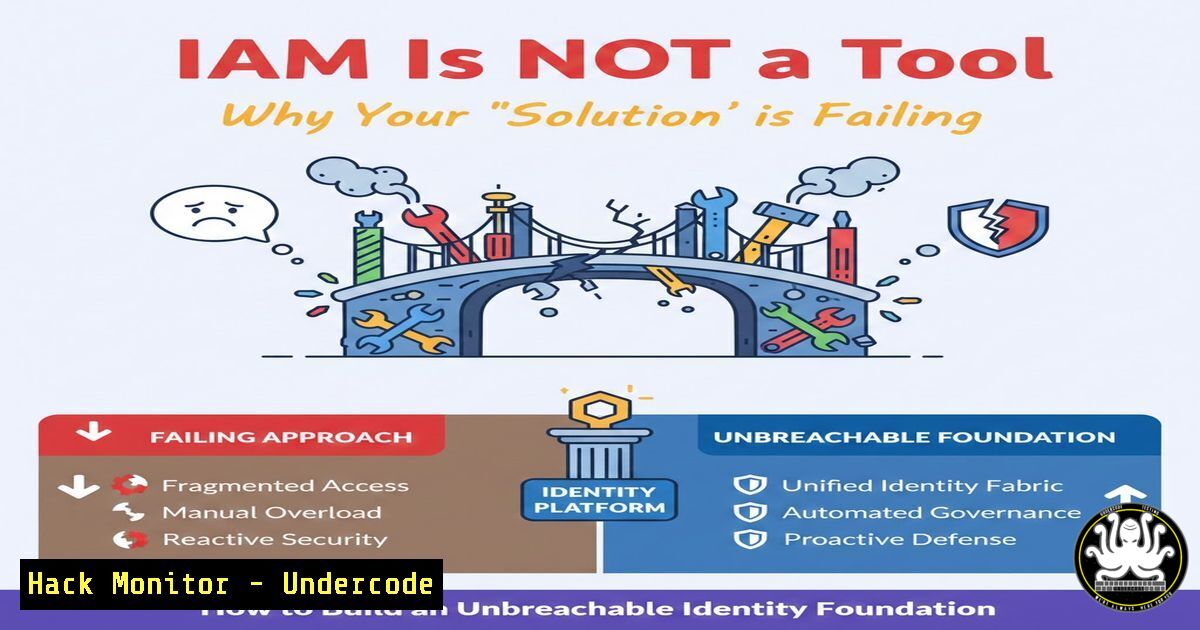
In today’s perimeter-less world of cloud, AI, and remote work, the traditional castle-and-moat security model is obsolete. The new perimeter is identity. However, as cybersecurity expert Kostas Tsiolas emphasizes, treating Identity and Access Management (IAM) merely as a technological tool is a critical strategic failure that leads to fragmented controls, compliance gaps, and excessive risk. This article deconstructs how to architect IAM as an enterprise-wide capability, providing the technical blueprints for implementation, hardening, and automation to achieve measurable risk reduction.
Learning Objectives:
- Understand the strategic pillars of a mature IAM program beyond point solutions.
- Implement technical controls for the core identity lifecycle: provisioning, privilege management, and deprovisioning.
- Harden cloud IAM configurations and establish automated auditing for continuous compliance.
You Should Know:
- From Tool to Strategy: Architecting Your IAM Foundation
A mature IAM program is built on strategy, governance, and then technology. The technical execution begins with a centralized directory and policy engine.
Step‑by‑step guide:
- Define Core Policies: Document access approval workflows, role definitions (RBAC), and the principle of least privilege.
- Select & Integrate Core Systems: Implement an Identity Provider (IdP) like Azure AD, Okta, or PingFederate. Ensure it integrates with all target systems (HR, SaaS apps, on-prem directories).
- Establish a Source of Truth: Sync your IdP with an HR system (e.g., Workday) as the authoritative source for user status. Use SCIM (System for Cross-domain Identity Management) for automated provisioning.
Example SCIM API Call (User Provisioning):
curl --location --request POST 'https://api.example.com/scim/v2/Users' \
--header 'Authorization: Bearer YOUR_ACCESS_TOKEN' \
--header 'Content-Type: application/scim+json' \
--data-raw '{
"schemas": ["urn:ietf:params:scim:schemas:core:2.0:User"],
"userName": "[email protected]",
"name": {
"givenName": "John",
"familyName": "Doe"
},
"active": true
}'
2. Mastering the Identity Lifecycle: Joiner-Mover-Leaver
The greatest risk lies in unmanaged access accumulation. Automate the JML (Joiner, Mover, Leaver) process.
Step‑by‑step guide:
- Joiner: Triggered by HR feed. Automated account creation in IdP, assignment to basic role groups, and provisioning to connected systems.
- Mover: Access reviews must trigger upon role change. Scripts should remove old role memberships and add new ones.
PowerShell (Azure AD) Example for Removing from Old Group:Remove-AzureADGroupMember -ObjectId "OLD_GROUP_ID" -MemberId "USER_OBJECT_ID" Add-AzureADGroupMember -ObjectId "NEW_GROUP_ID" -RefObjectId "USER_OBJECT_ID"
- Leaver: Immediate deactivation via HR feed. Disable IdP account, revoke all sessions, and initiate deprovisioning from all systems.
-
Enforcing Least Privilege with Privileged Access Management (PAM)
Excessive privileges are a primary attack vector. Implement Just-In-Time (JIT) and Just-Enough-Access (JEA).
Step‑by‑step guide:
- Identify Privileged Accounts: Use tools like `BloodHound` (for on-prem AD) or cloud-native tools to find excessive permissions and hidden attack paths.
- Isolate & Control: Place privileged accounts in a protected, isolated forest or use a dedicated PAM solution (e.g., CyberArk, BeyondTrust).
- Implement JIT Elevation: Require users to request elevated access for a limited time. For Linux servers, integrate with
sudo. Configure `/etc/sudoers` to allow privilege escalation only via the PAM tool, not direct password.
Example sudoers configuration:
 %admin ALL=(ALL:ALL) ALL  COMMENT OUT THIS STANDARD LINE
%admin ALL=(ALL:ALL) /bin/bash /opt/pam_scripts/check_approval.sh
4. Hardening Cloud IAM: Beyond the Defaults
Cloud IAM misconfigurations are a top breach cause. Defaults are insecure.
Step‑by‑step guide:
- Eliminate Standing Privileges: For AWS IAM, replace long-term access keys with temporary security credentials (AssumeRole). For Azure, use Managed Identities for services.
- Apply Zero Trust Policies: In GCP, use VPC Service Controls to create perimeters. In AWS, make all S3 buckets private by default and use explicit bucket policies.
AWS CLI command to block public S3 bucket access:aws s3api put-public-access-block \ --bucket YOUR_BUCKET_NAME \ --public-access-block-configuration "BlockPublicAcls=true,IgnorePublicAcls=true,BlockPublicPolicy=true,RestrictPublicBuckets=true"
- Enable Multi-Factor Authentication (MFA) Enforcements: Use Conditional Access policies (Azure AD) or `EnforceMFA` IAM policies in AWS.
5. Proactive Auditing, Logging, and Threat Detection
Visibility is control. Log all authentication and authorization events.
Step‑by‑step guide:
- Centralize Logs: Send all IdP, OS, and application auth logs to a SIEM (e.g., Splunk, Sentinel, ELK Stack).
- Build Detections: Create alerts for impossible travel, token theft anomalies, and excessive failed logins.
Example Sigma Rule for detecting multiple failed logins (concept):title: Multiple Failed Logons from Same Source logsource: product: windows service: security detection: selection: EventID: 4625 timeframe: 5m condition: selection | count() by Source_Network_Address > 10
- Conduct Regular Access Reviews: Automate the certification process. Use tools like Azure AD Access Reviews or SailPoint to query and remediate stale permissions.
6. Automating for Security and Efficiency
Manual IAM processes are slow and error-prone. Automate to enforce policy.
Step‑by‑step guide:
- Infrastructure as Code (IaC): Define IAM roles and policies in Terraform or CloudFormation to ensure consistent, reviewed deployments.
Terraform snippet for an AWS IAM Role with least privilege:resource "aws_iam_role" "ec2_read_only" { name = "EC2ReadOnlyRole" assume_role_policy = jsonencode({ Version = "2012-10-17" Statement = [{ Effect = "Allow" Principal = { Service = "ec2.amazonaws.com" } Action = "sts:AssumeRole" }] }) managed_policy_arns = ["arn:aws:iam::aws:policy/AmazonEC2ReadOnlyAccess"] } - Orchestrate Workflows: Use tools like ServiceNow or custom scripts to tie access requests from ticketing systems directly to automated provisioning/deprovisioning in the IdP.
What Undercode Say:
- Identity is the New Security Perimeter: In a cloud-native, hybrid world, IAM policies are your most critical security boundary, far more important than firewalls.
- Strategy Precedes Technology: The most advanced IAM tool will fail if deployed without cross-organizational strategy, clear governance, and defined business processes. Technology enables the strategy; it is not the strategy itself.
Prediction:
The convergence of AI and identity will define the next era of cybersecurity. AI-driven attackers will increasingly exploit weak IAM governance and over-permissioned service accounts. In response, AI-powered IAM defense will become standard: predictive analytics will auto-remediate risky access, behavioral biometrics will enable continuous, invisible authentication, and natural language processing will allow for intuitive, granular policy creation. Organizations that fail to evolve their IAM from a tactical tool to an AI-augmented, strategic capability will face untenable levels of business risk and regulatory scrutiny.
▶️ Related Video (72% Match):
🎯Let’s Practice For Free:
IT/Security Reporter URL:
Reported By: Activity 7416407349210501120 – Hackers Feeds
Extra Hub: Undercode MoN
Basic Verification: Pass ✅


