Listen to this Post
Introduction
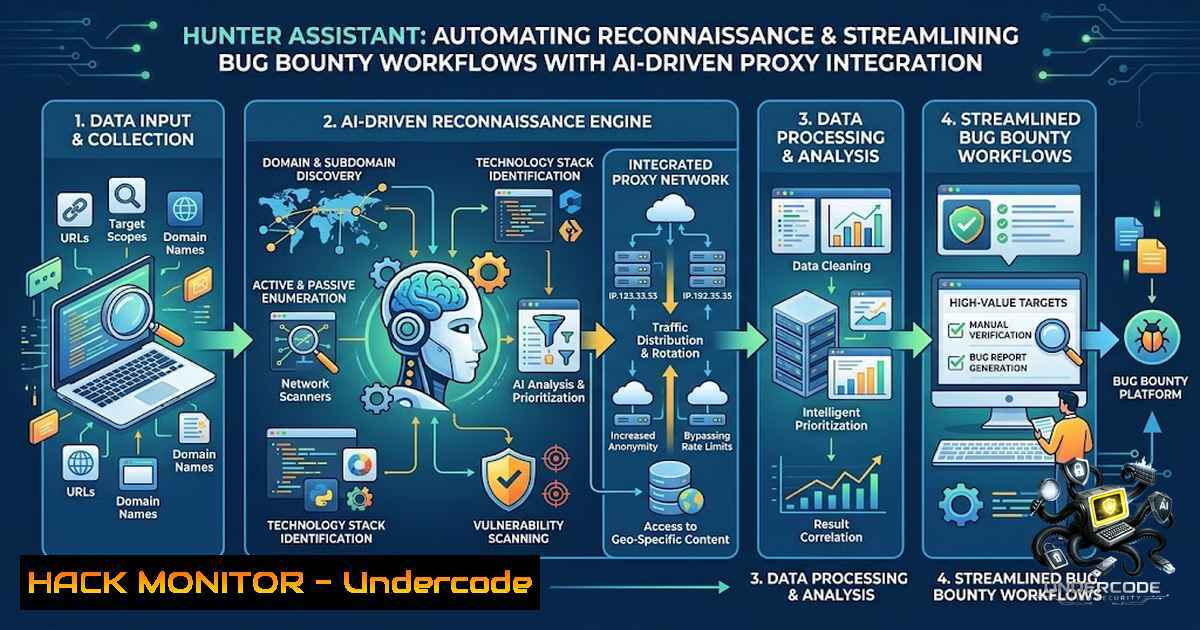
In the fast-paced world of bug bounty hunting and penetration testing, managing raw HTTP traffic from proxies like Burp Suite remains a significant bottleneck. Security researchers often spend excessive time manually sifting through logs, deduplicating endpoints, and documenting findings. Hunter Assistant addresses this friction by introducing a private reconnaissance platform that bridges Burp Suite’s proxy history directly with a PostgreSQL database. By leveraging Go, Next.js, and the Model Context Protocol (MCP), this tool automates data ingestion, intelligently classifies REST and GraphQL endpoints, and enables AI tools to query the database in natural language, effectively transforming the workspace from cluttered logs into a structured, searchable asset.
Learning Objectives & Secrets
- Objective 1: Automated Ingress and Deduplication – Configure the platform to automatically ingest HTTP traffic from Burp Suite, eliminating redundant entries and ensuring that every request is uniquely stored and easily retrievable.
- Objective 2: Intelligent Endpoint Classification – Master the secrets behind the ingestion engine’s ability to differentiate between standard REST APIs and GraphQL operations, while also mapping external CDNs and JavaScript dependencies to contextualize the attack surface.
- Objective 3: AI-Integrated Querying via MCP – Utilize the standalone MCP server to connect AI assistants like Claude Desktop or Cursor, enabling natural language queries for payload analysis, endpoint retrieval, and rapid historical data review without manual SQL or dashboard navigation.
You Should Know
1. Setting Up the Hunter Assistant Core Environment
This platform is built on a robust stack requiring Go, Node.js, and PostgreSQL. Before deploying, ensure your system meets these prerequisites. The process involves cloning the repository, configuring environment variables, and initializing the database schema.
Step‑by‑step guide:
- Linux/macOS:
- Clone the repository: `git clone https://github.com/your-repo/hunter-assistant.git` (note: replace with actual repo from the provided link).
2. Install dependencies: `go mod tidy` for the backend and `npm install` for the Next.js frontend. - Set up PostgreSQL: `sudo -u postgres psql -c “CREATE DATABASE hunter_assistant;”` and configure the `DATABASE_URL` in a `.env` file.
4. Run migrations:
go run cmd/migrate/main.go.5. Start the backend server:
go run cmd/server/main.go.
– Windows:
– Use WSL2 for best compatibility or install Go and Node.js natively.
– In PowerShell (Admin), run `go mod tidy` and npm install.
– Create the DB using `psql -U postgres -c “CREATE DATABASE hunter_assistant;”` and set the environment variable $env:DATABASE_URL="postgresql://user:pass@localhost:5432/hunter_assistant".
– Execute go run cmd/server/main.go.
This setup ensures the ingestion pipeline is ready to accept proxy data.
2. Integrating Burp Suite Proxy History
Hunter Assistant acts as a sink for Burp’s proxy logs. This integration strips out manual copy-pasting and automatically ingests captured requests.
Step‑by‑step guide:
- In Burp Suite, go to Proxy > Options and configure the output to forward logs to the Hunter Assistant endpoint (default: `http://localhost:8080/api/ingest`).
- Alternatively, use the provided Burp extension (if available) to send traffic in real-time; otherwise, configure Burp to save proxy history to a file that Hunter Assistant monitors.
- The ingestion engine then validates and stores each request, stripping duplicates using hashing of the method, host, and path.
- Linux/Windows command tip: Use `curl` to test the ingestion endpoint:
curl -X POST http://localhost:8080/api/ingest -H "Content-Type: application/json" -d '{"host":"example.com","method":"GET","path":"/api/v1"}'. - Monitor logs to confirm successful ingestion: `tail -f logs/hunter.log` (Linux) or `Get-Content logs/hunter.log -Wait` (PowerShell).
3. Deduplication and Data Structuring
One of the core secrets is the deduplication mechanism that prevents hundreds of identical static resource requests from cluttering the database.
Step‑by‑step guide:
- The engine generates a unique fingerprint (SHA-256 hash) for each incoming request based on the normalized URL and payload structure.
- It checks the PostgreSQL table for existing fingerprints before inserting; if a match is found, it increments a reference counter and logs the timestamp.
- To manually clean duplicates, run a SQL query:
DELETE FROM proxy_logs WHERE id NOT IN (SELECT MIN(id) FROM proxy_logs GROUP BY fingerprint);. - For advanced users, schedule a cron job (Linux) or Task Scheduler (Windows) to run a weekly dedup script:
go run scripts/dedup.go. - This structured approach ensures that the database remains lean, with each endpoint carrying metadata about its first seen date and frequency.
4. Intelligent Endpoint Classification and Mapping
The platform automatically separates REST and GraphQL endpoints, a critical feature for modern API testing. It also scans JavaScript files and CDN URLs to map external resources.
Step‑by‑step guide:
- The ingestion parser checks the `Content-Type` header and URL structure. If the request body contains
{"query":...}, it’s flagged as GraphQL. - REST endpoints are categorized by HTTP methods (GET, POST, PUT, DELETE) and path parameters.
- To extend the classification, modify the `config/classifiers.yaml` file to add custom rules.
- For JavaScript mapping, the tool uses regex to extract `
 Manage ConsentFunctional Always activeThe technical storage or access is strictly necessary for the legitimate purpose of enabling the use of a specific service explicitly requested by the subscriber or user, or for the sole purpose of carrying out the transmission of a communication over an electronic communications network.PreferencesThe technical storage or access is necessary for the legitimate purpose of storing preferences that are not requested by the subscriber or user.StatisticsThe technical storage or access that is used exclusively for statistical purposes. The technical storage or access that is used exclusively for anonymous statistical purposes. Without a subpoena, voluntary compliance on the part of your Internet Service Provider, or additional records from a third party, information stored or retrieved for this purpose alone cannot usually be used to identify you.MarketingThe technical storage or access is required to create user profiles to send advertising, or to track the user on a website or across several websites for similar marketing purposes.