
Listen to this Post
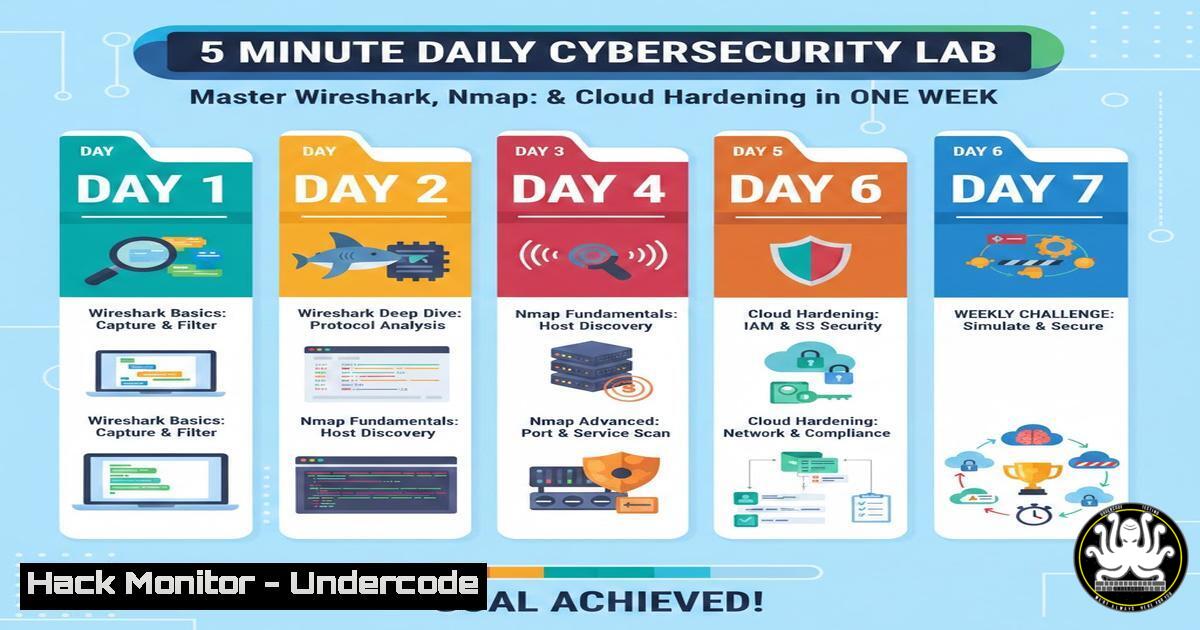
Introduction:
In the fast-evolving landscape of cybersecurity, continuous learning is no longer optional—it is a survival mechanism. The concept of “micro‑learning”—breaking down complex topics into five‑minute daily exercises—has proven to be one of the most effective ways to retain technical skills. This article provides a structured, week‑long roadmap that combines packet analysis with Wireshark, network scanning with Nmap, password cracking fundamentals, Python automation, and cloud security policy enforcement. By following this hands‑on guide, you will transform abstract theory into practical, job‑ready skills.
Learning Objectives:
- Master the core features of Wireshark for real‑time traffic analysis and threat hunting.
- Execute precise Nmap scans to map network topologies and identify vulnerabilities.
- Understand password cracking methodologies using John the Ripper on Linux.
- Automate security tasks with Python scripts to enhance efficiency.
- Implement Identity and Access Management (IAM) policies to harden cloud environments.
- Test and secure RESTful APIs against common injection attacks.
You Should Know:
- Packet Analysis with Wireshark: Capture and Filter Malicious Traffic
Wireshark is the industry standard for network protocol analysis. It allows you to capture live packets and inspect them for anomalies. To begin, launch Wireshark and select the network interface you wish to monitor (e.g., eth0 on Linux or Wi-Fi on Windows). Start a capture and then generate some traffic by visiting a website.
Step‑by‑step guide:
- Capture: After starting the capture, apply a display filter to isolate specific traffic. For example, to see only HTTP traffic, type `http` in the filter bar and press Enter.
- Follow Stream: Right‑click on any HTTP packet and select Follow > TCP Stream. This will reconstruct the entire conversation, including any plaintext credentials.
- Statistics: Navigate to Statistics > Protocol Hierarchy to see a breakdown of all protocols in the capture. This helps identify unusual traffic spikes.
- Command‑line alternative (tshark): If you prefer the terminal, use `tshark` (the command‑line version of Wireshark). To capture 100 packets and save them to a file:
tshark -c 100 -w capture.pcap
To read the file and display HTTP requests:
tshark -r capture.pcap -Y http.request
- Network Mapping with Nmap: From Ping Sweeps to Service Detection
Nmap is indispensable for network discovery and security auditing. It helps you understand what devices are running on your network and what services they expose.
Step‑by‑step guide:
- Ping Sweep: To discover live hosts in a subnet, use:
nmap -sn 192.168.1.0/24
This sends ICMP echo requests and TCP ACKs to port 80.
- Port Scanning: To scan for open ports on a specific target, use:
nmap -sS 192.168.1.10
The `-sS` flag performs a SYN stealth scan.
- Service Version Detection: To probe running services and their versions, add the `-sV` flag:
nmap -sV 192.168.1.10
- Output to File: Save your results for documentation:
nmap -sV -oN scan_results.txt 192.168.1.10
- Password Cracking Fundamentals with John the Ripper (Linux)
Understanding how passwords are cracked helps you enforce stronger password policies. John the Ripper is a fast password cracker commonly used in penetration testing.
Step‑by‑step guide:
- Extract Hashes: On a Linux system, password hashes are stored in
/etc/shadow. For practice, create a test user and then extract the hash:sudo unshadow /etc/passwd /etc/shadow > mypasswd
- Crack with Wordlist: Use a wordlist like `rockyou.txt` (often located at
/usr/share/wordlists/rockyou.txt.gz). First, unzip it:sudo gzip -d /usr/share/wordlists/rockyou.txt.gz
Then run John:
john --wordlist=/usr/share/wordlists/rockyou.txt mypasswd
– Show Results: To display the cracked passwords, use:
john --show mypasswd
4. Automating Security Tasks with Python
Python scripting allows you to automate repetitive tasks such as log parsing or port scanning. Here is a simple script that checks for open ports on a remote host.
Step‑by‑step guide:
- Create a script (
port_scanner.py):import socket</li> </ul> target = "scanme.nmap.org" common_ports = [21, 22, 23, 25, 80, 443, 8080] for port in common_ports: sock = socket.socket(socket.AF_INET, socket.SOCK_STREAM) sock.settimeout(1) result = sock.connect_ex((target, port)) if result == 0: print(f"Port {port}: Open") sock.close()– Run the script:
python3 port_scanner.py
5. Cloud Hardening: Implementing IAM Policies (AWS Example)
Misconfigured Identity and Access Management (IAM) is a leading cause of cloud breaches. The principle of least privilege should be applied to every user and role.
Step‑by‑step guide:
- Create a policy JSON (
restrict_s3.json):{ "Version": "2012-10-17", "Statement": [ { "Effect": "Allow", "Action": "s3:ListBucket", "Resource": "arn:aws:s3:::example-bucket" } ] } - Apply policy via AWS CLI:
aws iam create-policy --policy-name RestrictS3List --policy-document file://restrict_s3.json
- Attach to a user:
aws iam attach-user-policy --user-name testuser --policy-arn arn:aws:iam::123456789012:policy/RestrictS3List
- Test the policy: Attempt to perform an action not allowed (e.g., deleting an object) to verify the restriction works.
6. API Security: Testing for Injection Flaws
APIs are prime targets for attackers. A simple way to test for SQL injection is to use `curl` to send malicious payloads.
Step‑by‑step guide:
- Basic GET request with payload:
curl "http://testapi.com/user?id=1' OR '1'='1"
- Check response: If the API returns data for all users instead of just one, it may be vulnerable.
- Using Burp Suite (alternative): Intercept the request, send it to Repeater, and modify the parameter to
id=1 UNION SELECT username, password FROM users--. Analyze the response for data leakage.
What Undercode Say:
- Consistency over intensity: Spending just five minutes daily on hands‑on tools like Wireshark or Nmap builds muscle memory far more effectively than occasional eight‑hour study sessions. This micro‑learning approach ensures long‑term retention of complex command syntax and analytical thinking.
- Breadth meets depth: The combination of network, endpoint, cloud, and application security exercises provides a holistic view of the attack surface. By moving from packet‑level analysis to cloud policy enforcement, learners understand how vulnerabilities propagate across modern IT stacks.
- Practical automation is key: The inclusion of Python scripting demonstrates that manual tasks must be codified to scale security efforts. In professional environments, the ability to automate a scan or parse a log is what separates analysts from engineers.
Prediction:
As artificial intelligence continues to automate low‑level security tasks, the role of the human analyst will shift toward interpreting complex, cross‑domain attacks. Future cybersecurity training will increasingly rely on AI‑driven personalized micro‑learning platforms that adapt to an individual’s skill gaps in real time. Professionals who embrace this model—combining foundational command‑line skills with automated tooling—will remain indispensable, while those who rely on static, one‑time certifications may find their knowledge quickly outdated. The integration of DevOps pipelines with security (DevSecOps) will further demand that these daily learning habits become embedded in the workflow of every engineer.
▶️ Related Video (74% Match):
🎯Let’s Practice For Free:
IT/Security Reporter URL:
Reported By: Adam Biddlecombe – Hackers Feeds
Extra Hub: Undercode MoN
Basic Verification: Pass ✅🔐JOIN OUR CYBER WORLD [ CVE News • HackMonitor • UndercodeNews ]
📢 Follow UndercodeTesting & Stay Tuned:
- Create a policy JSON (


