
Listen to this Post
Introduction
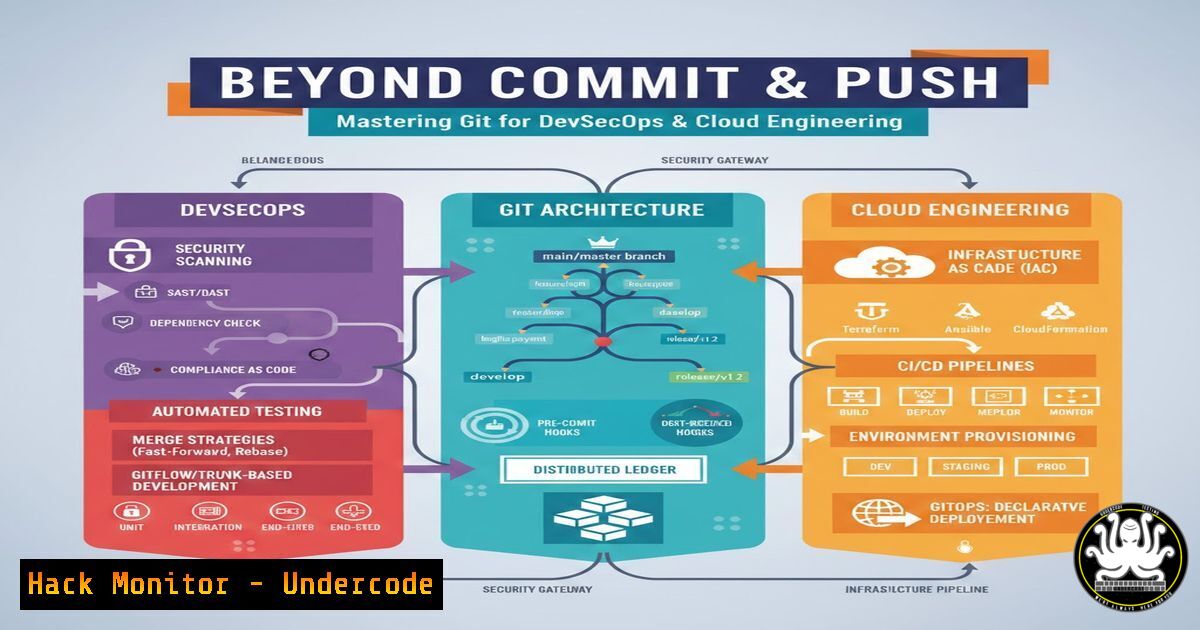
In modern DevSecOps and cloud engineering environments, Git transcends its reputation as a simple version control system to become the foundational architecture for collaboration, security enforcement, and production reliability. While many developers remain confined to basic commands like git add, commit, and push, production teams leverage Git’s internal object model, branching strategies, and recovery mechanisms to maintain code integrity and enable rapid incident response. Understanding Git at this level is no longer optional—it is a critical competency for engineers managing distributed systems, infrastructure as code, and secure software supply chains.
Learning Objectives
- Understand Git’s internal object model and how it constructs history graphs for forensic analysis and recovery
- Master advanced branching strategies, including merge vs. rebase workflows, to maintain clean production timelines
- Implement enterprise-grade collaboration workflows with branch protection rules and secure code review processes
- Execute production recovery operations using stash, cherry-pick, revert, and reset with precision
- Apply Git debugging techniques to recover lost commits and resolve complex merge conflicts in CI/CD pipelines
You Should Know
1. Git Internals: Understanding How Git THINKS
Before executing commands blindly, production engineers must understand Git’s core architecture. Git stores data as snapshots, not file differences, using a content-addressable filesystem based on SHA-1 hashes. The object database consists of four primary object types: blobs (file contents), trees (directory listings), commits (snapshots with metadata), and tags (named references to commits).
To inspect Git’s internal structure, use these commands:
 View the contents of a blob object
git hash-object -w file.txt  Creates blob and returns hash
git cat-file -p <blob-hash>  Pretty-print blob contents

Examine tree objects
git ls-tree <tree-hash>  List files in a tree
git cat-file -p <tree-hash>  View tree structure

Investigate commit objects
git cat-file -p HEAD  Show current commit details
git log --format=raw  Display raw commit data including parent hashes
On Windows PowerShell, equivalent operations:
git hash-object -w file.txt
git cat-file -p (git rev-parse HEAD)
git log --format=raw | Select-Object -First 20
Understanding this object model enables engineers to recover from corrupted repositories, manually reconstruct lost branches, and verify the integrity of code shipped to production. The staging area (index) acts as a build preview, allowing atomic commits and partial file staging for granular change management.
2. Advanced Branching and History Management
Production teams never work on a single branch. The ability to manage multiple parallel streams of development while maintaining a coherent history is essential. Key operations include:
 Create and switch to feature branch
git checkout -b feature/secure-auth origin/main

Compare changes between branches
git diff main..feature/secure-auth --stat
git diff --name-only main feature/secure-auth

Interactive rebase for clean history
git rebase -i HEAD~5  Squash, reword, or reorder last 5 commits

Tagging releases with cryptographic verification
git tag -s v1.2.3 -m "Release v1.2.3 with security patches"
git push origin v1.2.3
For Windows environments using Git Bash or PowerShell:
 View branch hierarchy graphically
git log --graph --oneline --all --decorate

Clean up merged branches
git branch --merged | Where-Object {$_ -notmatch 'main|master'} | ForEach-Object { git branch -d $_.Trim() }
The distinction between merge and rebase carries security implications: merge commits preserve the exact timeline of when changes occurred, useful for auditing, while rebase creates a linear history that simplifies bisecting for bug introduction. Production teams often enforce squash merges for pull requests to maintain atomic, readable commits.
3. Production Operations for Incident Response
When incidents occur in production, engineers need surgical precision with Git recovery tools. The following commands are essential for fast, safe remediation:
 Stash uncommitted work to switch contexts
git stash push -m "WIP: auth debugging"
git stash list
git stash pop stash@{1}

Cherry-pick hotfix across branches
git checkout release/v2
git cherry-pick -x a1b2c3d  -x adds source commit reference for audit trail

Safe recovery strategies
git revert --no-commit HEAD  Revert changes but stage for review
git reset --soft HEAD~3  Undo commits but keep changes staged
git reflog  Show all reference changes (including lost commits)
For critical recovery scenarios:
 Recover lost commit using reflog
git reflog
git checkout -b recovered-branch HEAD@{2}

Manual conflict resolution with mergetool
git config --global merge.tool vimdiff
git mergetool
Windows users can configure alternative merge tools:
git config --global merge.tool winmerge
git config --global mergetool.winmerge.path "C:\Program Files\WinMerge\WinMergeU.exe"
These operations enable teams to patch production vulnerabilities, rollback faulty deployments, and recover from accidental deletions without downtime.
4. Enterprise Collaboration and Security Workflows
At scale, Git becomes a team operating system with security controls embedded in the workflow. Implementation requires both repository configuration and developer discipline:
 Configure GPG signing for commit verification
git config --global user.signingkey <KEY-ID>
git config --global commit.gpgsign true
git commit -S -m "Signed commit with security attestation"

.gitignore strategies for secrets management
echo ".pem" >> .gitignore
echo ".env" >> .gitignore
git add .gitignore
git commit -m "Add secret exclusions"
For GitHub/GitLab enterprise configurations:
 Branch protection via CLI (GitHub CLI)
gh api repos/:owner/:repo/branches/main/protection \
--method PUT \
--field required_status_checks='{"strict":true,"contexts":["ci/cd"]}' \
--field enforce_admins=true \
--field required_pull_request_reviews='{"required_approving_review_count":2}'
Administrators should enforce:
- Require signed commits for all contributors
- Block force pushes to protected branches
- Mandate linear history with squash merges
- Implement CODEOWNERS for security-sensitive paths
 Example CODEOWNERS file for security controls
/auth/ @security-team @devops-leads
/deployments/ @platform-engineering
5. Debugging Broken Repositories and Understanding Errors
Production engineers must diagnose and repair Git repositories that have suffered corruption or user error. The recovery process involves low-level Git plumbing commands:
 Verify object database integrity
git fsck --full --strict

Recover from detached HEAD state
git branch temp-branch
git checkout temp-branch
git checkout -b main-recovered

Manual object recovery from lost commits
git show <suspected-commit-hash>
git cat-file -t <hash>  Check object type

Force garbage collection but preserve reflog
git reflog expire --expire=now --all
git gc --prune=now --aggressive
For corrupted index files:
 Remove and rebuild index
rm .git/index
git reset HEAD -- .  Rebuild index from HEAD
git status  Verify restoration
Windows recovery commands:
 Check for line ending issues
git config --global core.autocrlf true

Reset permissions issues
git config core.fileMode false
Understanding error messages like “refusing to merge unrelated histories” requires knowledge of Git’s commit graph. Use `–allow-unrelated-histories` only when deliberately merging independent projects.
6. CI/CD Integration and Git Hooks for Security
Automating security checks through Git hooks prevents vulnerable code from reaching production. Implement both client-side and server-side hooks:
 Pre-commit hook to prevent secrets (Linux/Mac)
cat > .git/hooks/pre-commit << 'EOF'
!/bin/bash
if git diff --cached --name-only | xargs grep -E 'AKIA[0-9A-Z]{16}|--BEGIN RSA PRIVATE KEY--'; then
echo "Potential secrets detected in staged files"
exit 1
fi
EOF
chmod +x .git/hooks/pre-commit
For Windows PowerShell hook:
 pre-commit.ps1
$files = git diff --cached --name-only
foreach ($file in $files) {
if (Select-String -Path $file -Pattern "AKIA[0-9A-Z]{16}" -Quiet) {
Write-Error "AWS key detected in $file"
exit 1
}
}
Server-side hooks (GitHub Actions example) enforce branch policies:
name: Security Scan
on: [bash]
jobs:
secrets-scan:
runs-on: ubuntu-latest
steps:
- uses: actions/checkout@v3
- name: TruffleHog Scan
run: |
docker run --rm -v $PWD:/src trufflesecurity/trufflehog:latest filesystem /src
- Git Flow vs. Trunk-Based Development in Production Environments
Selecting the right branching strategy impacts deployment frequency and security response time. Compare implementations:
Git Flow (for regulated environments with strict release cycles):
 Initialize Git Flow
git flow init -d

Create release branch with versioning
git flow release start v1.2.3
git flow release finish v1.2.3 -m "Release v1.2.3"
Trunk-Based Development (for continuous deployment):
 Short-lived feature branches
git checkout -b feature/security-fix
git commit -m "Fix: patch XSS vulnerability"
git push origin feature/security-fix
 PR merged directly to main after quick review

Feature flags for incomplete work
 (code in main but disabled via configuration)
Security considerations:
- Git Flow provides audit trails for compliance (HIPAA, PCI-DSS)
- Trunk-based enables faster critical security patches
- Both require signed commits and branch protection rules
What Undercode Say
- Git is a security and recovery tool, not just version control: Mastering Git’s internal architecture and recovery commands transforms engineers from users to administrators capable of forensic analysis and incident response. The ability to recover lost commits, verify object integrity, and surgically apply patches directly impacts mean time to recovery (MTTR) during security incidents.
- Branching strategies are security controls: The choice between Git Flow and trunk-based development has profound implications for compliance auditing, vulnerability patching speed, and access control granularity. Organizations handling sensitive data must implement signed commits, branch protection rules, and CODEOWNERS reviews as non-negotiable security layers.
- Production Git requires DevSecOps integration: Hooks, CI/CD pipelines, and automated secret scanning transform Git repositories from passive storage to active security gates. The commands demonstrated—from pre-commit hooks to GitHub Actions workflows—create automated guardrails that prevent vulnerable code from ever reaching production environments.
The evolution from basic Git usage to production-grade engineering demands understanding Git as a distributed object database with security properties. Engineers who master these advanced techniques become invaluable in environments where code integrity directly correlates with organizational security posture. The combination of low-level recovery commands, enterprise collaboration workflows, and automated security controls creates a resilient foundation for modern cloud-native development.
Prediction
The future of Git in DevSecOps will likely evolve toward AI-assisted repository management and automated security remediation. Machine learning models will analyze commit patterns to predict merge conflicts before they occur, automatically generate secure merge strategies, and detect anomalous commit behavior indicative of compromised credentials. As software supply chain attacks increase, Git platforms will integrate zero-trust architectures with continuous cryptographic attestation of every commit, moving beyond GPG signing to blockchain-anchored audit trails. The distinction between version control and runtime security will blur, with Git repositories serving as the source of truth for both code and its security posture in production environments.
▶️ Related Video (78% Match):
🎯Let’s Practice For Free:
IT/Security Reporter URL:
Reported By: Adityajaiswal7 Git – Hackers Feeds
Extra Hub: Undercode MoN
Basic Verification: Pass ✅


