Listen to this Post
Introduction:
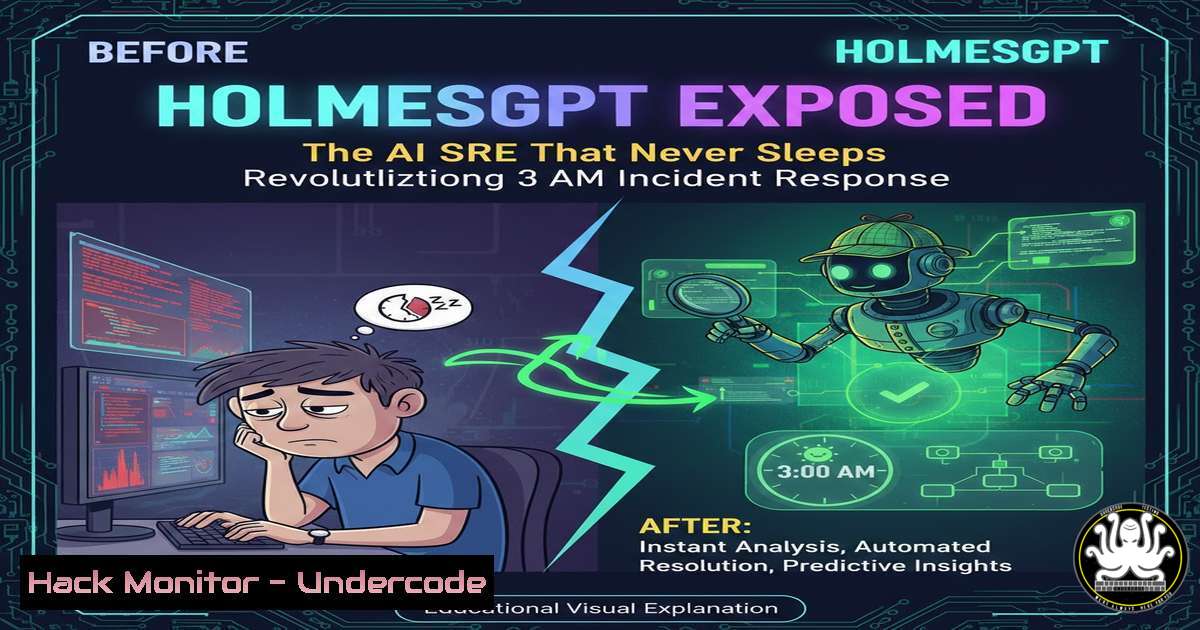
In the high-stakes world of Site Reliability Engineering (SRE), the most critical alerts often sound in the dead of night when cognitive fatigue is highest. HolmesGPT emerges as a specialized AI investigation agent designed not to guess, but to logically correlate telemetry data—metrics, logs, and traces—to pinpoint the root cause of production incidents. This represents a paradigm shift from data collection to intelligent synthesis, promising to augment human engineers with relentless, lucid analysis during high-pressure scenarios.
Learning Objectives:
- Understand how HolmesGPT integrates with the observability stack (Prometheus, Loki, Tempo, Kubernetes) to perform automated incident investigation.
- Learn how to deploy and interact with HolmesGPT securely within your existing incident management workflow (Slack, PagerDuty, terminal).
- Gain insight into the operational and security philosophy of AI-augmented DevOps, where the tool explains, suggests, but never executes autonomously.
You Should Know:
- The Architecture: How HolmesGPT Connects Your Observability Dots
HolmesGPT operates as an investigative layer atop your existing monitoring stack. It doesn’t store data; it queries your systems in real-time to build a contextual narrative of an incident.
Step‑by‑step guide explaining what this does and how to use it.
First, ensure access to your observability endpoints. HolmesGPT typically requires configured data sources. Here’s a basic setup using a configuration file (config.yaml):
data_sources:
prometheus:
url: "http://prometheus-server:9090"
enabled: true
loki:
url: "http://loki-gateway:3100"
enabled: true
kubernetes:
in_cluster: true  Uses the pod's service account
enabled: true
After configuration, run the agent. Using Docker is straightforward:
docker run -v $(pwd)/config.yaml:/app/config.yaml \
-v ~/.kube/config:/app/kubeconfig:ro \
--network host ghcr.io/holmesgpt/agent:latest
This command starts HolmesGPT with your config, allowing it to read from Prometheus, Loki, and the Kubernetes API.
- Triggering an Investigation: From Alert to AI Analysis
The tool activates via incoming webhooks from Alertmanager, a Slack command, or a manual API call. It takes the alert payload and begins its correlation engine.
Step‑by‑step guide explaining what this does and how to use it.
Configure Alertmanager to send a webhook to HolmesGPT. In your alertmanager.yml:
receivers:
- name: 'holmes-webhook'
webhook_configs:
- url: 'http://localhost:8080/webhook'
send_resolved: true
When an alert fires, HolmesGPT receives it. It then executes a series of pre-programmed “reasoning” steps. For a `HighPodCPU` alert, it might automatically run equivalent PromQL queries to check node load, related logs for errors, and recent deployments. You can also trigger it manually via curl for testing:
curl -X POST http://localhost:8080/investigate \
-H "Content-Type: application/json" \
-d '{"alert_name": "HighPodCPU", "labels": {"pod": "api-gateway-abc123"}}'
- The Reasoning Engine: Inside the AI’s Investigation Process
HolmesGPT doesn’t use a generic LLM on your data. It employs a deterministic reasoning pipeline to mimic a seasoned SRE’s troubleshooting steps.
Step‑by‑step guide explaining what this does and how to use it.
Its process can be broken down:
- Data Fetching: It queries time-bound data around the alert. For instance, it fetches Kubernetes events for the affected pod:
Equivalent kubectl command HolmesGPT might automate:
kubectl get events --field-selector involvedObject.name=api-gateway-abc123 --sort-by='.lastTimestamp'
- Correlation: It cross-references logs from Loki that contain the pod ID with metric spikes in Prometheus.
- Change Analysis: It queries the GitOps or deployment system (via API) to identify if a recent change correlates with the timeline.
- Hypothesis Generation: It weights probable causes (e.g., “80% probability of memory leak in new deployment v1.2.5”) and presents evidence.
4. Security & Privacy: Keeping Your Data On-Premise
A core tenet of HolmesGPT is that all data remains within your environment. No telemetry is sent to external AI services.
Step‑by‑step guide explaining what this does and how to use it.
The agent runs inside your infrastructure. To harden its deployment:
– Use Network Policies (Kubernetes): Restrict the HolmesGPT pod to only talk to necessary services (Prometheus, Loki, Kubernetes API).
apiVersion: networking.k8s.io/v1
kind: NetworkPolicy
metadata:
name: holmesgpt-allow
spec:
podSelector:
matchLabels:
app: holmesgpt
policyTypes:
- Egress
egress:
- to:
- namespaceSelector:
matchLabels:
name: monitoring  Allow egress to monitoring namespace
ports:
- protocol: TCP
port: 9090  Prometheus
- to:
- namespaceSelector: {}
ports:
- protocol: TCP
port: 443  For external API calls (e.g., Jira, Slack)
– Employ Service Accounts with RBAC: Create a minimal Kubernetes Role for HolmesGPT.
apiVersion: rbac.authorization.k8s.io/v1
kind: Role
metadata:
namespace: production
rules:
- apiGroups: [""]
resources: ["pods", "events"]
verbs: ["get", "list"]
- Integration into Your Workflow: Slack, PagerDuty, and the CLI
The value is realized when insights are delivered where your team works.
Step‑by‑step guide explaining what this does and how to use it.
To integrate with Slack using a Slash Command:
- Create a Slack App and enable Slash Commands (e.g.,
/holmes). - Point the Request URL to your HolmesGPT endpoint (e.g., `https://your-domain.com/slack/command`).
- In HolmesGPT’s config, add the Slack signing secret for verification.
When an engineer types/holmes investigate alert123, HolmesGPT posts an ephemeral message with its analysis, including direct links to Grafana dashboards and relevant logs, turning Slack into a war room.
What Undercode Say:
- Augmentation, Not Replacement: HolmesGPT is a force multiplier for the tired SRE brain. It eliminates noise and accelerates comprehension but leaves decision-making and execution in human hands, adhering to a critical security principle.
- Context is King: The tool’s power derives from its structured access to the entire observability stack. Its effectiveness is directly proportional to the quality and completeness of your metrics, logs, and traces.
Prediction:
The emergence of specialized, reasoning AI agents like HolmesGPT signals the next phase of DevOps and SRE evolution. As systems grow in complexity beyond human-scale comprehension, these tools will become standard in the incident response toolkit. We predict a move towards “predictive investigation,” where AI will not only react to alerts but will model system behavior to flag potential failure chains before they cause outages. This will raise the baseline for operational resilience but will also necessitate new skills in managing, tuning, and ethically governing these AI colleagues. The 3 AM page will remain, but the engineer who answers it will be empowered with a synthesized, evidence-based narrative, turning panic into directed action.
▶️ Related Video (76% Match):
🎯Let’s Practice For Free:
IT/Security Reporter URL:
Reported By: Laurent Biagiotti – Hackers Feeds
Extra Hub: Undercode MoN
Basic Verification: Pass ✅


