Listen to this Post
Introduction:
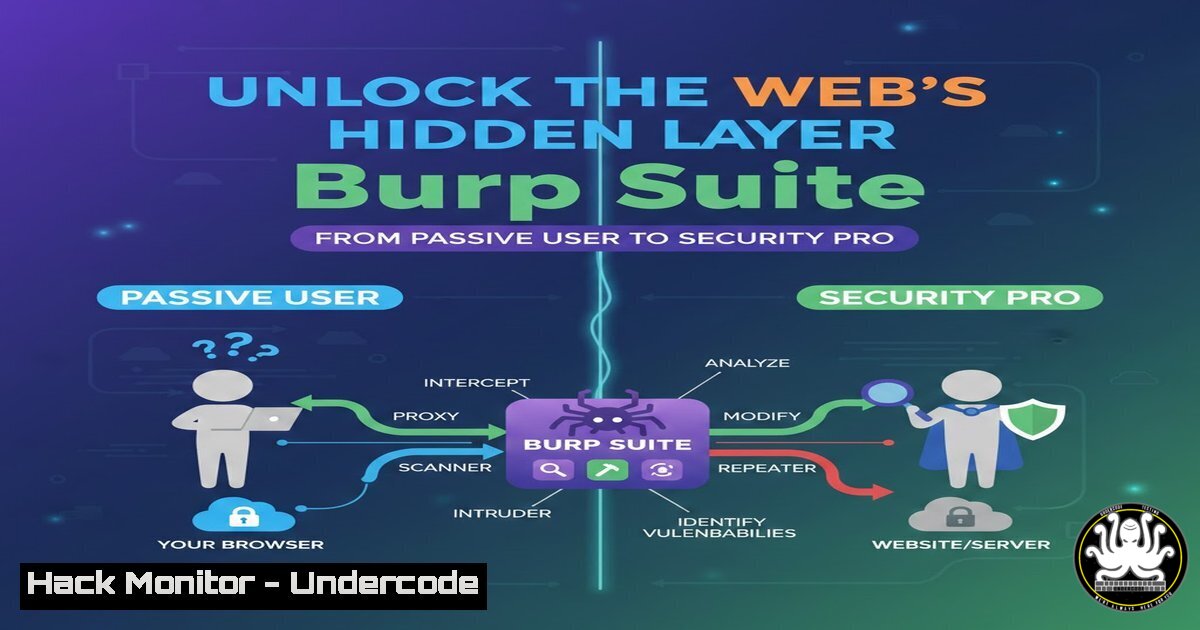
In the digital realm, what you see on a webpage is merely the facade; the real action happens in the hidden dialogue of HTTP requests and responses. For cybersecurity professionals, understanding this hidden layer is the first critical step in securing applications. This article demystifies Burp Suite, the essential proxy tool that acts as a “pause button for the web,” allowing you to intercept, inspect, and manipulate web traffic to build foundational application security (AppSec) expertise.
Learning Objectives:
- Understand the core architecture of Burp Suite as a man-in-the-middle proxy and its role in web security testing.
- Gain practical, step-by-step proficiency in using key Burp tools: Proxy, Repeater, Target, and Intruder.
- Learn to configure your system and browser to route traffic through Burp Suite for security analysis.
You Should Know:
1. The Proxy Powerhouse: Intercepting the Conversation
At its heart, Burp Suite is an intercepting web proxy. It positions itself between your browser and the target web server, allowing you to inspect and modify all HTTP/HTTPS traffic. This is the cornerstone of manual web application testing.
Step‑by‑step guide:
Step 1: Installation & Launch. Download Burp Suite Community Edition from PortSwigger’s website. Launch the application.
Step 2: Browser Configuration. Configure your browser to use Burp as a proxy. Typically, set the proxy to `127.0.0.1` (localhost) on port 8080. In Firefox, this is under Settings > Network Settings > Manual proxy configuration.
Step 3: Capture SSL Traffic. Navigate to `http://burpsuite` in your configured browser and download Burp’s CA Certificate. Install this certificate in your browser’s trust store to intercept HTTPS traffic without warnings.
Step 4: Intercept Traffic. In Burp, go to the Proxy > Intercept tab. Ensure Intercept is on. Now, any request from your browser will be paused in Burp. You can read headers, parameters, and cookies, then Forward it or Drop it.
- Mapping the Attack Surface with Target & Site Map
Before testing, you must understand the application’s scope. The Target tool automatically builds a site map as you browse, cataloging every endpoint, parameter, and file—your “Google Map” for the web app.
Step‑by‑step guide:
Step 1: Define Scope. In the Target > Scope tab, add your target URL (e.g., `https://example.com`). This focuses Burp’s efforts.
Step 2: Spider the Application. With proxy interception active, simply browse the application normally. Burp passively logs all traffic into the Site Map under the Target tab.
Step 3: Analyze the Structure. Review the tree-view site map. Right-click on branches to actively Spider them for more content or send interesting items to other tools like Repeater.
3. The Art of Manipulation with Repeater
The Repeater tool is your laboratory for manual, iterative testing. It allows you to take an intercepted request, modify it, send it repeatedly, and observe the server’s response in real-time—perfect for testing for SQLi, XSS, or logic flaws.
Step‑by‑step guide:
Step 1: Send to Repeater. From the Proxy intercept window or the Site Map, right-click a request and select Send to Repeater.
Step 2: Modify and Test. In the Repeater tab, you can edit any part of the request. For example, change a parameter `id=1` to `id=1’` to test for SQL injection.
Step 3: Send and Analyze. Click Send. The right-hand panel shows the HTTP response. Compare responses to identify anomalies indicating potential vulnerabilities.
4. Automating Assaults with the Intruder Tool
For tasks requiring repetition with payload variation—like brute-forcing logins, fuzzing parameters, or enumerating values—the Intruder automates the attack.
Step‑by‑step guide:
Step 1: Set Attack Positions. Send a request to Intruder. In the Positions tab, highlight the value you want to fuzz (e.g., a login `password` parameter) and click Add §. These § symbols denote payload positions.
Step 2: Choose a Payload. Go to the Payloads tab. You can load a simple wordlist or use built-in payloads like numbers. For a quick password test, you might load `rockyou.txt` or a custom list.
Step 3: Launch the Attack. Click Start attack. Intruder fires off requests with different payloads. Analyze the results by sorting by Status, Length, or content to identify successful attempts (e.g., a different response length on a valid login).
5. Practical Configuration: Bypassing Modern Hurdles
Modern apps and browsers use techniques like HSTS and certificate pinning that can complicate proxying. Knowing how to bypass these is essential.
Step‑by‑step guide:
Linux/Mac Terminal Proxy for CLI Tools: Set environment variables to route command-line tools (like `curl` or wget) through Burp.
export http_proxy="http://127.0.0.1:8080"
export https_proxy="http://127.0.0.1:8080"
To test: `curl -k https://target.com` (The `-k` flag ignores SSL warnings).
Mobile Testing: Configure your mobile device’s Wi-Fi settings to use your computer’s IP address and port `8080` as a manual proxy. Install the Burp CA certificate on the mobile device to decrypt HTTPS.
Dealing with Certificate Pinning: For advanced apps, you may need to use tools like `objection` (for mobile) or modify the app binary to disable pinning.
What Undercode Say:
- Key Takeaway 1: Burp Suite is not just a tool for exploitation; it is the premier educational platform for understanding the fundamental mechanics of web protocols. Mastering its proxy function is a non-negotiable skill for any aspiring SOC analyst or penetration tester.
- Key Takeaway 2: Effective security testing is a structured process: Map (Target), Intercept (Proxy), Experiment (Repeater), and Automate (Intruder). Skipping the mapping phase leads to incomplete testing and missed vulnerabilities.
Analysis: The post correctly frames Burp Suite as a gateway to deeper comprehension, not just a hacking utility. In an era of API-driven and cloud-native applications, the principles of intercepting and analyzing traffic remain constant, though the targets evolve. The emphasis on “seeing what’s hidden” is the core mindset shift from a user to a defender or auditor. However, the Community Edition’s limitations (like throttled Intruder) mean professionals must eventually graduate to the paid version or supplement with open-source tools like `ffuf` or `sqlmap` for large-scale automation. The true power is in correlating findings from Burp with other data sources in a SIEM, a critical skill for the mentioned SOC Analyst (L1) role.
Prediction:
The fundamental need to inspect and manipulate application-layer traffic will only intensify, but the tools will evolve. Burp Suite’s core paradigm will be integrated directly into development pipelines as Interactive Application Security Testing (IAST) and extended to cover GraphQL, gRPC, and cloud service APIs natively. Furthermore, AI will augment tools like Intruder, moving from simple fuzzing to intelligent payload generation that understands application context, dramatically reducing false positives and identifying complex business logic flaws that traditional scanners miss. The “pause button for the web” will become a “rewind and simulate” button, powered by AI to predict attack paths.
▶️ Related Video (72% Match):
🎯Let’s Practice For Free:
IT/Security Reporter URL:
Reported By: Shaik Minhaaz – Hackers Feeds
Extra Hub: Undercode MoN
Basic Verification: Pass ✅


