Listen to this Post
Introduction:
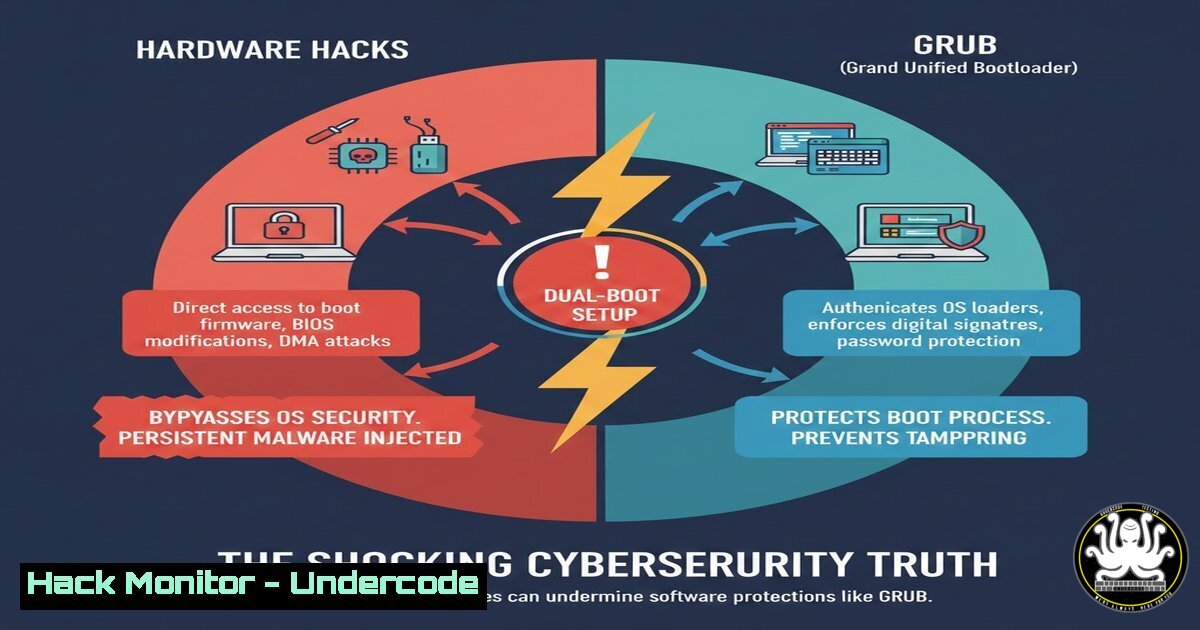
The image of a desktop computer with physical toggle switches to select between operating systems has sparked a vibrant discussion among IT professionals. While a creative hardware hacking solution, it highlights a critical divide in problem-solving approaches and exposes broader principles in system architecture, attack surface management, and secure configuration. This article delves into the technical superiority of software-based boot managers like GRUB and the essential cybersecurity practices they enable.
Learning Objectives:
- Understand the fundamental operation and security advantages of the GRUB2 bootloader over physical hardware switching.
- Learn to configure a secure, multi-boot environment using GRUB on a Linux-based system.
- Identify and mitigate the potential attack vectors introduced by improper boot process configuration.
You Should Know:
1. The GRUB2 Bootloader: Your Digital Boot Concierge
GRUB (GRand Unified Bootloader) is the standard boot manager for most Linux systems and can chain-load Windows. Unlike a physical switch, GRUB presents a menu at system startup, allowing the user to select an OS from firmware level. It operates from a dedicated boot partition, loading a kernel and initramfs before handing control to the operating system.
Step‑by‑step guide explaining what this does and how to use it.
To install and configure GRUB on a system with an existing Linux installation:
 Identify your primary disk (often /dev/sda or /dev/nvme0n1)
sudo fdisk -l

Install GRUB to the Master Boot Record (MBR) of the disk
sudo grub-install /dev/sda

Generate the configuration file by scanning for installed kernels
sudo update-grub
This process writes GRUB stage 1 to the disk’s MBR and populates the `/boot/grub/grub.cfg` file with OS entries detected on your partitions.
- Configuring the GRUB Menu for Security and Control
The auto-generated `grub.cfg` is not meant for direct editing. Customizations are made in `/etc/default/grub` and script files in/etc/grub.d/. Key settings control timeout, default OS, and menu visibility—critical for reducing boot-time attack windows.
Step‑by‑step guide explaining what this does and how to use it.
To customize GRUB behavior for a more secure and user-friendly experience:
 Edit the main configuration file
sudo nano /etc/default/grub

Modify key lines:
GRUB_TIMEOUT=5  Time in seconds to wait for user selection
GRUB_TIMEOUT_STYLE=menu  Always show the menu
GRUB_DEFAULT=saved  Boot the last selected OS, or use a numeric index
GRUB_CMDLINE_LINUX_DEFAULT="quiet splash"  Kernel parameters

Save the file and regenerate the main config
sudo update-grub
For headless servers, setting `GRUB_TIMEOUT=0` and `GRUB_DEFAULT=0` ensures immediate, unattended boot to the primary OS.
3. Hardening GRUB: Preventing Unauthorized Boot Access
An unprotected bootloader is a severe physical security risk. Attackers can boot into single-user mode or a live CD to reset passwords or exfiltrate data. GRUB supports password protection for editing menu entries or accessing a command-line interface.
Step‑by‑step guide explaining what this does and how to use it.
To add a password to GRUB:
 Generate a password hash (pbkdf2 format)
grub-mkpasswd-pbkdf2
 Enter your password when prompted. Copy the resulting hash.

Create a custom configuration file for the password
sudo nano /etc/grub.d/40_custom

Add these lines (paste your hash after 'grub.pbkdf2...'):
set superusers="admin"
password_pbkdf2 admin grub.pbkdf2.sha512.10000.[bash]

Save and close, then update GRUB
sudo update-grub
Now, pressing ‘e’ to edit a menu entry during boot will require the username `admin` and the password.
- Integrating Windows into the GRUB Boot Menu (Dual-Boot Setup)
GRUB can chain-load Windows Boot Manager (BOOTMGR). This is typically handled automatically by `os-prober` duringupdate-grub. If Windows is not detected, manual configuration is needed.
Step‑by‑step guide explaining what this does and how to use it.
Ensure `os-prober` is installed and enabled, then probe for Windows:
 Install os-prober if not present
sudo apt install os-prober  Debian/Ubuntu
sudo dnf install os-prober  Fedora/RHEL

Temporarily enable os-prober (it may be disabled by default in some distros)
sudo nano /etc/default/grub
 Ensure this line is NOT commented out and is set to true:
GRUB_DISABLE_OS_PROBER=false

Mount the Windows EFI System Partition (ESP) if on UEFI systems
sudo mount /dev/nvme0n1p1 /mnt  Adjust partition identifier

Finally, update GRUB to detect Windows
sudo update-grub
The command should now output “Found Windows Boot Manager on…” and add it to the menu.
5. The Cybersecurity Implications of Boot Method Selection
The hardware switch method, while isolated, introduces physical complexity and potential points of failure. From a security perspective, it offers a form of “air-gapping” at the disk level but provides no protection against someone who gains physical access to a powered-on machine. GRUB, when configured with a password and secure boot (UEFI), provides a defense-in-depth layer.
Step‑by‑step guide explaining what this does and how to use it.
Complement GRUB with UEFI Secure Boot for a robust chain of trust:
– Enter your system’s UEFI/BIOS firmware settings (usually F2, Del, or F10 at boot).
– Navigate to the Security or Boot tab.
– Ensure Secure Boot is enabled and set to Standard mode.
– Install a signed version of GRUB (like shim-signed). Most mainstream distributions do this automatically.
 On Ubuntu/Debian, verify and install necessary packages
sudo apt install shim-signed grub-efi-amd64-signed
sudo grub-install --target=x86_64-efi --efi-directory=/boot/efi --bootloader-id=UBUNTU --recheck
This ensures each component in the boot chain, from firmware to kernel, is cryptographically verified.
What Undercode Say:
- Collaboration Breeds Optimal Solutions: The hardware hack is a valid, functional solution born from a specific skillset. However, cross-disciplinary collaboration (hardware + software + security) would have likely converged on the more maintainable, feature-rich, and securable GRUB-based solution. This mirrors the DevSecOps philosophy—integrating security early and across all teams.
- Abstraction is a Force Multiplier: GRUB abstracts the complexity of disk partitioning, kernel locations, and init systems behind a simple menu. This abstraction reduces human error, a primary cause of security misconfiguration. In cybersecurity, well-designed abstractions (like IAM roles in the cloud or configuration management tools) consistently lead to more secure and auditable environments than manual, one-off fixes.
Prediction:
The convergence of hardware and software security will continue to accelerate. While the post highlights a DIY hardware solution, the enterprise trend is towards firmware-verified, software-defined boot integrity. Technologies like UEFI Secure Boot, Measured Boot (with TPMs), and remote attestation will become default, even in consumer systems. The future “dual-boot” may not be between OSes on a local disk, but between a locally verified trusted OS and a securely streamed, immutable cloud desktop instance—selected not by a physical switch, but by a policy-enforced digital token. The core lesson remains: the most resilient systems are built by integrating diverse expertise, not working in isolated silos.
▶️ Related Video (84% Match):
🎯Let’s Practice For Free:
IT/Security Reporter URL:
Reported By: Billbernardchicago Grub – Hackers Feeds
Extra Hub: Undercode MoN
Basic Verification: Pass ✅


