Listen to this Post
Introduction:
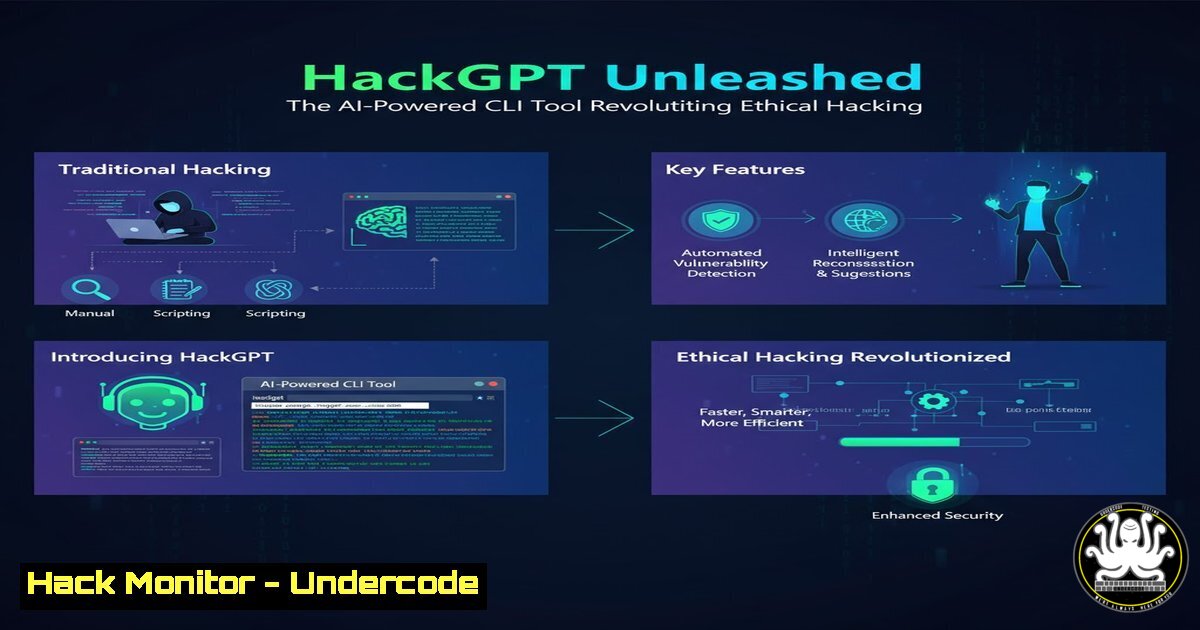
The offensive security landscape is undergoing a seismic shift with the integration of sophisticated artificial intelligence directly into the penetration tester’s toolkit. HackGPT represents this evolution, moving beyond traditional scripting by bringing AI-driven reconnaissance, payload generation, and zero-day detection to the command line. This fusion of large language models and security automation is not just enhancing efficiency; it’s fundamentally changing how ethical hackers identify and prioritize vulnerabilities.
Learning Objectives:
- Understand the core architecture of HackGPT and how to deploy its multi-model AI environment.
- Learn to execute AI-powered reconnaissance and automated, intelligent payload generation for penetration testing.
- Master the workflow for ML-driven vulnerability correlation, risk scoring, and professional report generation.
You Should Know:
- Deploying Your AI Hacking Assistant: Installation and Setup
The first step is establishing a robust environment for HackGPT. It supports both cloud-based AI models like GPT-4 via API and local, privacy-focused models through Ollama, which is crucial for sensitive engagements.
Step-by-Step Guide:
Step 1: Prerequisite Installation. Ensure Python 3.10+ and pip are installed. On a Linux-based penetration testing distribution like Kali, this is typically pre-installed.
Step 2: Clone the Repository. Navigate to your tools directory and clone the HackGPT source code.
git clone https://github.com/hackgpt-project/hackgpt.git && cd hackgpt
Step 3: Install Dependencies. Use the provided requirements.txt file to install necessary Python libraries.
pip install -r requirements.txt
Step 4: Configure AI Models. Edit the `config.yaml` file to input your API keys for cloud models or specify the local Ollama model endpoint.
 config.yaml snippet
ai_models:
openai:
api_key: "your-openai-api-key"
model: "gpt-4"
ollama:
base_url: "http://localhost:11434"
model: "llama2:13b"
Step 5: Verify Installation. Run the help command to confirm the tool is operational.
python hackgpt.py --help
2. Intelligent Reconnaissance: Beyond Simple Port Scanning
HackGPT uses AI to analyze raw reconnaissance data, identifying subtle patterns and potential attack surfaces that traditional tools might miss. It can correlate service banners with known exploit databases and suggest the next logical steps for enumeration.
Step-by-Step Guide:
Step 1: Perform Initial Scan. Use a tool like `nmap` to gather basic data.
nmap -sV -sC -oA target_scan 192.168.1.100
Step 2: Feed Data to HackGPT. Pipe the scan results into HackGPT for AI analysis.
cat target_scan.xml | python hackgpt.py --mode recon-analyze
Step 3: Interpret AI Output. HackGPT will output an analysis, for example: “The target runs Apache 2.4.52 on port 80, a version associated with CVE-2022-31813. The SSH service on port 22 shows a banner for OpenSSH 8.2p1, which is outdated. Recommend focused web directory brute-forcing and SSH key exchange algorithm analysis.”
3. AI-Driven Payload Generation and Obfuscation
This feature automates the creation of context-aware payloads for discovered vulnerabilities, whether for a SQL injection, a buffer overflow, or a cross-site scripting (XSS) attack. It can also generate obfuscated versions to bypass basic WAFs and filters.
Step-by-Step Guide:
Step 1: Identify Vulnerability. Suppose you’ve found a potential SQL injection point at `http://target.com/login.php`.
Step 2: Generate Payloads. Use HackGPT to create a suite of test payloads.
python hackgpt.py --mode payload-gen --vuln "sql_injection" --vector "user=admin' OR '1'='1'--" --obfuscate
Step 3: Execute and Test. The tool will output multiple payload variants, including URL-encoded and comment-obfuscated versions. You can then use `curl` or a tool like `sqlmap` with these generated payloads.
curl -X POST "http://target.com/login.php" -d "user=$(python hackgpt.py --mode payload-gen --vuln sql_injection --format url-encode)"
4. Machine Learning for Zero-Day and Anomaly Detection
HackGPT’s local ML models (TensorFlow/PyTorch) can be trained on normal network or application behavior. It then performs behavioral analysis to flag anomalies that could indicate a previously unknown (zero-day) vulnerability or an active breach.
Step-by-Step Guide:
Step 1: Data Collection. Capture baseline network traffic or application logs during normal operation.
tcpdump -i eth0 -w baseline.pcap
Step 2: Model Training (Initial Setup). Feed the baseline data to HackGPT’s ML module to establish a “normal” profile. This is a one-time or periodic process.
python hackgpt.py --mode ml-train --data-file baseline.pcap --model-name network_baseline
Step 3: Live Anomaly Detection. Run HackGPT in detection mode against live traffic or new logs.
tcpdump -i eth0 -w - | python hackgpt.py --mode ml-detect --model network_baseline
It will alert you to deviations, such as unusual outbound connections or unexpected process execution chains.
5. Automated Reporting and Compliance Mapping
Transforming technical findings into actionable business intelligence is a critical final step. HackGPT automates this by generating comprehensive reports that include executive summaries, detailed technical breakdowns with CVSS scores, and mappings to compliance frameworks like PCI-DSS or NIST.
Step-by-Step Guide:
Step 1: Consolidate Findings. Ensure all your notes, tool outputs (from nmap, Burp Suite, etc.), and HackGPT analyses are in a designated folder.
Step 2: Generate the Report. Run the reporting module, specifying the client and compliance framework.
python hackgpt.py --mode report-gen --client "Acme Corp" --framework "NIST CSF" --input-dir ./findings/ --output report_acme_q3.pdf
Step 3: Review and Customize. The generated report will include charts, risk matrices, and prioritized remediation steps. Always review the AI-generated content for accuracy before delivery.
What Undercode Say:
- Democratization of Advanced Tradecraft: HackGPT lowers the barrier to entry for sophisticated attack simulations, allowing junior analysts to perform tasks that previously required deep expertise. This is a double-edged sword, empowering defenders but also potentially arming less-skilled threat actors.
- The Shift from Tool Operator to Mission Commander: The ethical hacker’s role is evolving from manually running tools to managing and directing an AI agent. The critical skill becomes asking the right questions (prompt engineering) and critically validating the AI’s output, rather than knowing every exploit syntax.
Analysis: HackGPT is more than a simple tool; it’s a force multiplier. Its true power lies in its correlative capabilities, connecting disparate data points that a human might overlook. However, it introduces new risks. Over-reliance on AI can lead to a degradation of fundamental skills and “automation blindness,” where analysts fail to catch AI errors. Furthermore, the use of cloud-based AI models raises significant data privacy concerns during sensitive penetration tests, making local LLM support via Ollama not just a feature, but a security requirement. The tool must be used as an intelligent assistant, not an infallible oracle.
Prediction:
The integration of AI into offensive security tools like HackGPT will accelerate the development of autonomous penetration testing systems. Within three to five years, we will see AI agents that can self-direct through entire attack chains, from initial reconnaissance to post-exploitation, with minimal human intervention. This will force a corresponding evolution in defensive AI, leading to an automated “battle of the bots” on corporate networks. The legal and ethical frameworks surrounding these technologies will struggle to keep pace, creating a grey area for autonomous security testing and response. Organizations that fail to adopt and understand these AI-powered paradigms will find themselves at a severe disadvantage against both automated threats and advanced human adversaries.
🎯Let’s Practice For Free:
IT/Security Reporter URL:
Reported By: Pethu What – Hackers Feeds
Extra Hub: Undercode MoN
Basic Verification: Pass ✅


