Listen to this Post
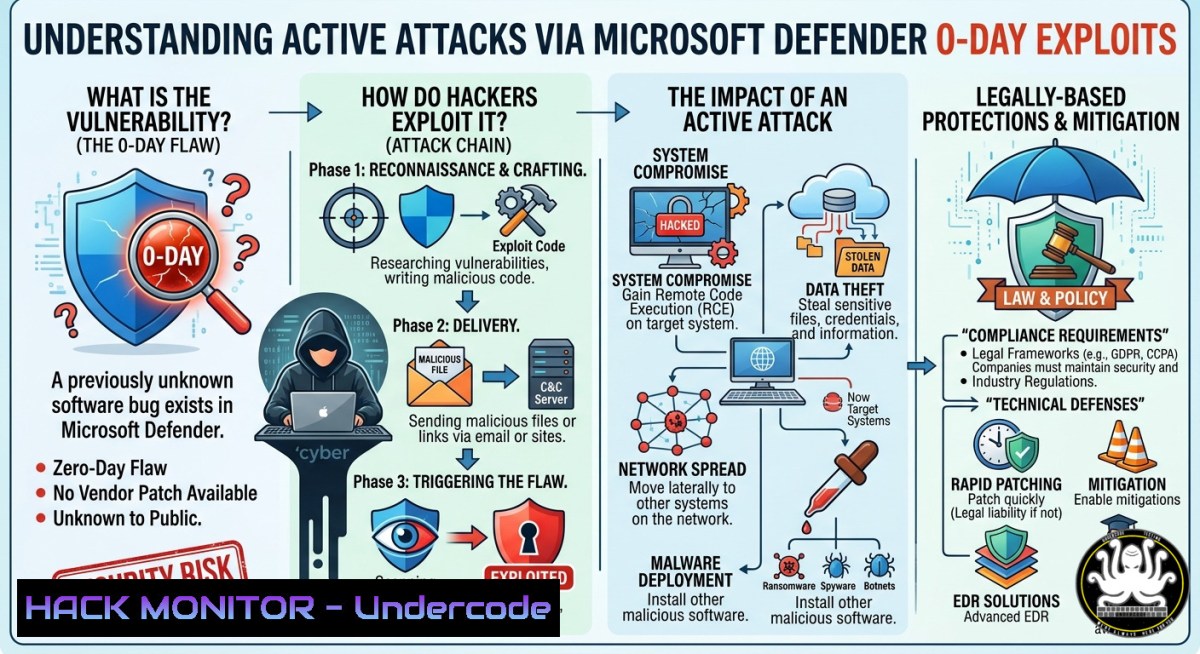
Introduction:
A newly disclosed zero-day vulnerability in Microsoft Defender, tracked as CVE‑2026‑41091, allows local attackers to escalate privileges to the SYSTEM level by exploiting an insecure link‑following weakness in the Microsoft Malware Protection Engine. With Defender running under the highest system privileges, this architectural trust concentration transforms a security tool into a prime attack vector, underscoring how today’s infrastructures have become so complex and privilege‑heavy that even our defenses can become part of the attack surface.
Learning Objectives:
- Understand the technical root cause of CVE‑2026‑41091 and its exploitation chain.
- Learn how to verify and force update Microsoft Defender’s Malware Protection Engine to the patched version (1.1.26040.8).
- Apply privilege minimization and containment strategies to reduce the risk posed by security tools with SYSTEM‑level access.
You Should Know:
1. Anatomy of the “Link‑Following” Privilege Escalation Vulnerability
The vulnerability exists because Microsoft Malware Protection Engine versions 1.1.26030.3008 and earlier perform improper link resolution before file access (CWE‑59). Attackers can create a malicious symbolic link pointing to a critical system file; when Defender processes that link without validating its target, the engine writes to the target file with SYSTEM privileges, effectively bypassing normal access controls.
Step‑by‑Step Guide – Manual Privilege Check and Update Verification:
- Open an elevated Command Prompt or PowerShell as Administrator.
- To verify the current Malware Protection Engine version, run:
`Get-MpComputerStatus | Select-Object AMEngineVersion, AntimalwarePlatformVersion`
Alternatively, use the GUI:
- Open Windows Security → Virus & threat protection.
2. Click Protection updates → Check for updates.
- Go to Settings → About and confirm that `Antimalware ClientVersion` shows Malware Protection Engine >= 1.1.26040.8 and Antimalware Platform >= 4.18.26040.7.
– If an older version persists, force an update via PowerShell:
`Update-MpSignature` and restart the `WinDefend` service.
To detect possible exploitation:
- Use Process Monitor (ProcMon) with filters for `msmpeng.exe` and
MpCmdRun.exe. - Look for `CreateFile` operations followed by `REPARSE_POINT` on sensitive paths such as
C:\Windows\System32\config\. - Review Sysmon Event ID 11 (FileCreate) and 23 (FileDelete) for unusual symbolic link creations.
For network administrators, deploy a PowerShell script that runs `Get-MpComputerStatus` across all domain endpoints and reports any engine version below the patched threshold.
- The Architecture‑Level Problem: Why System‑Privileged Tools Threaten You
The deeper issue is not a single bug but a design flaw: concentrating trust in software that runs with SYSTEM privileges. Every hidden dependency, parser flaw, or symbolic‑link issue in such tools becomes an infrastructure‑wide risk multiplier.
Step‑by‑Step Guide – Implementing Privilege Minimization and Containment:
- Restrict symbolic‑link creation: Use Group Policy to limit which users can create junctions and symbolic links. Navigate to `Computer Configuration → Windows Settings → Security Settings → Local Policies → User Rights Assignment` and set “Create symbolic links” to only administrators and service accounts.
- Deploy Windows Defender Application Control (WDAC): Create and enforce WDAC policies that only allow signed, trusted binaries (including Defender components) to execute, blocking arbitrary malware even if a local escalation occurs.
- Enable Attack Surface Reduction (ASR) rules: In Microsoft 365 Defender, turn on ASR rule “Block executable files from running unless they meet a prevalence, age, or trusted list criterion” (GUID:
01443614-cd74-433a-b99e-2ecdc07bfc25). - Isolate Defender’s operational folders: Use Windows Defender Firewall with Advanced Security to block outbound connections from `MsMpEng.exe` except to known Microsoft update endpoints.
- Monitor for link‑following abuse using a custom PowerShell script:
Get-WinEvent -LogName "Microsoft-Windows-Sysmon/Operational" | Where-Object { $<em>.Id -eq 11 -and $</em>.Message -match "SYSTEM|C:\Windows\System32\config" }Schedule this script to run every six hours and forward alerts to your SIEM.
- Cloud Hardening and API Security in the Zero‑Trust Era
If an on‑premises Defender instance can be elevated to SYSTEM, the same principle applies to cloud and API security: over‑privileged components must be eliminated.
Step‑by‑Step Guide – Reducing Cloud and API Trust Concentration:
- Conduct an API privilege audit: Use tools like OAuth2 Proxy or Kong Gateway to audit token scopes. Remove unnecessary scopes from service accounts and enforce least‑privilege access to Defender’s management APIs.
- Hardware Security Module (HSM) integration: For cloud workloads, store Defender and antimalware configuration secrets in a dedicated HSM or Azure Key Vault with role‑based access control (RBAC).
- Enforce mutual TLS (mTLS): Configure all internal API calls to Defender’s cloud components to require client certificates, preventing lateral movement even if a local privilege escalation occurs.
4. Vulnerability Exploitation and Mitigation Techniques
While CVE‑2026‑41091 is a local elevation vector, attackers often chain it with remote code execution (RCE) flaws to achieve full system compromise. This section provides verified commands for both exploitation (for red‑team testing) and mitigation (for blue‑team defense).
Step‑by‑Step Guide – Red‑Team Emulation & Blue‑Team Hardening:
- Emulation (authorized testing only): In an isolated lab, create a test user account with `Standard User` privileges. Use a tool like `PoshC2` or `Cobalt Strike` to drop a crafted symbolic link pointing to `C:\Windows\System32\drivers\etc\hosts` and trigger a Defender quick scan via
Start-MpScan -ScanType QuickScan. Observe how `MsMpEng.exe` writes to the target with SYSTEM privileges. - Mitigation – Patch and Verify:
- Windows Update: Go to Settings → Windows Update and check for updates. The out‑of‑band update will be listed as “Security Update for Microsoft Defender Antimalware Platform”.
- Offline systems: Download the Microsoft Malware Protection Engine update package from the Microsoft Update Catalog and install manually.
- SCCM/WSUS: Distribute the update to all endpoints immediately. Use a compliance baseline to flag any device still running version 1.1.26030.3008.
- Advanced detection: Deploy a custom Sigma rule to detect `MpCmdRun.exe` scanning paths that contain symbolic links pointing to sensitive system directories.
5. Training and Upskilling: From Reactive to Resilient‑by‑Design
Modern cybersecurity teams must move beyond patch‑and‑pray. The following training courses and hands‑on labs are directly relevant to defending against vulnerabilities like CVE‑2026‑41091:
- “CVEs Emulation and Detection Hands‑on Labs” (Pluralsight) – Walk through emulation, detection, and protection for recent critical vulnerabilities with published proof‑of‑concept exploits.
- “From Azure AD to Defender XDR: The Microsoft Security Certification Courses” (CloudThat) – A certification roadmap linking identity fundamentals to SOC operations and XDR outcomes.
- “Microsoft 365 Defender” (Packt+) – Mastering Defender for Endpoint, Identity, and Cloud Apps, with a dedicated section on privilege escalation detection.
- Microsoft Learn Path: “Detect and investigate persistence and privilege escalation attacks with Microsoft Defender for Identity” – Practical lab exercises for detecting T1068 (privilege escalation through software vulnerabilities).
For organizations without dedicated training budgets, encourage team members to stand up a Windows lab and replicate the symbolic‑link attack scenario using open‑source tools like Atomic Red Team (Atomic Test T1068) and Sysinternals Suite.
What Undercode Say:
- Key Takeaway 1: Architectural trust concentration is the root problem. When a security product operates with SYSTEM‑level privileges, every hidden dependency and parser flaw becomes an infrastructure‑wide risk multiplier.
- Key Takeaway 2: The future of cybersecurity belongs to architectural containment, privilege minimization, operational isolation, and resilient‑by‑design environments – not solely to detection layers, AI monitoring, or reactive response models.
Analysis: This incident demonstrates that security tools must be treated as part of the attack surface, not just the defensive layer. Organizations that rely solely on detection will always be one zero‑day away from compromise. The only sustainable approach is to redesign infrastructures so that even when a local escalation vulnerability is exploited, the blast radius is contained. Implementing least privilege, rigorous link validation, and continuous monitoring of Defender processes is not optional – it is essential.
Prediction:
Within the next 12 months, at least three additional privilege escalation vulnerabilities will be discovered in leading endpoint detection and response (EDR) and antivirus products, each stemming from improper link resolution or over‑privileged file operations. This will accelerate the industry shift toward “disaggregated” security stacks, where scanning engines run in isolated containers or sandboxes with minimal privileges, and where automated compliance frameworks (e.g., CIS Benchmarks v9) will require periodic independent path‑validation audits for every security component. Organizations that do not adopt architecture‑first hardening will find themselves in a perpetual race against exploitation of their own defenses.
▶️ Related Video (88% Match):
🎯Let’s Practice For Free:
IT/Security Reporter URL:
Reported By: Varshu25 Hackers – Hackers Feeds
Extra Hub: Undercode MoN
Basic Verification: Pass ✅


