
Listen to this Post
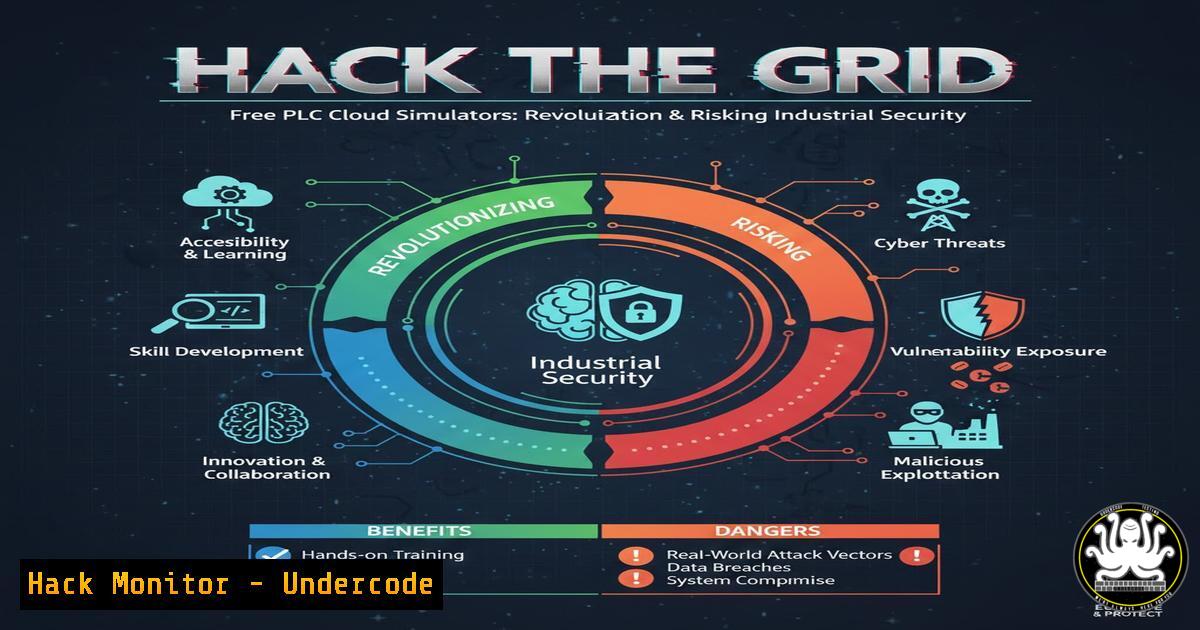
Introduction:
The convergence of Information Technology (IT) and Operational Technology (OT) is blurring the lines between corporate networks and critical industrial control systems (ICS). While this enables unprecedented efficiency, it also dramatically expands the attack surface for threats targeting infrastructure like power grids and water treatment plants. A new wave of accessible, cloud-based PLC (Programmable Logic Controller) training tools is democratizing ICS knowledge, but simultaneously providing a potential blueprint for malicious actors to study and simulate attacks on vital systems without ever touching physical hardware.
Learning Objectives:
- Understand the security implications of publicly accessible ICS/SCADA simulation environments.
- Learn methods to secure a personal or corporate OT learning lab from network-based threats.
- Identify key network hardening commands and practices for both Windows and Linux systems hosting OT software.
You Should Know:
1. The Double-Edged Sword of Cloud-Based OT Simulators
The advertised free access to TIA Portal V21 and a cloud simulator represents a significant educational leap. However, from a cybersecurity perspective, it creates a perfect, risk-free training ground for both defenders and potential attackers. Adversaries can use these identical environments to understand Siemens S7 PLC logic, practice programming, and develop attack methodologies without detection.
Step‑by‑step guide explaining what this does and how to use it:
1. Acquisition & Isolation: Download or access the training software (e.g., TIA Portal V21 Cloud). Before installation, ensure the host machine is air-gapped from production networks or deployed on a dedicated, isolated virtual machine (VM).
2. Virtual Lab Setup: Use a hypervisor like VMware Workstation or VirtualBox. Create a new VM with a Windows 10/11 image (required for TIA Portal). Configure the VM’s network adapter to “Host-Only” or “NAT” mode to prevent inadvertent broadcast traffic to your physical network.
VMware/VirtualBox GUI: Configure network settings during VM creation.
3. Host Firewall Hardening: On the Windows VM, create explicit firewall rules to block all inbound connections as a baseline.
Open PowerShell as Administrator:
New-NetFirewallRule -DisplayName "BLOCK_ALL_IN" -Direction Inbound -Action Block
New-NetFirewallRule -DisplayName "ALLOW_ALL_OUT" -Direction Outbound -Action Allow
2. Securing the Simulated PLC Network Interface
PLC programming software communicates with controllers (or simulators) over specific Ethernet protocols (e.g., S7, Profinet). This communication channel is a prime target. Isolating and controlling this traffic is crucial.
Step‑by‑step guide explaining what this does and how to use it:
1. Identify the Interface: After installing the simulator, identify the virtual network interface it uses. Use `ipconfig` in Windows CMD or `ifconfig` in Linux.
2. Linux-Based Network Segregation (Advanced): For higher security, use a Linux host to manage and filter traffic for a Windows VM running the OT software. Implement `iptables` rules on the Linux host.
 Flush existing rules (use cautiously)
sudo iptables -F
 Allow established connections
sudo iptables -A INPUT -m state --state ESTABLISHED,RELATED -j ACCEPT
 Block ALL other inbound to the VM's IP (e.g., 192.168.56.10)
sudo iptables -A INPUT -d 192.168.56.10 -j DROP
 Save rules (distribution dependent)
sudo iptables-save | sudo tee /etc/iptables/rules.v4
3. Hardening the Windows OT Workstation
The host running the engineering software is a high-value target. It must be hardened beyond default configurations to prevent malware infestation or credential theft.
Step‑by‑step guide explaining what this does and how to use it:
1. Disable Unnecessary Services: Turn off services that could be exploited for lateral movement.
Open services.msc. Disable services like `Server` (lanmanserver), Telnet, Remote Registry.
2. Apply Principle of Least Privilege: Do not run TIA Portal as a user with administrative privileges. Create a standard user account for daily programming work.
3. Enable Logging: Ensure Windows Security Logging is enabled to track logins and process creation.
Run `gpedit.msc` (Local Group Policy Editor) > Computer Configuration > Windows Settings > Security Settings > Advanced Audit Policy Configuration. Enable Audit Process Creation and Audit Logon events.
- Analyzing PLC Code for Malicious Logic (Introductory Static Analysis)
Attackers can insert malicious logic (e.g., Stuxnet-style) into PLC code. Learning to review compiled logic is a key defender skill.
Step‑by‑step guide explaining what this does and how to use it:
1. Export/Review Logic: Use TIA Portal’s export function to generate documentation of the ladder logic or Structured Text (ST).
2. Look for Anomalies: Manually review for:
Hidden `JMP` (jump) instructions bypassing critical safety interlocks.
Unauthorized timer blocks that could trigger after a specific period.
Suspicious network communication function blocks (TSEND, TRCV) pointing to unknown IP addresses.
3. Use Checksums: Establish a cryptographic hash baseline of known-good PLC project files. Any change will alter the hash.
On Linux/Windows (PowerShell):
Get-FileHash -Algorithm SHA256 .\PLC_Project_V1.ap12
5. Mitigating Rogue Engineering Station Attacks
A compromised engineering workstation can be used to upload malicious logic to every PLC in a facility. Defending this vector is paramount.
Step‑by‑step guide explaining what this does and how to use it:
1. Implement Application Whitelisting: Use tools like Windows Defender Application Control to allow only authorized executables (e.g., siemens\\totallyintegratedautomation\\bin\\.exe) to run.
2. Secure Project Files: Encrypt TIA Portal project files (.ap12) using Windows EFS or third-party encryption when not in use.
Right-click file > Properties > Advanced > Encrypt contents to secure data.
3. Require Multi-Factor Authentication (MFA): Enforce MFA on any account used to access the shared drive or version control system where PLC projects are stored.
What Undercode Say:
- Key Takeaway 1: The availability of free, professional-grade OT simulation software has irrevocably lowered the barrier to entry for ICS security research, but also for threat actor reconnaissance and weapon development. The defender’s advantage now hinges on mastering these same tools first.
- Key Takeaway 2: Air-gapping is a philosophy, not just a cable. True isolation requires a multi-layered approach encompassing host firewall rules, hypervisor network configuration, user privilege management, and encrypted storage for critical project artifacts.
The core analysis reveals a paradigm shift. The traditional obscurity of proprietary OT systems is gone. Cybersecurity professionals can no longer afford to treat the PLC network as a “black box.” Proactive defense mandates hands-on familiarity with TIA Portal, CODESYS, and similar ecosystems to understand attack vectors from the inside out. Building and aggressively securing personal OT labs is no longer optional for critical infrastructure defenders—it is a fundamental prerequisite for understanding the threats targeting the physical world.
Prediction:
Within the next 2-3 years, we will see the first major critical infrastructure breach directly linked to an attack methodology developed and perfected within a publicly available, cloud-based OT simulator. This will trigger a regulatory scramble, potentially leading to mandated “cyber hygiene” certifications for access to such professional developer tools, akin to chemical precursor controls. Simultaneously, the defender community will leverage these simulators to develop and train AI-based anomaly detection systems that monitor PLC logic in real-time, creating a new frontier of AI vs. AI combat within industrial control systems.
▶️ Related Video (80% Match):
🎯Let’s Practice For Free:
IT/Security Reporter URL:
Reported By: Nomanitaa Free – Hackers Feeds
Extra Hub: Undercode MoN
Basic Verification: Pass ✅


