Listen to this Post
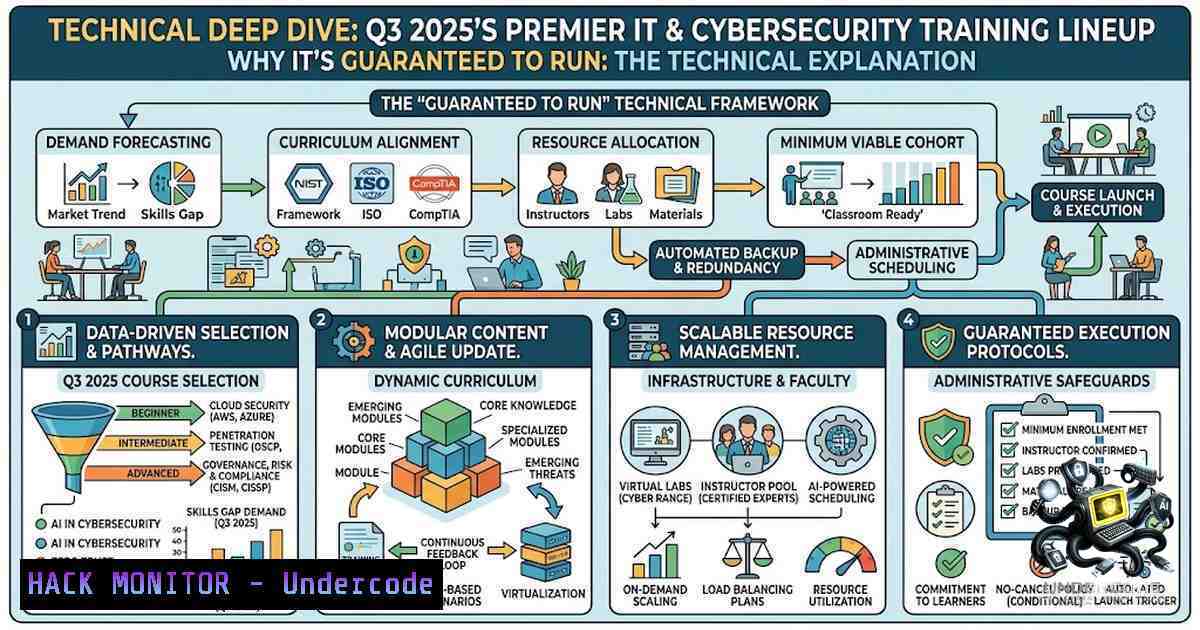
Introduction:
The modern IT and cybersecurity landscape is defined by its relentless pace, with new threats, cloud architectures, and automation frameworks emerging daily. For professionals to remain effective, continuous, hands-on training is not a luxury but a necessity. The “Guaranteed to Run” (GTR) model offered by Compendium Centrum Edukacyjne from August to September 2025 provides a stable, expert-led pathway for mastering everything from Azure networking to ethical hacking, ensuring skill development is never subject to cancellation.
Learning Objectives:
- Master the administration and optimization of next-generation endpoint protection platforms like SentinelOne and F5 BIG-IP.
- Design, implement, and troubleshoot secure, scalable cloud networking solutions on Microsoft Azure.
- Acquire hands-on proficiency in firewall management (FortiGate), SD-WAN deployment, and ethical hacking methodologies (CEH v13).
- Develop foundational knowledge in cloud infrastructure, virtualization (Hyper-V), and core network services (DNS, DHCP, IPAM).
You Should Know:
- Azure Networking and Infrastructure Design (AZ-700T00 & AZ-900T00)
The foundation of modern cloud security lies in a well-architected network. The AZ-700T00 course, “Design and Implement Microsoft Azure Networking Solutions,” is critical for securing hybrid and multi-cloud environments. This training moves beyond theory, teaching participants how to implement Virtual Networks (VNets), Network Security Groups (NSGs), and Azure Firewall policies. A key component is understanding Network Virtual Appliances (NVAs) and implementing secure remote access via Point-to-Site and Site-to-Site VPNs. Simultaneously, the AZ-900T00 offers a crucial primer on cloud concepts, ensuring a baseline understanding of availability zones, scalability, and Azure Resource Manager (ARM). This knowledge is essential before engaging in more complex security configurations.
Tutorial: Azure CLI for VNet and NSG Configuration
To secure your Azure environment, you must be proficient with the command line. Below are essential Azure CLI commands for implementing network security.
Step‑by‑step guide:
1. Login and Set Subscription:
az login
az account set --subscription "Your_Subscription_Name"
2. Create a Virtual Network (VNet) and Subnet:
az network vnet create -1 MyVNet -g MyResourceGroup --address-prefix 10.0.0.0/16 --subnet-1ame MySubnet --subnet-prefix 10.0.1.0/24
3. Create a Network Security Group (NSG) to Control Traffic:
az network nsg create -1 MyNSG -g MyResourceGroup --location eastus
4. Add an Inbound Rule (e.g., Allow SSH from a specific IP):
az network nsg rule create -1 AllowSSH -g MyResourceGroup --1sg-1ame MyNSG --priority 100 --source-address-prefixes YOUR_IP --source-port-ranges '' --destination-address-prefixes '' --destination-port-ranges 22 --access Allow --protocol Tcp
5. Associate the NSG with the Subnet:
az network vnet subnet update -g MyResourceGroup -1 MySubnet --vnet-1ame MyVNet --1etwork-security-group MyNSG
2. Mastering Application Delivery and F5 BIG-IP Environments
The “Administering BIG-IP” and “Configuring BIG-IP LTM” courses address the critical need for high availability and secure application delivery. Application delivery controllers (ADCs) are pivotal in managing traffic loads and offloading SSL/TLS encryption. A key administrative task involves managing the Traffic Management User Interface (TMUI) and securing the configuration utility. Understanding iRules, TCL-based scripts that control traffic behavior, is vital for automating responses to attacks.
Windows Command: Checking F5 BIG-IP Status via SSH (PowerShell)
You can remotely check BIG-IP system health using SSH from a Windows environment.
 Connect to BIG-IP via SSH (Using Plink or PowerShell Remoting)
plink -ssh admin@BIG-IP-IP "tmsh show sys performance"
Linux Command: Monitoring BIG-IP Connections
From a Linux admin jumpbox, use `curl` to query the REST API for pool member status.
curl -k -u admin:password https://BIG-IP-IP/mgmt/tm/ltm/pool ~/members
3. Securing Networks with FortiOS and FortiAnalyzer
Fortinet’s ecosystem remains a cornerstone of network security. “FortiOS Administrator” covers the configuration of firewall policies, VPNs, and intrusion prevention systems (IPS). Security practitioners must understand how to implement SSL inspection and application control. The “FortiAnalyzer Administrator” course complements this by focusing on log management and analytics, enabling security teams to correlate events and identify anomalous behavior. Mastering these tools allows for the proactive detection of advanced persistent threats (APTs).
Configuration Snippet: FortiOS CLI – Creating an IPv4 Policy
config firewall policy
edit 0
set name "Internal-to-WAN"
set srcintf "internal"
set dstintf "wan1"
set srcaddr "LAN_Subnet"
set dstaddr "all"
set action accept
set schedule "always"
set service "ALL"
set utm-status enable
set ssl-ssh-profile "default"
next
end
4. Ethical Hacking and the CEH v13 Methodology
The “CEH v13” course is instrumental for professionals tasked with vulnerability assessment and penetration testing. It emphasizes the “Hack the Hackers” mindset. A core area of focus is footprinting and reconnaissance, where tools are used to gather intelligence about the target environment. Later phases cover system hacking, malware threats, and denial-of-service (DoS) attacks. A particularly relevant skill is the ability to write Python scripts to automate exploitation.
Tutorial: Python Script for Port Scanning
This simple script demonstrates the fundamentals of reconnaissance, a key skill taught in CEH.
Step‑by‑step guide:
1. Open your Python environment.
2. Import the necessary module:
import socket
3. Define the target and port range:
target = input("Enter IP address: ")
ports = [21, 22, 80, 443, 3389]
4. Create a function to scan ports:
def scan(ip, port):
try:
sock = socket.socket(socket.AF_INET, socket.SOCK_STREAM)
sock.settimeout(1)
result = sock.connect_ex((ip, port))
if result == 0:
print(f"Port {port}: Open")
sock.close()
except:
pass
5. Run the scan for the defined ports:
for port in ports:
scan(target, port)
Note: This is a basic script. In a real security assessment, you would add banner grabbing and multi-threading.
5. Administering Windows Server 2025 and Hyper-V
Virtualization remains a bedrock of IT infrastructure. The “Windows Server 2025: Microsoft Hyper-V” course covers the latest enhancements in virtualization, including nested virtualization, shielded VMs, and storage migration. Security administrators must know how to implement virtual switches with network segmentation and apply security baselines to virtual machines (VMs) to prevent lateral movement. PowerShell is the primary tool for automating Hyper-V deployments.
Windows PowerShell: Managing Hyper-V Virtual Switches
 List all Virtual Switches
Get-VMSwitch

Create a New Private Virtual Switch
New-VMSwitch -1ame "PrivateNet" -SwitchType Private

Set VLAN ID on a Virtual Machine's Network Adapter
Set-VMNetworkAdapterVlan -VMName "WebServer" -Access -VlanId 10
6. DDI Troubleshooting (NIOS) and Core Network Services
DNS, DHCP, and IP Address Management (DDI) are foundational to any network’s availability. The “NIOS DDI Troubleshooting” course focuses on the critical support of Infoblox appliances. Network engineers must be adept at configuring DHCP failover, managing DNS records, and ensuring IPAM integrity. A common task is manually flushing DNS caches and testing resolution, often requiring command-line tools.
Linux/Windows Commands for DNS/DHCP Troubleshooting:
- Linux – Clear DNS Cache:
sudo systemd-resolve --flush-caches
- Windows – Release and Renew DHCP IP:
ipconfig /release
ipconfig /renew
- Windows – Flush DNS Resolver Cache:
ipconfig /flushdns
- Linux – Query DNS Records:
dig example.com A +short
7. SentinelOne Endpoint Protection Administration
Endpoint Detection and Response (EDR) is the last line of defense. The “SentinelOne Administrator Workshop” teaches how to deploy agents, manage deep visibility, and configure threat mitigation policies. Administrators learn to use the Active Response shell, which allows them to execute commands on an endpoint in real-time to investigate and remediate threats. This is akin to an incident response “turbo button.”
Tutorial: Using SentinelOne Active Response Shell
1. Access the SentinelOne Management Console.
- Navigate to the “Threats” tab and select the endpoint in question.
- Click on “Actions” and select “Start Remote Shell.”
4. Once connected, you can run commands like:
– `ps -ef | grep suspicious_process` (Lists running processes)
– `netstat -an` (Checks network connections)
– `ls -la /tmp` (Examines temporary directories)
5. The output is displayed directly in the console, allowing for immediate forensic analysis.
What Undercode Say:
- Key Takeaway 1: The “Guaranteed to Run” model is a strategic advantage for organizations, allowing for predictable workforce upskilling without the disruption of cancellations.
- Key Takeaway 2: A multi-vendor skillset (Azure, Fortinet, F5, SentinelOne) is essential. Modern security teams must be vendor-agnostic to secure heterogeneous environments.
- Analysis: The training catalog effectively bridges the gap between theoretical knowledge and practical implementation. It moves from defensive operations (Azure/Fortinet) to offensive security (CEH), creating a holistic security professional. The emphasis on hybrid training formats expands accessibility, which is crucial for global teams. However, professionals must ensure they apply these skills ethically and within the boundaries of their organization’s policies. Ultimately, these courses represent a calculated investment in human capital to mitigate the financial and reputational risks of cyberattacks.
Prediction:
- +1: The surge in hybrid cloud adoption will increase the demand for professionals certified in Azure networking (AZ-700), leading to a significant salary premium for these skills by Q4 2025.
- +1: Organizations investing in SentinelOne training will achieve faster Mean Time to Response (MTTR) for endpoint incidents, improving overall security posture.
- -1: If not paired with strict identity and access management (IAM), the extensive automation skills taught (Python, PowerShell) could be leveraged by malicious insiders, emphasizing the need for strong security governance post-training.
- +1: The focus on FortiOS and F5 will prepare teams for the evolving landscape of 5G and edge computing, as traffic management becomes more distributed and complex.
▶️ Related Video (76% Match):
🎯Let’s Practice For Free:
🎓 Live Courses & Certifications:
Join Undercode Academy for Verified Certifications
🚀 Request a Custom Project:
Secure, high-velocity infrastructure and disruptive technological engineering. Contact our engineering team for high-tier development and proprietary systems:
[email protected]
💎 Smart Architecture | 🛡️ Secure by Design | ⭐ Trusted by Thousands
IT/Security Reporter URL:
Reported By: https://lnkd.in/p/eTgtHcs4 – Hackers Feeds
Extra Hub: Undercode MoN
Basic Verification: Pass ✅


